S

Square Zero Labs

1
Workflow

Workflows by Square Zero Labs

Workflow preview: 🦋 Bluesky new follower auto DM
Free advanced

🦋 Bluesky new follower auto DM

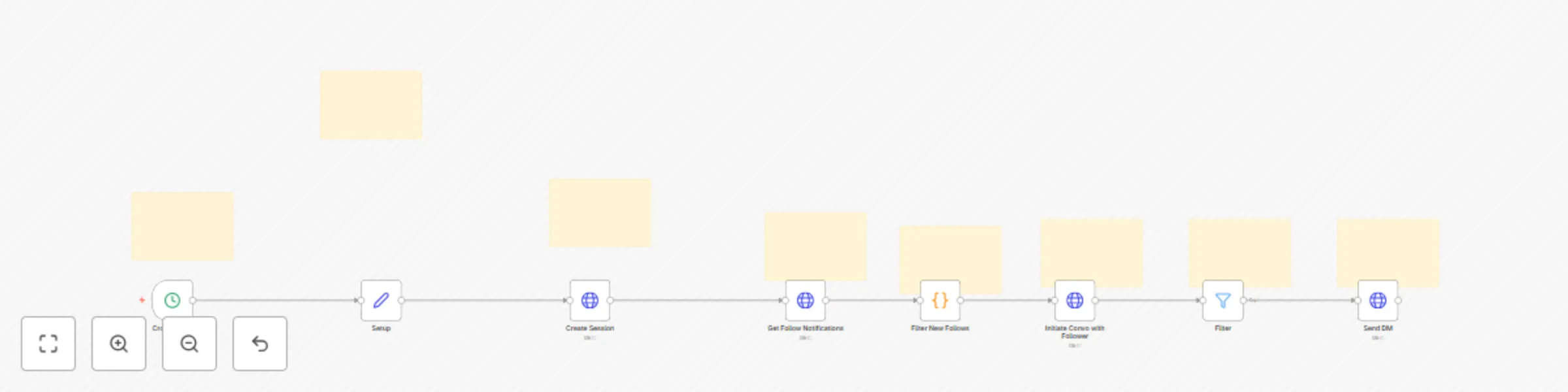
# 🦋 Bluesky New Follower Auto DM Effortlessly send welcome direct messages to new followers on Bluesky — no storage, no dependencies, just real-time engagement. ## 🧑‍💼 Who is this for? This template is ideal for: - **Creators**, **brands**, and **community builders** on Bluesky looking to engage their followers automatically - **n8n beginners** who want an easy-to-configure automation with no external dependencies - Anyone seeking a **lightweight, stateless** solution for follower messaging — without needing to manage databases or history ## 🧩 What problem is this workflow solving? / Use case Automatically welcoming new followers is a powerful way to start building relationships, increase engagement, and show your followers that you’re active and approachable. Use it to: - Start conversations and build relationships immediately - Build a loyal community by making people feel seen - Boost follower retention - Automate engagement while keeping your workflow simple ## ⚙️ What this workflow does - Runs every 4 hours (configurable) - Authenticates your Bluesky account via secure app password - Fetches the last 100 Bluesky notifications - Filters for new "follow" events - Starts a chat if there is no existing conversation with the new follower - Sends a customized welcome message automatically All done **without having to save data**. ## 🛠️ Setup There is only one node that needs to be modified. In the `Setup` node: 1. **Enter your Bluesky handle** (e.g., `yourname.bsky.social`) 2. **Create an App Password** → [Generate it here](https://bsky.app/settings/app-passwords) 3. **Customize your welcome message** in the `Setup` node Then **save and activate the workflow** You’re now ready to automatically greet new followers as they arrive. ## 🧪 How to customize this workflow to your needs - **Update the schedule** Modify the Cron node to change how often the workflow runs (default: every 4 hours) - **Personalize the message** Update the `welcomeMessage` field in the `Setup` node to reflect your tone, brand, or goals - **Add tracking or CRM integration** If you'd like to log interactions or sync with another system, you can extend the workflow with additional nodes.

S
Square Zero Labs
Social Media
6 Jun 2025
106
0