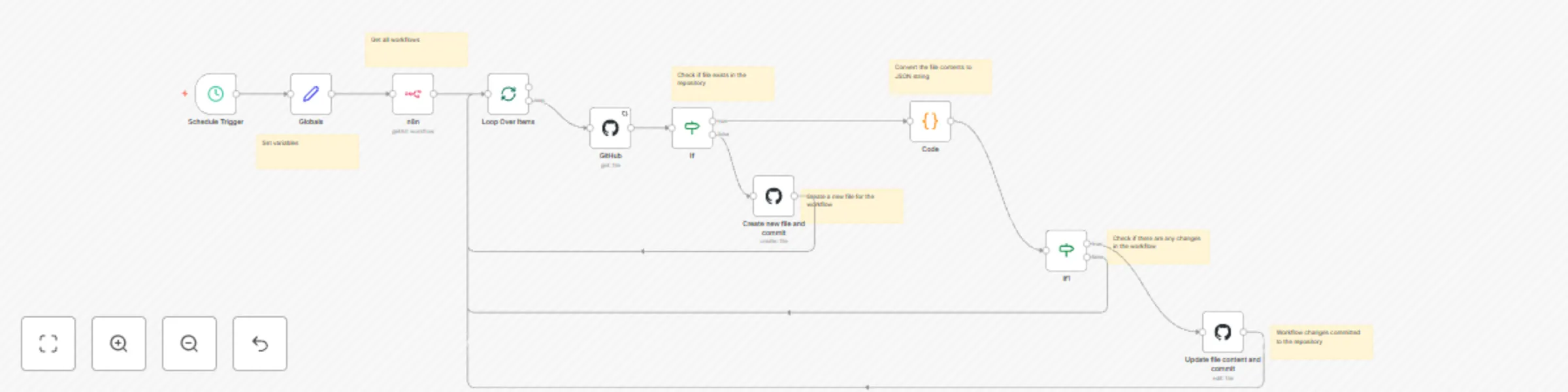
Backup workflows to git repository on Github
[Source code](https://code.swecha.org/shashikanth/n8n-templates/-/tree/main/backup-worflows), I maintain this worflow here.
# Usage Guide
This workflow backs up all workflows as JSON files named in the `[workflow_name].json` format.
## Steps
1. **Create GitHub Repository**
- Skip this step if using an existing repository.
2. **Add GitHub Credentials**
- In **Credentials**, add the GitHub credential for the repository owner.
3. **Download and Import Workflow**
- Import this workflow into n8n.
4. **Set Global Values**
- In the **Globals** node, set the following:
- `repo.owner`: GitHub username of the repository owner.
- `repo.name`: Name of the repository for backups.
- `repo.path`: Path to the folder within the repository where workflows will be saved.
5. **Configure GitHub Nodes**
- Edit each GitHub node in the workflow to use the added credentials.
## Workflow Logic
Each workflow run handles files based on their status:
1. **New Workflow**
- If a workflow is new, create a new file in the repository.
2. **Unchanged Workflow**
- If the workflow is unchanged, skip to the next item.
3. **Changed Workflow**
- If a workflow has changes, update the corresponding file in the repository.
## Current Limitations / Needs work
1. **Name Change of Workflows**
- If a workflow is renamed or deleted in n8n, the old file remains in the repository.
2. **Deleted Workflows**
- Deleted workflows in n8n are not removed from the repository.