Muhammad Shaheer Awan
Workflows by Muhammad Shaheer Awan
Complete AI safety suite: test 9 guardrail layers with Groq LLM
# Who's It For AI developers, automation engineers, and teams building chatbots, AI agents, or workflows that process user input. Perfect for those concerned about security, compliance, and content safety. # What It Does This workflow demonstrates all 9 guardrail types available in n8n's Guardrails node through real-world test cases. It provides a comprehensive safety testing suite that validates: - Keyword blocking for profanity and banned terms - Jailbreak detection to prevent prompt injection attacks - NSFW content filtering for inappropriate material - PII detection and sanitization for emails, phone numbers, and credit cards - Secret key detection to catch leaked API keys and tokens - Topical alignment to keep conversations on-topic - URL whitelisting to block malicious domains - Credential URL blocking to prevent URLs with embedded passwords - Custom regex patterns for organization-specific rules (employee IDs, order numbers) - Each test case flows through its corresponding guardrail node, with results formatted into clear pass/fail reports showing violations and sanitized text. # How to Set Up - Add your Groq API credentials (free tier works fine) - Import the workflow - Click "Test workflow" to run all 9 cases - Review the formatted results to understand each guardrail's behavior # Requirements - n8n version 1.119.1 or later (for Guardrails node) - Groq API account (free tier sufficient) - Self-hosted instance (some guardrails use LLM-based detection) # How to Customize - Modify test cases in the "Test Cases Data" node to match your specific scenarios - Adjust threshold values (0.0-1.0) for AI-based guardrails to fine-tune sensitivity - Add or remove guardrails based on your security requirements - Integrate individual guardrail nodes into your production workflows - Use the sticky notes as reference documentation for implementation This is a plug-and-play educational template that serves as both a testing suite and implementation reference for building production-ready AI safety layers.
Generate fact-checked research reports with Llama AI and Web search
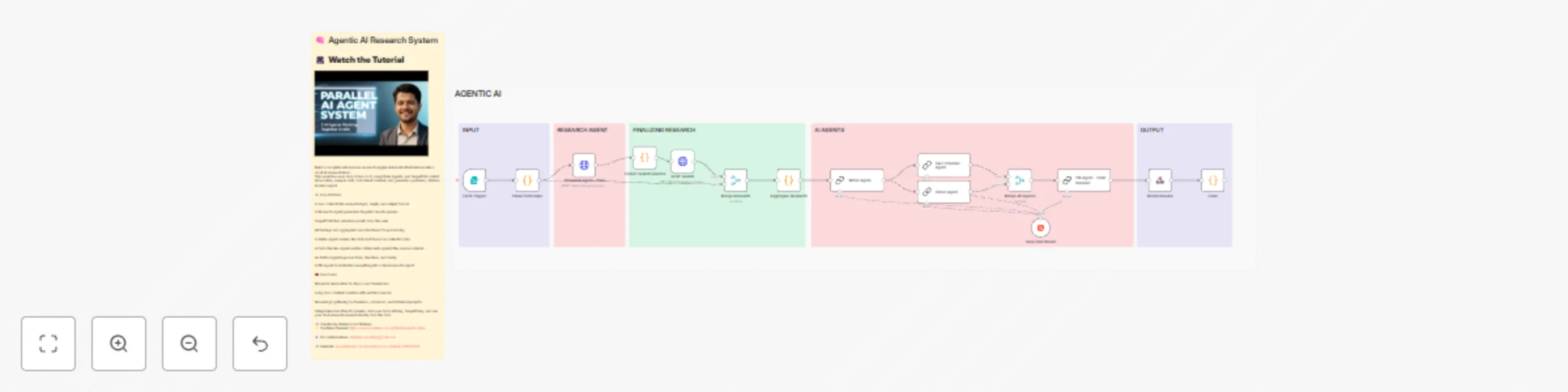
# **Who’s it for** This template is designed for creators, researchers, freelance writers, founders, and automation professionals who want a reliable way to generate structured, citation-backed research content without doing manual data collection. Anyone creating blog posts, reports, briefs, or research summaries will benefit from this system. # What it does This workflow turns a simple form submission into a complete research pipeline. It accepts a topic, determines what needs to be researched, gathers information from the web, writes content, fact-checks it against the collected sources, edits the draft for clarity, and compiles a final report. It behaves like a small agentic research team inside n8n. # How it works - A form collects the research topic, depth, and desired output format. - A research agent generates focused search queries. - SERP API retrieves real-time results for each query. - The workflow aggregates and structures all findings. - A writing agent creates the first draft based on the data. - A fact-checking agent verifies statements against the sources. - An editor agent improves tone, flow, and structure. - A final review agent produces the completed research document with citations. - This workflow includes annotated sticky notes to explain each step and guide configuration. # Requirements - Groq API key for running the Llama 3.3 model. - SERP API key for performing web searches. - An n8n instance (cloud or self-hosted). - No additional dependencies are required. # How to set up - Add your Groq and SERP API credentials using n8n’s credential manager. - Update the form fields if you want custom depth or output formats. - Follow the sticky notes for detailed configuration. - Run the workflow and submit a topic through the form to generate your first research report. # How to customize - Replace the writer agent with a different model if you prefer a specific writing style. - Adjust the number of search queries or SERP results for deeper research. - Add additional steps such as PDF generation, sending outputs to Notion, or publishing to WordPress. - Modify the form to suit industry-specific content needs.
Create a voice-enabled AI assistant with Groq, SerpAPI and TTS
# What It Does Build your own AI Chatbot that listens, thinks, searches, and speaks — all inside n8n. This template combines Groq AI, LangChain Agent, SerpAPI, and StreamElements TTS to create a chatbot that: - Understands natural language input - Searches the web for real-time answers - Remembers previous messages (context memory) - Replies with a realistic AI voice # How It Works - Chat Trigger: The workflow activates whenever a new message is received. - Groq AI Agent: Processes user input, performs reasoning, and integrates with SerpAPI for live web results. - Memory Node: Keeps the chat context for a natural conversation flow. - TTS Node: Converts AI responses into realistic voice replies using StreamElements API. # Setup Steps - Connect your Groq, SerpAPI, and StreamElements credentials (no coding required). - Customize the chatbot behavior directly inside n8n. - Deploy instantly and chat via webhook or UI widget. # Use Cases - Voice-enabled customer-support bots - AI chat widgets for websites - Personal assistants that talk and search the web
Automate business lead generation with SerpAPI and Google Sheets
# Overview This workflow helps you automatically collect verified business leads from Google Search using SerpAPI — no coding required. It extracts company names, websites, emails, and phone numbers directly from search results and saves them into Google Sheets for easy follow-up or CRM import. Perfect for marketers, freelancers, and agencies who want real, usable leads fast — without manual scraping or paid databases. # How It Works - SerpAPI Node performs a Google search for your chosen keyword or niche. - Split Out Node separates each result for individual processing. - HTTP Request Node optionally visits each site for deeper data extraction. - Code Node filters, validates, and formats leads using smart parsing logic. - Google Sheets Node stores the final structured data automatically. - All steps include sticky notes with configuration help. # Setup Steps - Setup takes about 5–10 minutes: - Add your SerpAPI key (replace the placeholder). - Connect your Google Sheets account. - Update the search term (e.g., “Plumbers in New York”). - Run the workflow and watch leads populate your sheet in real time.
Transform video transcripts into multi-platform social media posts with Groq AI
# Overview This workflow automates the process of turning your video transcripts into platform-specific social media posts using AI. It reads any uploaded transcript file, analyzes the text, and automatically generates full-length, engaging posts with image prompts for Facebook, LinkedIn, Instagram, Reddit, and WhatsApp. Perfect for creators, marketers, and automation builders who want to repurpose long-form content into viral posts, all in one click. # How it Works - The Manual Trigger starts the workflow. - The Read Binary File node imports your video transcript (TXT format). - The Move Binary Data and Set nodes convert it into a text string for processing. - The AI Agent (LangChain) powered by Groq AI analyzes the transcript and generates human-like social media posts with realistic image prompts. - The Function Node parses and structures the output by platform. - The Google Sheets Node automatically saves all content — ready for scheduling or publishing. - The SerpAPI Integration enhances contextual awareness by referencing real-time search trends. # Set Up Steps - Setting up this workflow typically takes 5–10 minutes. - Connect your Google Sheets account (OAuth2). - Connect your Groq AI and SerpAPI credentials. - Upload your transcript file (e.g., from YouTube or podcast). - Run the workflow to instantly generate platform-specific posts and prompts. - View all results automatically saved in Google Sheets. - Detailed instructions are included as sticky notes inside the workflow. # Use Cases - Turn YouTube videos or podcasts into multi-platform social content - Auto-generate daily social posts using transcripts - Build AI-powered repurposing systems for agencies or creators - Save creative teams hours of manual copywriting work # Requirements - n8n account (self-hosted or cloud) - Groq AI API Key - SerpAPI Key (for optional trend enhancement) - Google Sheets connection