S

SayOne Technologies

4
Workflows

Workflows by SayOne Technologies

Workflow preview: Extract purchase orders from Gmail using Gemini AI and save to Google Sheets
Free advanced

Extract purchase orders from Gmail using Gemini AI and save to Google Sheets

# 🚀 AI-Powered Email to Purchase Order Workflow Automatically scan your inbox for new purchase order requests, extract order details using **Gemini AI**, and log them into **Google Sheets** — all without manual effort. --- ## ✨ Core Capabilities - ⏱ Runs every minute to check **unread emails** - 📧 Filters emails by **subject** - 🤖 Uses **Gemini AI** to summarize email content & extract structured order details - 📅 Formats dates into **ISO calendar weeks** - 📊 Adds product data from **Google Sheets** to complete order info - ✅ Appends final purchase order records into a Google Sheet (without replacing previous ones) --- ## 🛠 Setup Essentials - 📩 **Gmail account** for fetching unread emails - 🔑 **Google Gemini (PaLM) API credentials** - 📒 **Google Sheet** with predefined purchase order headers --- ## 📖 Activation Guide 1. ⚙️ Configure **Gmail & Google Sheets** credentials in n8n 2. 🎯 Adjust the **subject filter** to match your email rules 3. 🔌 Connect **Gemini AI** with your API credentials 4. 📑 Create a **Google Sheet** with the required headers 5. ▶️ Activate the workflow and let it run in the background --- ## 🎨 Customizing the Workflow - 🔍 **Email Filters** → Change keywords in the filter node to match your purchase order email subjects - 🏷 **Order Fields** → Modify **Set** and **Append to Google Sheet** nodes if your schema differs - ✍️ **AI Instructions** → Adjust the AI Agent’s prompt to fit your company’s email style or product details - ⏲ **Frequency** → Update the **Cron node** if you want to scan emails less often - 📂 **Target Google Sheet** → Point to a different sheet or tab depending on your department or customer ---

S
SayOne Technologies
Document Extraction
15 Sep 2025
478
0

Workflow preview: Automate meeting notes summaries with Gemini AI & Slack notifications
Free advanced

Automate meeting notes summaries with Gemini AI & Slack notifications

# 📝 Meeting Notes Summarizer & Slack Notifier Easily keep your team aligned by summarizing meeting notes, extracting action items, and delivering them directly to Slack. ## 🚀 What This Workflow Does - ⏰ Triggers on a schedule to fetch meeting data from your note-taking tool - 📄 Retrieves meeting summaries and action items using the MeetGeek API - 🤖 Uses Google Gemini AI to generate concise summaries and action points - 🎨 Restructures the output into Slack Block Kit format - 📢 Sends daily Slack notifications with clear summaries and actionable tasks ## 👥 Who Is This For? - 👩‍💼 Teams that want automated daily meeting briefs - 📌 Project managers who need action items clearly assigned - 🌍 Remote or hybrid teams using Slack as their main communication hub - ⏳ Anyone looking to reduce the time spent reviewing long meeting notes ## 🛠️ Technical Requirements - 🔑 API key & credentials for your meeting note-taking app - 🤝 Google Gemini AI credentials - 💬 Slack workspace with proper OAuth setup ## ⚡ Set Up the Workflow with Ease 1. 🗂️ Configure your meeting note API in the “Get Meetings List” and “Summary” nodes. 2. 🤖 Add Gemini AI credentials for generating summaries. 3. 🔗 Connect your Slack channel for notifications. 4. ✅ Activate the workflow so that your team will start receiving daily meeting insights automatically. ## 🎨 Want to Customize It Further? - 🔄 Change the trigger schedule (daily, weekly, or after each meeting). - 🎭 Modify the Slack Block Kit layout for different formatting styles. - 📧 Add extra integrations like email, Notion, or Google Docs to save notes. - ✍️ Adjust the AI prompt for different summary styles (short/long, formal/casual, etc.). - 🔍 Filter meetings by specific teams, projects, or keywords. - 🌐 Customize the API URL in the HTTP Request node to connect with other note-taking tools or different API endpoints.

S
SayOne Technologies
Internal Wiki
1 Sep 2025
476
0
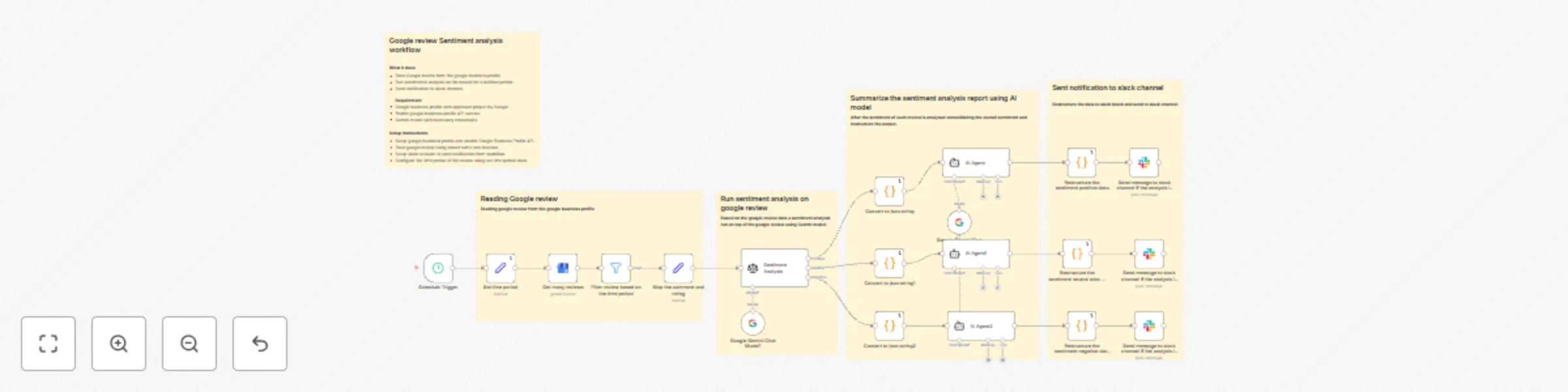
Workflow preview: Analyze Google Business Reviews & send sentiment reports to Slack with Gemini
Free advanced

Analyze Google Business Reviews & send sentiment reports to Slack with Gemini

# ⭐ Google Review Sentiment Analysis & Slack Notification Workflow This workflow automates the process of collecting **Google Business Profile reviews** 🏪, analyzing customer sentiment with **Google Gemini** 🤖✨, and sending structured reports to **Slack** 💬. --- ## 🔑 Key Advantages - 📥 Fetches Google Business Profile reviews for a given business and time period - 🧠 Runs sentiment analysis using Gemini AI - 📊 Consolidates comments, ratings, and trends into a **JSON-based summary** - 🧩 Restructures results into **Slack Block Kit** format for easy readability - 🚀 Sends automated sentiment reports directly to a Slack channel --- ## ⚙️ Set Up Essentials You’ll Need - 🔑 Google Business Profile **API access** with project approval - ✅ Enabled **Google Business Profile API** service - 🔐 **Gemini API credentials** - 💬 **Slack workspace & channel** for receiving reports --- ## 🚀 How to Get Started 1. 🔧 Configure your **Google Business Profile API** and enable access 2. 👤 Set the **owner name** and 📍 **location** to fetch reviews 3. ⏳ Define the **review time period** using the *Set Time Period* node 4. 🔗 Connect your **Slack account** and select a channel for notifications 5. 🕒 Deploy and let the workflow run on schedule for **automated insights** ---

S
SayOne Technologies
Market Research
1 Sep 2025
1089
0
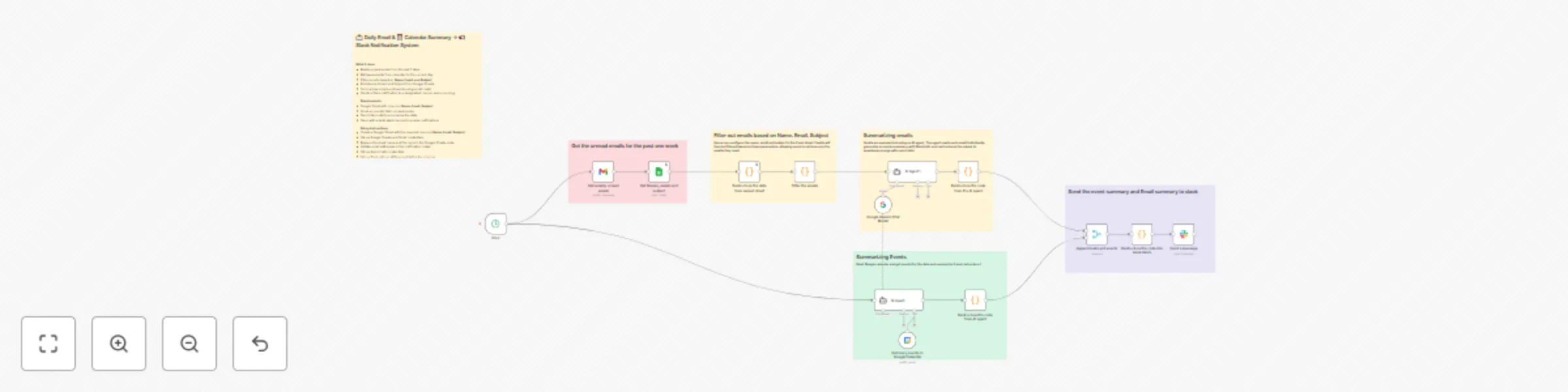
Workflow preview: Daily email & calendar summaries to Slack using Gemini AI & Google Workspace
Free advanced

Daily email & calendar summaries to Slack using Gemini AI & Google Workspace

# 📧📅 Turn Daily Emails and Calendar Summaries into Slack Notifications Here’s a workflow that automates daily Slack notifications with a concise summary of unread emails (from the last 7 days) and Google Calendar events (for the current day). It integrates **Gmail, Google Sheets, Google Calendar, Gemini AI, and Slack** to provide a clear snapshot of your workday. ## 💡 How It Helps You - 📥 Fetches unread emails from Gmail for the past 7 days - 🗂️ Filters emails based on Name, Email, and Subject defined in Google Sheets - 📅 Fetches Google Calendar events for the current day - 🤖 Summarizes emails and calendar events using Gemini AI - 🔗 Merges both summaries and sends them as a formatted Slack notification - ⏰ Runs automatically on a scheduled cron trigger ## 🛠️ What’s Needed to Start - 📧 Gmail account (with unread emails access) - 📑 Google Sheets (with Name, Email, Subject filter list) - 📅 Google Calendar - 🤝 Gemini AI with credentials - 💬 Slack workspace & dedicated channel for notifications ## ⚡ Set Up in Minutes 1. 📑 Create a Google Sheet with columns: **Name, Email, Subject** 2. 🔑 Configure Gmail, Google Sheets, Google Calendar, and Slack credentials in n8n 3. 🤖 Add Gemini AI credentials for summarization 4. 📝 Update the Google Sheet name and file name in the Sheet node 5. 💬 Update Slack channel ID in the workflow 6. ✅ Activate the workflow to receive daily notifications --- ✨ Stay on top of important emails and upcoming meetings without manual checking!

S
SayOne Technologies
AI Summarization
1 Sep 2025
230
0