S

Sandeep Patharkar | www.FastTrackAiMastery.com

8
Workflows

Workflows by Sandeep Patharkar | www.FastTrackAiMastery.com

Workflow preview: Build enterprise RAG system with Google Gemini file search & retell AI voice
Free advanced

Build enterprise RAG system with Google Gemini file search & retell AI voice

# 🧠 Enterprise RAG System with Google Gemini File Search + Retell AI Voice Agent Build a complete **enterprise-grade RAG pipeline** using Google Gemini’s brand-new **File Search API**, combined with a powerful **Retell AI voice agent (JARVIS)** as the conversational front end. This workflow is designed for **AI automation agencies, SMBs, enterprise teams, and internal AI copilots.** --- ## 📌 Who Is This For? - Enterprise teams building internal search copilots - AI automation agencies delivering RAG products to clients - SMBs wanting automated knowledge lookup - Anyone needing a **production-ready, zero-Pinecone RAG workflow** --- ## 🚧 Problem This Solves Traditional RAG requires: - Vector DB setup - Embedding jobs - Chunking pipelines - Custom search APIs **Gemini File Search eliminates all of this** — you simply create a store and upload files. Indexing, chunking, embeddings = fully automated. This workflow turns that into a **plug-and-play enterprise template.** --- ## 🧩 What This Workflow Does (High-Level) ### 1️⃣ Create a Gemini File Search Store - Calls `fileSearchStores` API - Creates a persistent embedding store - Automatically saved to Google Sheets for future retrieval ### 2️⃣ Auto-Upload Documents from Google Drive When a new file is added: - Download → Start resumable upload → Upload actual bytes - Gemini auto-indexes the document for retrieval ### 3️⃣ Chat-Based Retrieval (Chat Trigger) User question → Gemini File Search → Short, precise answer returned. ### 4️⃣ Voice Search (Retell AI Agent) Your Gemini RAG can now be searched **by voice**. --- ## 🎙️ Retell AI (JARVIS) Voice Agent – Integration Steps ### 🔧 Step 1 — Paste This Prompt Into Retell AI You are JARVIS, an advanced AI assistant designed to help user with their daily tasks. Always call the user “Sir”. You remember the user's name and important details to improve the experience. Whenever the user asks for information that requires external lookup: Make a short, witty remark related to their request. Immediately call the n8n tool — do NOT repeat the question back. Be concise, professional, and efficient. n8n tool call: Use this tool for all knowledge-based or RAG lookups. It sends the user’s query to the n8n workflow. JSON Schema: { "type": "object", "properties": { "query": { "type": "string", "description": "The user’s full request for JARVIS to process." } }, "required": ["query"] } --- ### 🔧 Step 2 — Add This URL to Retell (YOUR WEBHOOK) Paste the webhook URL from your **Respond to Webhook** node: https://YOUR-N8N-URL/webhook/Gemini ← replace with your actual webhook ID This is the endpoint Retell calls every time the user speaks. --- ### 🔧 Step 3 — End-to-End Flow 1. User speaks to JARVIS 2. Retell sends `query` → n8n 3. n8n forwards query to Gemini using File Search 4. Gemini returns answer 5. Retell speaks the response out loud You now have a **voice-powered enterprise RAG agent**. --- ## 📦 Requirements - Google Gemini File Search API access - Google Drive folder for document uploads - Retell AI agent - n8n instance - (Optional) Google Sheets for storing store IDs --- ## 📝 Estimated Setup Time ⏱️ **25–30 minutes** (end-to-end) --- ## 👨‍💻 Template Author **Sandeep Patharkar** Founder – FastTrackAI AI Automation Architect | Enterprise Workflow Designer 🔗 Website: https://fasttrackaimastery.com 🔗 LinkedIn: https://www.linkedin.com/in/sandeeppatharkar/ 🔗 Skool Community: https://www.skool.com/aic-plus 🔗 YouTube: https://www.youtube.com/@FastTrackAIMastery --- ## 🏁 Summary This template gives you a **full enterprise RAG infrastructure**: - Automatic document indexing - Gemini File Search retrieval - Chat + Voice interfaces - Zero-vector-database setup - Seamless Retell AI integration - Fully production-ready Perfect for creating internal AI copilots, employee knowledge assistants, client-facing search apps, and enterprise RAG systems.

S
Sandeep Patharkar | www.FastTrackAiMastery.com
Internal Wiki
27 Nov 2025
161
0
Workflow preview: Generate Hollywood-style video ads from images with GPT-5 Mini and Fal.ai Sora-2
Free advanced

Generate Hollywood-style video ads from images with GPT-5 Mini and Fal.ai Sora-2

## 🎬 Hollywood-Style Ads in Seconds (Fal.ai Sora-2 Version) Turn a **single product image + short text description** into a cinematic 8-second ad using **Fal.ai’s Sora-2 Image-to-Video model**. Perfect for ad agencies, marketing teams, and UGC creators who want to produce high-quality video ads instantly without editors or camera crews. --- ## 🧩 Problem It Solves Producing ad videos usually requires writers, editors, equipment, and several review cycles. This workflow replaces that process with a fully automated pipeline that generates **studio-quality ads on demand**. --- ## 🏢 Real Use Cases ### 1. Ad Agencies Deliver Hollywood-style ads to clients instantly from a simple image upload. ### 2. UGC Creators Create multiple ad variations in minutes instead of spending hours filming. ### 3. SMB Marketing Generate product promo videos for websites, social media, and email campaigns. --- ## ⚙️ How It Works 1. Your frontend sends **image + text** to the workflow webhook. 2. Image is resized to 1280×720. 3. GPT-5 Mini writes a cinematic Sora-2 compatible prompt. 4. Fal.ai Sora-2 generates a realistic 8-second lifestyle ad. 5. Workflow polls status and retrieves the final video. 6. Sends the video URL back to your frontend. 7. Optional: Sends a Telegram notification. --- ## 🧪 Requirements - Fal.ai API Key - Cloudinary Account (optional, for image storage) - n8n (latest recommended version) - Frontend (Lovable / AI Studio / Bubble / React) --- ## 🎨 Template Metadata **Template Author:** Sandeep Patharkar **Category:** Content Generation / Video Ads **Difficulty:** Intermediate **Setup Time:** 10–12 minutes --- ## 📬 Connect With Me LinkedIn → www.linkedin.com/in/sandeeppatharkar YouTube → https://www.youtube.com/@fasttrackaimastery Website → https://fasttrackaimastery.com Skool Community → https://www.skool.com/aic-plus

S
Sandeep Patharkar | www.FastTrackAiMastery.com
Content Creation
27 Nov 2025
96
0
Workflow preview: Classify and auto-reply to Gmail with OpenAI, Google Sheets RAG and Telegram
Free advanced

Classify and auto-reply to Gmail with OpenAI, Google Sheets RAG and Telegram

# 📨 Gmail Classifier —Classify emails using AI and automate responses This workflow delivers a complete, enterprise-grade Gmail automation system designed for high-volume teams. It classifies incoming emails, applies labels, generates AI-powered responses, and routes messages to the right department. It also includes optional demo email generation and an inbox cleanup utility so teams can test the workflow instantly. ## 🚀 What This Workflow Does - Classifies Gmail messages into **High Priority**, **Customer Support**, **Promotions**, or **Finance/Billing** - Generates AI-written replies or drafts based on category - Applies Gmail labels automatically - Uses RAG from Google Sheets for Support queries - Sends real-time internal notifications (Telegram) - Includes tools to generate & delete test emails for repeatable QA ## 🏢 Who This Is For Teams that want **reliable, automated inbox management**: - Customer Support - Sales - Billing & Finance - Operations - Solo founders who need executive inbox automation - AI-powered enterprise workflows using Gmail ## 🧩 Internal Workflow Overview 1. **Gmail Trigger** pulls unread emails from the inbox 2. **Email Classifier Agent** (OpenAI) cleans + classifies the email 3. **Switch Node** routes to the correct workflow lane 4. Labels are added → AI responders generate the message → internal teams get notified 5. Optional: Demo email generator + inbox cleanup for testing ## 🛠️ How to Set Up 1. Add credentials: - Gmail OAuth2 - OpenAI / Gemini - Google Sheets OAuth2 2. Copy the demo sheet: **https://docs.google.com/spreadsheets/d/1A959skQt0a7RbdsD0IGaCbPxMv4a-HjmQL4hwB9TcXc/edit?usp=sharing** 3. Update the Google Sheets nodes with your Document ID + Sheet Name 4. Enable **Gmail Trigger** (UNREAD filter recommended) 5. Use “Send Demo Emails” → test end-to-end behavior 6. Run the Gmail Classifier workflow live ## 📦 Requirements - Gmail API access - OpenAI/Gemini API key - Google Sheets OAuth (for RAG/lookup) - n8n (latest recommended version) ## 🎯 Ideal Enterprise Use Cases - Automated customer support with AI-written replies - High-priority routing for executives - Finance & billing summarization for operations - Filtering promotions/marketing noise from shared inboxes - AI-augmented helpdesk workflows ## 🧪 Test Data Included Use the Demo Sheet tabs: - **Sample_Emails** → pre-written emails for every category - **Demo_Emails** → rows sent as live test emails Copy → paste → run. ## 🔖 Tags Gmail, AI, Inbox Automation, Support Automation, Enterprise, Email Classification, OpenAI, RAG, Google Sheets --- **Template Author:** Sandeep Patharkar LinkedIn: https://www.linkedin.com/in/sandeeppatharkar Skool: https://www.skool.com/aic-plus

S
Sandeep Patharkar | www.FastTrackAiMastery.com
Ticket Management
27 Nov 2025
0
0
Workflow preview: n8n enterprise AI security firewall — guardrails for secure agents
Free advanced

n8n enterprise AI security firewall — guardrails for secure agents

# 🛡️ n8n Guardrails: Risk Ranking This workflow provides a complete testing rig for evaluating text against **seven essential AI guardrails** used in production systems. It helps you detect jailbreak attempts, PII exposure, NSFW content, secret key leaks, malicious URLs, topical misalignment, and keyword violations. Use the included **Google Sheet or CSV** to batch-test multiple inputs instantly. --- ## ## How It Works (Internal Workflow Overview) ### **1. Load Input Rows** The workflow reads each test entry (Guardrail_Type + Input_Text) from a Google Sheet or CSV. ### **2. Route to the Correct Guardrail** A Switch node sends the text to the appropriate guardrail: - Jailbreak - PII - Secret Keys - NSFW - URLs - Topical Alignment - Keywords ### **3. AI Guardrail Evaluation** Each guardrail uses **Google Gemini** to return: - Pass / Fail - Confidence score - Reasoning - Extracted PII, URLs, or entities (when relevant) ### **4. Optional Sanitization Layer** Three sanitizers demonstrate how to *clean* unsafe text: - PII Sanitization - Secret Key Sanitization - URL Sanitization ### **5. Review Results** Each guardrail node outputs clean JSON, making debugging fast and transparent. --- ## ## How to Set Up ### **1. Load the Test Dataset** Use either: - The included CSV file - The linked Google Sheet Update only: - **Document ID** - **Sheet name** --- ### **2. Add Google Sheets Credentials** Create an OAuth2 credential → paste the Google JSON → connect your account. --- ### **3. Add Google Gemini Credential** Go to **Credentials → Google Gemini (PaLM API)** → Paste your API key → attach it to all Guardrail nodes. --- ### **4. Review Sticky Notes** They visually explain: - What each guardrail checks - Why the check is important - Risk scoring and impact --- ### **5. Run the Workflow** Click **Execute Workflow** and inspect: - Each guardrail node’s output - The full execution data --- ## ## Requirements - n8n (latest version recommended) - Google Gemini API key - Google Sheets API access - Test dataset: *n8n Guardrails test data.csv* --- ## ## Test Data Included The included dataset allows instant testing: - Jailbreak prompts - PII samples - API key leaks - NSFW text - Malicious URL examples - Off-topic content - Keyword triggers --- ## ## Template Metadata **Template Author:** Sandeep Patharkar **Category:** AI Safety / Agent Security **Difficulty:** Intermediate **Estimated Setup Time:** 10–15 minutes **Tags:** Guardrails, AI Agents, Safety, Enterprise --- ## ## Connect With Me **Author:** Sandeep Patharkar** 🔗 **LinkedIn:** https://www.linkedin.com/in/sandeeppatharkar 🏠 **Skool AIC+:** https://www.skool.com/aic-plus

S
Sandeep Patharkar | www.FastTrackAiMastery.com
SecOps
20 Nov 2025
73
0
Workflow preview: Error workflow: AI powered (GPT 4.1): universal
Free intermediate

Error workflow: AI powered (GPT 4.1): universal

# **AI-Powered n8n Error Debugger & Notifier** *Automatically analyze any workflow failure with AI, get actionable solutions, and receive a detailed report directly in your inbox.* Stop wasting time deciphering cryptic error messages and stack traces. This template turns your n8n instance into a self-diagnosing system. When any of your workflows fail, this error handler automatically triggers, sends the error data to an AI agent for a full analysis, and delivers a comprehensive, easy-to-read report to your email. It's like having a personal AI debugging assistant on call 24/7. | **Services Used** | **Features** | | :--- | :--- | | 🤖 **OpenAI / LangChain** | Provides deep, AI-driven root cause analysis of errors. | | 📧 **Gmail** | Delivers beautifully formatted and detailed HTML email notifications. | | 🚨 **n8n Error Trigger** | Acts as a global catch-all for any workflow failure in your instance. | | ✨ **Data Formatting** | Organizes raw error data and AI analysis for clear reporting. | --- ## How It Works ⚙️ 1. **🚨 A Workflow Fails**: When any workflow in your n8n instance encounters an error, this workflow is automatically triggered. 2. **🧠 AI Analysis**: The **Error Trigger** node passes the complete error context (message, stack trace, failing node, etc.) to a **LangChain Agent**. The agent is prompted to perform a deep analysis, identifying the root cause, potential solutions, impact, and urgency. 3. **✨ Format Data**: A **Set** node neatly organizes the original error details alongside the new, structured AI analysis into a single, clean data object. 4. **📧 Send Detailed Report**: The **Gmail** node uses this formatted data to construct a rich HTML email, presenting the error details and the AI's full analysis in a clear, actionable format, and sends it to your specified address. --- ## 🛠️ How to Set Up This workflow is designed to be set as your instance's default error handler. 1. **🔑 Add Credentials**: * Add your **OpenAI API key** to the `OpenAI Chat Model` node. * Add your **Gmail OAuth2 credentials** to the `Send Gmail Notification` node. 2. **✏️ Configure Email**: In the `Send Gmail Notification` node, change the **To** field from `[email protected]` to your own email address or a team distribution list. 3. **⚙️ Set as Global Error Workflow**: * In your n8n instance, go to **Settings > Workflow Default Settings**. * In the **Error Workflow** dropdown, select this workflow (`AI-Powered n8n Error Debugger & Notifier`). * Save the changes. 4. **▶️ Activate**: Save and activate the workflow. It will now run automatically whenever another workflow fails. --- ## 💡 Customization Ideas * **Multi-Channel Alerts**: Replace or add nodes to send notifications to **Slack**, **Discord**, or **Telegram** for more immediate team visibility. * **Create an Error Dashboard**: Add a **Google Sheets**, **Notion**, or **Baserow** node after the `Format Data` node to log every error, creating a historical dashboard for tracking recurring issues. * **Severity-Based Routing**: Add an **IF** node to check the "Urgency Level" from the AI analysis. Route "Critical" errors to a PagerDuty or Twilio node to alert an on-call developer. * **Try Different Models**: Swap the `OpenAI Chat Model` for an **Anthropic** or **Google Gemini** node to compare analysis quality. --- ## 💬 Need Help or Want to Learn More? * Join my **Skool community** for n8n + AI automation tutorials, live Q&A sessions, and exclusive workflows: 👉 https://www.skool.com/n8n-ai-automation-champions --- **Template Author:** Sandeep Patharkar **Category:** Utilities / DevOps **Difficulty:** Intermediate **Estimated Setup Time:** ⏱️ 10 minutes

S
Sandeep Patharkar | www.FastTrackAiMastery.com
DevOps
23 Oct 2025
82
0
Workflow preview: Create Deepfake Videos by Swapping Faces with Fal.ai Wan 2.2 and AWS S3
Free advanced

Create Deepfake Videos by Swapping Faces with Fal.ai Wan 2.2 and AWS S3

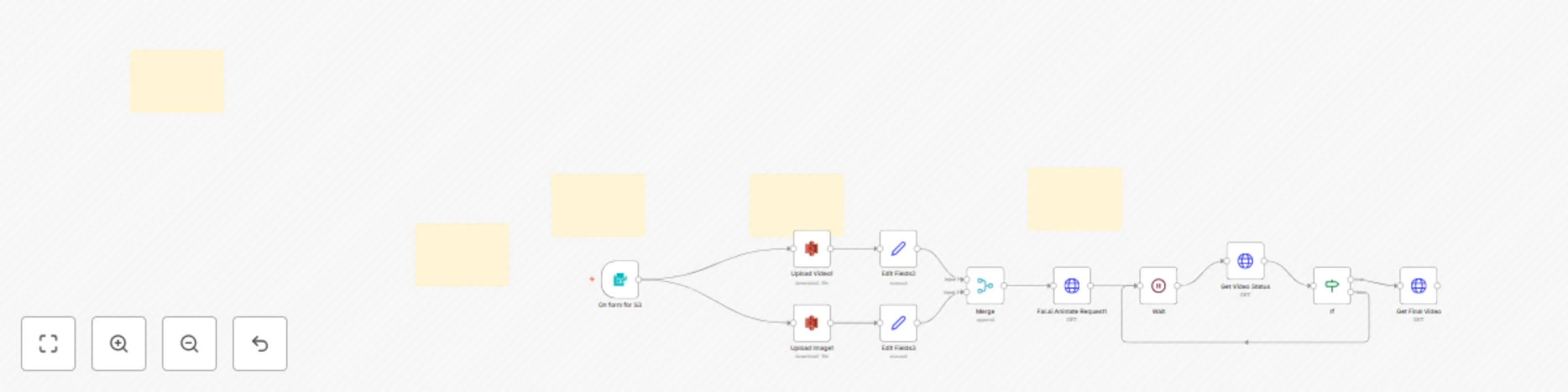
*** # **Animate Any Face into a Video with Fal.ai** *Create stunning deepfake-style videos automatically by swapping a face from an image onto a source video.* This workflow provides a powerful, automated pipeline to perform video face-swapping using the Fal.ai API. It's designed to handle the entire asynchronous process: accepting a source video and a target face image, uploading them to cloud storage, initiating the AI job, polling for completion, and retrieving the final, rendered video. | **Services Used** | **Features** | | :--- | :--- | | 🤖 **Fal.ai** | Leverages the powerful Wan 2.2 model for high-quality face animation. | | ☁️ **AWS S3** | Uses enterprise-grade cloud storage for reliable public file hosting. | | 🔄 **Polling Loop** | Intelligently waits for the asynchronous AI job to complete before proceeding. | | 📥 **n8n Form Trigger** | Provides a simple UI to upload your source image and video. | --- ## How It Works ⚙️ 1. **📥 Get User Input**: The workflow starts when you upload a source video and a face image via the **n8n Form Trigger**. 2. **☁️ Upload to Cloud**: Both files are automatically uploaded to a specified **AWS S3 bucket** to generate the publicly accessible URLs required by the AI model. 3. **🚀 Start AI Job**: The public URLs for the video and image are sent in an **HTTP Request** to the Fal.ai API, which starts the asynchronous face animation process and returns a `request_id`. 4. **⏳ Wait & Check**: The workflow enters a polling loop. It **Waits** for one minute, then makes another **HTTP Request** to the Fal.ai status endpoint using the `request_id`. 5. **✅ Check for Completion**: An **IF** node checks if the job status is `COMPLETED`. If not, the workflow loops back to the Wait node. 6. **🎬 Retrieve Final Video**: Once the job is complete, the workflow makes a final **HTTP Request** to fetch the finished animated video. --- ## 🛠️ How to Set Up 1. **🔑 Set Up Fal.ai Credentials**: Get your API Key from [Fal.ai](https://fal.ai/). In n8n, go to **Credentials**, add a new **Header Auth** credential, and save your key. Connect this credential to all three `HTTP Request` nodes in the workflow. 2. **☁️ Configure AWS S3**: Add your AWS credentials in n8n. In the two **AWS S3** nodes (`Upload Video1` and `Upload Image1`), update the **Bucket Name** parameter to your own S3 bucket. Ensure your bucket permissions allow for public reads. 3. **▶️ Activate and Run**: Activate the workflow. Open the **Form Trigger** URL from the n8n editor, upload your files, and submit. The final video will be available in the execution log of the `Get Final Video` node. --- ## Requirements * An active **Fal.ai** account and API key. * An **AWS account** with an S3 bucket configured for public access. * **Alternative Storage:** For a personal setup, you can replace the AWS S3 nodes with **Cloudinary** nodes. Just ensure the output is a public URL. --- ## 💬 Need Help or Want to Learn More? * Join my **Skool community** for n8n + AI automation tutorials, live Q&A sessions, and exclusive workflows: 👉 https://www.skool.com/n8n-ai-automation-champions --- **Template Author:** Sandeep Patharkar **Category:** Content Generation / Content Marketing **Difficulty:** Intermediate **Estimated Setup Time:** ⏱️ 20 minutes

S
Sandeep Patharkar | www.FastTrackAiMastery.com
Content Creation
13 Oct 2025
240
0
Workflow preview: Outlook inbox tamer: GPT-4.1 powered categorization, auto replies & team alerts
Free advanced

Outlook inbox tamer: GPT-4.1 powered categorization, auto replies & team alerts

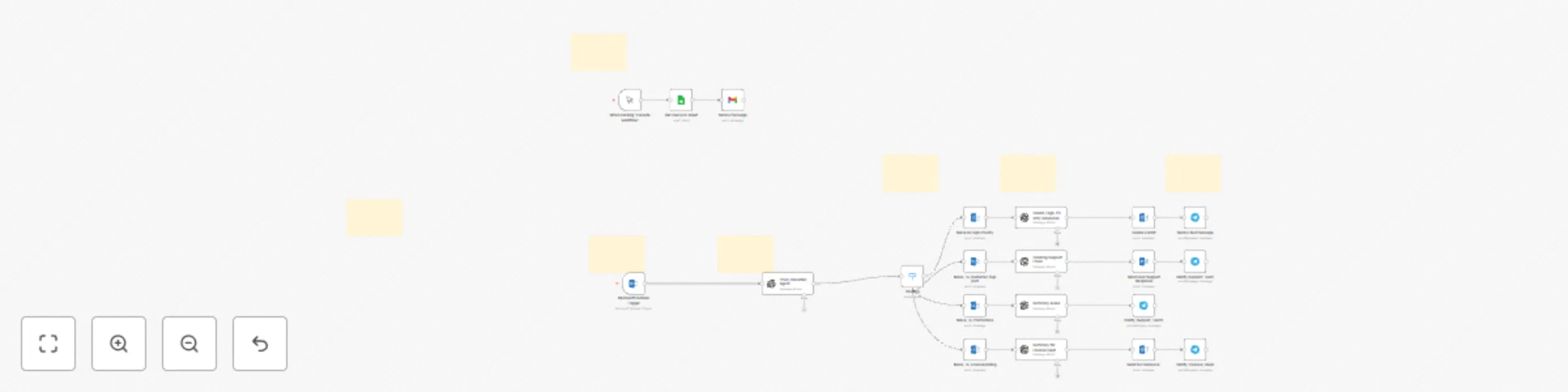
## Outlook Inbox Tamer: AI-Powered Categorization, Auto Replies & Team Alerts This workflow automatically classifies and routes incoming **Outlook emails** into smart categories using **n8n + OpenAI GPT-4.1-mini**. It helps professionals and teams stay organized by intelligently sorting and responding to high-priority messages, customer support emails, promotions, and finance-related messages — all without manual effort. --- ## 🧠 Who’s It For - Professionals or teams overwhelmed by email volume. - Customer support, operations, or finance teams needing real-time triage. - Anyone who wants AI to help manage and prioritize their Outlook inbox. --- ## ⚙️ How It Works 1. **Microsoft Outlook Trigger** monitors your inbox for new emails. 2. **OpenAI GPT-4.1-mini** analyzes each email and classifies it as one of: - High_Priority - Customer_Support - Promotions - Finance/Billing 3. **Routing node** moves emails to matching Outlook folders. 4. AI-generated replies and **Telegram notifications** keep the right team informed instantly. 5. (Optional) Use **Google Sheets + Manual Trigger** to test with sample data before going live. --- ## 🛠️ Requirements - Outlook account connected via **Microsoft Outlook OAuth2**. - **OpenAI API key** (set up in n8n credentials). - (Optional) **Telegram bot token** for team alerts. - (Optional) **Google Sheets** for test emails. --- ## 🔧 How to Set Up 1. Import the workflow into your n8n instance. 2. Add credentials for: - Microsoft Outlook - OpenAI - Telegram (optional) 3. Deploy and activate the workflow. 4. Start sending or receiving emails — watch them get auto-classified and organized! --- ## 🧩 How to Customize - Update the **system prompt** in the **Email_Classifier_Agent** to add more categories (like HR, Legal, etc.). - Change Telegram recipients for alerts. - Extend the workflow to post classified data into Notion, Slack, or CRM. --- ## 📘 Example Use Case An AI agent monitors your Outlook inbox, classifies incoming emails in real time, moves them to their respective folders, creates response drafts, and alerts your team instantly through Telegram. --- ## 💬 Connect with the Creator 👋 Created by **Sandeep Patharkar** 💼 [Connect on LinkedIn](https://www.linkedin.com/in/sandeeppatharkar/) 🌐 [Join my Skool community](https://www.skool.com/n8n-ai-automation-champions) for n8n + AI automation tutorials, live Q&As, and exclusive workflow templates. --- **Category:** Email Automation / AI Productivity **Difficulty:** Intermediate **Estimated Setup Time:** ⏱️ 10–15 minutes

S
Sandeep Patharkar | www.FastTrackAiMastery.com
Ticket Management
13 Oct 2025
287
0
Workflow preview: Automate HR recruitment with OpenAI resume screening & interview QnA generator
Free advanced

Automate HR recruitment with OpenAI resume screening & interview QnA generator

*** <br> <div> # **Build an AI HR Assistant to Screen Resumes and Send Telegram Alerts** *A step-by-step guide to creating a fully automated recruitment pipeline that screens candidates, generates interview questions, and notifies your team.* This template provides a complete, step-by-step guide to building an AI-powered HR assistant from scratch in n8n. You will learn how to connect a web form to an intelligent screening agent that reads resumes, evaluates candidates against your job criteria, and prepares unique interview questions for the most promising applicants. <br> | **Services Used** | **Features** | | :---------------------------------------------- | :----------------------------------------------------------------------------- | | 🤖 **OpenAI / LangChain** | Uses AI Agents to screen, score, and analyze candidates. | | 📄 **Google Drive & Google Sheets** | Stores resumes and manages a database of open positions and applicants. | | 📥 **n8n Form Trigger** | Provides a public-facing web form to capture applications. | | 💬 **Telegram** | Sends real-time alerts to the hiring team for qualified candidates. | --- ## How It Works ⚙️ 1. **📥 Application Submitted**: The workflow starts when a candidate fills out the **n8n Form Trigger** with their details and uploads their CV. 2. **📂 File Processing**: The CV is automatically uploaded to a specific **Google Drive** folder for record-keeping, and the **Extract from File** node reads its text content. 3. **🧠 AI Screening Agent**: A **LangChain Agent** analyzes the resume text. It uses the **Google Sheets Tool** to look up the requirements for the applied role, then scores the candidate and decides if they should be shortlisted. 4. **📊 Log Results**: The agent's decision (name, score, shortlisted status) is logged in your master "Applications" **Google Sheet**. 5. **✅ Qualification Check**: An **IF** node checks if the candidate was shortlisted. 6. **❓ AI Question Generator**: If shortlisted, a second **LangChain Agent** generates three unique, relevant interview questions based on the candidate's resume and the job description. 7. **✍️ Update Sheet**: The generated questions are added to the candidate's row in the **Google Sheet**. 8. **🔔 Notify Team**: A final alert is sent via **Telegram** to notify the HR team that a new candidate has been qualified and is ready for review. --- ## 🛠️ How to Build This Workflow Follow these steps to build the recruitment assistant from a blank canvas. #### **Step 1: Set Up the Application Intake** 1. Add a **Form Trigger** node. Configure it with fields for `Name`, `Email`, `Phone Number`, a `File Upload` for the CV, and a `Dropdown` for the "Job Role". 2. Connect a **Google Drive** node. Set the Operation to `Upload` and connect your credentials. Set it to upload the CV file from the Form Trigger into a specific folder. 3. Add an **Extract from File** node. Set it to extract text from the PDF CV file provided by the trigger. #### **Step 2: Build the AI Screening Agent** 1. Add a **Langchain Agent** node. This will be your main screening agent. 2. In its prompt, instruct the AI to act as a resume screener. Tell it to use the input text from the **Extract from File** node and the tools you will provide to score and shortlist candidates. 3. Add an **OpenAI Chat Model** node and connect it to the Agent's `Language Model` input. 4. Add a **Google Sheets Tool** node. Point it to a sheet with your open positions and their requirements. Connect this to the Agent's `Tool` input. 5. Add a **Structured Output Parser** node and define the JSON structure you want the agent to return (e.g., `candidate_name`, `score`, `shortlisted`). Connect this to the Agent's `Output Parser` input. #### **Step 3: Log Results & Check for a Match** 1. Connect a **Google Sheets** node after the Agent. Set its operation to `Append or Update`. Use it to add the structured output from the agent into your main "Applications" sheet. 2. Add an **IF** node. Set the condition to continue only if the `shortlisted` field equals "yes". #### **Step 4: Generate Interview Questions** 1. On the 'true' path of the **IF** node, add a second **Langchain Agent** node. 2. Write a prompt telling this agent to generate 3 interview questions based on the candidate's resume and the job requirements. 3. Connect the same **OpenAI Model** and **Google Sheets Tool** to this agent. 4. Add another **Google Sheets** node. Set it to `Update` the existing row for the candidate, adding the newly generated questions. ## 💬 Need Help or Want to Learn More? Join my **Skool community** for n8n + AI automation tutorials, live Q&A sessions, and exclusive workflows: 👉 https://www.skool.com/n8n-ai-automation-champions --- **Template Author:** Sandeep Patharkar **Category:** Website Chatbots / AI Automation **Difficulty:** Beginner **Estimated Setup Time:** ⏱️ 15 minutes

S
Sandeep Patharkar | www.FastTrackAiMastery.com
HR
13 Oct 2025
729
0