S

Soumya Sahu

3
Workflows

Workflows by Soumya Sahu

Workflow preview: Automate follower resource distribution on BlueSky with keyword-triggered DMs
Free advanced

Automate follower resource distribution on BlueSky with keyword-triggered DMs

This workflow acts as an automated engagement bot. It sends a Direct Message (DM) with a link or resource to any follower who replies to your post with a specific target keyword. ## Who is this for Ideal for creators and community managers who want to distribute resources (PDFs, links, invites) to their audience automatically without manually messaging each person. ## What it does It scans your notifications for new replies and applies a strict filter to ensure only the right people get messaged: * **Targeted:** It only monitors replies on the specific post you choose. * **Keyword Match:** Checks if the user's reply contains your specific trigger word (e.g., "Send"). * **Follower Check:** Verifies if the user is following you (if not, it skips them). * **Delivery:** Opens a chat conversation and sends your pre-set message. * **Engagement:** Automatically "Likes" the user's reply to confirm receipt. * **Anti-Spam:** Remembers processed replies so it never messages the same user twice for the same interaction. ## How to set up 1. **Configuration:** Open the first node ("Configuration") and enter: * **BlueSky Credentials:** Your Handle and App Password. * **Target Post URL:** The full link to the specific BlueSky post you want to monitor. * **Trigger Keyword:** The word users must type (e.g., "Template"). * **DM Message:** The actual text/link to send them. 2. **Activate:** Turn the workflow on. It runs every 30 minutes to batch-process new replies. ## 🚀 The BlueSky Growth Suite This workflow is part of a 3-part automation suite designed to help you grow on BlueSky: * **Part 1: Post Scheduler** (Manage content from Google Sheets) * **Part 2: Analytics Tracker** (Track likes/reposts back to Sheets) * **Part 3: Auto-DM Bot** (This template)

S
Soumya Sahu
Social Media
26 Dec 2025
8
0

Workflow preview: Track BlueSky post engagement metrics in Google Sheets automatically
Free advanced

Track BlueSky post engagement metrics in Google Sheets automatically

This workflow automatically syncs engagement metrics (Likes, Reposts, Replies) from BlueSky back to your content calendar in Google Sheets. It ensures your reporting is always up to date without manual data entry. ## Who is this for Great for social media managers, agencies, and creators who need to report on content performance or analyze which post topics are driving the most engagement. ## What it does The workflow uses a smart "Active Window" strategy to save API calls and ensure stability: * **Fetch:** Pulls rows from your Google Sheet that are marked as "Posted." * **Smart Filter:** Only processes posts published in the last 14 days (catching viral spikes while ignoring old archived content). * **Safe Updates:** Queries the BlueSky API for the latest stats. If a post has been deleted, it handles the error gracefully instead of breaking the workflow. * **Sync:** Updates the `Like Count`, `Repost Count`, and `Reply Count` columns in your sheet. ## How to set up 1. **Google Sheet:** Ensure your sheet has these columns: `Post Link`, `Posted At`, `Like Count`, `Repost Count`, `Reply Count`. * *(A sample Google Sheet link is provided inside the workflow notes)*. 2. **Credentials:** Enter your BlueSky Handle and App Password in the "Configuration" node. 3. **Select Sheet:** In both the "Get row(s)" and "Update row" nodes, select your specific Google Sheet. 4. **Schedule:** Set the trigger to run once daily (e.g., at 9 AM). ## 🚀 The BlueSky Growth Suite This workflow is part of a 3-part automation suite designed to help you grow on BlueSky: * **Part 1: Post Scheduler** (Manage content from Google Sheets) * **Part 2: Analytics Tracker** (This template) * **Part 3: Lead Magnet Bot** (Auto-DM users who reply to your posts)

S
Soumya Sahu
Market Research
26 Dec 2025
4
0
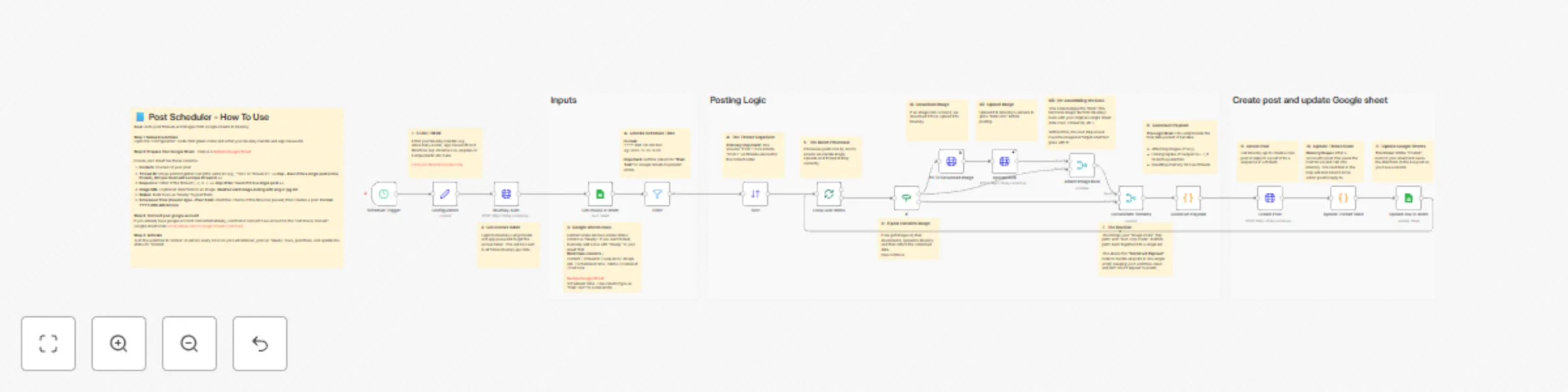
Workflow preview: Schedule BlueSky posts and threads using Google Sheets as content calendar
Free advanced

Schedule BlueSky posts and threads using Google Sheets as content calendar

This workflow turns a Google Sheet into a fully automated content calendar for BlueSky. It handles single posts, multi-post threads, and image attachments, allowing you to manage your entire social presence from a simple spreadsheet. ## Who is this for Ideal for social media managers, content creators, and growth marketers who want to schedule content in bulk without using expensive third-party tools. ## What it does It runs on a schedule to check your Google Sheet for posts marked "Ready." It automatically handles: * **Threading:** Links posts together if they share a Thread ID and Sequence. * **Images:** Downloads image URLs and uploads them as blobs to BlueSky. * **Status Updates:** Marks rows as "Posted" and saves the live URL back to your sheet. ## How to set up 1. **Google Sheet:** Create a sheet with these columns: `Content`, `Thread ID`, `Sequence` (use '1' for single posts), `Image URL`, `Scheduled Time`, `Status`, `Post Link`. * **Important:** Even if it is a single post (not a thread), you must add a unique `Thread ID`. * **Note:** `Image URL` is optional. * **Format:** Set the "Scheduled Time" column type to **Plain Text** to prevent date errors. * *(A sample Google Sheet link is provided inside the workflow notes)*. 2. **Credentials:** Enter your BlueSky Handle and App Password in the "Configuration" node. 3. **Select Sheet:** In both the "Get row(s)" and "Update row" nodes, select your specific Google Sheet. ## 🚀 The BlueSky Growth Suite This workflow is part of a 3-part automation suite designed to help you grow on BlueSky: * **Part 1: Post Scheduler** (This template) * **Part 2: Analytics Tracker** (Track likes/reposts back to Sheets) * **Part 3: Lead Magnet Bot** (Auto-DM users who reply to your posts)

S
Soumya Sahu
Social Media
26 Dec 2025
18
0