L

Li CHEN

1
Workflow

Workflows by Li CHEN

Workflow preview: Aws news monitoring & LinkedIn content automation with Claude 3 & Feishu
Free advanced

Aws news monitoring & LinkedIn content automation with Claude 3 & Feishu

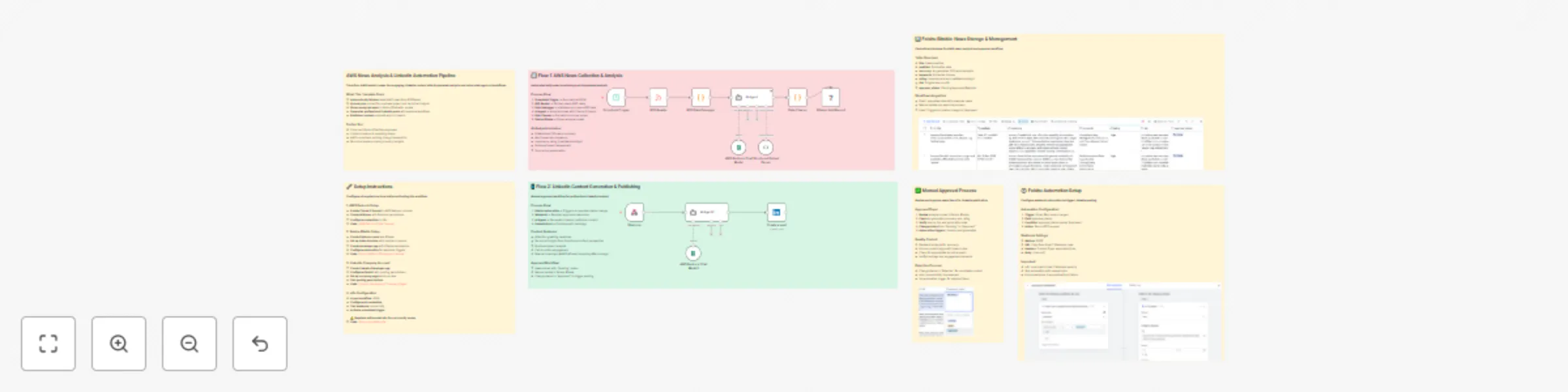
# AWS News Analysis and LinkedIn Automation Pipeline Transform AWS industry news into engaging LinkedIn content with AI-powered analysis and automated approval workflows. ## Who's it for This template is perfect for: - **Cloud architects and DevOps engineers** who want to stay current with AWS developments - **Content creators** looking to automate their AWS news coverage - **Marketing teams** needing consistent, professional AWS content - **Technical leaders** who want to share industry insights on LinkedIn - **AWS consultants** building thought leadership through automated content ## How it works This workflow creates a comprehensive AWS news analysis and content generation pipeline with two main flows: ### Flow 1: News Collection and Analysis 1. **Scheduled RSS Monitoring**: Automatically fetches latest AWS news from the official AWS RSS feed daily at 8 PM 2. **AI-Powered Analysis**: Uses AWS Bedrock (Claude 3 Sonnet) to analyze each news item, extracting: - Professional summary - Key themes and keywords - Importance rating (Low/Medium/High) - Business impact assessment 3. **Structured Data Storage**: Saves analyzed news to Feishu Bitable with approval status tracking ### Flow 2: LinkedIn Content Generation 1. **Manual Approval Trigger**: Feishu automation sends approved news items to the webhook 2. **AI Content Creation**: AWS Bedrock generates professional LinkedIn posts with: - Attention-grabbing headlines - Technical insights from a Solutions Architect perspective - Business impact analysis - Call-to-action engagement 3. **Automated Publishing**: Posts directly to LinkedIn with relevant hashtags ## How to set up ### Prerequisites - **AWS Bedrock access** with Claude 3 Sonnet model enabled - **Feishu account** with Bitable access - **LinkedIn company account** with posting permissions - **n8n instance** (self-hosted or cloud) ### Detailed Configuration Steps #### 1. AWS Bedrock Setup **Step 1: Enable Claude 3 Sonnet Model** 1. Log into your [AWS Console](https://console.aws.amazon.com/) 2. Navigate to [AWS Bedrock](https://console.aws.amazon.com/bedrock/) 3. Go to **Model access** in the left sidebar 4. Find **Anthropic Claude 3 Sonnet** and click **Request model access** 5. Fill out the access request form (usually approved within minutes) 6. Once approved, verify the model appears in your **Model access** list **Step 2: Create IAM User and Credentials** 1. Go to [IAM Console](https://console.aws.amazon.com/iam/) 2. Click **Users** → **Create user** 3. Name: `n8n-bedrock-user` 4. Attach policy: `AmazonBedrockFullAccess` (or create custom policy with minimal permissions) 5. Go to **Security credentials** tab → **Create access key** 6. Choose **Application running outside AWS** 7. Download the credentials CSV file **Step 3: Configure in n8n** 1. In n8n, go to **Credentials** → **Add credential** 2. Select **AWS** credential type 3. Enter your Access Key ID and Secret Access Key 4. Set Region to your preferred AWS region (e.g., `us-east-1`) 5. Test the connection **Useful Links:** - [AWS Bedrock Documentation](https://docs.aws.amazon.com/bedrock/) - [Claude 3 Sonnet Model Access](https://console.aws.amazon.com/bedrock/home#/modelaccess) - [AWS Bedrock Pricing](https://aws.amazon.com/bedrock/pricing/) #### 2. Feishu Bitable Configuration **Step 1: Create Feishu Account and App** 1. Sign up at [Feishu International](https://www.feishu.cn/en/) 2. Create a new **Bitable** (multi-dimensional table) 3. Go to **Developer Console** → **Create App** 4. Enable **Bitable** permissions in your app 5. Generate **App Token** and **App Secret** **Step 2: Create Bitable Structure** 1. Create a new Bitable with these columns: - `title` (Text) - `pubDate` (Date) - `summary` (Long Text) - `keywords` (Multi-select) - `rating` (Single Select: Low, Medium, High) - `link` (URL) - `approval_status` (Single Select: Pending, Approved, Rejected) 2. Get your **App Token** and **Table ID**: - App Token: Found in app settings - Table ID: Found in the Bitable URL (`tbl...`) **Step 3: Set Up Automation** 1. In your Bitable, go to **Automation** → **Create automation** 2. Trigger: **When field value changes** → Select `approval_status` field 3. Condition: **approval_status equals "Approved"** 4. Action: **Send HTTP request** - Method: POST - URL: Your n8n webhook URL (from Flow 2) - Headers: `Content-Type: application/json` - Body: `{{record}}` **Step 4: Configure Feishu Credentials in n8n** 1. Install **Feishu Lite** community node (self-hosted only) 2. Add Feishu credential with your App Token and App Secret 3. Test the connection **Useful Links:** - [Feishu Developer Documentation](https://open.feishu.cn/document/) - [Bitable API Reference](https://open.feishu.cn/document/server-docs/docs/bitable-v1/overview) - [Feishu Automation Guide](https://www.feishu.cn/hc/en-US/articles/360040328273) #### 3. LinkedIn Company Account Setup **Step 1: Create LinkedIn App** 1. Go to [LinkedIn Developer Portal](https://www.linkedin.com/developers/) 2. Click **Create App** 3. Fill in app details: - App name: `AWS News Automation` - LinkedIn Page: Select your company page - App logo: Upload your logo - Legal agreement: Accept terms **Step 2: Configure OAuth2 Settings** 1. In your app, go to **Auth** tab 2. Add redirect URL: `https://your-n8n-instance.com/rest/oauth2-credential/callback` 3. Request these scopes: - `w_member_social` (Post on behalf of members) - `r_liteprofile` (Read basic profile) - `r_emailaddress` (Read email address) **Step 3: Get Company Page Access** 1. Go to your [LinkedIn Company Page](ex. https://www.linkedin.com/company/105783641) 2. Navigate to **Admin tools** → **Manage admins** 3. Ensure you have **Content admin** or **Super admin** role 4. Note your **Company Page ID** (found in page URL) **Step 4: Configure LinkedIn Credentials in n8n** 1. Add **LinkedIn OAuth2** credential 2. Enter your Client ID and Client Secret 3. Complete OAuth2 flow by clicking **Connect my account** 4. Select your company page for posting **Useful Links:** - [LinkedIn Developer Portal](https://www.linkedin.com/developers/) - [LinkedIn API Documentation](https://docs.microsoft.com/en-us/linkedin/) - [LinkedIn OAuth2 Guide](https://docs.microsoft.com/en-us/linkedin/shared/authentication/authorization-code-flow) #### 4. Workflow Activation **Final Setup Steps:** 1. Import the workflow JSON into n8n 2. Configure all credential connections: - AWS Bedrock credentials - Feishu credentials - LinkedIn OAuth2 credentials 3. Update webhook URL in Feishu automation to match your n8n instance 4. Activate the scheduled trigger (daily at 8 PM) 5. Test with manual webhook trigger using sample data 6. Verify Feishu Bitable receives data 7. Test approval workflow and LinkedIn posting ## Requirements ### Service Requirements - **AWS Bedrock** with Claude 3 Sonnet model access - AWS account with Bedrock service enabled - IAM user with Bedrock permissions - Model access approval for Claude 3 Sonnet - **Feishu Bitable** for news storage and approval workflow - Feishu account (International or Lark) - Developer app with Bitable permissions - Automation capabilities for webhook triggers - **LinkedIn Company Account** for automated posting - LinkedIn company page with admin access - LinkedIn Developer app with posting permissions - OAuth2 authentication setup - **n8n community nodes**: Feishu Lite node (self-hosted only) ### Technical Requirements - **n8n instance** (self-hosted recommended for community nodes) - **Webhook endpoint** accessible from Feishu automation - **Internet connectivity** for API calls and RSS feeds - **Storage space** for workflow execution logs ### Cost Considerations - **AWS Bedrock**: ~$0.01-0.05 per news analysis - **Feishu**: Free tier available, paid plans for advanced features - **LinkedIn**: Free API access with rate limits - **n8n**: Self-hosted (free) or cloud subscription ## How to customize the workflow ### Content Customization - **Modify AI prompts** in the AI Agent nodes to change tone, focus, or target audience - **Adjust hashtags** in the LinkedIn posting node for different industries - **Change scheduling** frequency by modifying the Schedule Trigger settings ### Integration Options - **Replace LinkedIn** with Twitter/X, Facebook, or other social platforms - **Add Slack notifications** for approved content before posting - **Integrate with CRM** systems to track content performance - **Add content calendar** integration for better planning ### Advanced Features - **Multi-language support** by modifying AI prompts for different regions - **Content categorization** by adding tags for different AWS services - **Performance tracking** by integrating analytics platforms - **Team collaboration** by adding approval workflows with multiple reviewers ### Technical Modifications - **Change RSS sources** to monitor other AWS blogs or competitor news - **Adjust AI models** to use different Bedrock models or external APIs - **Add data validation** nodes for better error handling - **Implement retry logic** for failed API calls ## Important Notes ### Service Limitations - This template uses **community nodes** (Feishu Lite) and requires **self-hosted n8n** - **Geo-restrictions** may apply to AWS Bedrock models in certain regions - **Rate limits** may affect high-frequency posting - adjust scheduling accordingly - **Content moderation** is recommended before automated posting - **Cost considerations**: Each AI analysis costs approximately $0.01-0.05 USD per news item ### Troubleshooting Common Issues **AWS Bedrock Issues:** - **Model not found**: Ensure Claude 3 Sonnet access is approved in your region - **Access denied**: Verify IAM permissions include Bedrock service access - **Rate limiting**: Implement retry logic or reduce analysis frequency **Feishu Integration Issues:** - **Authentication failed**: Check App Token and App Secret are correct - **Table not found**: Verify Table ID matches your Bitable URL - **Automation not triggering**: Ensure webhook URL is accessible and returns 200 status **LinkedIn Posting Issues:** - **OAuth2 errors**: Re-authenticate LinkedIn credentials - **Posting failed**: Verify company page admin permissions - **Rate limits**: LinkedIn has daily posting limits for company pages ### Security Best Practices - **Never hardcode credentials** in workflow nodes - **Use environment variables** for sensitive configuration - **Regularly rotate API keys** and access tokens - **Monitor API usage** to prevent unexpected charges - **Implement error handling** for failed API calls

L
Li CHEN
Social Media
19 Sep 2025
1262
0