Automated meta ads analysis with Gemini AI, ScrapingFlash, and Google Sheets
**This workflow acts as your personal AI-powered analyst for Meta Ads.**
It's pretty straightforward:
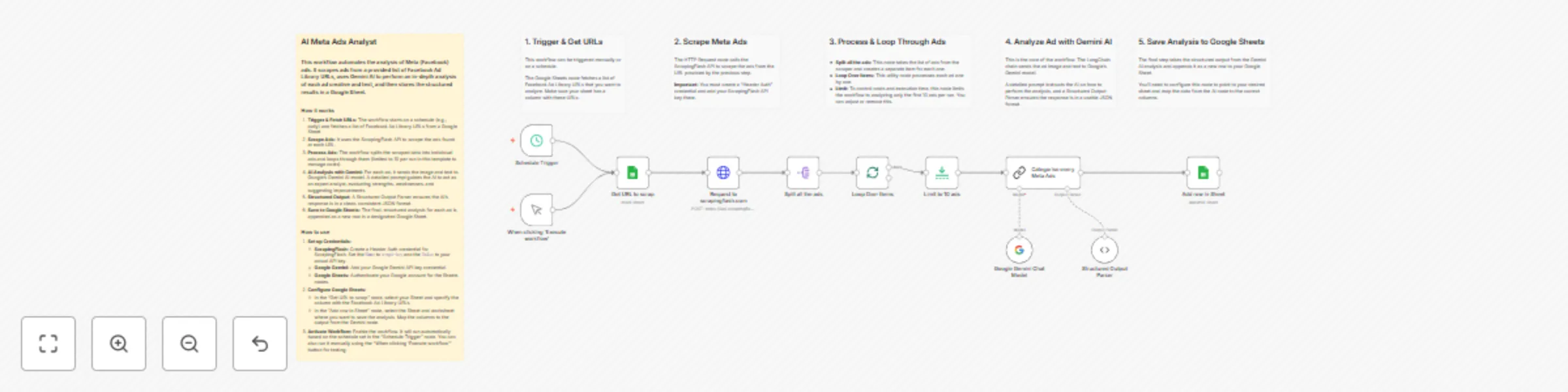
1. First, it grabs a list of Facebook Ad Library URLs you want to check out from a Google Sheet.
2. Then, it automatically scrapes the active ads from those pages.
Here's the cool part: it sends each ad's image and text to Google Gemini, which analyzes it like an expert marketer would.
Finally, Gemini's full analysis—we're talking strengths, weaknesses, actionable suggestions, and a performance score—gets dropped neatly into another Google Sheet for you.
**Set up steps**
You should be ready to roll in about 5 minutes. There are no complex configurations, you just need to:
1. Connect your accounts: The workflow has placeholders waiting for your credentials for Google (for Sheets and the Gemini API) and ScrapingFlash.
2. Link your Google Sheets: Just point the first Google Sheets node to the sheet with your URLs, and tell the last node where you want to save the results.
All the nitty-gritty details and expressions are explained in the sticky notes inside the workflow itself!