P

Peyton Leveillee

1
Workflow

Workflows by Peyton Leveillee

Workflow preview: Automated Google Business reports with GPT insights to Slack & email
Free advanced

Automated Google Business reports with GPT insights to Slack & email

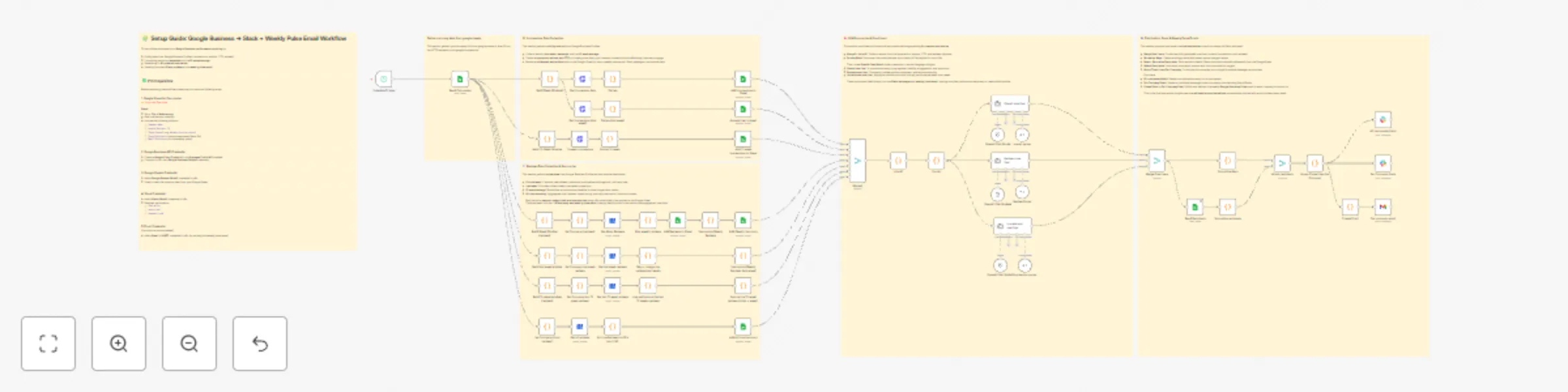
**Created by:** Peyton Leveillee **Last updated:** October 2025 --- ### 🧠 TL;DR Marketing companies charge **hundreds or even thousands per month** for automated “Google Business Pulse” reports that show visibility, reviews, and engagement trends. Now you can do it **for free** — right inside **n8n**. This workflow pulls Google Business data, compares weekly and 12-week trends, runs it through an **LLM for insight summaries**, and sends out **Slack updates** and **weekly email reports** — automatically. --- ### 🔥 Name: **Google Pulse Pro** Your **AI marketing analyst** that runs 24/7 — no subscription, no fluff. --- ### 🧩 Categories - Business Intelligence - Marketing Automation - AI Summarization - Multichannel Reporting --- ### 💬 Overview **Google Pulse Pro** automates weekly Google Business reporting for multiple companies or locations. It combines **data collection**, **trend analysis**, and **AI commentary** into a fully automated system — delivering updates through **Slack** and **email**. Perfect for agencies or businesses that want client-ready, insight-driven updates without paying for SaaS dashboards. --- ### ⚙️ Good to Know - Uses **OpenAI Chat Models** for summarization and insights - Integrates **Google Business API**, **Google Sheets**, **Slack**, and **Email (Gmail or SMTP)** - Compares **this week vs last week** and **12-week averages** - Outputs **LLM-generated summaries** formatted for Slack Blocks and email templates - 100% no-code friendly — ready to deploy instantly --- ### 🧠 How It Works 1. **Read Companies (Google Sheets)** Loads company info, Google Business IDs, Slack channels, and recipient emails. 2. **Pull Google Business Data** Queries the Google Business API for **impressions, actions, CTR, and reviews** across: - This week - Last week - 12-week average 3. **Summarize & Compare** Code nodes calculate trends and append results back to Google Sheets. 4. **AI Summaries (OpenAI)** Three separate LLMs generate insight lines: - **Impressions one-liner** → Visibility & engagement shifts - **Reviews one-liner** → Sentiment & reputation trends - **Overall one-liner** → Combined marketing summary 5. **Format & Distribute** All one-liners merge per company. Recipients are attached, and messages are formatted for output. 6. **Send Reports** - **Slack:** Beautifully formatted updates via Slack Blocks - **Email:** Branded **Weekly Google Business Pulse** summaries --- ### 📈 Example Output **Slack Message:** Weekly Google Reviews & Impressions Number 1 Auto Repair Sept 22–28, 2025 • Impressions down 41% vs last week • CTR 3pp lower than 12-week avg • 2 new reviews, 100% positive sentiment **Email Pulse:** ![Screenshot 20251005 at 7.06.20 PM.png](fileId:2766) --- ### 🧾 Requirements - **Google Business API credential** (OAuth2) - **Google Sheets credential** (OAuth2) - **Slack credential** (OAuth2) — `chat:write`, `users:read`, `channels:read` - **Gmail or SMTP credential** (for email pulse delivery) - **OpenAI credential** (for summaries) --- ### ✏️ Customizing - Add other KPIs (Google Ads, GA4, POS data) - Adjust scheduling cadence (daily, bi-weekly, monthly) - Send reports to Notion, Airtable, or HubSpot - Update Slack + email branding for your agency --- ### 💡 Use Cases - Agencies automating client reporting - Multi-location businesses monitoring reputation - Service centers tracking performance trends - Anyone tired of paying for “Google Business Pulse” dashboards --- ### 🎯 Why It Matters Most marketing firms hide behind “AI dashboards” to sell visibility reports. **Google Pulse Pro** gives you that same power — **automated, AI-enhanced, and free**. Unchain your reporting. Impress clients. And keep your marketing dollars where they belong — **in your business.**

P
Peyton Leveillee
Market Research
6 Oct 2025
477
0