O

Omer Fayyaz

17
Workflows

Workflows by Omer Fayyaz

Workflow preview: Create a Calendly availability API endpoint for real-time scheduling data
Free intermediate

Create a Calendly availability API endpoint for real-time scheduling data

## This n8n template implements a Calendly Availability Checker that provides real-time availability information for your Calendly event types via a simple API endpoint ## Who's it for This template is designed for **developers, businesses, and service providers** who need to programmatically check Calendly availability. It's perfect for: - **Web developers** building custom booking interfaces that need real-time availability data - **Chatbot developers** who want to suggest available times to users - **Website builders** who want to display available slots on their site - **Integration developers** who need to check availability before creating bookings - **Businesses** that want to build custom scheduling experiences on top of Calendly - **Service providers** who need availability data for their own applications or dashboards ## How it works / What it does This workflow creates a **RESTful API endpoint** that returns real-time availability information from your Calendly account. The system: 1. **Accepts webhook requests** via POST with optional parameters: - `event_type_uri` (optional) - Specific event type to check - `days_ahead` (optional, default: 7) - Number of days to check ahead 2. **Authenticates with Calendly API** using OAuth2 credentials to access your account 3. **Retrieves user information** to get your Calendly user URI and account details 4. **Lists all active event types** from your Calendly account 5. **Selects the target event type**: - Uses the `event_type_uri` from the request if provided - Otherwise defaults to the first active event type 6. **Fetches available time slots** from Calendly's availability API for the specified date range 7. **Formats the availability data** into a structured response including: - Total number of available slots - Next available slot (formatted and ISO timestamp) - Array of all available slots with formatted times and booking URLs - Slots grouped by day for easy consumption - Complete list of all event types 8. **Returns a comprehensive JSON response** with all availability information ready for integration ## How to set up ### 1. Configure Calendly OAuth2 Credentials - Go to [calendly.com/integrations](https://calendly.com/integrations) - Click "API & Webhooks" - Create an OAuth2 application or use Personal Access Token - In n8n, create a new credential: - Type: "Calendly OAuth2 API" - Follow the OAuth flow to connect your Calendly account - The credential will be used by all HTTP Request nodes in the workflow ### 2. Activate the Workflow - Open the workflow in n8n - Ensure the Calendly OAuth2 credential is properly configured - Activate the workflow to make the webhook endpoint available ### 3. Test the Workflow - Use the "Test workflow" button in n8n to manually trigger it - Or send a POST request to the webhook URL: ```json { "event_type_uri": "optional-event-uri", "days_ahead": 7 } ``` - Verify the response contains availability data - Check that the "Get Current User" node successfully retrieves your account info ### 4. Customize (Optional) - Adjust the default `days_ahead` value in the "Set Configuration" node (currently 7 days) - Modify the date range calculation in "Get Available Times" node - Customize the response format in "Respond with Availability" node - Add filtering logic to select specific event types - Add caching to reduce API calls ## Requirements - **Calendly account** with at least one active event type - **n8n instance** (self-hosted or cloud) - **Calendly OAuth2 API credentials** configured in n8n - **Webhook access** (if using n8n cloud, webhooks are automatically available) ## How to customize the workflow ### Modify Date Range - Edit the "Set Configuration" node to change the default `days_ahead` value - Update the `start_time` and `end_time` calculations in "Get Available Times" node - Currently checks from tomorrow (1 day ahead) to 7 days ahead by default - Adjust the date calculation expressions as needed ### Filter Specific Event Types - Modify the "Select Event Type" node to add filtering logic - Add an IF node to check event type names or slugs - Filter by duration, active status, or custom criteria - Return multiple event types if needed ### Customize Response Format - Edit the "Respond with Availability" node to change the JSON structure - Add or remove fields from the response - Format dates/times differently - Include additional metadata from event types - Add pagination for large slot lists ### Add Caching - Insert a Code node before "Get Available Times" to check cache - Store availability data temporarily to reduce API calls - Set appropriate cache expiration times - Consider using n8n's built-in cache or external storage ### Add Error Handling - Enhance error handling in HTTP Request nodes - Add validation for request parameters - Return meaningful error messages in the response - Handle cases where no event types exist - Handle cases where no availability exists ### Integrate with Other Services - Add nodes to log availability checks to a database - Send availability data to analytics platforms - Trigger notifications when availability changes - Sync availability with external calendars - Build availability dashboards ## Key Features - **RESTful API endpoint** - Simple POST endpoint for checking availability - **Real-time availability** - Fetches current availability directly from Calendly API - **Flexible event type selection** - Supports specific event type or auto-selects first available - **Configurable date range** - Customizable number of days to check ahead - **Comprehensive response format** - Returns formatted and raw availability data - **Multiple data views** - Provides slots as array, grouped by day, and summary statistics - **Event type information** - Includes details about all available event types - **Human-readable formatting** - Formats dates and times for easy display - **Booking URLs included** - Each slot includes direct booking URL - **Error resilience** - Nodes configured with `continueRegularOutput` to handle API errors gracefully ## Use Cases - **Custom booking widgets** - Display available slots on your website without embedding Calendly - **Chatbot integration** - Let AI assistants suggest available times to users - **Mobile app integration** - Check availability before showing booking options in mobile apps - **Multi-calendar systems** - Aggregate availability from multiple Calendly accounts - **Availability dashboards** - Build internal dashboards showing team availability - **Smart scheduling** - Check availability before sending meeting invitations - **Booking confirmation flows** - Verify availability before processing bookings - **Calendar sync verification** - Ensure Calendly availability matches other calendar systems - **Analytics and reporting** - Track availability patterns and booking trends - **Custom scheduling UIs** - Build completely custom scheduling interfaces using availability data ## Data Fields Returned ### User Information - User name, email, scheduling URL - User URI and organization URI ### Event Type Information - Event type name, duration (minutes), URI - Complete list of all active event types with details ### Availability Summary - `has_slots` - Boolean indicating if any slots are available - `total_slots` - Total number of available slots - `next_available` - Human-readable formatted string of next available slot - `next_available_iso` - ISO 8601 timestamp of next available slot ### Available Slots Array Each slot includes: - `start_time` - ISO 8601 timestamp - `formatted` - Human-readable date/time string - `booking_url` - Direct URL to book this specific slot ### Slots by Day - Grouped object with days as keys - Each day contains array of time slots with formatted times and booking URLs - Format: `{ "Monday, Dec 2": [{ time: "10:00 AM", url: "..." }] }` ### Metadata - `checked_at` - ISO timestamp of when availability was checked - `success` - Boolean indicating successful execution ## Workflow Architecture The workflow uses a **linear processing pattern** with data transformation at each step: 1. **Webhook Trigger** → Receives POST requests with optional parameters 2. **Set Configuration** → Extracts and sets default values for `event_type_uri` and `days_ahead` 3. **Get Current User** → Authenticates and retrieves Calendly user information 4. **Extract User Info** → Parses user data to extract URIs and account details 5. **Get Event Types** → Fetches all active event types for the user 6. **Select Event Type** → Chooses target event type (from request or first available) 7. **Get Available Times** → Queries Calendly API for available time slots 8. **Format Availability** → Transforms raw API data into structured, formatted response 9. **Respond with Availability** → Returns comprehensive JSON response to caller ## Example Scenarios ### Scenario 1: Check Default Availability 1. Developer sends POST request to webhook endpoint with empty body 2. Workflow uses default 7-day lookahead period 3. Workflow selects first active event type automatically 4. Returns availability for next 7 days with all slots formatted 5. Developer displays slots in custom booking interface ### Scenario 2: Check Specific Event Type 1. Developer sends POST request with specific `event_type_uri` 2. Workflow uses provided event type instead of default 3. Checks availability for that specific event type only 4. Returns slots grouped by day for easy calendar display 5. Developer shows availability in day-by-day calendar view ### Scenario 3: Extended Date Range 1. Developer sends POST request with `days_ahead: 30` 2. Workflow checks availability for next 30 days 3. Returns comprehensive list of all available slots 4. Developer uses data to show monthly availability view 5. User can see all available times for the next month ### Scenario 4: Chatbot Integration 1. User asks chatbot "When are you available?" 2. Chatbot calls webhook endpoint to get availability 3. Workflow returns next available slot and total count 4. Chatbot responds: "I have 15 slots available. Next available: Monday, Dec 2 at 10:00 AM" 5. Chatbot offers to book the next available slot This template provides a powerful API endpoint for checking Calendly availability, enabling developers to build custom scheduling experiences while leveraging Calendly's robust scheduling infrastructure.

O
Omer Fayyaz
Support Chatbot
27 Nov 2025
312
0
Workflow preview: Generate single-use personalized Calendly links with Google Sheets tracking & Slack alerts
Free advanced

Generate single-use personalized Calendly links with Google Sheets tracking & Slack alerts

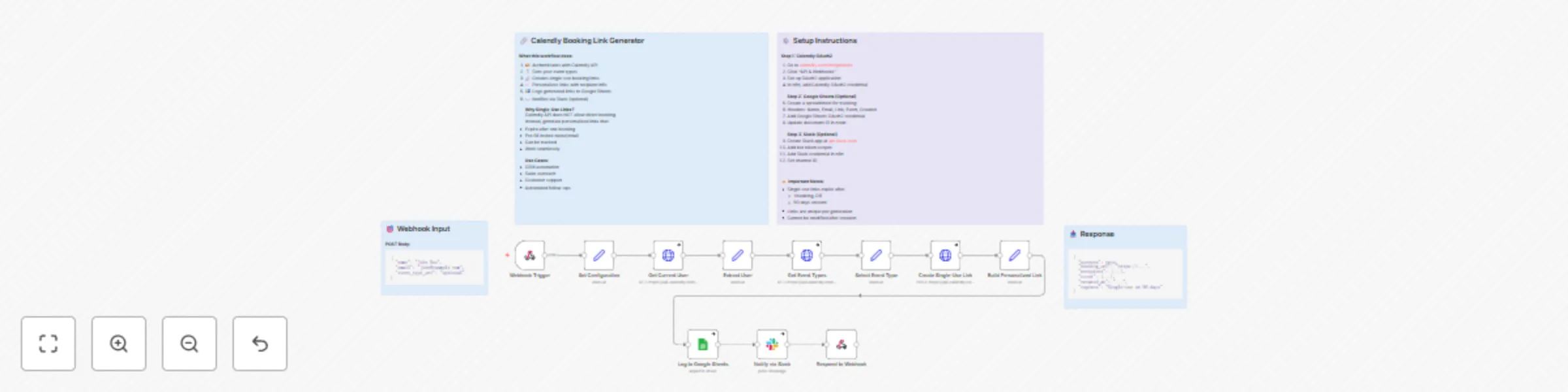
## This n8n template implements a Calendly Booking Link Generator that creates single-use, personalized booking links, logs them to Google Sheets, and optionally notifies a Slack channel ## Who's it for This template is designed for **teams and businesses that send Calendly links proactively** and want to **generate trackable, single-use booking links on demand**. It’s perfect for: - **Sales and SDR teams** sending 1:1 outreach and needing unique booking links per prospect - **Customer success and support teams** who want prefilled, one-click rescheduling or follow-up links - **Marketing and growth teams** that want UTM-tagged booking links for campaigns - **Ops/RevOps** who need a central log of every generated link for tracking and reporting ## How it works / What it does This workflow turns a simple HTTP request into a fully configured **single-use Calendly booking link**: 1. **Webhook Trigger (`POST`)** - Receives JSON payload with recipient details: - `name`, `email`, optional `event_type_uri`, optional `utm_source` 2. **Configuration & Input Normalization** - `Set Configuration` extracts and normalizes: - `recipient_name`, `recipient_email` - `requested_event_type` (can be empty) - `utm_source` (defaults to `"n8n"` if not provided) 3. **Calendly API – User & Event Types** - `Get Current User` calls `GET /users/me` using Calendly OAuth2 to get the current user URI - `Extract User` stores `user_uri` and `user_name` - `Get Event Types` calls `GET /event_types?user={user_uri}&active=true` to fetch active event types - `Select Event Type`: - Uses `requested_event_type` if provided, otherwise selects the **first active** event type - Stores event type URI, name, and duration (minutes) 4. **Create Calendly Single-Use Scheduling Link** - `Create Single-Use Link` calls `POST /scheduling_links` with: - `owner`: selected event type URI - `owner_type`: `"EventType"` - `max_event_count`: `1` (single use) 5. **Build Personalized Booking URL** - `Build Personalized Link`: - Reads the base `booking_url` from Calendly - Appends query parameters to prefill: - `name` (encoded) - `email` (encoded) - `utm_source` - Stores: - `base_booking_url` - `personalized_booking_url` - `recipient_name`, `recipient_email` - `event_type_name`, `event_duration` - `link_created_at` (ISO timestamp) 6. **Optional Logging and Notifications** - `Log to Google Sheets` (optional but preconfigured): - Appends each generated link to a **“Generated Links”** sheet - Columns: Recipient Name, Recipient Email, Event Type, Duration (min), Booking URL, Created At, Status - `Notify via Slack` (optional): - Posts a nicely formatted Slack message with: - recipient name & email - event name & duration - clickable booking link 7. **API Response to Caller** - `Respond to Webhook` returns a structured JSON response: - `success` - `booking_url` (personalized) - `base_url` - `recipient` object - `event` object (name + duration) - `created_at` - `expires` explanation (`"Single-use or 90 days"`) The result is an **API-style service** you can call from any system to generate trackable, single-use Calendly links. ## How to set up ### 1. Calendly OAuth2 setup - Go to `calendly.com/integrations` or `developer.calendly.com` - Create an **OAuth2 application** (or use an existing one) - In n8n, create **Calendly OAuth2 credentials**: - Add client ID, client secret, and redirect URL as required by Calendly - Connect your Calendly user account - In the workflow, make sure all Calendly HTTP Request nodes use your **Calendly OAuth2 credential** ### 2. Webhook Trigger configuration - Open the `Webhook Trigger` node - Confirm: - **HTTP Method**: `POST` - **Path**: `generate-calendly-link` - **Response Mode**: `Response Node` (points to `Respond to Webhook`) - Copy the **Production URL** from the node once the workflow is active - Use this URL as the endpoint for your CRM, outbound tool, or any system that needs to request links **Expected request body:** ```json { "name": "John Doe", "email": "[email protected]", "event_type_uri": "optional", "utm_source": "optional" } ``` If `event_type_uri` is not provided, the workflow automatically uses the **first active event type** for the current Calendly user. ### 3. Google Sheets setup (optional but recommended) - Create a Google Sheet for tracking links - Add a sheet/tab named e.g. **“Generated Links”** - Set the header row to: - `Recipient Name`, `Recipient Email`, `Event Type`, `Duration (min)`, `Booking URL`, `Created At`, `Status` - In n8n: - Create **Google Sheets OAuth2** credentials - Open the `Log to Google Sheets` node - Update: - `documentId` → your spreadsheet ID - `sheetName` → your tab name (e.g. “Generated Links”) ### 4. Slack notification setup (optional) - Create a Slack app at `api.slack.com` - Add Bot Token scopes (for basic posting): - `chat:write` - `channels:read` (or `groups:read` if posting to private channels) - Install the app to your workspace and get the **Bot User OAuth Token** - In n8n: - Create a **Slack API** credential using the bot token - Open the `Notify via Slack` node - Select your credential - Set: - `select`: `channel` - `channelId`: your desired channel (e.g. `#sales` or `#booking-links`) ### 5. Test the workflow end-to-end - Activate the workflow - Use Postman, curl, or another system to `POST` to the webhook URL, e.g.: ```json { "name": "Test User", "email": "[email protected]" } ``` - Verify: - The HTTP response contains a valid `booking_url` - A new row is added to your Google Sheet (if configured) - A Slack notification is posted (if configured) ## Requirements - **Calendly account** with at least one **active event type** - **n8n instance** (cloud or self-hosted) with public access for the webhook - **Calendly OAuth2 credentials** configured in n8n - (Optional) **Google Sheets account** and OAuth2 credentials - (Optional) **Slack workspace** with permissions to install a bot and post to channels ## How to customize the workflow ### Input & validation - Update the `Set Configuration` node to: - Enforce required fields (e.g. fail if `email` is missing) - Add more optional parameters (e.g. `utm_campaign`, `utm_medium`, `language`) - Add an `IF` node after the Webhook Trigger for stricter validation and custom error responses ### Event type selection logic - In `Select Event Type`: - Change the fallback selection rule (e.g. pick the **longest** or **shortest** duration event) - Add logic to map a custom field (like `event_key`) to specific event type URIs ### Link parameters & tracking - In `Build Personalized Link`: - Add additional query parameters (e.g. `utm_campaign`, `source`, `segment`) - Remove or rename existing parameters if needed - If you don’t want prefilled name/email, remove those query parameters and just keep tracking fields ### Google Sheets logging - Extend the `Log to Google Sheets` mapping to include: - `utm_source` or other marketing attributes - Sales owner, campaign name, or pipeline stage - Any additional fields you compute in previous nodes ### Slack notification formatting - In `Notify via Slack`: - Adjust the message text to your team’s tone - Add emojis or @mentions for certain event types - Include `utm_source` or other metadata for debugging and tracking ## Key features - **Single-use Calendly links** – each generated link is limited to one booking (or expires after ~90 days) - **Prefilled recipient details** – name and email are embedded in the URL, making it frictionless to book - **Webhook-first design** – easily call this from CRMs, outreach tools, or any external system - **Central link logging** – every link is stored in Google Sheets for auditing and reporting - **Optional Slack alerts** – keep sales/support teams notified when new links are generated - **Safe error handling** – HTTP nodes are configured with `continueRegularOutput` to avoid hard workflow failures ## Example scenarios ### Scenario 1: Sales outreach 1. A CRM workflow triggers when a lead moves to “Meeting Requested”. 2. It calls this n8n webhook with the lead’s `name` and `email`. 3. The workflow generates a single-use Calendly link, logs it to Sheets, and posts to Slack. 4. The CRM sends an email to the lead with the personalized booking link. ### Scenario 2: Automated follow-up link 1. A support ticket is resolved and the system wants to offer a follow-up call. 2. It calls the webhook with `name`, `email`, and a dedicated `event_type_uri` for “Follow-up Call”. 3. The generated link is logged and returned via API, then included in an automated email. ### Scenario 3: Campaign tracking 1. A marketing automation tool triggers this webhook for each contact in a campaign, passing `utm_source` (e.g. `q1-outbound`). 2. The workflow adds `utm_source` to the link and logs it in Google Sheets. 3. Later, you can analyze which campaigns generated the most completed bookings from single-use links. This template gives you a **reliable, reusable Calendly link generation service** that plugs into any part of your stack, while keeping tracking, logging, and team visibility fully automated.

O
Omer Fayyaz
CRM
26 Nov 2025
509
0
Workflow preview: Track Calendly schedule changes with Google Sheets & Slack notifications
Free advanced

Track Calendly schedule changes with Google Sheets & Slack notifications

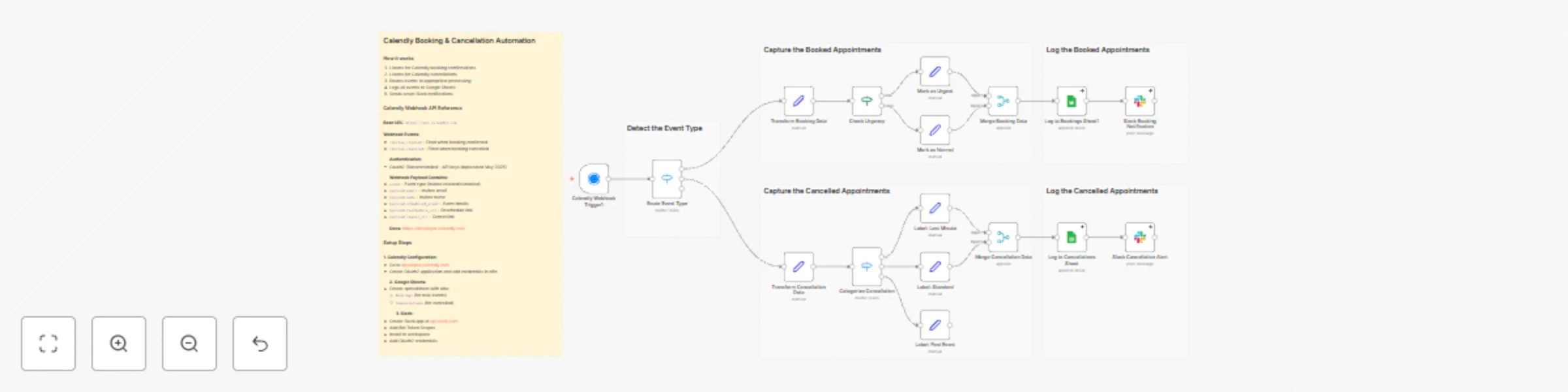
## This n8n template implements a Calendly Booking & Cancellation Automation Hub that automatically processes Calendly webhook events, logs data to Google Sheets, and sends intelligent Slack notifications ## Who's it for This template is designed for **professionals, teams, and businesses** who use Calendly for scheduling and want to automate their booking management workflow. It's perfect for: - **Sales teams** who need instant notifications about new bookings and cancellations - **Service providers** (consultants, coaches, therapists) who want to track appointments automatically - **Businesses** that need centralized logging of all booking events for analytics - **Teams** that want smart categorization of urgent bookings and last-minute cancellations - **Organizations** requiring automated follow-up workflows based on booking status ## How it works / What it does This workflow creates a **comprehensive Calendly automation system** that automatically processes booking confirmations and cancellations. The system: 1. **Listens for Calendly events** via webhook trigger for: - `invitee.created` - New booking confirmations - `invitee.canceled` - Booking cancellations 2. **Routes events intelligently** using a Switch node to separate booking and cancellation processing 3. **For Bookings:** - Extracts and transforms all booking data (invitee info, event details, timing, location, guests) - Calculates computed fields (formatted dates/times, duration, days until event, urgency flags) - **Detects urgent bookings** (same-day or next-day appointments) for priority handling - Logs complete booking information to Google Sheets - Sends formatted Slack notifications with meeting links, reschedule/cancel options 4. **For Cancellations:** - Extracts cancellation details (reason, who canceled, timing) - **Categorizes cancellations** into three types: - **Last Minute** (within 24 hours of event) - High priority follow-up - **Standard** (upcoming events) - Normal priority - **Past Event** (already occurred) - Low priority - Calculates hours before event for timing analysis - Logs cancellation data to Google Sheets - Sends categorized Slack alerts with follow-up priority indicators 5. **Data Management:** - Stores all bookings in a dedicated Google Sheets tab - Stores all cancellations in a separate Google Sheets tab - Maintains complete event history for analytics and reporting ## How to set up ### 1. Configure Calendly Webhook Trigger - Go to [developer.calendly.com](https://developer.calendly.com) - Create an OAuth2 application or use Personal Access Token - In n8n, add Calendly OAuth2 credentials - The workflow automatically registers webhooks for `invitee.created` and `invitee.canceled` events - Ensure your Calendly account has the necessary permissions ### 2. Set up Google Sheets - Create a Google Sheets spreadsheet with two tabs: - **Bookings** - For logging new booking confirmations - **Cancellations** - For logging cancelled appointments - Configure Google Sheets OAuth2 credentials in n8n - Update the document ID in both Google Sheets nodes: - "Log to Bookings Sheet1" node - "Log to Cancellations Sheet" node - The workflow uses auto-mapping, so ensure your sheet headers match the data fields ### 3. Configure Slack Notifications - Create a Slack app at [api.slack.com](https://api.slack.com) - Add Bot Token Scopes: `chat:write`, `channels:read` - Install the app to your workspace - Add Slack OAuth2 credentials in n8n - Update the channel name in both Slack nodes (default: "general") - Customize notification messages if needed ### 4. Test the Workflow - Activate the workflow in n8n - Create a test booking in Calendly - Verify that: - Data appears in Google Sheets - Slack notification is received - All fields are correctly populated - Test cancellation flow by canceling a booking ### 5. Customize (Optional) - Adjust urgency detection logic (currently same-day or next-day) - Modify Slack notification formatting - Add email notifications using Email nodes - Integrate with CRM systems (HubSpot, Salesforce, etc.) - Add follow-up email automation ## Requirements - **Calendly account** with active scheduling links - **Google Sheets account** with a spreadsheet set up - **Slack workspace** with app installation permissions - **n8n instance** (self-hosted or cloud) - **OAuth2 credentials** for Calendly, Google Sheets, and Slack ## How to customize the workflow ### Modify Urgency Detection - Edit the "Check Urgency" IF node to change what constitutes an urgent booking - Currently flags same-day or next-day bookings - Adjust the `days_until_event` threshold as needed ### Enhance Slack Notifications - Customize message formatting in Slack nodes - Add emoji or formatting to match your team's style - Include additional fields from the booking data - Add @mentions for urgent bookings ### Add Email Notifications - Insert Email nodes after Slack notifications - Send confirmation emails to invitees - Notify team members via email - Create email templates for different event types ### Integrate with CRM - Add HTTP Request nodes to sync bookings to your CRM - Update contact records when bookings are created - Create opportunities or deals from booking data - Sync cancellation reasons for analysis ### Add Analytics - Create additional Google Sheets tabs for analytics - Use formulas to calculate booking rates, cancellation rates - Track popular time slots and event types - Monitor team member availability ### Customize Data Fields - Modify the "Transform Booking Data" and "Transform Cancellation Data" Set nodes - Add custom fields based on your Calendly form questions - Extract additional metadata from the webhook payload - Calculate business-specific metrics ## Key Features - **Automatic event processing** - No manual intervention required - **Smart urgency detection** - Identifies same-day and next-day bookings automatically - **Intelligent cancellation categorization** - Classifies cancellations by timing and priority - **Comprehensive data extraction** - Captures all booking details including guests, questions, and metadata - **Dual logging system** - Separate sheets for bookings and cancellations - **Rich Slack notifications** - Formatted messages with meeting links and action buttons - **Computed fields** - Automatically calculates duration, days until event, formatted dates/times - **Error handling** - Nodes configured with `continueRegularOutput` to prevent workflow failures - **Scalable architecture** - Handles high-volume booking scenarios ## Use Cases - **Sales team automation** - Instant notifications when prospects book demos - **Consultant scheduling** - Track all client appointments in one place - **Service business management** - Monitor bookings and cancellations for service providers - **Team calendar coordination** - Keep team members informed about schedule changes - **Analytics and reporting** - Build dashboards from logged booking data - **Customer relationship management** - Sync booking data with CRM systems - **Follow-up automation** - Trigger email sequences based on booking status - **Resource planning** - Analyze booking patterns to optimize scheduling ## Data Fields Captured ### Booking Data - Event ID, invitee name, email, first name - Event name, start/end times (ISO format) - Formatted date and time (human-readable) - Timezone, duration in minutes - Meeting URL (Google Meet, Zoom, etc.) - Reschedule and cancel URLs - Location type (virtual, in-person, etc.) - Guest count and guest emails - Questions and answers (JSON format) - Days until event, same-day flag - Urgency status and label - Processing timestamp ### Cancellation Data - Event ID, invitee name, email - Original scheduled date and time - Cancellation reason - Who canceled (invitee/host) - Canceler type - Hours before event - Last-minute flag (< 24 hours) - Cancellation category and priority - Cancellation timestamp ## Workflow Architecture The workflow uses a **routing pattern** to handle different event types: 1. **Calendly Webhook Trigger** → Receives all events 2. **Route Event Type (Switch)** → Separates bookings from cancellations 3. **Parallel Processing** → Each path processes independently 4. **Data Transformation** → Set nodes extract and format data 5. **Intelligent Routing** → IF/Switch nodes categorize by urgency/type 6. **Data Logging** → Google Sheets stores all events 7. **Notifications** → Slack alerts team members ## Example Scenarios ### Scenario 1: New Booking 1. Customer books a 30-minute consultation for tomorrow 2. Workflow detects it's a next-day booking (urgent) 3. Data logged to "Bookings" sheet with urgency flag 4. Slack notification sent with 🚨 URGENT label 5. Team member receives instant alert ### Scenario 2: Last-Minute Cancellation 1. Customer cancels meeting 2 hours before scheduled time 2. Workflow categorizes as "last-minute" cancellation 3. Data logged to "Cancellations" sheet with high priority 4. Slack alert sent with 🚨 LAST MINUTE label 5. Team can immediately follow up or fill the slot ### Scenario 3: Standard Cancellation 1. Customer cancels meeting 3 days in advance 2. Workflow categorizes as "standard" cancellation 3. Data logged with normal priority 4. Slack notification sent with standard formatting 5. Team can plan accordingly This template transforms your Calendly scheduling into a fully automated booking management system, ensuring no booking goes unnoticed and providing valuable insights into your scheduling patterns and customer behavior.

O
Omer Fayyaz
Project Management
26 Nov 2025
69
0
Workflow preview: Automatically discover and extract reports from websites using GPT and Google Sheets
Free advanced

Automatically discover and extract reports from websites using GPT and Google Sheets

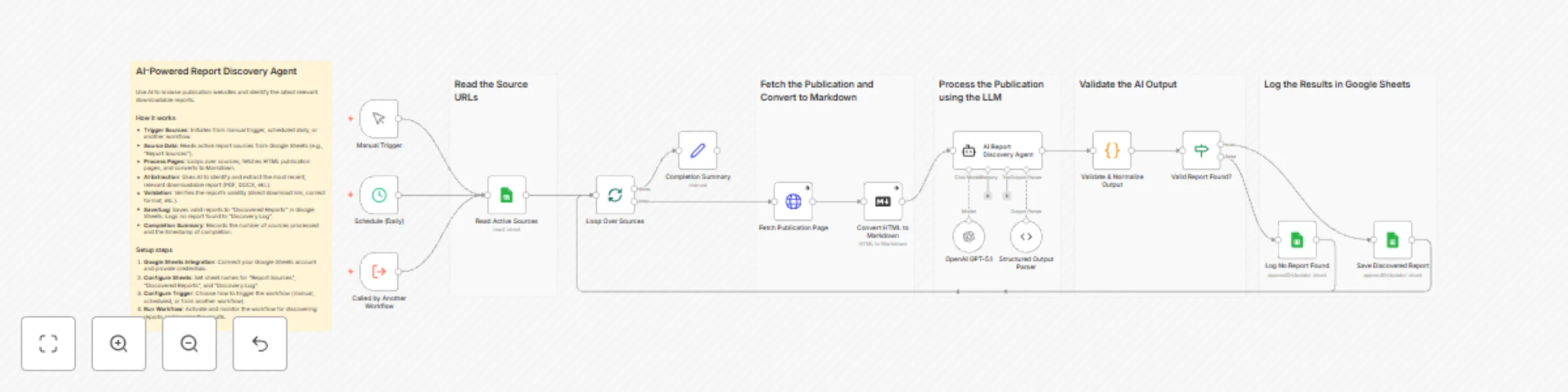
## An intelligent AI-powered agent that automatically browses publication websites, analyzes page content with natural language understanding, and identifies the latest downloadable reports, research papers, and data files across multiple sources using advanced structured output parsing. ### **What Makes This Different:** - **AI-Powered Content Analysis** - Uses advanced language models (GPT-4/GPT-5.1) to understand page context and identify downloadable reports, even when links aren't explicitly labeled, handling complex page layouts and dynamic content - **Structured Output Parsing** - Enforces JSON schema validation ensuring consistent data extraction with required fields (title, link, file_type, description), eliminating parsing errors and data inconsistencies - **HTML to Markdown Conversion** - Converts raw HTML to clean Markdown before AI processing, removing noise and improving AI comprehension of page structure and content hierarchy - **Intelligent Link Detection** - AI agent identifies direct download URLs, converts relative links to absolute URLs, and prioritizes the most recent reports based on publication dates and page positioning - **Comprehensive Validation** - Multi-layer validation checks link format, file type detection, and report relevance before saving, ensuring only valid, downloadable reports enter your library - **Flexible Source Management** - Reads publication sources from Google Sheets, enabling easy addition/removal of sources without workflow modification, with support for categories and custom metadata ### **Key Benefits of AI-Powered Report Discovery:** - **Automated Discovery** - Eliminates manual browsing and searching across multiple publication sites, saving hours of research time while ensuring you never miss new reports - **Context-Aware Extraction** - AI understands page context, distinguishing between actual reports and navigation links, category pages, or promotional content - **Prioritized Results** - Automatically selects the most recent and relevant report from each source, focusing on quality over quantity - **Structured Data Output** - All discovered reports are saved with consistent metadata (title, link, file type, description, source), making them easy to search, filter, and integrate with other systems - **Error Resilience** - Handles missing reports gracefully, logging when no reports are found without failing the entire workflow, ensuring continuous operation - **Integration Ready** - Can be called by other workflows (e.g., PDF downloader), enabling end-to-end automation from discovery to storage --- ## Who's it for This template is designed for **researchers, market analysts, competitive intelligence teams, academic institutions, industry monitoring services, and anyone who needs to systematically discover and track downloadable reports from multiple publication sources**. It's perfect for organizations that need to **monitor industry publications**, **track competitor research**, **discover new market reports**, **build research libraries**, or **stay updated on latest publications** without **manually visiting dozens of websites daily**. ## How it works / What it does This workflow creates an **AI-powered report discovery system** that **reads publication source URLs from Google Sheets, fetches their pages, uses AI to analyze content, and extracts information about downloadable reports**. The system: 1. **Reads Active Sources** - Fetches publication URLs and metadata from Google Sheets "Report Sources" sheet, processing each source in sequence 2. **Loops Through Sources** - Processes sources one at a time using Split in Batches, ensuring proper error isolation and preventing batch failures 3. **Fetches Publication Pages** - Downloads HTML content from each source URL with proper browser headers (User-Agent, Accept, Accept-Language) to avoid blocking 4. **Converts HTML to Markdown** - Transforms raw HTML into clean Markdown format, removing styling, scripts, and navigation elements to improve AI comprehension 5. **AI Analysis** - LangChain agent analyzes the Markdown content using GPT-4/GPT-5.1, identifying downloadable reports based on context, link patterns, and content structure 6. **Structured Output Parsing** - Enforces JSON schema validation, ensuring the AI returns data in the exact format: source, title, link, file_type, description 7. **Validates & Normalizes Output** - Validates extracted links are absolute URLs, checks file type indicators, determines report validity, and normalizes all fields 8. **Routes by Validity** - IF node routes valid reports to save operation, invalid/missing reports to logging 9. **Saves Discovered Reports** - Appends valid reports to Google Sheets "Discovered Reports" sheet with metadata, source URL, category, and discovery timestamp 10. **Logs No Report Found** - Records sources where no valid reports were found in "Discovery Log" sheet for monitoring and troubleshooting 11. **Tracks Completion** - Generates completion summary with number of sources checked and processing timestamp **Key Innovation: AI-Powered Context Understanding** - Unlike traditional web scrapers that rely on fixed CSS selectors or regex patterns, this workflow uses AI to understand page context and semantics. The AI can identify reports even when they're embedded in complex layouts, use non-standard naming, or require understanding of surrounding text to determine relevance. This makes it adaptable to any website structure without manual configuration. ## How to set up ### 1. Prepare Google Sheets - Create a Google Sheet with three tabs: **"Report Sources"**, **"Discovered Reports"**, and **"Discovery Log"** - In **"Report Sources"** sheet, create columns: `Source_Name`, `Source_URL`, `Category` (optional) - Add publication URLs in the `Source_URL` column (e.g., "https://example.com/research" or "https://publisher.com/reports") - Add descriptive names in `Source_Name` column for easy identification - Optionally add `Category` values (e.g., "Market Research", "Industry Reports", "Academic Papers") - The **"Discovered Reports"** sheet will be automatically populated with columns: `source`, `title`, `link`, `fileType`, `description`, `sourceUrl`, `category`, `discoveredAt`, `status`, `isValid` - The **"Discovery Log"** sheet will record sources where no reports were found - Verify your Google Sheets credentials are set up in n8n (OAuth2 recommended) ### 2. Configure Google Sheets Nodes - Open the **"Read Active Sources"** node and select your spreadsheet from the document dropdown - Set sheet name to **"Report Sources"** - Configure the **"Save Discovered Report"** node: select same spreadsheet, set sheet name to **"Discovered Reports"**, operation should be **"Append or Update"** - Configure the **"Log No Report Found"** node: same spreadsheet, **"Discovery Log"** sheet, operation **"Append or Update"** - Test connection by running the "Read Active Sources" node manually to verify it can access your sheet ### 3. Set Up OpenAI Credentials - Open the **"OpenAI GPT-5.1"** node (or configure the model you want to use) - Connect your OpenAI API credentials (API key required) - The workflow uses GPT-5.1 by default, but you can change to GPT-4, GPT-4 Turbo, or other models - Temperature is set to 0.1 for consistent, deterministic output - Verify API key has sufficient credits and access to the selected model - For cost optimization, GPT-4 Turbo is recommended for similar results at lower cost ### 4. Configure AI Agent & Output Parser - The **"AI Report Discovery Agent"** node contains a detailed system prompt that instructs the AI on what to look for - The prompt is pre-configured but can be customized for your specific needs (e.g., prioritize certain file types, look for specific keywords) - The **"Structured Output Parser"** enforces the JSON schema - verify the schema matches your needs: ```json { "source": "Publisher Name", "title": "Report Title", "link": "https://example.com/report.pdf", "file_type": "pdf", "description": "Brief description" } ``` - The parser ensures the AI always returns valid JSON with all required fields - Test the AI agent by manually running with a sample source URL to verify it correctly identifies reports ### 5. Customize Discovery Rules (Optional) - The AI agent's system prompt can be modified in the **"AI Report Discovery Agent"** node - Current rules prioritize: downloadable files (PDF, Excel, Word, PowerPoint), most recent publications, direct download URLs - To customize: Edit the system message to add specific keywords, file types, or discovery patterns - Example customization: Add industry-specific terms or prioritize reports with certain keywords in titles - The validation code in **"Validate & Normalize Output"** can be adjusted to change what's considered "valid" - Test with your specific sources to ensure discovery rules work as expected ### 6. Set Up Scheduling & Test - The workflow includes **Manual Trigger** (for testing), **Schedule Trigger** (runs daily), and **Execute Workflow Trigger** (for calling from other workflows) - To customize schedule: Open "Schedule (Daily)" node and adjust interval (e.g., twice daily, weekly) - For initial testing: Use Manual Trigger, add 2-3 test publication URLs to your "Report Sources" sheet - Verify execution: Check that pages are fetched, AI analysis completes, and reports are saved to "Discovered Reports" - Monitor execution logs: Check for API errors, timeout issues, or parsing failures - Review Discovery Log: Verify sources with no reports are properly logged - Common issues: OpenAI API rate limits (add delays if processing many sources), invalid URLs (check source URLs), timeout errors (increase timeout for slow-loading pages), AI not finding reports (may need to adjust system prompt for specific site structures) ## Requirements - **OpenAI API Key** - Active OpenAI account with API access and sufficient credits for GPT-4/GPT-5.1 model usage (API key configured in n8n credentials) - **Google Sheets Account** - Active Google account with OAuth2 credentials configured in n8n for reading and writing spreadsheet data - **Source Spreadsheet** - Google Sheet with "Report Sources", "Discovered Reports", and "Discovery Log" tabs, properly formatted with required columns - **Valid Publication URLs** - Direct links to publication pages that contain downloadable reports (not direct PDF links - the workflow discovers those) - **n8n Instance** - Self-hosted or cloud n8n instance with access to external websites (HTTP Request node needs internet connectivity) and LangChain nodes enabled

O
Omer Fayyaz
Market Research
26 Nov 2025
60
0
Workflow preview: Automated PDF report downloader & organizer with Google Drive & Sheets
Free advanced

Automated PDF report downloader & organizer with Google Drive & Sheets

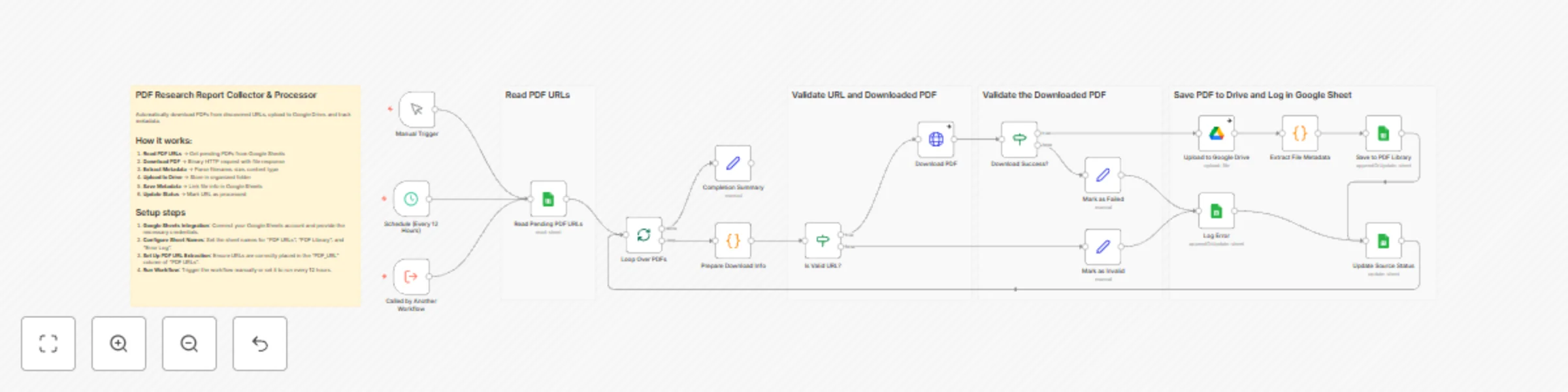
## An automated PDF download and management system that collects PDFs from URLs, uploads them to Google Drive, extracts metadata, and maintains a searchable library with comprehensive error handling and status tracking. ### **What Makes This Different:** - **Intelligent URL Validation** - Validates PDF URLs before attempting download, extracting filenames from URLs and generating fallback names when needed, preventing wasted processing time - **Binary File Handling** - Properly handles PDF downloads as binary files with appropriate headers (User-Agent, Accept), ensuring compatibility with various PDF hosting services - **Comprehensive Error Handling** - Three-tier error handling: invalid URLs are marked immediately, failed downloads are logged with error messages, and all errors are tracked in a dedicated Error Log sheet - **Metadata Extraction** - Automatically extracts file ID, size, MIME type, Drive view links, and download URLs from Google Drive responses, creating a complete file record - **Multiple Trigger Options** - Supports manual execution, scheduled runs (every 12 hours), and workflow-to-workflow calls, making it flexible for different automation scenarios - **Status Tracking** - Updates source spreadsheet with processing status (Downloaded, Failed, Invalid), enabling easy monitoring and retry logic for failed downloads ### **Key Benefits of Automated PDF Management:** - **Centralized Storage** - All PDFs are automatically organized in a Google Drive folder, making them easy to find and share across your organization - **Searchable Library** - Metadata is stored in Google Sheets with file links, titles, sources, and download dates, enabling quick searches and filtering - **Error Recovery** - Failed downloads are logged with error messages, allowing you to identify and fix issues (broken links, access permissions, etc.) and retry - **Automated Processing** - Schedule-based execution keeps your PDF library updated without manual intervention, perfect for monitoring research sources - **Integration Ready** - Can be called by other workflows, enabling complex automation chains (e.g., scrape URLs → download PDFs → process content) - **Bulk Processing** - Processes multiple PDFs in sequence from a spreadsheet, handling large batches efficiently with proper error isolation --- ## Who's it for This template is designed for **researchers, academic institutions, market research teams, legal professionals, compliance officers, and anyone who needs to systematically collect and organize PDF documents from multiple sources**. It's perfect for organizations that need to **build research libraries**, **archive regulatory documents**, **collect industry reports**, **maintain compliance documentation**, or **aggregate academic papers** without **manually downloading and organizing each file**. ## How it works / What it does This workflow creates a **PDF collection and management system** that **reads PDF URLs from Google Sheets, downloads the files, uploads them to Google Drive, extracts metadata, and maintains a searchable library**. The system: 1. **Reads Pending PDF URLs** - Fetches PDF URLs from Google Sheets "PDF URLs" sheet, processing entries that need to be downloaded 2. **Loops Through PDFs** - Processes PDFs one at a time using Split in Batches, ensuring proper error isolation and preventing batch failures 3. **Prepares Download Info** - Extracts filename from URL, decodes URL-encoded characters, validates PDF URL format, and generates fallback filenames with timestamps if needed 4. **Validates URL** - Checks if URL is valid before attempting download, skipping invalid entries immediately 5. **Downloads PDF** - Makes HTTP request with proper browser headers, downloads PDF as binary file with 60-second timeout, handles download errors gracefully 6. **Verifies Download** - Checks if binary data was successfully received, routing to error handling if download failed 7. **Uploads to Google Drive** - Uploads PDF file to specified Google Drive folder, preserving original filename or using generated name 8. **Extracts File Metadata** - Extracts file ID, name, MIME type, file size, Drive view link, and download link from Google Drive API response 9. **Saves to PDF Library** - Appends file metadata to Google Sheets "PDF Library" sheet with title, source, file links, and download timestamp 10. **Updates Source Status** - Marks processed URLs as "Downloaded", "Failed", or "Invalid" in source sheet for tracking 11. **Logs Errors** - Records failed downloads and invalid URLs in "Error Log" sheet with error messages for troubleshooting 12. **Tracks Completion** - Generates completion summary with processing statistics and timestamp **Key Innovation: Error-Resilient Processing** - Unlike simple download scripts that fail on the first error, this workflow isolates failures, continues processing remaining PDFs, and provides detailed error logging. This ensures maximum success rate and makes troubleshooting straightforward. ## How to set up ### 1. Prepare Google Sheets - Create a Google Sheet with three tabs: **"PDF URLs"**, **"PDF Library"**, and **"Error Log"** - In **"PDF URLs"** sheet, create columns: `PDF_URL` (or `pdf_url`), `Title` (optional), `Source` (optional), `Status` (optional - will be updated by workflow) - Add sample PDF URLs in the `PDF_URL` column (e.g., direct links to PDF files) - The **"PDF Library"** sheet will be automatically populated with columns: `pdfUrl`, `title`, `source`, `fileName`, `fileId`, `mimeType`, `fileSize`, `driveUrl`, `downloadUrl`, `downloadedAt`, `status` - The **"Error Log"** sheet will record: `status`, `errorMessage`, `pdfUrl`, `title` (for failed downloads) - Verify your Google Sheets credentials are set up in n8n (OAuth2 recommended) ### 2. Configure Google Sheets Nodes - Open the **"Read Pending PDF URLs"** node and select your spreadsheet from the document dropdown - Set sheet name to **"PDF URLs"** - Configure the **"Save to PDF Library"** node: select same spreadsheet, set sheet name to **"PDF Library"**, operation should be **"Append or Update"** - Configure the **"Update Source Status"** node: same spreadsheet, **"PDF URLs"** sheet, operation **"Update"** - Configure the **"Log Error"** node: same spreadsheet, **"Error Log"** sheet, operation **"Append or Update"** - Test connection by running the "Read Pending PDF URLs" node manually to verify it can access your sheet ### 3. Set Up Google Drive Folder - Create a folder in Google Drive where you want PDFs stored (e.g., "PDF Reports" or "Research Library") - Open the **"Upload to Google Drive"** node - Select your Google Drive account (OAuth2 credentials) - Choose the drive (usually "My Drive") - Select the folder you created from the folder dropdown - The filename will be automatically extracted from the URL or generated with timestamp - Verify folder permissions allow the service account to upload files - Test by manually uploading a file to ensure access works ### 4. Configure Download Settings - The **"Download PDF"** node is pre-configured with appropriate headers and 60-second timeout - If you encounter timeout issues with large PDFs, increase timeout in the node options - The User-Agent header is set to mimic a browser to avoid blocking - Accept header is set to `application/pdf,application/octet-stream,*/*` for maximum compatibility - For sites requiring authentication, you may need to add additional headers or use cookies - Test with a sample PDF URL to verify download works correctly ### 5. Set Up Scheduling & Test - The workflow includes **Manual Trigger** (for testing), **Schedule Trigger** (runs every 12 hours), and **Execute Workflow Trigger** (for calling from other workflows) - To customize schedule: Open "Schedule (Every 12 Hours)" node and adjust interval (e.g., daily, weekly) - For initial testing: Use Manual Trigger, add 2-3 test PDF URLs to your "PDF URLs" sheet - Verify execution: Check that PDFs are downloaded, uploaded to Drive, and metadata saved to "PDF Library" - Monitor execution logs: Check for any download failures, timeout issues, or Drive upload errors - Review Error Log sheet: Verify failed downloads are properly logged with error messages - Common issues: Invalid URLs (check URL format), access denied (check file permissions), timeout (increase timeout for large files), Drive quota (check Google Drive storage) ## Requirements - **Google Sheets Account** - Active Google account with OAuth2 credentials configured in n8n for reading and writing spreadsheet data - **Google Drive Account** - Same Google account with OAuth2 credentials and sufficient storage space for PDF files - **Source Spreadsheet** - Google Sheet with "PDF URLs", "PDF Library", and "Error Log" tabs, properly formatted with required columns - **Valid PDF URLs** - Direct links to PDF files (not HTML pages that link to PDFs) - URLs should end in `.pdf` or point directly to PDF content - **n8n Instance** - Self-hosted or cloud n8n instance with access to external websites (HTTP Request node needs internet connectivity to download PDFs)

O
Omer Fayyaz
Document Extraction
26 Nov 2025
113
0
Workflow preview: Build a multi-site content aggregator with Google Sheets & custom extraction logic
Free advanced

Build a multi-site content aggregator with Google Sheets & custom extraction logic

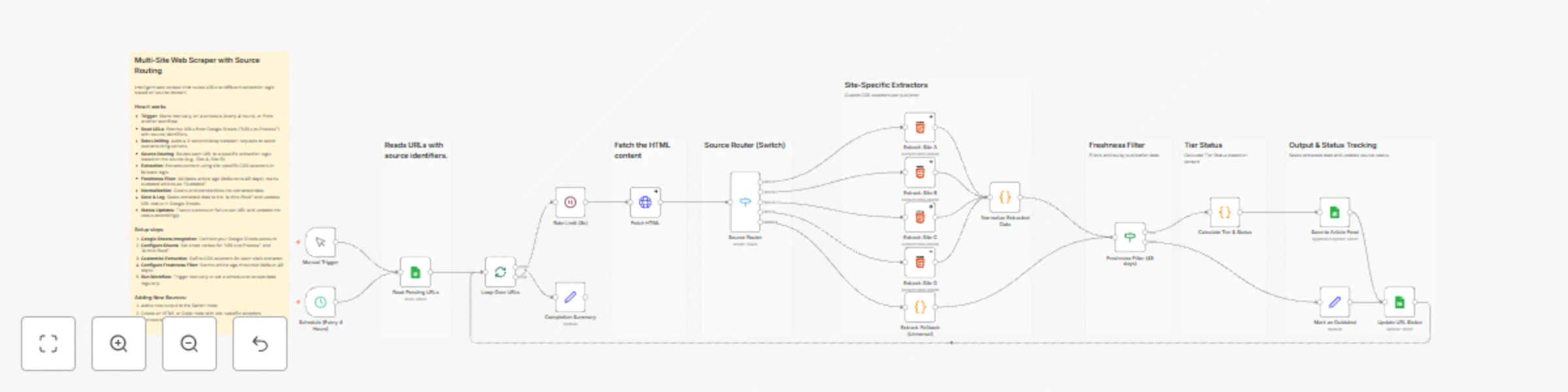
## An intelligent web scraping workflow that automatically routes URLs to site-specific extraction logic, normalizes data across multiple sources, and filters content by freshness to build a unified article feed. ### **What Makes This Different:** - **Intelligent Source Routing** - Uses a Switch node to route URLs to specialized extractors based on source identifier, enabling custom CSS selectors per publisher for maximum accuracy - **Universal Fallback Parser** - Advanced regex-based extractor handles unknown sources automatically, extracting title, description, author, date, and images from meta tags and HTML patterns - **Freshness Filtering** - Built-in 45-day freshness threshold filters outdated content before saving, with configurable date validation logic - **Tier-Based Classification** - Automatically categorizes articles into Tier 1 (0-7 days), Tier 2 (8-14 days), Tier 3 (15-30 days), or Archive based on publication date - **Rate Limiting & Error Handling** - Built-in 3-second delays between requests prevents server overload, with comprehensive error handling that continues processing even if individual URLs fail - **Status Tracking** - Updates source spreadsheet with processing status, enabling easy monitoring and retry logic for failed extractions ### **Key Benefits of Multi-Source Content Aggregation:** - **Scalable Architecture** - Easily add new sources by adding a Switch rule and extraction node, no code changes needed for most sites - **Data Normalization** - Standardizes extracted data across all sources into a consistent format (title, description, author, date, image, canonical URL) - **Automated Processing** - Schedule-based execution (every 4 hours) or manual triggers keep your feed updated without manual intervention - **Quality Control** - Freshness filtering ensures only recent, relevant content enters your feed, reducing noise from outdated articles - **Flexible Input** - Reads from Google Sheets, making it easy to add URLs in bulk or integrate with other systems - **Comprehensive Metadata** - Captures full article metadata including canonical URLs, publication dates, author information, and featured images --- ## Who's it for This template is designed for **content aggregators, news monitoring services, content marketers, SEO professionals, researchers, and anyone who needs to collect and normalize articles from multiple websites**. It's perfect for organizations that need to **monitor competitor content**, **aggregate industry news**, **build content databases**, **track publication trends**, or **create unified article feeds** without **manually scraping each site or writing custom scrapers for every source**. ## How it works / What it does This workflow creates a **unified article aggregation system** that **reads URLs from Google Sheets, routes them to site-specific extractors, normalizes the data, filters by freshness, and saves results to a feed**. The system: 1. **Reads Pending URLs** - Fetches URLs with source identifiers from Google Sheets, filtering for entries with "Pending" status 2. **Processes with Rate Limiting** - Loops through URLs one at a time with a 3-second delay between requests to respect server resources 3. **Fetches HTML Content** - Downloads page HTML with proper browser headers (User-Agent, Accept, Accept-Language) to avoid blocking 4. **Routes by Source** - Switch node directs URLs to specialized extractors (Site A, B, C, D) or universal fallback parser based on Source field 5. **Extracts Article Data** - Site-specific HTML nodes use custom CSS selectors, while fallback uses regex patterns to extract title, description, author, date, image, and canonical URL 6. **Normalizes Data** - Standardizes all extracted fields into consistent format, handling missing values and trimming whitespace 7. **Filters by Freshness** - Validates publication dates and filters out articles older than 45 days (configurable threshold) 8. **Calculates Tier & Status** - Assigns tier classification and freshness status based on article age 9. **Saves to Feed** - Appends normalized articles to Article Feed sheet with all metadata 10. **Updates Status** - Marks processed URLs as complete in source sheet for tracking **Key Innovation: Source-Based Routing** - Unlike generic scrapers that use one-size-fits-all extraction, this workflow uses intelligent routing to apply site-specific CSS selectors. This dramatically improves extraction accuracy while maintaining a universal fallback for unknown sources, making it both precise and extensible. ## How to set up ### 1. Prepare Google Sheets - Create a Google Sheet with two tabs: **"URLs to Process"** and **"Article Feed"** - In **"URLs to Process"** sheet, create columns: `URL`, `Source`, `Status` - Add sample data: URLs in `URL` column, source identifiers (e.g., "Site A", "Site B") in `Source` column, and "Pending" in `Status` column - In **"Article Feed"** sheet, the workflow will automatically create columns: `Title`, `Description`, `Author`, `datePublished`, `imageUrl`, `canonicalUrl`, `source`, `sourceUrl`, `tier`, `freshnessStatus`, `extractedAt` - Verify your Google Sheets credentials are set up in n8n (OAuth2 recommended) ### 2. Configure Google Sheets Nodes - Open the **"Read Pending URLs"** node and select your spreadsheet from the document dropdown - Set sheet name to **"URLs to Process"** - Configure the **"Save to Article Feed"** node: select same spreadsheet, set sheet name to **"Article Feed"**, operation should be **"Append or Update"** - Configure the **"Update URL Status"** node: same spreadsheet, **"URLs to Process"** sheet, operation **"Update"** - Test connection by running the "Read Pending URLs" node manually to verify it can access your sheet ### 3. Customize Source Routing - Open the **"Source Router"** (Switch node) to see current routing rules for Site A, B, C, D, and fallback - To add a new source: Click "Add Rule", set condition: `{{ $('Loop Over URLs').item.json.Source }}` equals your source name - Create a new HTML extraction node for your source with appropriate CSS selectors - Connect the new extractor to the **"Normalize Extracted Data"** node - Update the Switch node to route to your new extractor - Example CSS selectors for common sites: ```javascript // WordPress sites title: "h1.entry-title, .post-title" author: ".author-name, .byline a" date: "time.entry-date, time[datetime]" // Modern CMS title: "h1.article__title, article h1" author: ".article__byline a, a[rel='author']" date: "time[datetime], meta[property='article:published_time']" ``` ### 4. Configure Freshness Threshold - Open the **"Freshness Filter (45 days)"** IF node - The current threshold is 45 days (configurable in the condition expression) - To change threshold: Modify the expression `cutoffDate.setDate(cutoffDate.getDate() - 45)` to your desired number of days - The filter marks articles as "Fresh" (within threshold) or routes to "Outdated" handler - Test with sample URLs to verify date parsing works correctly for your sources ### 5. Set Up Scheduling & Test - The workflow includes both **Manual Trigger** (for testing) and **Schedule Trigger** (runs every 4 hours) - To customize schedule: Open "Schedule (Every 4 Hours)" node and adjust interval - For initial testing: Use Manual Trigger, add 2-3 test URLs to your sheet with Status="Pending" - Verify execution: Check that URLs are fetched, routed correctly, extracted, and saved to Article Feed - Monitor the **"Completion Summary"** node output to see processing statistics - Check execution logs for any errors in HTML extraction or date parsing - Common issues: Missing CSS selectors (update extractor), date format mismatches (adjust date parsing), or rate limiting (increase wait time if needed) ## Requirements - **Google Sheets Account** - Active Google account with OAuth2 credentials configured in n8n for reading and writing spreadsheet data - **Source Spreadsheet** - Google Sheet with "URLs to Process" and "Article Feed" tabs, properly formatted with required columns - **n8n Instance** - Self-hosted or cloud n8n instance with access to external websites (HTTP Request node needs internet connectivity) - **Source Knowledge** - Understanding of target website HTML structure to configure CSS selectors for site-specific extractors (or use fallback parser for unknown sources)

O
Omer Fayyaz
Market Research
26 Nov 2025
40
0
Workflow preview: Discover article URLs from any website with GPT-5-mini and Google Sheets
Free advanced

Discover article URLs from any website with GPT-5-mini and Google Sheets

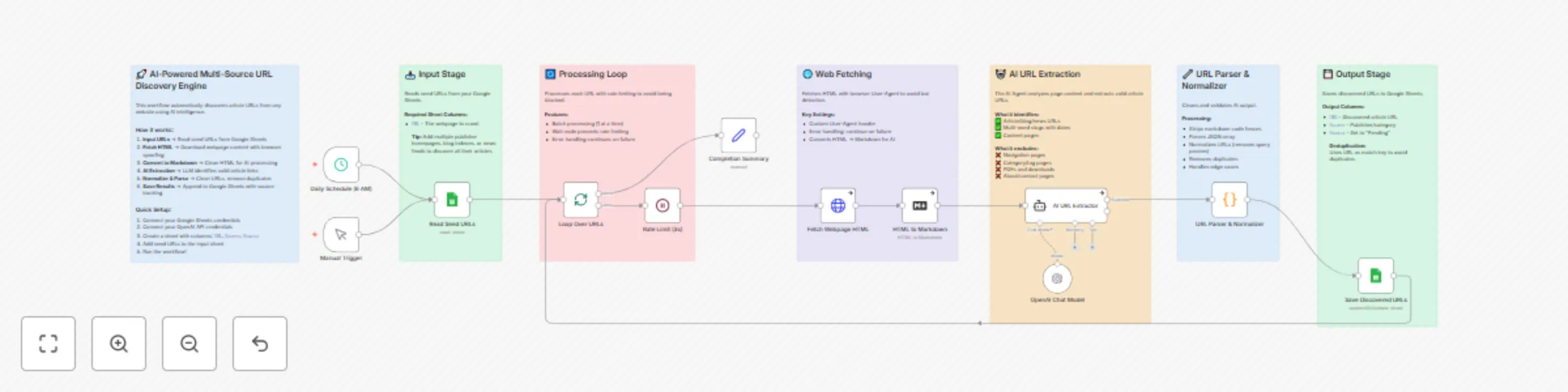
## Automatically discover and extract article URLs from any website using AI to identify valid content links while filtering out navigation, category pages, and irrelevant content—perfect for building content pipelines, news aggregators, and research databases. ### **What Makes This Different:** - **AI-Powered Intelligence** - Uses GPT-5-mini to understand webpage context and identify actual articles vs navigation pages, eliminating false positives - **Browser Spoofing** - Includes realistic User-Agent headers and request patterns to avoid bot detection on publisher sites - **Smart URL Normalization** - Automatically strips tracking parameters (utm_*, fbclid, etc.), removes duplicates, and standardizes URLs - **Source Categorization** - AI assigns logical source names based on domain and content type for easy filtering - **Rate Limiting Built-In** - Configurable delays between requests prevent IP blocking and respect website resources - **Deduplication on Save** - Google Sheets append-or-update pattern ensures no duplicate URLs in your database ### **Key Benefits of AI-Powered Content Discovery:** - **Save 10+ Hours Weekly** - Automate manual link hunting across dozens of publisher sites - **Higher Quality Results** - AI filters out 95%+ of junk links (nav pages, categories, footers) that rule-based scrapers miss - **Scale Effortlessly** - Add new seed URLs to your sheet and the same workflow handles any website structure - **Industry Agnostic** - Works for news, blogs, research papers, product pages—any content type - **Always Up-to-Date** - Schedule daily runs to catch new content as it's published - **Full Audit Trail** - Track discovered URLs with timestamps and sources in Google Sheets --- ## Who's it for This template is designed for **content marketers, SEO professionals, researchers, media monitors, and anyone who needs to aggregate content from multiple sources**. It's perfect for organizations that need to **track competitor blogs**, **curate industry news**, **build research databases**, **monitor brand mentions**, or **aggregate content for newsletters** without **manually checking dozens of websites daily or writing complex scraping rules for each source**. ## How it works / What it does This workflow creates an **intelligent content discovery pipeline** that **automatically finds and extracts article URLs from any webpage**. The system: 1. **Reads Seed URLs** - Pulls a list of webpages to crawl from your Google Sheets (blog indexes, news feeds, publication homepages) 2. **Fetches with Stealth** - Downloads each webpage's HTML using browser-like headers to avoid bot detection 3. **Converts for AI** - Transforms messy HTML into clean Markdown that the AI can easily process 4. **AI Extraction** - GPT-5-mini analyzes the content and identifies valid article URLs while filtering out navigation, categories, and junk links 5. **Normalizes & Saves** - Cleans URLs (removes tracking params), deduplicates, and saves to Google Sheets with source tracking **Key Innovation: Context-Aware Link Filtering** - Unlike traditional scrapers that rely on CSS selectors or URL patterns (which break when sites update), the AI understands the *semantic difference* between an article link and a navigation link. It reads the page like a human would, identifying content worth following regardless of the website's structure. ## How to set up ### 1. Create Your Google Sheets Database - Create a new Google Spreadsheet with two sheets: - **"Seed URLs"** - Add column `URL` with webpages to crawl (blog homepages, news feeds, etc.) - **"Discovered URLs"** - Add columns: `URL`, `Source`, `Status`, `Discovered At` - Add 3-5 seed URLs to start (e.g., `https://abc.com/`, `https://news.xyz.com/`) ### 2. Connect Your Credentials - **Google Sheets**: Click the "Read Seed URLs" and "Save Discovered URLs" nodes → Select your Google Sheets account - **OpenAI**: Click the "OpenAI GPT-5-mini" node → Add your OpenAI API key - Select your spreadsheet and sheet names in both Google Sheets nodes ### 3. Customize the AI Prompt (Optional) - Open the "AI URL Extractor" node - Modify the system message to add industry-specific rules: ``` // Example: Add to system message for tech blogs For tech sites, also extract: - Tutorial and guide URLs - Product announcement pages - Changelog and release notes ``` - Adjust source naming conventions to match your taxonomy ### 4. Test Your Configuration - Click "Test Workflow" or use the Manual Trigger - Check the execution to verify: - Seed URLs are being read correctly - HTML is fetched successfully (check for 200 status) - AI returns valid JSON array of URLs - URLs are saved to your output sheet - Review the "Discovered URLs" sheet for results ### 5. Schedule and Monitor - Adjust the Schedule Trigger (default: daily at 6 AM) - Enable the workflow to run automatically - Monitor execution logs for errors: - **Rate limiting**: Increase wait time if sites block you - **Empty results**: Check if seed URLs have changed structure - **AI errors**: Review AI output in execution data - Set up error notifications via email or Slack (add nodes after Completion Summary) ## Requirements - **Google Sheets Account** - OAuth2 connection for reading seed URLs and saving results - **OpenAI API Key** - For GPT-5-mini (or swap for any LangChain-compatible LLM)

O
Omer Fayyaz
Market Research
25 Nov 2025
104
0
Workflow preview: Auto-schedule demos for high-intent leads with Clearbit, Slack, and Calendly
Free advanced

Auto-schedule demos for high-intent leads with Clearbit, Slack, and Calendly

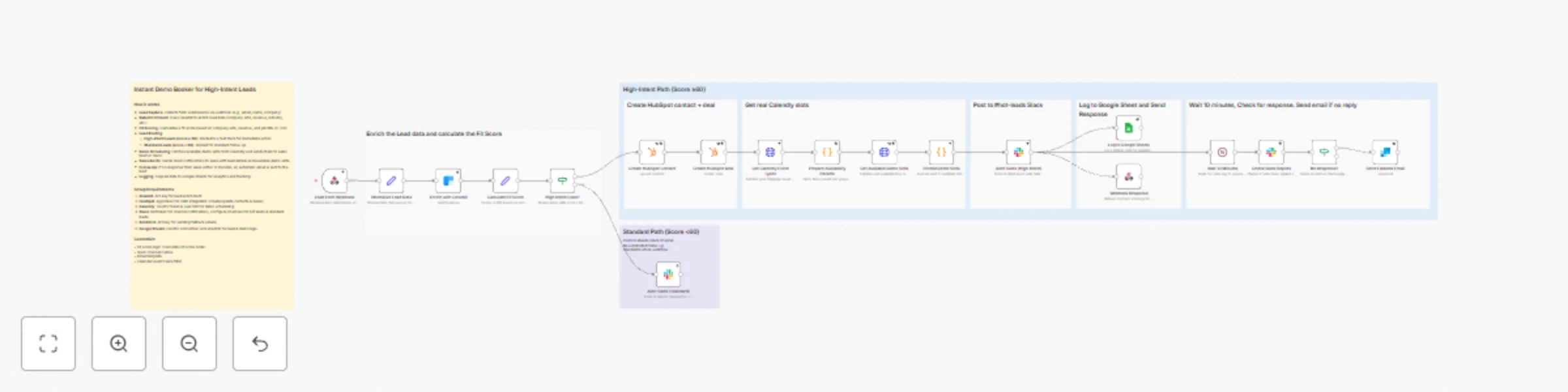
## This workflow automatically captures, enriches, scores, and routes website leads in real-time, scheduling high-intent prospects for demos within minutes instead of hours—dramatically improving conversion rates by eliminating response delays. ### **What Makes This Different:** - **Real-Time Lead Processing** - Captures and processes leads instantly from website forms with zero delay - **Intelligent Fit Scoring** - Automatically scores leads 0-100 based on company size, seniority, and revenue - **Dual-Track Routing** - High-intent leads (60+) get fast-track treatment, others follow standard nurture - **Live Calendar Integration** - Shows actual available Calendly slots, not fake placeholders - **Automated Sales Alerts** - Posts rich lead details to Slack with booking links instantly - **Smart Follow-Up** - Sends fallback email if sales team doesn't respond within 10 minutes - **Complete CRM Automation** - Creates HubSpot contacts and deals automatically with enriched data - **Full Audit Trail** - Logs everything to Google Sheets for analytics and reporting ### **Key Benefits of Instant Lead Response:** - **Speed** - Minutes from form submission to scheduled demo, not hours or days - **Conversion** - Respond while leads are hot, dramatically improving booking rates - **Automation** - Zero manual work—enrichment, scoring, routing, and follow-up all automatic - **Intelligence** - Data-driven scoring ensures sales focuses on best-fit prospects - **Accountability** - Complete logging shows response times and follow-up actions - **Scalability** - Handles unlimited lead volume without adding sales admin work --- ## Who's it for This template is designed for **B2B SaaS companies, sales teams, and revenue operations professionals** who need to convert website leads faster. It's perfect for organizations that lose deals due to slow response times, want to prioritize high-intent prospects, need to automate CRM data entry, or want to ensure no hot lead falls through the cracks while sales is busy. ## How it works / What it does This workflow creates an **end-to-end lead-to-meeting pipeline** that automatically processes inbound leads and schedules high-intent prospects for demos. The system: 1. **Receives lead submissions** via webhook from website forms or chat widgets 2. **Normalizes data** from different form providers into a standard format 3. **Enriches contact information** using Clearbit to get company size, revenue, job title, and industry 4. **Calculates fit score** (0-100) based on company metrics: size (40 pts), seniority (30 pts), revenue (30 pts) 5. **Routes intelligently** - High-intent leads (60+) → fast track | Standard leads → nurture channel 6. **Creates CRM records** - Automatically creates/updates HubSpot contact and deal with enriched data 7. **Fetches real availability** - Gets actual available Calendly demo slots via API (next 7 days) 8. **Alerts sales team** - Posts formatted message to Slack with lead details and booking links 9. **Monitors response** - Waits 10 minutes and checks if sales replied in Slack thread 10. **Sends fallback email** - Automatically emails lead with self-service booking link if no response 11. **Logs everything** - Records all data to Google Sheets for reporting and analytics **Key Innovation: Smart Follow-Up Automation** - Unlike basic lead capture workflows, this system ensures accountability by automatically following up with leads if the sales team is unavailable, preventing lost opportunities while maintaining a professional response time. ## How to set up ### 1. Configure API Credentials Add the following credentials in n8n: **Clearbit** (Lead Enrichment) - Create account at clearbit.com - Generate API key from Settings → API - Add as "Clearbit API" credential in n8n **HubSpot** (CRM Integration) - Create private app in HubSpot Settings → Integrations → Private Apps - Grant scopes: `crm.objects.contacts.write`, `crm.objects.deals.write` - Copy app token - Add as "HubSpot App Token" credential in n8n **Calendly** (Calendar Availability) - Create OAuth app at calendly.com/integrations/api_webhooks - Configure OAuth2 credentials in n8n - Set environment variable: `CALENDLY_USER_URI` with your user URI - Get this from: `https://api.calendly.com/users/me` (returns your user URI) **Slack** (Team Notifications) - Create Slack app at api.slack.com/apps - Add Bot Token Scopes: `channels:read`, `chat:write`, `channels:history` - Install app to workspace and copy Bot User OAuth Token - Add as "Slack API" credential in n8n - Update channel names in nodes: change "hot-leads" and "leads" to your actual channel names **SendGrid** (Email Fallback) - Create account at sendgrid.com - Generate API key from Settings → API Keys - Verify sender email address - Add as "SendGrid API" credential in n8n - Update "from" email in "Send Fallback Email" node **Google Sheets** (Activity Logging) - Create Google Cloud project and enable Sheets API - Configure OAuth2 credentials in n8n - Create a Google Sheet with columns matching the workflow - Replace `YOUR_GOOGLE_SHEET_ID` in "Log to Google Sheets" node with your actual sheet ID ### 2. Customize Fit Scoring Logic Edit the "Calculate Fit Score" node to match your ideal customer profile: **Default Scoring:** - Company size 50-5,000 employees = 40 points - Executive/Director seniority = 30 points - Annual revenue ≥ $1M = 30 points - **Total possible:** 100 points | **High-intent threshold:** 60+ points **To Customize:** - Adjust company size ranges based on your target market - Change seniority requirements (C-level, VP, Manager, etc.) - Modify revenue thresholds - Update the 60-point threshold for high-intent routing ### 3. Set Up Webhook Endpoint **Get Webhook URL:** - Activate the workflow - Copy webhook URL from "Lead Form Webhook" node - URL format: `https://your-n8n-instance.com/webhook/demo-request` **Configure Form Provider:** - Point your website form POST request to the webhook URL - Send JSON body with fields: `email`, `name`, `company`, `phone`, `utm_source`, `utm_campaign`, `page_url`, `message` - Or map your existing form fields to these names in "Normalize Lead Data" node **Example Form Integration:** ```javascript // HTML Form fetch('https://your-n8n.com/webhook/demo-request', { method: 'POST', headers: {'Content-Type': 'application/json'}, body: JSON.stringify({ email: '[email protected]', name: 'John Doe', company: 'Acme Inc', phone: '+1234567890', utm_source: 'google', page_url: window.location.href }) }) ``` ### 4. Test the Workflow **Initial Test:** 1. Activate the workflow 2. Submit test lead via webhook (use Postman or curl) 3. Verify Clearbit enrichment returns data 4. Check HubSpot for created contact and deal 5. Confirm Slack notification appears in correct channel 6. Verify Google Sheet receives log entry **Response Test:** 1. Wait 10 minutes after Slack notification 2. Check if "Check Slack Replies" detects no response 3. Verify fallback email sends via SendGrid 4. Confirm lead receives booking email with Calendly link **Calendly Test:** 1. Verify "Get Calendly Event Types" finds your Demo event 2. Check "Get Available Demo Slots" returns actual time slots 3. Confirm booking URLs work and pre-fill time selection ### 5. Monitor and Optimize **Key Metrics to Track:** - Time from form submission to Slack notification (target: <30 seconds) - Sales response rate within 10 minutes - Fallback email send rate (lower is better) - High-intent lead conversion rate (booked → closed) - Average fit score of closed deals **Optimization Tips:** - Adjust fit score weights based on actual conversion data - Tune the 60-point threshold for high-intent routing - Customize Slack message format for your team's workflow - Modify wait time (10 minutes) based on team availability - Add custom fields to Google Sheet for additional tracking ## Requirements **n8n Instance:** - n8n Cloud or self-hosted (v1.0+) - Code node execution enabled - Webhook functionality active **External Services:** - **Clearbit** - Enrichment API (paid service, free trial available) - **HubSpot** - CRM with API access (free tier available) - **Calendly** - Scheduling platform with API access (paid plans) - **Slack** - Workspace with bot integration capability - **SendGrid** - Email API (free tier: 100 emails/day) - **Google Sheets** - Google account with Sheets API enabled **Technical Requirements:** - Public webhook endpoint (HTTPS) - Environment variable support for sensitive data - OAuth2 authentication capability - Minimum 256MB RAM for code node execution **Data Privacy:** - Ensure GDPR/CCPA compliance for lead data storage - Review data retention policies for all connected services - Configure appropriate data handling in Google Sheets - Add privacy policy link to email templates ## Tips and best practices **Fit Scoring:** - Start with default scoring, then optimize based on actual conversion data - Review monthly: which scores convert best? Adjust weights accordingly - Consider adding industry filters for vertical-specific targeting - Test different thresholds (50, 60, 70) to find optimal balance **Lead Response:** - Keep 10-minute wait time during business hours - Consider longer wait for after-hours leads (use schedule trigger) - Customize Slack urgency based on fit score (🔥 for 80+, ⚡ for 60-79) - Add @mentions in Slack for specific team members based on lead attributes **Calendar Management:** - Use dedicated "Demo" event type in Calendly for consistent detection - Ensure event name includes "demo" (case-insensitive) for workflow to find it - Set appropriate buffer times between meetings in Calendly settings - Review availability regularly to maintain high slot count **Error Handling:** - All critical nodes have `onError: continueRegularOutput` to prevent workflow stops - Monitor execution logs daily for failed enrichments or CRM errors - Set up n8n error workflow to alert on consistent failures - Keep fallback booking URL updated in case Calendly API fails **Performance:** - Webhook responds immediately (within 2 seconds) even while processing continues - Clearbit enrichment can take 3-5 seconds—this is expected - Consider batching Google Sheets updates if processing >100 leads/day - Monitor n8n resource usage; Code nodes can be memory-intensive **Privacy and Compliance:** - Add unsubscribe link to fallback emails - Include data handling disclosure in form - Set Google Sheet permissions appropriately (team only) - Review Clearbit's data sources for compliance requirements - Configure data retention in HubSpot to match your policy **Customization Ideas:** - Add SMS notification for ultra-high fit scores (90+) - Integrate with territory routing (route to specific sales rep by region) - Add lead source scoring (paid > organic > referral) - Create separate tracks for different product lines - Build competitor mention detection in form messages - Add qualification questions that influence fit score

O
Omer Fayyaz
Lead Generation
25 Nov 2025
51
0
Workflow preview: Generate AI-powered news summaries with Gnews.io and GPT-4.1 to Slack
Free intermediate

Generate AI-powered news summaries with Gnews.io and GPT-4.1 to Slack

## This workflow automates news aggregation and summarization by fetching relevant articles from Gnews.io and using AI to create concise, professional summaries delivered via Slack ### **What Makes This Different:** - **Real-Time News Aggregation** - Fetches current news articles from Gnews.io API based on user-specified topics - **AI-Powered Summarization** - Uses GPT-4.1 to intelligently select and summarize the most relevant articles - **Professional Formatting** - Generates clean, readable summaries with proper dates and article links - **Form-Based Input** - Simple web form interface for topic specification - **Automated Delivery** - Sends summarized news directly to Slack for immediate consumption - **Intelligent Filtering** - AI selects the top 15 most relevant articles from search results ### **Key Benefits of Automated News Summarization:** - **Time Efficiency** - Transforms hours of news reading into minutes of focused summaries - **Comprehensive Coverage** - AI ensures all important financial and business developments are captured - **Professional Quality** - Generates publication-ready summaries with proper formatting - **Real-Time Updates** - Always delivers the latest news on any topic - **Centralized Access** - All news summaries delivered to one Slack channel - **Customizable Topics** - Search for news on any subject matter --- ## Who's it for This template is designed for **business professionals, financial analysts, content creators, journalists, and anyone who needs to stay updated on specific topics** without spending hours reading through multiple news sources. It's perfect for professionals who want to stay informed about industry developments, market trends, or any specific subject matter while maintaining productivity. ## How it works / What it does This workflow creates an **automated news summarization system** that transforms topic searches into professional news summaries. The system: 1. **Receives topic input** through a simple web form interface 2. **Fetches news articles** from Gnews.io API based on the specified topic 3. **Maps article data** to prepare for AI processing 4. **Uses AI to select** the 15 most relevant articles related to financial advancements, tools, research, and applications 5. **Generates professional summaries** with clear, readable language and proper formatting 6. **Includes article links** and current date for complete context 7. **Delivers summaries** via Slack notification for immediate review **Key Innovation: Intelligent News Curation** - Unlike basic news aggregators, this system uses AI to intelligently filter and summarize only the most relevant articles, saving time while ensuring comprehensive coverage of important developments. ## How to set up ### 1. Configure Form Trigger - Set up n8n form trigger with "topic" field (required) - Configure form title as "News Search" - Test form submission functionality - Ensure proper data flow to subsequent nodes ### 2. Configure Gnews.io API - **Get your API key**: Sign up at [gnews.io](https://gnews.io) and obtain your API key from the dashboard - **Add API key to workflow**: In the "Get GNews articles" HTTP Request node, replace `"ADD YOUR API HERE"` with your actual Gnews.io API key - **Example configuration**: ```json { "q": "{{ $json.topic }}", "lang": "en", "apikey": "your-actual-api-key-here" } ``` - **Configure search parameters**: Ensure language is set to "en" for English articles - **Test API connectivity**: Run a test execution to verify news articles are returned correctly ### 3. Configure OpenAI API - Set up OpenAI API credentials in n8n - Ensure proper API access and quota limits - Configure the GPT-4.1 Model node for AI summarization - Test AI model connectivity and response quality ### 4. Configure Slack Integration - Set up Slack API credentials in n8n - Configure Slack channel ID for news delivery - Set up proper message formatting for news summaries - Test Slack notification delivery ### 5. Test the Complete Workflow - Submit test form with sample topic (e.g., "artificial intelligence") - Verify Gnews.io returns relevant articles - Check that AI generates appropriate news summaries - Confirm Slack notification contains formatted news summary ## Requirements - **n8n instance** with form trigger and HTTP request capabilities - **OpenAI API** access for AI-powered news summarization - **Gnews.io API** credentials for news article fetching - **Slack workspace** with API access for news delivery - **Active internet connection** for real-time API interactions ## How to customize the workflow ### Modify News Search Parameters - Adjust the number of articles to summarize (currently set to 15) - Add more search depth options or date ranges - Implement language filtering for different regions - Add news source filtering or preferences ### Enhance AI Capabilities - Customize AI prompts for specific industries or niches - Add support for multiple languages - Implement different summary styles (brief, detailed, bullet points) - Add content quality scoring and relevance filtering ### Expand News Sources - Integrate with additional news APIs (NewsAPI, Bing News, etc.) - Add support for RSS feed integration - Implement trending topic detection - Add competitor news monitoring ### Improve News Delivery - Add email notifications alongside Slack - Implement news scheduling capabilities - Add news approval workflows - Implement news performance tracking ### Business Features - Add news analytics and engagement metrics - Implement A/B testing for different summary formats - Add news calendar integration - Implement team collaboration features for news sharing ## Key Features - **Real-time news aggregation** - Fetches current news articles from Gnews.io API - **AI-powered summarization** - Uses GPT-4.1 to intelligently select and summarize relevant articles - **Professional formatting** - Generates clean, readable summaries with proper dates and links - **Form-based input** - Simple interface for topic specification - **Automated workflow** - End-to-end automation from topic input to news delivery - **Intelligent filtering** - AI selects the most relevant articles from search results - **Slack integration** - Centralized delivery of news summaries - **Scalable news processing** - Handles multiple topic searches efficiently ## Technical Architecture Highlights ### AI-Powered News Summarization - **OpenAI GPT-4.1 integration** - Advanced language model for intelligent news summarization - **Content filtering** - AI selects the 15 most relevant articles from search results - **Professional formatting** - Generates clean, readable summaries with proper structure - **Quality consistency** - Maintains professional tone and formatting standards ### News API Integration - **Gnews.io API** - Comprehensive news search with article extraction - **Real-time data** - Access to current, relevant news articles - **Content mapping** - Efficiently processes article data for AI analysis - **Search optimization** - Efficient query construction for better news results ### Form-Based Input System - **n8n form trigger** - Simple, user-friendly input interface for topic specification - **Data validation** - Ensures required topic field is properly filled - **Parameter extraction** - Converts form data to search parameters - **Error handling** - Graceful handling of incomplete or invalid inputs ### News Delivery System - **Slack integration** - Professional news summary delivery - **Formatted output** - Clean, readable summaries with dates and article links - **Centralized access** - All news summaries delivered to one location - **Real-time delivery** - Immediate notification of news summaries ## Use Cases - **Financial analysts** needing to stay updated on market developments and industry news - **Business professionals** requiring daily news summaries on specific topics - **Content creators** needing current information for articles and social media posts - **Journalists** requiring comprehensive news coverage on specific subjects - **Research teams** needing to track developments in their field of expertise - **Investment professionals** requiring real-time updates on market trends - **Academic researchers** needing to stay informed about industry developments - **Corporate communications** teams requiring news monitoring for crisis management ## Business Value - **Time Efficiency** - Reduces news reading time from hours to minutes - **Cost Savings** - Eliminates need for manual news monitoring and summarization - **Comprehensive Coverage** - AI ensures all important developments are captured - **Scalability** - Handles unlimited topic searches without additional resources - **Quality Assurance** - AI ensures professional-quality summaries every time - **Real-Time Updates** - Always delivers the latest news on any topic - **Research Integration** - Incorporates current information for relevant, timely insights This template revolutionizes news consumption by combining AI-powered summarization with real-time news aggregation, creating an automated system that delivers professional-quality news summaries on any topic from a simple form submission.

O
Omer Fayyaz
Market Research
17 Sep 2025
323
0
Workflow preview: Generate multi-platform content from forms using Tavily Research and OpenAI
Free intermediate

Generate multi-platform content from forms using Tavily Research and OpenAI

## This workflow automates multi-platform content creation by transforming form submissions into tailored blog posts, LinkedIn posts, and Facebook posts using AI and web research ### **What Makes This Different:** - **Multi-Platform Content Generation** - Creates optimized content for blog, LinkedIn, and Facebook simultaneously - **AI-Powered Content Adaptation** - Uses OpenAI to tailor content for each platform's unique audience and format - **Web Research Integration** - Leverages Tavily API to gather relevant, up-to-date information on any topic - **Form-Based Input** - Simple form interface for content subject and target audience specification - **Automated Workflow** - End-to-end automation from form submission to content delivery - **Slack Integration** - Delivers all generated content via Slack notification for easy review and sharing ### **Key Benefits of Automated Content Creation:** - **Time Efficiency** - Generates three different content pieces in one workflow execution - **Platform Optimization** - Each content piece is specifically crafted for its intended platform - **Research-Backed Content** - Incorporates current web information for accurate, relevant content - **Consistent Brand Voice** - AI ensures consistent tone and messaging across all platforms - **Scalable Content Production** - Handles multiple content requests without manual intervention - **Centralized Delivery** - All content delivered to one location for easy management --- ## Who's it for This template is designed for **content marketers, social media managers, small business owners, marketing agencies, and content creators** who need to produce consistent, high-quality content across multiple platforms. It's perfect for businesses that want to streamline their content creation process, maintain a consistent brand voice, and leverage AI to create platform-specific content that resonates with their target audience. ## How it works / What it does This workflow creates an **automated content creation system** that transforms form submissions into multi-platform content. The system: 1. **Receives form submissions** with content subject and target audience through n8n form trigger 2. **Extracts search parameters** from form data to prepare for web research 3. **Searches the web** using Tavily API to gather relevant, current information on the topic 4. **Processes search results** by splitting and aggregating content for AI processing 5. **Generates platform-specific content** using OpenAI agents for LinkedIn, Facebook, and blog formats 6. **Aggregates all content** into a single output with all three platform versions 7. **Sends Slack notification** with all generated content for review and distribution **Key Innovation: Multi-Platform AI Content Generation** - Unlike traditional content tools that create one piece of content, this system automatically generates three different versions optimized for each platform's unique audience, format requirements, and engagement patterns, all based on current web research and AI-powered adaptation. ## How to set up ### 1. Configure Form Trigger - Set up n8n form trigger with "Content Subject" and "Target Audience" fields - Configure form settings and validation rules - Test form submission functionality - Ensure proper data flow to subsequent nodes ### 2. Configure OpenAI API - Set up OpenAI API credentials in n8n - Ensure proper API access and quota limits - Configure the OpenAI Chat Model node for content generation - Test AI model connectivity and response quality ### 3. Configure Tavily API - **Get your API key**: Sign up at [tavily.com](https://tavily.com) and obtain your API key from the dashboard - **Add API key to workflow**: In the "Search Web" HTTP Request node, replace `"ADD YOU API KEY HERE"` with your actual Tavily API key - **Example configuration**: ```json { "api_key": "your-actual-api-key-here", "query": "{{ $json.query.replace(/\"/g, '\\\"') }}", "search_depth": "basic", "include_answer": true, "topic": "news", "include_raw_content": true, "max_results": 3 } ``` - **Configure search parameters**: Ensure max_results is set to 3 and search_depth to "basic" for optimal performance - **Test API connectivity**: Run a test execution to verify search results are returned correctly ### 4. Configure Slack Integration - Set up Slack API credentials in n8n - Configure Slack channel ID for content delivery - Set up proper message formatting for content display - Test Slack notification delivery ### 5. Test the Complete Workflow - Submit test form with sample content subject and target audience - Verify web search returns relevant results - Check that AI generates appropriate content for all three platforms - Confirm Slack notification contains all generated content ## Requirements - **n8n instance** with form trigger and HTTP request capabilities - **OpenAI API** access for AI-powered content generation - **Tavily API** credentials for web search functionality - **Slack workspace** with API access for content delivery - **Active internet connection** for real-time API interactions ## How to customize the workflow ### Modify Content Generation Parameters - Adjust the number of web search results (currently set to 3) - Add more search depth options (basic, advanced, comprehensive) - Implement content length controls for different platforms - Add content tone and style preferences ### Enhance AI Capabilities - Customize AI prompts for specific industries or niches - Add support for multiple languages - Implement brand voice consistency across all platforms - Add content quality scoring and optimization ### Expand Content Sources - Integrate with additional research APIs (Google Search, Bing, etc.) - Add support for internal knowledge base integration - Implement trending topic detection - Add competitor content analysis ### Improve Content Delivery - Add email notifications alongside Slack - Implement content scheduling capabilities - Add content approval workflows - Implement content performance tracking ### Business Features - Add content analytics and performance metrics - Implement A/B testing for different content versions - Add content calendar integration - Implement team collaboration features ## Key Features - **Multi-platform content generation** - Creates optimized content for blog, LinkedIn, and Facebook - **AI-powered content adaptation** - Tailors content for each platform's unique requirements - **Web research integration** - Incorporates current, relevant information from web searches - **Form-based input** - Simple interface for content subject and target audience specification - **Automated workflow** - End-to-end automation from form submission to content delivery - **Platform-specific optimization** - Each content piece follows platform best practices - **Slack integration** - Centralized delivery of all generated content - **Scalable content production** - Handles multiple content requests efficiently ## Technical Architecture Highlights ### AI-Powered Content Generation - **OpenAI integration** - Advanced language model for content creation - **Platform-specific prompts** - Tailored AI instructions for each social platform - **Content optimization** - AI ensures platform-appropriate formatting and tone - **Quality consistency** - Maintains brand voice across all generated content ### Web Research Integration - **Tavily API** - Comprehensive web search with content extraction - **Real-time data** - Access to current, relevant information - **Content aggregation** - Combines multiple sources for comprehensive coverage - **Search optimization** - Efficient query construction for better results ### Form-Based Input System - **n8n form trigger** - Simple, user-friendly input interface - **Data validation** - Ensures required fields are properly filled - **Parameter extraction** - Converts form data to search and generation parameters - **Error handling** - Graceful handling of incomplete or invalid inputs ### Multi-Platform Output - **LinkedIn optimization** - Professional tone with industry-specific formatting - **Facebook adaptation** - Engaging, shareable content with appropriate length - **Blog formatting** - Comprehensive, SEO-friendly long-form content - **Unified delivery** - All content delivered through single Slack notification ## Use Cases - **Content marketing agencies** needing efficient multi-platform content creation - **Small businesses** requiring consistent social media presence across platforms - **Marketing teams** looking to streamline content production workflows - **Solo entrepreneurs** needing professional content without hiring writers - **E-commerce brands** requiring product-focused content for multiple channels - **Professional services** needing thought leadership content across platforms - **Event organizers** requiring promotional content for different social channels - **Educational institutions** needing content for student engagement and recruitment ## Business Value - **Time Efficiency** - Reduces content creation time from hours to minutes - **Cost Savings** - Eliminates need for multiple content creators or agencies - **Consistency** - Maintains brand voice and messaging across all platforms - **Scalability** - Handles unlimited content requests without additional resources - **Quality Assurance** - AI ensures professional-quality content every time - **Multi-Platform Reach** - Maximizes content distribution across key social channels - **Research Integration** - Incorporates current information for relevant, timely content This template revolutionizes content creation by combining AI-powered writing with real-time web research, creating an automated system that produces high-quality, platform-optimized content for blog, LinkedIn, and Facebook from a simple form submission.

O
Omer Fayyaz
Content Creation
16 Sep 2025
194
0
Workflow preview: Gmail email auto-organizer with Google Sheets rules
Free advanced

Gmail email auto-organizer with Google Sheets rules

## Transform your Gmail inbox from chaos to clarity with this revolutionary email organization system that uses Google Sheets as your command center for automated email management. This powerful n8n workflow automatically processes, categorizes, and organizes your Gmail inbox using customizable rules stored in Google Sheets. Say goodbye to manual email sorting and hello to a perfectly organized inbox that adapts to your needs through simple spreadsheet management. **Key Innovation:** Unlike traditional email filters that require complex Gmail setup, this system uses Google Sheets for intuitive rule management, allowing anyone to update email organization rules through a simple spreadsheet interface - no technical knowledge required! ### **What Makes This Different:** - **Google Sheets Integration** - Manage email rules through an easy-to-use spreadsheet interface - **Smart Pattern Matching** - Automatically detects sender patterns and applies appropriate actions - **Flexible Rule System** - Support for DELETE, PROMO, and LABEL actions with custom label names - **Intelligent Email Parsing** - Extracts clean email addresses from various sender formats - **Automatic Inbox Management** - Removes processed emails from inbox and marks as read - **Real-time Notifications** - Slack integration for monitoring and completion alerts ### **Key Benefits of Sheet-Based Organization:** - **Easy Rule Management** - Update email rules without touching the workflow code - **Visual Rule Interface** - See all your email organization rules in one place - **Scalable Organization** - Add unlimited rules without workflow modifications - **Team Collaboration** - Share and manage rules with team members through Google Sheets - **Flexible Actions** - Choose between deleting, promoting, or labeling emails - **Custom Label Support** - Create and apply custom Gmail labels automatically --- ## Who's it for This template is designed for **busy professionals, entrepreneurs, small business owners, and anyone overwhelmed by email management**. It's perfect for individuals and teams who receive high volumes of emails and need an intelligent, automated system to organize their Gmail inbox without manual intervention. Ideal for users who want to maintain a clean, organized inbox while ensuring important emails are properly categorized and promotional emails are handled appropriately. ## How it works / What it does This workflow creates an **intelligent email organization system** that automatically processes and categorizes your Gmail inbox using customizable rules stored in Google Sheets. The system: 1. **Triggers automatically on a schedule** (configurable interval) to check for new emails 2. **Retrieves all unread emails** from your Gmail inbox 3. **Parses sender email addresses** to extract clean email addresses from various formats 4. **Loads organization rules** from a Google Sheets document with customizable patterns 5. **Applies intelligent pattern matching** to categorize emails based on sender patterns 6. **Executes appropriate actions** (DELETE, PROMO, or LABEL) based on matched rules 7. **Manages Gmail labels** automatically, creating new labels if needed 8. **Removes processed emails from inbox** and marks them as read 9. **Sends completion notifications** via Slack for monitoring **Key Innovation: Sheet-Based Rule Management** - Unlike traditional email filters that require complex setup in Gmail, this system uses Google Sheets for easy rule management, allowing non-technical users to update email organization rules through a simple spreadsheet interface. ## How to set up ### 1. Configure Gmail API Credentials - Set up Gmail OAuth2 API credentials in n8n - Ensure the account has permissions to read, modify, and manage Gmail messages - Grant access to Gmail labels and message operations ### 2. Set up Google Sheets Integration - Create a Google Sheets document for email organization rules - Set up Google Sheets OAuth2 API credentials in n8n - Configure the sheet with the required columns: Pattern, Action, LabelName, RemoveFromInbox ### 3. Configure Email Organization Rules - Add your email organization rules to the Google Sheets document - Use the Pattern column to specify sender patterns (e.g., "@company.com", "newsletter@") - Set Action to DELETE, PROMO, or LABEL based on desired behavior - Specify LabelName for custom labels when Action is LABEL - Set RemoveFromInbox to TRUE/FALSE to control inbox removal ### 4. Set up Slack Notifications (Optional) - Configure Slack API credentials for the notification channel - Update the channel ID where completion notifications will be sent - Customize notification messages as needed ### 5. Configure Schedule - Adjust the Schedule Trigger node for your preferred interval - Consider running every few minutes for real-time organization - Test with manual execution first to verify setup ### 6. Test the Integration - Run a manual execution to verify all components work correctly - Check your Gmail inbox and labels to see organized emails - Verify Slack notifications are received (if configured) ## Requirements - **n8n instance** (self-hosted or cloud) with API access - **Gmail account** with API access and sufficient email volume - **Google Sheets account** for rule management - **Slack workspace** for notifications (optional but recommended) - **Gmail labels** that need to be created and managed automatically ## How to customize the workflow ### Modify Email Processing Frequency - Adjust the Schedule Trigger node for different intervals (every few minutes, hourly, daily) - Add multiple schedule triggers for different email types - Implement conditional scheduling based on email volume ### Enhance Rule Management - Add more complex pattern matching (regex support, multiple conditions) - Implement rule priorities and conflict resolution - Add rule validation and error handling ### Expand Notification System - Add email notifications for organization events - Integrate with monitoring systems (PagerDuty, OpsGenie) - Add detailed reporting on email organization statistics ### Advanced Email Processing - Add support for email content analysis and categorization - Implement sentiment analysis for email prioritization - Add support for attachment handling and organization ### Security and Privacy Enhancements - Implement email content encryption for sensitive information - Add audit logging for email organization actions - Set up access controls for rule management ### Performance Optimizations - Add batch processing for high-volume email accounts - Implement intelligent caching for frequently accessed rules - Add email processing metrics and performance monitoring ## Key Features - **Google Sheets Integration** - Manage email rules through an intuitive spreadsheet interface - **Smart Pattern Matching** - Automatically detects sender patterns and applies appropriate actions - **Flexible Action System** - Support for DELETE, PROMO, and LABEL actions with custom configurations - **Intelligent Email Parsing** - Extracts clean email addresses from various sender formats - **Automatic Gmail Management** - Creates labels, removes from inbox, and marks as read automatically - **Real-time Notifications** - Slack integration for monitoring and completion alerts - **Scalable Rule System** - Add unlimited rules without workflow modifications - **Error Handling** - Graceful failure handling with detailed error reporting ## Technical Architecture Highlights ### Google Sheets Integration - **Dynamic Rule Loading** - Rules are loaded from Google Sheets on each execution - **Real-time Rule Updates** - Changes to the sheet are immediately reflected in email processing - **Flexible Rule Format** - Support for Pattern, Action, LabelName, and RemoveFromInbox columns - **Error Handling** - Graceful handling of missing or invalid rule configurations ### Email Processing Optimization - **Intelligent Email Parsing** - Extracts clean email addresses from various sender formats - **Pattern Matching** - Efficient substring matching for sender identification - **Batch Processing** - Processes multiple emails in a single execution cycle - **Gmail API Integration** - Direct integration with Gmail for label management and inbox operations ### Workflow Efficiency - **Parallel Data Loading** - Gmail messages and labels are loaded simultaneously - **Smart Rule Application** - Efficient pattern matching and action execution - **Automatic Label Management** - Creates and manages Gmail labels automatically - **Streamlined Notifications** - Single completion notification per execution cycle ## Use Cases - **Busy professionals** with high email volumes needing automated organization - **Small business owners** managing multiple email streams and client communications - **Entrepreneurs** handling various business emails requiring different priority levels - **Teams** needing consistent email organization across multiple team members - **Customer service** departments requiring automated email categorization - **Sales teams** needing lead and prospect email organization ## Business Value - **Time Savings** - Eliminates manual email sorting and organization tasks - **Improved Productivity** - Focus on important emails without inbox clutter - **Consistent Organization** - Automated email categorization ensures nothing is missed - **Reduced Stress** - Clean, organized inbox reduces email overwhelm - **Team Efficiency** - Standardized email organization across team members - **Scalable Solution** - Handles increasing email volume without performance degradation ## Google Sheets Rule Configuration ### Required Columns: - **Pattern** - Substring to match in sender email (e.g., "@company.com", "newsletter@") - **Action** - Action to take: DELETE, PROMO, or LABEL - **LabelName** - Custom label name (only required when Action = LABEL) - **RemoveFromInbox** - TRUE/FALSE to control inbox removal (optional) ### Example Rules: ``` Pattern: @newsletter.com Action: PROMO LabelName: RemoveFromInbox: TRUE Pattern: @client.com Action: LABEL LabelName: Clients RemoveFromInbox: FALSE Pattern: spam@ Action: DELETE LabelName: RemoveFromInbox: TRUE ``` This template revolutionizes email management by providing an intuitive, spreadsheet-based approach to email organization that grows with your needs while maintaining the highest levels of automation and reliability.

O
Omer Fayyaz
Personal Productivity
7 Sep 2025
276
0
Workflow preview: Automate WHMCS support ticket creation with Gemini AI chatbot
Free intermediate

Automate WHMCS support ticket creation with Gemini AI chatbot

## This n8n template implements an AI-Powered Chatbot for Automated WHMCS Support Ticket Creation ## Who's it for This template is designed for **web hosting companies, domain registrars, and IT service providers** who want to automate their customer support ticket creation process. It's perfect for businesses looking to streamline support operations by automatically converting customer chat conversations into structured WHMCS support tickets while maintaining professional, empathetic customer interactions. ## How it works / What it does This workflow creates an **AI-powered chatbot** that automatically converts customer chat messages into structured support tickets within the WHMCS system. The AI agent automatically: 1. **Receives customer queries** through a webhook endpoint 2. **Processes natural language requests** using Google Gemini AI 3. **Extracts key information** from customer conversations: - Customer name and email - Issue description and subject - Appropriate support department - Priority level (Low, Medium, High) 4. **Fetches valid support departments** from WHMCS using the GetSupportDepartments API 5. **Creates structured support tickets** via WHMCS OpenTicket API 6. **Maintains conversation context** with session-based memory 7. **Provides professional responses** while gathering necessary information The system ensures **100% accuracy** by always mapping to valid WHMCS departments and never inventing ticket fields, maintaining data integrity and proper ticket routing. ## How to set up ### 1. Configure Google Gemini API - Set up your Google Gemini API credentials in the Google Gemini Chat Model node - Ensure you have sufficient API quota for your expected usage ### 2. Configure WHMCS API - Update the WHMCS API credentials in both HTTP Request Tool nodes - Replace `https://WHMCS_URL.com/includes/api.php` with your actual WHMCS API endpoint - Ensure your WHMCS API has the necessary permissions for: - `GetSupportDepartments` action - `OpenTicket` action ### 3. Customize AI Agent Behavior - Modify the system message in the AI Agent node to match your company's tone and policies - Adjust the agent's response style and ticket creation workflow - Customize department mapping and priority assignment logic ### 4. Set up the Webhook - The workflow creates a unique webhook endpoint for receiving customer queries - Use this endpoint URL in your customer-facing chat interface - Ensure proper security measures for webhook access ### 5. Test Department Integration - Verify that the `GetSupportDepartments` API call returns your actual support departments - Test ticket creation with various customer scenarios - Ensure proper error handling for API failures ## Requirements - **Google Gemini API account** with appropriate credentials - **n8n instance** (self-hosted or cloud) - **WHMCS installation** with API access enabled - **Support department structure** already configured in WHMCS - **Customer chat interface** or messaging system ## How to customize the workflow ### Modify AI Agent Behavior - Edit the system message in the AI Agent node to change the bot's personality and response style - Adjust ticket creation logic and required field validation - Customize priority assignment algorithms based on keywords or urgency indicators ### Enhance Ticket Creation - Add custom fields to the ticket creation process - Implement ticket categorization based on conversation content - Add automatic assignment to specific support staff members ### Improve Customer Experience - Add ticket confirmation and tracking information - Implement follow-up message scheduling - Add customer satisfaction surveys after ticket resolution ### Security Enhancements - Implement API key rotation and monitoring - Add request validation and sanitization - Set up usage analytics and abuse prevention ## Key Features - **Automatic ticket creation** from natural language conversations - **Intelligent department mapping** using WHMCS API - **Professional customer interaction** with empathetic responses - **Session-based memory** for contextual conversations - **Structured ticket data** with proper validation - **Priority assignment** based on conversation analysis - **Scalable webhook architecture** for high-volume usage - **Direct WHMCS integration** for seamless ticket management ## Use Cases - **24/7 automated support ticket creation** for web hosting companies - **Customer service automation** with human-like interaction - **Support team efficiency** by reducing manual ticket entry - **Consistent ticket formatting** across all customer interactions - **Improved response times** through immediate ticket creation - **Customer self-service** with professional guidance ## Chat Session Management The workflow automatically manages chat sessions with the following features: - **Unique Session IDs** for each customer conversation - **Automatic information extraction** from customer messages - **Conversation history tracking** with chronological message storage - **Session persistence** across multiple interactions - **Contextual responses** based on conversation history ## Example Customer Interactions The AI agent can handle various customer scenarios: - **Technical Issues**: "My website is down" → Creates ticket in Technical Support department - **Billing Questions**: "I need help with my invoice" → Creates ticket in Billing department - **Domain Services**: "I want to transfer my domain" → Creates ticket in Domain Services department - **General Support**: "I have a question about my hosting plan" → Creates ticket in General Support department ## Ticket Creation Process The workflow follows a structured approach: 1. **Information Gathering**: The AI agent identifies missing required information (email, name, etc.) 2. **Department Selection**: Fetches available departments from WHMCS and maps customer needs appropriately 3. **Priority Assessment**: Determines ticket priority based on urgency indicators in the conversation 4. **Ticket Creation**: Generates a well-structured ticket with clear subject and detailed message 5. **Confirmation**: Provides customer with ticket creation confirmation and next steps This template transforms your web hosting business by providing instant, automated support ticket creation while maintaining the personal touch that customers expect from professional service providers. The AI agent becomes an extension of your support team, handling routine inquiries and ensuring no customer request goes unaddressed.

O
Omer Fayyaz
AI Chatbot
28 Aug 2025
497
0
Workflow preview: WhatsApp recipe suggestions from pantry items with Gemini AI & FatSecret API
Free intermediate

WhatsApp recipe suggestions from pantry items with Gemini AI & FatSecret API

## AI Recipe Generator from Pantry Items using FatSecret API **This workflow creates an intelligent WhatsApp cooking assistant that transforms pantry ingredients into personalized recipe suggestions using AI and the FatSecret Recipes API** ### **What Makes This Different:** - **AI-Powered Recipe Discovery** - Uses Google Gemini AI to understand user intent and dietary preferences - **Smart Ingredient Analysis** - Automatically extracts ingredients, dietary restrictions, and cooking constraints - **FatSecret API Integration** - Leverages comprehensive recipe database with nutritional information - **WhatsApp Native Experience** - Seamless chat interface for recipe discovery - **Contextual Memory** - Remembers conversation context for better user experience - **Intelligent Parameter Mapping** - AI automatically maps user requests to API parameters ### **Key Benefits of AI-Driven Architecture:** - **Natural Language Understanding** - Users can describe what they have in plain English - **Personalized Recommendations** - Considers dietary restrictions, time constraints, and preferences - **Eliminates Manual Search** - No need to manually input specific ingredients or filters - **Scalable Recipe Database** - Access to thousands of recipes through FatSecret API - **Conversational Interface** - Natural chat flow instead of form-based inputs - **Smart Context Management** - Remembers previous requests for better follow-up suggestions --- ## Who's it for This template is designed for **food delivery services, meal planning apps, nutritionists, cooking enthusiasts, and businesses** looking to provide intelligent recipe recommendations. It's perfect for companies who want to engage customers through WhatsApp with personalized cooking assistance, helping users discover new recipes based on available ingredients and preferences. ## How it works / What it does This workflow creates an **intelligent WhatsApp cooking assistant** that transforms simple ingredient lists into personalized recipe suggestions. The system: 1. **Receives WhatsApp messages** through webhook triggers 2. **Analyzes user input** using Google Gemini AI to extract ingredients, dietary needs, and preferences 3. **Maps user requests** to FatSecret API parameters automatically 4. **Searches recipe database** based on extracted criteria (ingredients, calories, time, cuisine, etc.) 5. **Processes API results** to format recipe suggestions with images and nutritional info 6. **Maintains conversation context** using memory buffer for better user experience 7. **Sends formatted responses** back to users via WhatsApp **Key Innovation: AI-Powered Parameter Extraction** - Unlike traditional recipe apps that require users to fill out forms or select from predefined options, this system understands natural language requests and automatically maps them to the appropriate API parameters, making recipe discovery as simple as texting a friend. ## How to set up ### 1. Configure WhatsApp Business API - Set up WhatsApp Business API credentials - Configure webhook endpoints for message reception - Set up phone number ID and recipient handling - Ensure proper message sending permissions ### 2. Configure Google Gemini AI - Set up Google Gemini (PaLM) API credentials - Ensure proper API access and quota limits - Configure the AI model for recipe-related conversations - Test the AI's understanding of cooking terminology ### 3. Configure FatSecret API - Set up FatSecret OAuth2 API credentials - Ensure access to the Recipes Search v3 endpoint - Configure proper authentication and rate limiting - Test API connectivity and response handling ### 4. Set up Memory Management - Configure the memory buffer for conversation context - Set appropriate session key mapping for user identification - Adjust context window length based on expected conversation depth - Test memory persistence across multiple messages ### 5. Test the Integration - Send test messages through WhatsApp to verify end-to-end functionality - Test various ingredient combinations and dietary restrictions - Verify recipe suggestions are relevant and properly formatted - Check that context memory works across multiple interactions ## Requirements - **WhatsApp Business API** account with webhook capabilities - **Google Gemini AI** API access for natural language processing - **FatSecret API** credentials for recipe database access - **n8n instance** with proper webhook and HTTP request capabilities - **Active internet connection** for real-time API interactions ## How to customize the workflow ### Modify Recipe Search Parameters - Adjust the number of results returned (currently set to 5) - Add more filtering options (cuisine types, cooking methods, difficulty levels) - Implement pagination for browsing through more recipe options - Add sorting preferences (newest, oldest, calorie-based, popularity) ### Enhance AI Capabilities - Train the AI on specific dietary restrictions or cuisine preferences - Add support for multiple languages - Implement recipe rating and review integration - Add nutritional goal tracking and meal planning features ### Expand Recipe Sources - Integrate with additional recipe APIs (Spoonacular, Edamam, etc.) - Add support for user-generated recipes - Implement recipe bookmarking and favorites - Add shopping list generation from selected recipes ### Improve User Experience - Add recipe step-by-step instructions - Implement cooking timer and progress tracking - Add recipe sharing capabilities - Implement user preference learning over time ### Business Features - Add recipe monetization options - Implement affiliate marketing for ingredients - Add restaurant delivery integration - Implement meal kit subscription services ## Key Features - **Natural language processing** - Understands cooking requests in plain English - **Intelligent parameter mapping** - AI automatically extracts search criteria - **Comprehensive recipe database** - Access to thousands of recipes via FatSecret API - **WhatsApp native interface** - Seamless chat experience for recipe discovery - **Contextual memory** - Remembers conversation history for better recommendations - **Dietary restriction support** - Handles allergies, preferences, and special diets - **Nutritional information** - Provides calorie counts and macro details - **Image integration** - Shows recipe photos when available ## Technical Architecture Highlights ### AI-Powered Processing - **Google Gemini integration** - Advanced natural language understanding - **Smart parameter extraction** - Automatic mapping of user requests to API calls - **Contextual memory** - Conversation history management for better user experience - **Intelligent fallbacks** - Graceful handling of unclear or incomplete requests ### API Integration Excellence - **FatSecret Recipes API** - Comprehensive recipe database with nutritional data - **OAuth2 authentication** - Secure and reliable API access - **Parameter optimization** - Efficient API calls with relevant search criteria - **Response processing** - Clean formatting of recipe suggestions ### WhatsApp Integration - **Webhook-based triggers** - Real-time message reception - **Message formatting** - Clean, readable recipe presentations - **User identification** - Proper session management for multiple users - **Error handling** - Graceful fallbacks for failed operations ### Performance Optimizations - **Efficient API calls** - Single request per user message - **Memory management** - Optimized conversation context storage - **Response caching** - Reduced API calls for repeated requests - **Scalable architecture** - Handles multiple concurrent users ## Use Cases - **Food delivery platforms** requiring recipe recommendation engines - **Meal planning services** needing ingredient-based recipe discovery - **Nutrition and wellness apps** requiring dietary-specific suggestions - **Cooking schools** offering personalized recipe guidance - **Grocery stores** helping customers plan meals around available ingredients - **Restaurant chains** providing recipe inspiration for home cooking - **Health coaches** offering personalized meal suggestions - **Social cooking communities** sharing recipe ideas and inspiration ## Business Value - **Customer Engagement** - Interactive recipe discovery increases user retention - **Personalization** - AI-driven recommendations improve user satisfaction - **Operational Efficiency** - Automated recipe suggestions reduce manual support - **Revenue Generation** - Recipe recommendations can drive ingredient sales - **Brand Differentiation** - AI-powered cooking assistant sets services apart - **Data Insights** - User preferences provide valuable market intelligence - **Scalability** - Handles multiple users simultaneously without performance degradation This template revolutionizes recipe discovery by combining the power of AI natural language processing with comprehensive recipe databases, creating an intuitive WhatsApp experience that makes cooking inspiration as simple as having a conversation with a knowledgeable chef friend.

O
Omer Fayyaz
AI Chatbot
27 Aug 2025
324
0
Workflow preview: Automated workflow backups with Google Drive and Slack notifications
Free intermediate

Automated workflow backups with Google Drive and Slack notifications

## Efficient loop-less N8N Workflow Backup Automation to Google Drive **This workflow eliminates traditional loop-based processing entirely, delivering unprecedented performance and reliability even when the number of workflows to be processed are large** ### **What Makes This Different:** - **NO SplitInBatches node** - Traditional workflows use loops to process workflows one by one - **NO individual file uploads** - No more multiple Google Drive API calls - **NO batch error handling** - Eliminates complex loop iteration error management - **ALL workflows processed simultaneously** - Revolutionary single-operation approach - **Single compressed archive** - One ZIP file containing all workflows - **One Google Drive upload** - Maximum efficiency, minimum API usage ### **Key Benefits of Non-Loop Architecture:** - **3-5x Faster Execution** - Eliminated loop overhead and multiple API calls - **Reduced API Costs** - Single upload instead of dozens of individual operations - **Higher Reliability** - Fewer failure points, centralized error handling - **Better Scalability** - Performance doesn't degrade with workflow count - **Large Workflow Support** - **Efficiently handles hundreds of workflows without performance degradation** - **Easier Maintenance** - Simpler workflow structure, easier debugging - **Cleaner Monitoring** - Single success/failure point instead of loop iterations --- ## Who's it for This template is designed for **n8n users, DevOps engineers, system administrators, and IT professionals** who need reliable, automated backup solutions for their n8n workflows. It's perfect for businesses and individuals who want to ensure their workflow automation investments are safely backed up with intelligent scheduling, compression, and cloud storage integration. ## How it works / What it does This workflow creates an **intelligent, automated backup system** that transforms n8n workflow backups from inefficient multi-file operations into streamlined single-archive automation. The system: 1. **Triggers automatically every 4 hours** or manually on-demand 2. **Creates timestamped folders** in Google Drive for organized backup storage 3. **Retrieves all n8n workflows** via the n8n API in a single operation 4. **Converts workflows to JSON** and aggregates binary data efficiently 5. **Compresses all workflows into a single ZIP archive** (eliminating the need for loops) 6. **Uploads the compressed backup** to Google Drive in one operation 7. **Provides real-time Slack notifications** for monitoring and alerting **Key Innovation: No Loops Required** - Unlike traditional backup workflows that use SplitInBatches or loops to process workflows individually, this system processes all workflows simultaneously and creates a single compressed archive, dramatically improving performance and reliability. ## How to set up ### 1. Configure Google Drive API Credentials - Set up Google Drive OAuth2 API credentials - Ensure the service account has access to create folders and upload files - Update the parent folder ID where backup folders will be created ### 2. Configure n8n API Access - Set up internal n8n API credentials for workflow retrieval - Ensure the API has permissions to read all workflows - Configure retry settings for reliability ### 3. Set up Slack Notifications - Configure Slack API credentials for the notification channel - Update the channel ID where backup notifications will be sent - Customize notification messages as needed ### 4. Schedule Configuration - The workflow automatically runs every 4 hours - Manual execution is available for immediate backups - Adjust the schedule in the Schedule Trigger node as needed ### 5. Test the Integration - Run a manual backup to verify all components work correctly - Check Google Drive for the created backup folder and ZIP file - Verify Slack notifications are received ## Requirements - **n8n instance** (self-hosted or cloud) with API access - **Google Drive account** with API access and sufficient storage - **Slack workspace** for notifications (optional but recommended) - **n8n workflows** that need regular backup protection ## How to customize the workflow ### Modify Backup Frequency - Adjust the Schedule Trigger node for different intervals (hourly, daily, weekly) - Add multiple schedule triggers for different backup types - Implement conditional scheduling based on workflow changes ### Enhance Storage Strategy - Add multiple Google Drive accounts for redundancy - Implement backup rotation and retention policies - Add compression options (ZIP, TAR, 7Z) for different use cases ### Expand Notification System - Add email notifications for critical backup events - Integrate with monitoring systems (PagerDuty, OpsGenie) - Add backup success/failure metrics and reporting ### Security Enhancements - Implement backup encryption before upload - Add backup verification and integrity checks - Set up access logging and audit trails ### Performance Optimizations - Add parallel processing for large workflow collections - Implement incremental backup strategies - Add backup size monitoring and alerts ## Key Features - **Zero-loop architecture** - Processes all workflows simultaneously without batch processing - **Intelligent compression** - Single ZIP archive instead of multiple individual files - **Automated scheduling** - Runs every 4 hours with manual override capability - **Organized storage** - Timestamped folders with clear naming conventions - **Real-time monitoring** - Slack notifications for all backup events - **Error handling** - Centralized error management with graceful failure handling - **Scalable design** - Handles any number of workflows efficiently ## Technical Architecture Highlights ### Eliminated Inefficiencies - **No SplitInBatches node** - Replaced with direct workflow processing - **No individual file uploads** - Single compressed archive upload - **No loop iterations** - All workflows processed in one operation - **No batch error handling** - Centralized error management ### Performance Improvements - **Faster execution** - Eliminated loop overhead and multiple API calls - **Reduced API quota usage** - Single Google Drive upload per backup - **Better resource utilization** - Efficient memory and processing usage - **Improved reliability** - Fewer points of failure in the workflow ### Data Flow Optimization - **Parallel processing** - Folder creation and workflow retrieval happen simultaneously - **Efficient aggregation** - Code node processes all binaries at once - **Smart compression** - Single ZIP with all workflows included - **Streamlined upload** - One file transfer instead of multiple operations ## Use Cases - **Production n8n instances** requiring reliable backup protection - **Development teams** needing workflow version control and recovery - **DevOps automation** requiring disaster recovery capabilities - **Business continuity** planning for critical automation workflows - **Compliance requirements** for workflow documentation and backup - **Team collaboration** with shared workflow backup access ## Business Value - **Risk Mitigation** - Protects valuable automation investments - **Operational Efficiency** - Faster, more reliable backup processes - **Cost Reduction** - Lower storage costs and API usage - **Compliance Support** - Organized backup records for audits - **Team Productivity** - Reduced backup management overhead - **Scalability** - Handles growth without performance degradation This template revolutionizes n8n workflow backup by eliminating the complexity and inefficiency of traditional loop-based approaches, providing a robust, scalable solution that grows with your automation needs while maintaining the highest levels of reliability and performance.

O
Omer Fayyaz
DevOps
26 Aug 2025
83
0
Workflow preview: AI Customer Support Chat for Web Hosting with Google Gemini & WHMCS
Free advanced

AI Customer Support Chat for Web Hosting with Google Gemini & WHMCS

## This n8n template implements a Customer Support Chat Agent for Web Hosting Companies with Google Gemini, Google Sheets Knowledge base and WHMCS API to Check Domain Name Availability ## Who's it for This template is designed for **web hosting companies, domain registrars, and IT service providers** who want to automate their customer support with an AI-powered chatbot. It's perfect for businesses looking to provide 24/7 customer assistance for hosting plans, domain services, and technical support while maintaining a professional, human-like interaction experience. ## How it works / What it does This workflow creates an **AI-powered customer support chatbot** that provides comprehensive assistance for web hosting and domain services. The AI agent (named Matt) automatically: 1. **Receives customer queries** through a webhook endpoint 2. **Captures customer information** (name and email) at the start of each session 3. **Processes natural language requests** using Google Gemini AI 4. **Accesses real-time information** from multiple Google Sheets knowledge bases: - Shared Hosting Plans (pricing, features, specifications) - Domain Prices (registration, transfer, renewal costs) - Hosting Features (technical capabilities and specifications) - FAQs (common questions and answers) - Payment Method Details (accepted payment options) - Company Offerings (available products and services) 5. **Checks domain availability** via WHMCS API integration 6. **Provides accurate, contextual responses** based on the knowledge base 7. **Maintains conversation history** with session-based memory 8. **Stores complete chat sessions** in Google Sheets for analysis and follow-up The system ensures **100% accuracy** by only providing information that exists in the knowledge base, eliminating guesswork and maintaining brand consistency. ## How to set up ### 1. Configure Google Sheets Knowledge Base - Set up a Google Sheets document with the following sheets: - **Shared_Hosting_Plans**: Hosting plan details, pricing, and specifications - **Domain_Prices**: Domain registration and renewal pricing - **Hosting_Features**: Technical features and capabilities - **FAQs**: Frequently asked questions and answers - **Payment_Method_Details**: Payment options and instructions - **Offerings**: Available products and services - Update the Google Sheets credentials in each tool node ### 2. Set up Google Gemini API - Configure your Google Gemini API credentials in the Google Gemini Chat Model node - Ensure you have sufficient API quota for your expected usage ### 3. Configure WHMCS API (Optional) - Replace `Your_WHMCS_Identifier` with your actual WHMCS API identifier - Replace `Your_WHMCS_Secret` with your actual WHMCS API secret - Update `https://your_whmcs_url.com/includes/api.php` with your WHMCS domain - This enables domain availability checking for customers ### 4. Set up Chat Storage - Create a Google Sheet for storing chat inquiries - Update the document ID and credentials in the Chat_Inquiries node - This will automatically store all customer conversations for analysis ### 5. Deploy the Webhook - The workflow creates a unique webhook endpoint for receiving customer queries - Use this endpoint URL in your customer-facing application or chat interface ## Requirements - **Google Sheets account** with the knowledge base set up - **Google Gemini API account** with appropriate credentials - **n8n instance** (self-hosted or cloud) - **WHMCS installation** (optional, for domain availability checking) - **Web hosting or domain services business** ## How to customize the workflow ### Modify AI Agent Behavior - Edit the system message in the AI Agent node to change the bot's personality and response style - Adjust response length and tone to match your brand voice - Customize the agent's name (currently "Matt") ### Enhance Knowledge Base - Add more Google Sheets tools for additional information sources - Include product catalogs, pricing tables, or technical documentation - Add multi-language support for international customers ### Improve Customer Experience - Add domain suggestion algorithms based on customer input - Integrate with your existing customer database for personalized recommendations - Add notification systems (email, Slack, SMS) for high-value inquiries ### Security Enhancements - Implement API key rotation and monitoring - Add request validation and sanitization - Set up usage analytics and abuse prevention ## Key Features - **Real-time information access** from Google Sheets knowledge base - **AI-powered natural language processing** for customer queries - **Session-based memory** for contextual conversations - **Automatic domain availability checking** via WHMCS API - **Professional, customer-focused responses** that maintain brand standards - **Complete chat history storage** for analysis and follow-up - **Scalable webhook architecture** for high-volume usage - **Multi-tool integration** for comprehensive customer support ## Use Cases - **24/7 customer support automation** for web hosting companies - **Sales team assistance** with real-time product information - **Customer self-service portals** with intelligent assistance - **Lead generation** through proactive service recommendations - **Customer retention** via improved support experience - **Support ticket reduction** by handling common queries automatically ## Chat Session Management The workflow automatically manages chat sessions with the following features: - **Unique Session IDs** for each customer conversation - **Automatic customer information capture** (name and email) - **Conversation history tracking** with chronological message storage - **Session persistence** across multiple interactions - **Data export** to Google Sheets for analysis and follow-up ## Example Customer Interactions The AI agent can handle various customer scenarios: - **Hosting Plan Inquiries**: Detailed information about shared hosting plans, features, and pricing - **Domain Services**: Domain availability checking, pricing, and registration guidance - **Technical Support**: Feature explanations, setup guidance, and troubleshooting - **Payment Information**: Accepted payment methods and transaction processes - **General Support**: Company information, service offerings, and FAQ responses This template transforms your web hosting business by providing instant, accurate customer support while maintaining the personal touch that customers expect from professional service providers. The AI agent becomes an extension of your support team, handling routine inquiries and allowing human agents to focus on complex technical issues.

O
Omer Fayyaz
AI RAG
20 Aug 2025
722
0
Workflow preview: Domain availability checker chatbot with Google Gemini and WHMCS
Free intermediate

Domain availability checker chatbot with Google Gemini and WHMCS

## This n8n template implements a Chatbot with Google Gemini to Check Domain Name Availability using the WHMCS API ## Who's it for This template is designed for **domain registrars, web hosting companies, and IT service providers** who use WHMCS (Web Host Manager Complete Solution) and want to offer automated domain availability checking to their customers. It's perfect for businesses looking to enhance their customer support with AI-powered domain search assistance. ## How it works / What it does This workflow creates an **AI-powered customer support chatbot** that automatically checks domain name availability using WHMCS API integration. When customers ask about domain availability, the AI agent: 1. **Receives customer queries** through a webhook endpoint 2. **Processes natural language requests** using Google Gemini AI 3. **Automatically checks domain availability** via WHMCS DomainWhois API 4. **Provides verified, accurate responses** with available alternatives 5. **Maintains conversation context** throughout the session The system ensures **100% accuracy** by only suggesting domains that have been verified as available, eliminating guesswork and improving customer trust. ## How to set up ### 1. Configure WHMCS API Credentials - Replace `Your_WHMCS_Identifier` with your actual WHMCS API identifier - Replace `Your_WHMCS_Secret` with your actual WHMCS API secret - Update `https://your_whmcs_url.com/includes/api.php` with your WHMCS domain ### 2. Set up Google Gemini API - Configure your Google Gemini API credentials in the Google Gemini Chat Model node - Ensure you have sufficient API quota for your expected usage ### 3. Deploy the Webhook - The workflow creates a unique webhook endpoint for receiving customer queries - Use this endpoint URL in your customer-facing application or chat interface ### 4. Test the Integration - Send a test query to verify domain checking functionality - Ensure proper error handling and response formatting ## Requirements - **WHMCS installation** with API access enabled - **Google Gemini API account** with appropriate credentials - **n8n instance** (self-hosted or cloud) - **Domain registrar business** or similar service offering ## How to customize the workflow ### Modify AI Agent Behavior - Edit the system message in the AI Agent node to change the bot's personality and response style - Adjust response length and tone to match your brand voice ### Add Additional Tools - Integrate with other WHMCS APIs for pricing, registration, or management - Add notification systems (email, Slack, SMS) for high-value domain inquiries - Implement rate limiting or usage tracking ### Enhance Customer Experience - Add domain suggestion algorithms based on customer input - Integrate with your existing customer database for personalized recommendations - Add multi-language support for international customers ### Security Enhancements - Implement API key rotation and monitoring - Add request validation and sanitization - Set up usage analytics and abuse prevention ## Key Features - **Real-time domain availability checking** via WHMCS API - **AI-powered natural language processing** for customer queries - **Session-based memory** for contextual conversations - **Automatic alternative domain suggestions** when requested domains are unavailable - **Professional, customer-focused responses** that maintain brand standards - **Scalable webhook architecture** for high-volume usage ## Use Cases - **Customer support automation** for domain registrars - **Sales team assistance** with real-time domain availability - **Customer self-service portals** with intelligent domain search - **Lead generation** through proactive domain suggestions - **Customer retention** via improved support experience This template transforms your domain business by providing instant, accurate domain availability information while maintaining the personal touch that customers expect from professional service providers.

O
Omer Fayyaz
AI Chatbot
18 Aug 2025
475
0
Workflow preview: Deploy AI-powered website chatbot with DeepSeek and custom branding
Free intermediate

Deploy AI-powered website chatbot with DeepSeek and custom branding

## Who's it for This template is perfect for **business owners, developers, and marketers** who want to add a professional, branded AI chatbot to their website. Whether you're running an e-commerce site, a SaaS platform, or a corporate website, this template gives you a fully customizable chat widget that integrates seamlessly with your brand. [![Brandable Custom Chatbox for N8N](https://omerfayyaz.com/n8n-brandable-chatbox/n8n-brandable-chatbox-copy.jpg)](https://omerfayyaz.com/n8n-brandable-chatbox/index.html) ## How it works The template creates a **webhook endpoint** that receives chat messages and processes them through an AI agent powered by DeepSeek. The workflow includes: - **Webhook endpoint** that accepts POST requests from your website - **AI Agent** that processes user messages and maintains conversation context - **Memory buffer** that remembers conversation history for each user session - **Response formatting** that sends AI replies back to your chat widget The chat widget itself is a **vanilla JavaScript component** that you embed on your website. It features: - Customizable colors, branding, and positioning - Light/dark theme support - Mobile-responsive design - Local conversation history - Session management with expiration - WordPress plugin integration ## How to set up 1. **Import the workflow** into your n8n instance 2. **Configure your DeepSeek API credentials** in the DeepSeek Chat Model node 3. **Activate the workflow** to generate your webhook URL 4. **Copy the webhook URL** from the Webhook node 5. **Embed the chat widget** on your website using the provided JavaScript files ## Requirements - **n8n instance** (self-hosted or cloud) - **DeepSeek API account** and API key - **Website** where you want to embed the chatbot - **Basic HTML/JavaScript knowledge** for customization ## How to customize the workflow ### AI Agent Configuration - Modify the AI Agent prompt to change how the bot responds - Adjust the memory buffer settings for conversation context - Change the AI model parameters for different response styles ### Webhook Customization - Add authentication headers if needed - Modify the response format to match your requirements - Add additional processing nodes before the AI Agent ### Chat Widget Styling - Change `brandColor` and `accentColor` to match your brand - Customize the bot name, avatar, and welcome message - Adjust positioning and launcher style - Enable dark mode or HTML responses as needed ### Advanced Features - Add user authentication integration - Implement rate limiting - Connect to your CRM or support system - Add analytics and tracking ## Template Features ✅ **No hardcoded API keys** - uses n8n credential system ✅ **Sticky notes included** - explains the entire workflow ✅ **Professional branding** - fully customizable appearance ✅ **WordPress ready** - includes plugin and shortcode support ✅ **Mobile responsive** - works on all devices ✅ **Session management** - remembers conversations per user ## Use Cases - **Customer Support**: Provide instant AI-powered assistance - **Lead Generation**: Engage visitors and collect contact information - **Product Guidance**: Help customers find the right products/services - **FAQ Automation**: Answer common questions automatically - **Booking Assistant**: Help with appointments and reservations - **E-commerce Support**: Guide customers through purchases ## Technical Details The workflow uses the **LangChain AI Agent** with **DeepSeek** as the language model and includes a **Memory Buffer** for conversation context. The webhook response format is optimized for the chat widget. ## Live Demo **Try it online:** [Live Demo](https://omerfayyaz.com/n8n-brandable-chatbox/index.html) Experience the chatbox widget in action with a working n8n webhook integration. The demo showcases all features including light/dark themes, HTML responses, and session management. --- **Note:** This template includes a complete JavaScript chat widget and WordPress plugin, making it ready for immediate use on any website. The workflow is designed to be production-ready with proper error handling and security considerations.

O
Omer Fayyaz
Support Chatbot
15 Aug 2025
2061
0