N

Nghia Nguyen

3
Workflows

Workflows by Nghia Nguyen
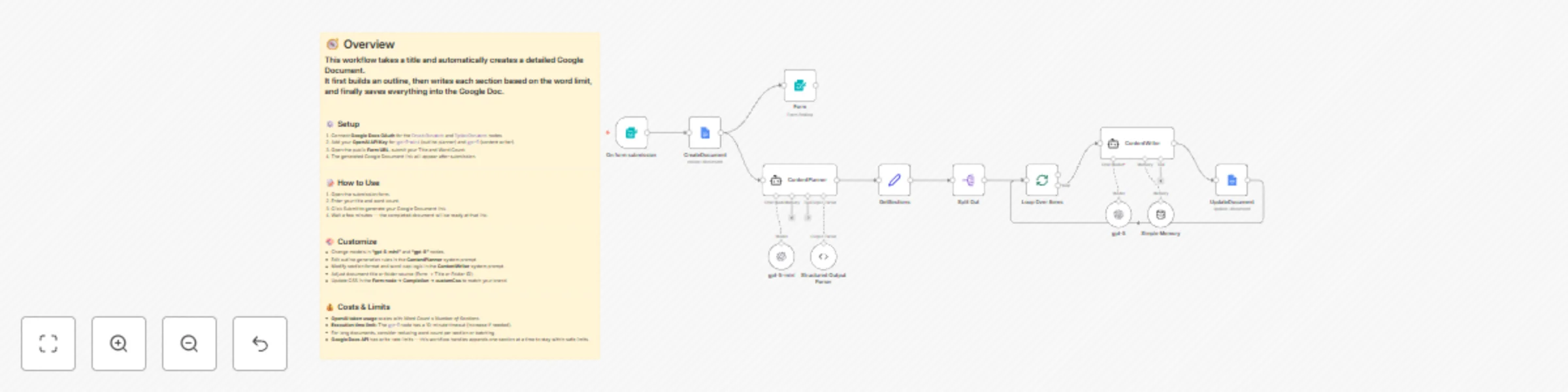
Workflow preview: Create long-form documents from simple titles with GPT-5 and Google Docs
Free intermediate

Create long-form documents from simple titles with GPT-5 and Google Docs

## How It Works 1. Generate the **document structure** based on the provided **title or short description**. 2. Use **prompt chaining** to create **detailed content** for each section while maintaining consistent context. 3. Append the **final content** to a Google Document for easy access and review. ## How to Use 1. Open the submission form. 2. Enter your **title** and **word count**. 3. Click **Submit** to generate your Google Document link. 4. Wait a few minutes — completed document will be ready at that link. ## Requirements - **OpenAI account** - **Google Docs account** ## Customization Options - Adjust the **document length** by changing the word count input. - Modify the **prompt logic** to control writing style or tone. - Update the **section structure** to fit different document types (e.g., blog, report, proposal). - Replace the **output destination** if you prefer another storage option instead of Google Docs.

N
Nghia Nguyen
Content Creation
2 Nov 2025
206
0

Workflow preview: Create a code assistant that learns from your GitHub repository using OpenAI
Free advanced

Create a code assistant that learns from your GitHub repository using OpenAI

# AI Agent for GitHub AI Agent to learn directly from your **GitHub repository**. It automatically syncs source files, converts them into vectorized knowledge ## How It Works Provide your **GitHub repository** — the workflow will automatically **pull your source files** and **update the knowledge base (vectorstore)** for the AI Agent. This allows the AI Agent to answer questions directly based on your repository’s content. --- ## How to Use 1. **Commit** your files to your GitHub repository. 2. **Trigger** the `Sync Data` workflow. 3. **Ask** questions to the AI Agent — it will respond using your repository knowledge. --- ## Requirements - A valid **GitHub account** - An **existing repository** with accessible content --- ## Customization Options - Customize the **prompt** for specific or detailed tasks - Replace or connect to your own **vector database provider**

N
Nghia Nguyen
Internal Wiki
22 Oct 2025
508
0

Workflow preview: Generate and manage short links with GPT-4.1 and data storage
Free advanced

Generate and manage short links with GPT-4.1 and data storage

This AI Agent helps you create short links from your original URLs. Each generated short link is automatically stored in a database table for easy management and tracking. --- ## How It Works 1. Provide a long URL to the Agent. 2. The Agent saves your original link in the database. 3. It generates a short link in the following format: ``` Short link: https://{webhook_url}/webhook/shortLink?q={shortLinkId} ``` When users open the short link, they are automatically redirected to your original link. --- ## How to Use - Send your link to the Agent. - The Agent will respond with a generated short link. --- ## Requirements - Add your `your_webhook_url` to the **Config Node**. - OpenAI account - Create a database table named `ShortLink` with the following columns: | Column Name | Description | |----------------|------------------------------| | `originalLink` | Stores the full original URL. | | `shortLinkId` | Stores the unique short link ID. | --- ## Customization Options - Add traffic tracking or analytics for each short link. - Customize the redirect page to display your logo, message, or branding.

N
Nghia Nguyen
Miscellaneous
18 Oct 2025
572
0