Anton Bezman
Workflows by Anton Bezman
Movie release calendar: Add TMDB films to Google Calendar via Telegram Bot
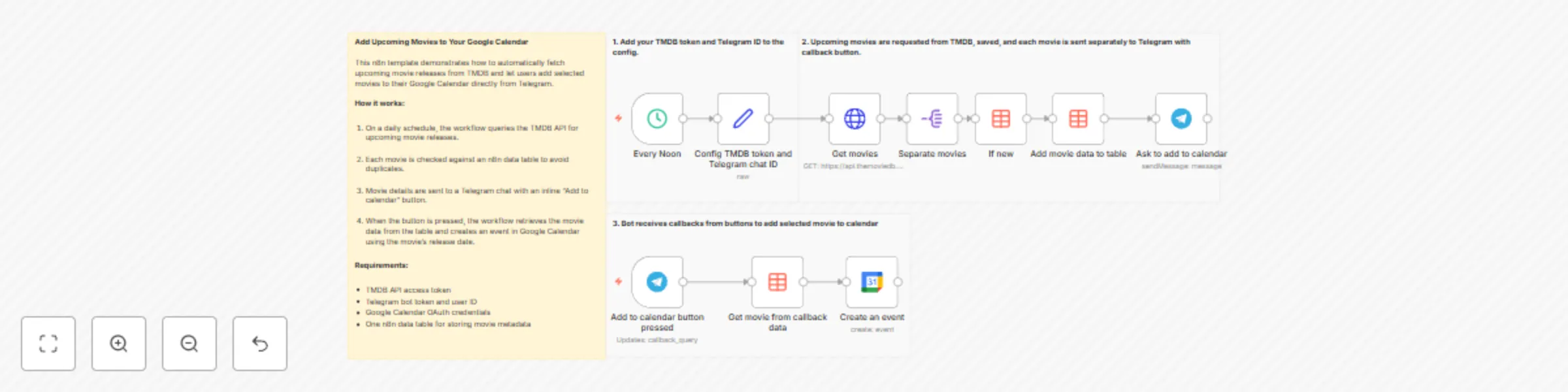
## Add Upcoming Movies from TMDB to Your Google Calendar Via Telegram This n8n template demonstrates how to automatically fetch upcoming movie releases from TMDB and let users add selected movies to their Google Calendar directly from Telegram. ## How it works 1. On a daily schedule, the workflow queries the TMDB API for upcoming movie releases. 2. Each movie is checked against an n8n data table to avoid duplicates. 3. New movies are stored in the data table for tracking. 4. Movie details are sent to a Telegram chat with an inline “Add to calendar” button. 5. When the button is pressed, the workflow retrieves the movie data from the table. 6. A calendar event is created in Google Calendar using the movie’s release date. ## Use cases - Tracking upcoming movie releases - Personal or shared release calendars - Telegram-based reminders for entertainment events - Automating calendar updates from public APIs ## Requirements - TMDB API access token - Telegram bot token and user ID - Google Calendar OAuth credentials - One n8n data table for storing movie metadata
Play RPG with Groq Dungeon Master via Telegram voice messages
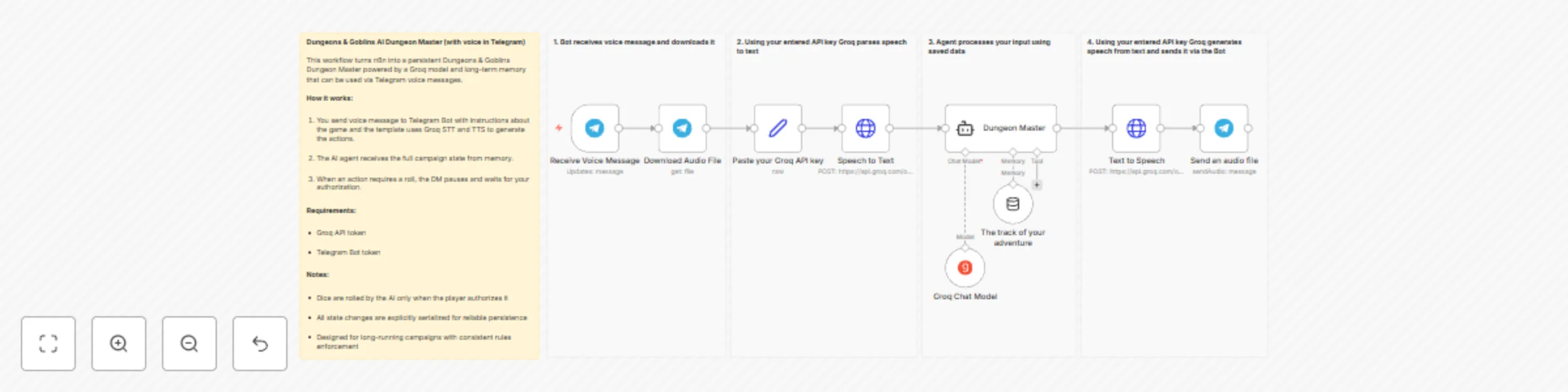
## Dungeons and Goblins — AI Telegram Voice Adventure with Persistent Memory This n8n template demonstrates how to use an AI agent with persistent memory to run a structured, rules-driven fantasy role-playing game entirely through Telegram voice messages. The workflow acts as a Dungeon Master, narrating scenes, resolving mechanics, performing dice rolls when authorized, and explicitly saving game state between turns. ## How it works - A player actions are provided to Telegram bot via voice messages. - The AI agent loads the current game state from n8n memory. - A strict system prompt enforces rules, turn flow, and narration. - When an action requires a dice roll, the agent waits for player authorization. - Once authorized, the AI rolls, resolves the outcome, and applies changes. - All state updates are emitted as structured data and saved to memory. - The request and response are processed in Groq's STT and TTS. ## Use cases - Solo text-based fantasy campaigns - Persistent AI-driven adventures - Testing stateful AI agents in n8n - Educational examples of memory-aware workflows ## Requirements - Groq API token (free tier supported) - Telegram bot API token
Automated RSS to Telegram publisher with Groq AI rewriting
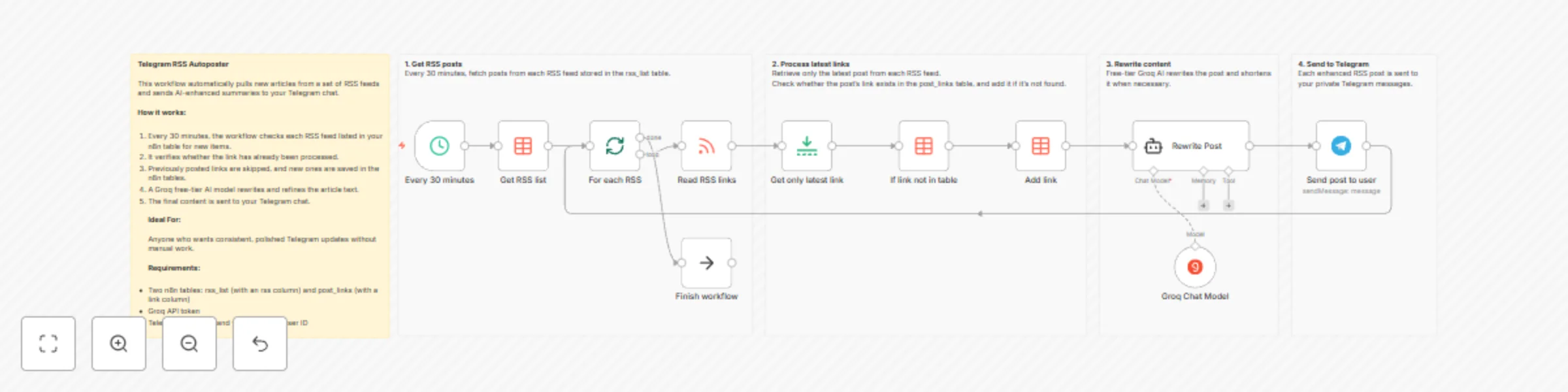
## Telegram RSS Autoposter This workflow monitors multiple RSS feeds, detects new posts, rewrites them using AI, and sends the formatted output to your Telegram account. It helps you keep your Telegram feed active with clear, polished, and ready-to-publish content — all fully automated. ## How It Works - A scheduled trigger runs every 30 minutes and loads all RSS feed URLs from an n8n Data Table. - Each feed is fetched, and only the most recent item is selected. - The workflow checks whether this post has already been processed. - If it’s new, the link is stored in a second Data Table used for deduplication. - A Groq LLM rewrites the article text so it stays within Telegram’s limits and has clean, readable formatting. - The final message is sent to your Telegram account. ## Requirements - Groq API key - Telegram bot token and your Telegram user ID - Two n8n Data Tables: - One for RSS feed URLs - One for processed post links ## How to Set Up 1. Add your RSS URLs to the Data Table. 2. Insert your Groq API key into the Groq node. 3. Add your Telegram bot token and user ID to the Telegram node. 4. Adjust the schedule trigger interval if needed. ## Customization Ideas - Replace the schedule trigger with a webhook for manual on-demand checks. - Change the AI prompt for a different tone or formatting style. - Send messages to a Telegram channel instead of a private chat. - Add keyword filters to send only specific articles.