PrideVel
Workflows by PrideVel
Generate research-backed blog articles from news with OpenAI, Tavily and Google Docs
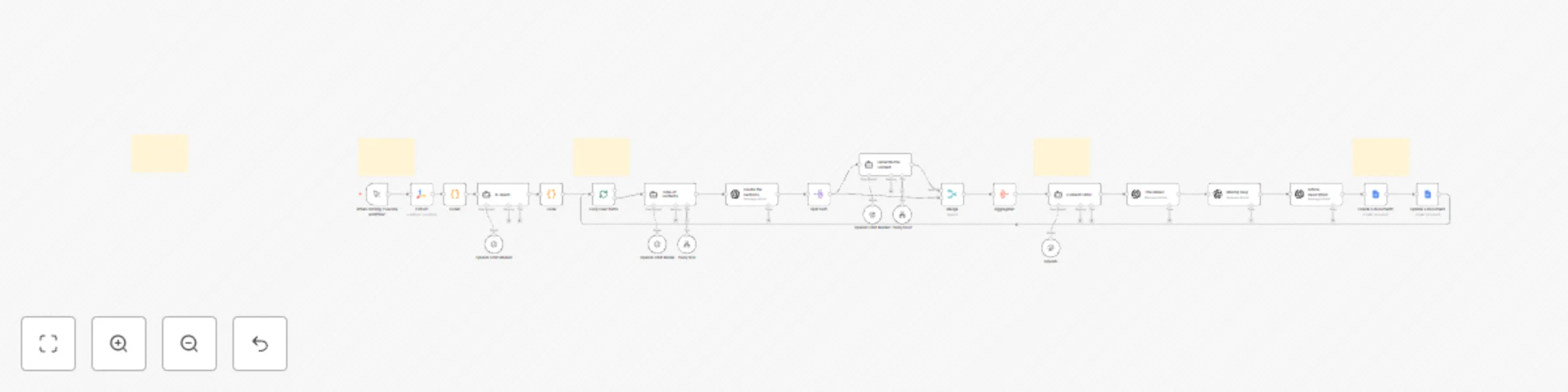
## **How it works** This workflow automatically generates full-length, research-backed blog articles from online news sources. It collects headlines from selected URLs, extracts topic ideas, creates an outline, writes well-structured sections with citations, compiles the article, and finally exports the completed piece to Google Docs. The workflow supports SEO outputs such as title, slug, and meta description, making the article ready for publication. --- ## **Key Features** * **Automatically discovers article topics** from live news sources * **Uses AI + Tavily research** to create credible, well-structured content * **Generates full article sections** with inline citations and internal links * **Merges sections into a refined 1000–1500 word article** * **Creates SEO metadata** — title, slug, and meta description * **Exports the final article to Google Docs automatically** * Supports multiple topics via batch looping --- ## **Step-by-Step Workflow** ### **1️⃣ News Extraction** The workflow begins by fetching content from the configured URLs using the **Extract** node. The scraped page content is processed to pull out headlines and article references. ### **2️⃣ Topic Identification** The **AI Agent** analyzes the extracted headlines and converts them into meaningful blog topic suggestions. ### **3️⃣ Topic Looping** Each topic is processed individually using a loop, ensuring one full article is generated per topic. ### **4️⃣ Table of Contents Generation** The **Table of Contents Agent** creates a structured outline for the article: * Performs research via **Tavily** * Identifies key subtopics * Produces an engaging section plan ### **5️⃣ Section Writing** For each section in the outline: * Content is expanded into a complete paragraph or section * Tavily research is used for validation * Inline hyperlinks and citations are added where appropriate * Content is written in an **informational article style** ### **6️⃣ Article Assembly** All generated sections are merged and refined into a complete article: * Improves readability and flow * Ensures consistent tone * Adds a **Sources** section at the end ### **7️⃣ SEO Enhancements** The workflow automatically generates: * **Article Title** * **SEO Slug** (hyphen-separated, lowercase) * **Meta Description** (~160 characters) ### **8️⃣ Google Docs Export** The workflow: * Creates a new Google Doc * Inserts the complete article * Saves it to the configured Drive folder --- ## **API & Services Required** * **OpenAI API** — article generation, structuring, and metadata * **Tavily API** — research and citation support * **Google Docs OAuth2** — document creation and export *(Optional)* You may add additional sources, categories, or CMS publishing integrations.
Automated LinkedIn lead generation & AI personalized outreach with Apollo & Instantly
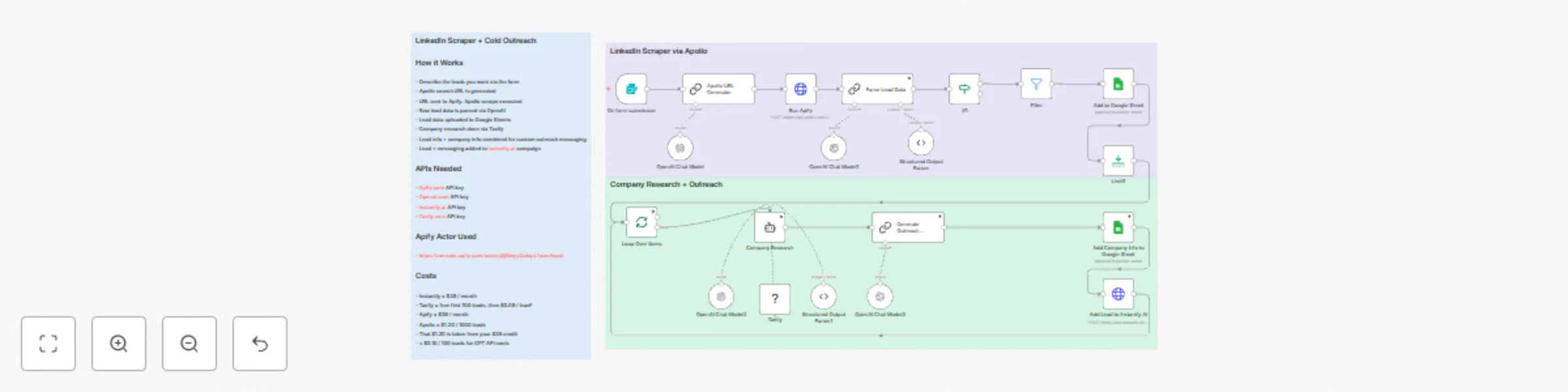
# 🔗 LinkedIn Scraper + Apollo + Apify + AI Outreach Workflow A fully automated, end‑to‑end B2B lead generation and AI‑powered outreach system built using **n8n**, **Apollo**, **Apify**, **OpenAI**, **Tavily**, **Google Sheets**, and **Instantly.ai**. This workflow transforms a simple form submission (job titles, company size, keywords, and location) into a complete sales‑ready outreach pipeline. ## 🚀 What This Workflow Does This automation: 1. **Collects targeting criteria** via an n8n form (Job Title, Keywords, Location, Company Size, Campaign ID). 2. **Generates a fully structured Apollo search URL** using an LLM. 3. **Triggers an Apify Apollo Scraper Actor** and retrieves rich lead data. 4. **Cleans, normalizes, and structures each lead** using OpenAI. 5. **Uploads validated lead data to Google Sheets**, ensuring no duplicates. 6. **Runs deep company research using Tavily** to retrieve: * Company overview * Website product/service descriptions * Recent website news or blog posts * Third‑party sentiment from G2/Reddit 7. **Synthesizes all company information** into a comprehensive summary. 8. **Generates a personalized cold email body** using OpenAI, tailored to each lead. 9. **Uploads each lead + personalized message** into an **Instantly.ai campaign**. 10. **Loops through all leads** automatically until campaign is fully populated. ## 🧠 Why This Workflow Is Powerful * Removes 100% of manual scraping. * Creates **high‑quality, personalized outreach** at scale. * Ensures every lead has: * Verified email * Company insights * Personalized messaging * Produces higher reply rates using contextual relevance. * Fully modular — replace models, adjust prompts, or add CRM integrations. ## 🛠️ Ideal Use Cases * Agency founders running outbound campaigns for clients. * SaaS founders targeting specific industries. * B2B marketers wanting automated lead feeds. * SDR teams scaling multistep personalized outreach. ## ⚡ Final Result A continuous, automated pipeline that: * Scrapes leads * Enriches them * Researches their companies * Generates personalized messages * Adds them to Instantly campaigns — all triggered by a single form submission.
Automated POV video creation with AI scripts, visual generation & YouTube publishing
# **POV Faceless Video Generator** Create viral POV-style faceless videos automatically — from topic → visuals → sounds → rendered video → upload. This workflow is built for creators, YouTubers, automation agencies, and content studios that want to scale short-form content production without showing their face. --- ## 🧾 Overview This n8n automation takes a video topic as input and generates: * Titles * Scripts * Visuals * AI video clips * Background audio * Final rendered POV-style faceless video A Publishing Agent module can even upload the final output directly to YouTube. Everything — prompts, images, videos, audio, transitions, and uploads — is generated end-to-end with **zero manual editing**. --- ## ⚙️ Key Features * 🎯 **Topic-based generation** → Just input your niche or daily idea * ✍️ **LLM-generated scripts & prompts** using high-quality OpenAI models * 🖼️ **AI visual generation** (image & video clips) * 🔊 **Text-to-speech narration** with MP3 export * 🎬 **Automated video renderer** (assemble clips, audio & overlays) * 📤 **Auto-upload to YouTube** via Publishing Agent * 🧱 **Modular design** — easily replace or upgrade image/video/sound models --- ## 🧱 Workflow Breakdown ### **1️⃣ INPUT: Video Topic** **Nodes:** * Schedule Trigger / Google Sheets → pull new topics automatically * Generate Titles → produces 5–10 title variations * OpenAI Model → Title Parser → formats selected title This section generates the creative foundation for the entire video. --- ### **2️⃣ Generate Prompts (Script & Shot List)** Produces: * A cinematic POV-style script * Camera directions * Image prompts * Video prompts All outputs are optimized for AI image/video generators. Uses: **OpenAI / OpenRouter LLM** --- ### **3️⃣ Generate Images (AI Art Module)** **Nodes:** * Text-to-Image * Wait * Get Image Generates multiple POV-style still images (hands, walking scenes, object interactions). Good for: * Intro shots * Cutaways * Thumbnails --- ### **4️⃣ Generate Videos (AI Video Clips)** **Nodes:** * Image-to-Video / Prompt-to-Video * Wait * Get Video Creates 3–6 second POV clips for each step in the script. Examples: * Walking through a hallway * Opening a door * Typing * Grabbing an object All clips flow into the rendering module. --- ### **5️⃣ Generate Sounds (Narration + Background Audio)** **Nodes:** * Text-to-Speech * Upload MP3 * Update Access This module handles: * Full voiceover narration * Ambient background audio / SFX * Preparing audio files for final video rendering --- ### **6️⃣ OUTPUT: Final Video Assembly** **Nodes:** * Merge * List Elements * Render Video * Final Video Link This stage assembles: * AI-generated clips * Narration audio * Background ambiance * Text overlays * Intro/outro elements Outputs a polished MP4 file ready for publishing. --- ### **7️⃣ Publishing Agent (YouTube Auto-Upload)** **Nodes:** * Schedule Trigger → Get Video Link * Get Video File * YouTube Upload This module: * Pulls the latest generated videos * Uploads automatically to your YouTube channel * Supports title, description, tags, visibility, thumbnails * Perfect for scheduled daily posting --- ## 🧰 Setup Instructions ### Connect OpenAI / OpenRouter * One credential for script/prompt generation * Another optional credential for image/video models ### Choose your AI image/video providers Compatible with: * DALL·E * Midjourney API * Stability * RunwayML * Pika * Luma Dream Machine * Flux models ### Connect Google Sheets (optional) For: * Topic management * Content tracking ### Enable YouTube OAuth Required for auto-upload. ### Customize styles: * POV type * Video duration * Voice style * Background music * Prompt templates Run a test to confirm all connections and render timing. --- ## 🧩 Customization Options | Goal | How to Modify | | ---------------------------- | ------------------------------------------------------ | | Change POV style | Edit prompt templates in “Generate Prompts” | | Use different video model | Replace video nodes (Pika, RunwayML, Luma, Flux, etc.) | | Add subtitles | Use Whisper/OCR + FFmpeg overlays | | Add transitions | Add FFmpeg transitions in Render Video | | Generate vertical videos | Set output to 1080×1920 | | Auto-publish to Shorts/Reels | Duplicate Publishing Agent and configure platforms | --- ## 🧠 Example Use Case A faceless creator wants to upload daily **POV Motivation** or **POV Business Advice** videos. The workflow generates: * Titles * Visuals * Voiceover * Full edit * YouTube upload 100% automated — no editing required. --- ## ✅ Benefits * Produce **10× more faceless videos daily** * Fully automated end-to-end pipeline * Consistent POV aesthetic * No camera or studio required * Instant upload to YouTube * Ideal for agencies selling bulk video packages * Perfect for Shorts, Reels, TikTok & YouTube videos
Automate YouTube Content Strategy with AI, Apify & Google Sheets
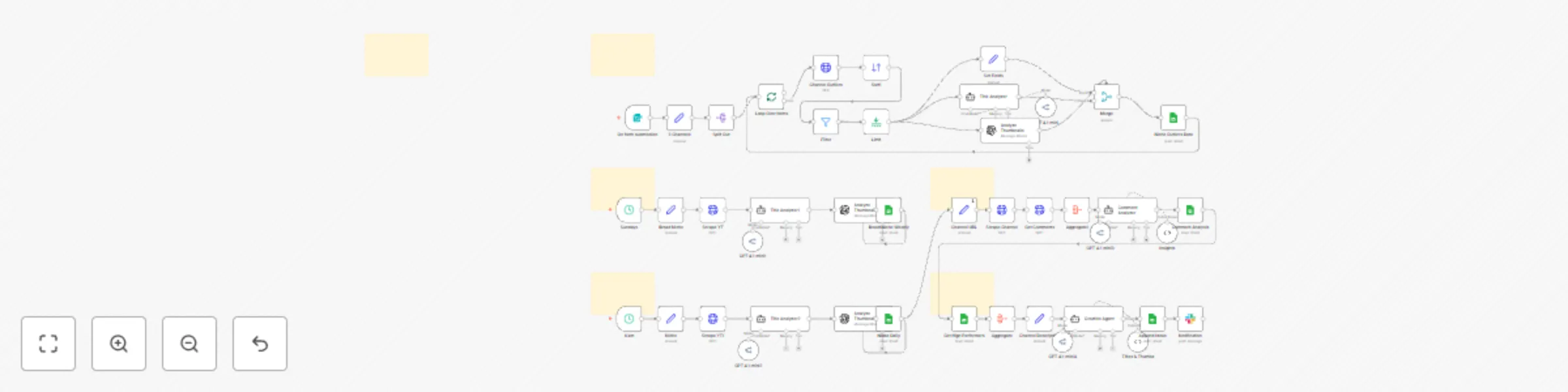
## 📌 Overview This advanced multi-phase n8n workflow automates the complete research, analysis, and ideation pipeline for a YouTube strategist. It scrapes competitor channels, analyzes top-performing titles and thumbnails, identifies niche trends, gathers audience sentiment from comments, and produces data-driven content ideas—automatically writing them into a structured Google Sheets dashboard. This system is ideal for: * YouTube creators * Agencies * Content strategists * Automation engineers * Anyone who wants to generate YouTube content ideas backed by real data --- # 🧠 High‑Level Architecture The workflow is split into **5 phases**, each building on the previous: ### **Phase 1 — Niche Outliers (Input: User Form)** Scrapes 3 high‑quality channels from your niche, extracts their outlier videos, and analyzes why they work. ### **Phase 2 — Broad Niche Insights (Weekly)** Scrapes the top trending content in your broad niche (e.g., "AI", "fitness", "personal finance") and logs weekly insights. ### **Phase 3 — Niche Insights (Daily)** Scrapes the top videos in your specific micro‑niche daily to keep track of content momentum. ### **Phase 4 — Comment Analysis** Analyzes real comments from your channel to understand what your audience likes, dislikes, and wants more of. ### **Phase 5 — Content Ideation** Generates 3 highly‑optimized title + thumbnail concepts using all prior insights. Everything is automatically logged into a Google Sheets dashboard. --- # 🧩 Phase-by-Phase Breakdown ## ⭐ **Phase 1 — Niche Outliers (Form Trigger)** 1. User enters **3 YouTube channel URLs** in a form. 2. Workflow scrapes each channel using **Apify YouTube Scraper**. 3. Filters for top-performing videos. 4. Extracts: title, views, likes, thumbnail, URL. 5. AI analyzes: * Power words in titles (OpenRouter/GPT 4.1-mini) * Thumbnail attention hooks (OpenAI Vision) 6. All insights are appended into the **“Niche Outliers”** sheet. **Purpose:** Understand what the best creators in your niche are doing. --- ## 🌐 **Phase 2 — Broad Niche Insights (Weekly — Sundays @ 5 AM)** 1. Workflow scrapes the top videos for a **broad niche** (e.g., “artificial intelligence”). 2. Analyzes: * Title structure * Power words * Thumbnail cues 3. Writes weekly insights to **“Broad Niche Weekly”** sheet. **Purpose:** Stay informed about macro‑level trends. --- ## 🎯 **Phase 3 — Niche Insights (Daily @ 6 AM)** 1. Scrapes the top videos in your **specific micro‑niche** (e.g., “n8n automations”). 2. Runs title + thumbnail analysis. 3. Appends daily results to **“Niche Daily”**. 4. Results feed directly into Phase 5. **Purpose:** Track daily momentum and trending formats. --- ## 💬 **Phase 4 — Comment Analysis (Channel Feedback)** 1. Scrapes your channel’s **latest 5 videos**. 2. Extracts up to **30 comments** from each. 3. Aggregates comments. 4. AI identifies: * What viewers love * What viewers dislike * What viewers are asking for 5. Stores patterns in **“Comment Analysis”** sheet. **Purpose:** Understand real audience demand. --- ## 💡 **Phase 5 — Content Ideation Using AI** Using insights from all previous phases: * Top titles * Power words * Thumbnail patterns * Daily niche trends * Audience comment analysis * Channel positioning The **Creative Agent** produces: * 3 optimized video titles * 3 matching thumbnail concepts These are appended to the **“Ideation”** sheet. A Slack notification is sent when ideation is ready. **Purpose:** Fully automated content idea generation. --- # 🗂️ Outputs in Google Sheets The workflow populates these tabs: ### **📌 Niche Outliers** (top competitor videos) ### **📌 Broad Niche Weekly** (weekly trend analysis) ### **📌 Niche Daily** (daily trend analysis) ### **📌 Comment Analysis** (audience sentiment) ### **📌 Ideation** (final titles + thumbnails) --- # 🔧 What This Workflow Automates ✔ Competitor analysis ✔ Thumbnail + title breakdowns ✔ Daily niche tracking ✔ Weekly niche tracking ✔ Viewer sentiment analysis ✔ Fully AI‑generated content ideas ✔ Automatic data logging to Google Sheets ✔ Slack notifications This is essentially a **24/7 AI YouTube strategist**. --- # ⚙️ Setup Requirements * **Apify API Key** (used in 5 scraper nodes) * **OpenRouter API Key** (for GPT 4.1-mini intelligence) * **OpenAI API Key** (for thumbnail image analysis) * **Google Sheets OAuth2 Credential** * Make a copy of the provided sheet template * Fill Set nodes: * Phase II: Broad niche (e.g., "AI") * Phase III: Micro niche (e.g., "n8n automations") * Phase IV: Your Channel URL * Phase V: Your Channel Description --- # 🧪 Testing Guide 1. Test the **Form Trigger** with 3 competitor channel URLs. 2. Test both **Schedule Triggers** (weekly + daily) manually. 3. Verify Sheets are receiving rows. 4. Run the full pipeline end‑to‑end. 5. Confirm Slack notification. Everything should chain together smoothly. --- # 🎉 Final Result By the end of this workflow, you have a: ### 🧠 **Data‑driven YouTube strategy system** that: * studies your niche * finds outliers * understands your audience * detects trends * generates smart content ideas every day
Collect API user data and store in Google Sheets with CSV backup
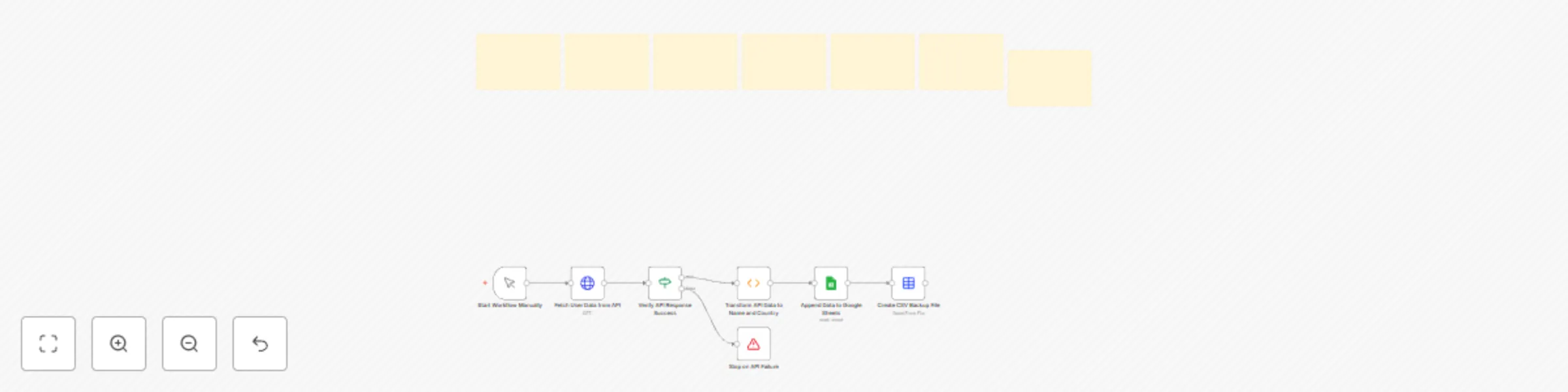
## 🧾 Overview This n8n workflow automates the process of **fetching user data from an API**, verifying its validity, transforming the response, and then **saving it to Google Sheets** for team collaboration. Additionally, it generates a **CSV backup file** of the same data for offline access or external integrations. Perfect for developers, analysts, or teams who want an automated, no-code data ingestion and backup solution. --- ## ⚙️ Key Features * 🔌 Fetches data from any REST API endpoint (e.g., RandomUser API) * ✅ Validates successful API responses before processing * 🧠 Transforms JSON response into simple key-value pairs (name and country) * 📊 Appends data directly into Google Sheets * 💾 Generates a downloadable CSV backup file * 🧱 Modular design — easily customizable and extendable --- ## 🧱 Workflow Steps ### 1. **Start Workflow Manually** (`Manual Trigger Node`) The workflow starts manually by clicking **Execute Workflow**. You can later replace this with a **Cron** or **Webhook** trigger for automation. --- ### 2. **Fetch User Data from API** (`HTTP Request Node`) Makes an HTTP GET request to the configured API endpoint defined in the environment variable `BASE_URL`. **Example:** ``` https://randomuser.me/api/?results=10 ``` This node fetches raw user data in JSON format. --- ### 3. **Verify API Response Success** (`If Node`) Checks if the API response returned an HTTP `200` status code. * ✅ If status = 200 → Continue processing data * ❌ If status ≠ 200 → Trigger **Stop and Error** node to halt execution This prevents saving invalid or failed responses. --- ### 4. **Transform API Data to Name and Country** (`Function Node`) Formats the raw JSON data to extract key details (name and country) from each user record. **Input Example:** ```json { "results": [ { "name": { "first": "John", "last": "Doe" }, "location": { "country": "United States" } } ] } ``` **Output Example:** ```json [ { "name": "John Doe", "country": "United States" } ] ``` This step makes the data compatible with Google Sheets. --- ### 5. **Append Data to Google Sheets** (`Google Sheets Node`) Appends the formatted data to your specified Google Sheet. **Environment Variables Required:** * `GOOGLE_SHEET_ID` → ID of your target Google Sheet **Configuration:** * **Range:** `A:B` * **Columns:** `Name` (A) and `Country` (B) **Example Google Sheet:** | Name | Country | | ---------- | ------------- | | John Doe | United States | | Jane Smith | Canada | --- ### 6. **Create CSV Backup File** (`Spreadsheet File Node`) Generates a `.csv` file named `users_backup_export.csv` containing all saved user data. This file can be: * Stored locally * Sent via email * Uploaded to cloud storage (e.g., Google Drive, Dropbox) * Used for external analytics tools --- ## ⚠️ Error Handling If the API response is invalid (non-200), the **Stop on API Failure** node halts the workflow and logs the error: > ❌ *API request failed — status code not 200. Workflow stopped.* This ensures only valid data is stored. --- ## 🧰 Setup Instructions 1. **Add Environment Variables:** ```bash BASE_URL=https://randomuser.me/api/?results=10 GOOGLE_SHEET_ID=<your_google_sheet_id> ``` 2. **Add Credentials:** * Google Sheets OAuth2 credentials * API (if authentication is required) 3. **Run Workflow:** * Start manually or configure a **Cron** node to run periodically 4. **Check Output:** * Data appears in your Google Sheet * CSV file is created in n8n’s file system --- ## 🧩 Customization Options | Goal | How to Modify | | ----------------------- | ----------------------------------------------------------------- | | Change API fields | Edit `Transform API Data` function to extract desired fields | | Add columns | Expand output object and update Google Sheets range (e.g., `A:D`) | | Automate execution | Replace manual trigger with a Cron or Webhook node | | Filter users | Add an If node after transformation to include/exclude data | | Send email notification | Add Gmail or SMTP node after CSV creation | --- ## 🧠 Example Use Case * A recruiter fetches random candidate data daily from an HR API. * Data (Name + Country) is saved to Google Sheets. * A CSV backup is automatically generated for offline analysis. --- ## ✅ Benefits * Hands-free automated data collection * Centralized storage in Google Sheets for team access * Built-in CSV export for reporting and backups * Protects data integrity with API validation * Fully customizable for any API format --- **✨ Tip:** Add a Slack or Telegram node at the end to notify your team whenever new data is added successfully!
Automate daily Google Calendar events to Trello cards
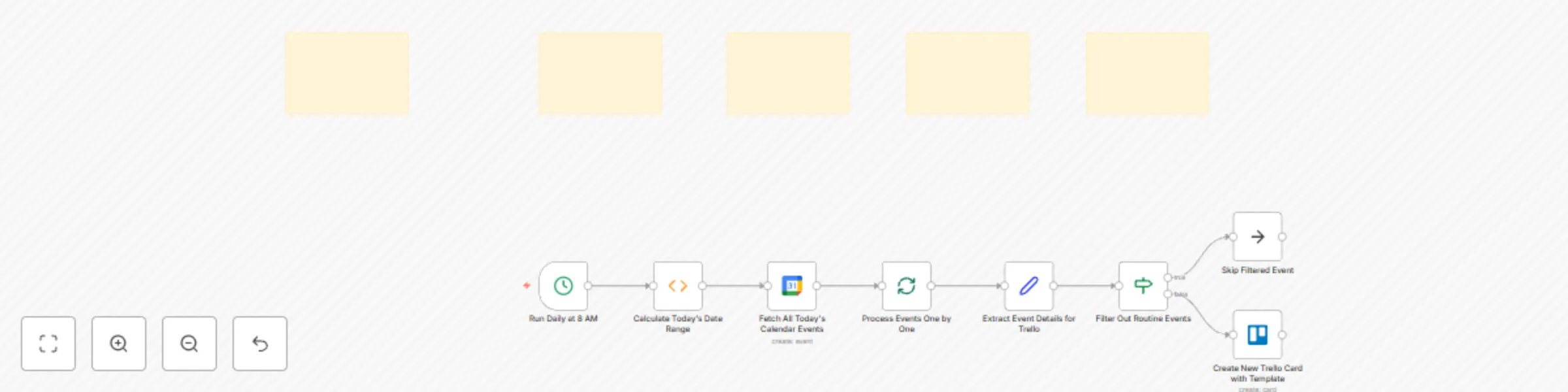
## 📋 Overview This n8n workflow automatically converts your **Google Calendar events** for the current day into **Trello cards** every morning at 8 AM. It fetches all calendar events for the day, filters out routine events (like Lunch or Check email), and creates neatly formatted Trello cards with a predefined meeting notes template. Perfect for professionals who want to keep their daily meetings and tasks synced with their Trello board. --- ## ⚙️ Key Features * 🕗 **Runs daily at 8 AM** (configurable via Cron node) * 📅 **Fetches all Google Calendar events** for the current day * 🚫 **Skips routine/repetitive events** (Lunch, Check email, etc.) * 🧩 **Creates Trello cards** with structured meeting notes * 🔗 **Includes event URL and due date** in Trello card * 🧠 **Customizable filters and templates** for full control --- ## 🧱 Workflow Steps ### 1. **Run Daily at 8 AM** (`Cron Node`) Automatically triggers the workflow every morning at 8:00 AM. You can adjust the time as needed. ### 2. **Calculate Today's Date Range** (`Function Node`) Generates the ISO-formatted start and end times for the current day (00:00–23:59). These values are passed to the Google Calendar node for querying events. ### 3. **Fetch All Today's Calendar Events** (`Google Calendar Node`) Fetches all events scheduled for today using your Google account. The calendar email (`[email protected]`) should be replaced with your actual email. ### 4. **Process Events One by One** (`SplitInBatches Node`) Splits the list of events into single items for individual processing. ### 5. **Extract Event Details for Trello** (`Set Node`) Maps each event’s details (summary, description, start time, and URL) into structured fields ready for Trello card creation. ### 6. **Filter Out Routine Events** (`If Node`) Skips over common recurring events (like “Check email,” “Lunch,” “Wrap Up & Clear Desk,” or “Beers and Griping”). You can customize this list as needed. ### 7. **Create New Trello Card with Template** (`Trello Node`) For non-filtered events, creates a new Trello card using a predefined meeting notes template. Includes: * Title: Event summary * Due date: Event start time * Description: Preformatted meeting notes layout * Source URL: Event link from Google Calendar ### 8. **Skip Filtered Event** (`NoOp Node`) Handles skipped events gracefully without performing any action. --- ## 🧰 Setup Instructions ### 1. **Add Credentials** * Add **Google Calendar OAuth2 credentials** in n8n. * Add **Trello API credentials** in n8n. ### 2. **Replace Placeholder Values** * Update the calendar email in the **Google Calendar node**. * Add your **Trello board and list IDs** in the Trello node. ### 3. **Optional Customizations** * Modify the **Cron node** to change trigger time. * Edit the **Trello card template** to match your meeting format. * Add labels using `idLabels` in the Trello node. * Adjust the **filter conditions** for different recurring tasks. --- ## 🧠 Example Use Case Imagine you have daily meetings in your Google Calendar. Each morning, this workflow: 1. Collects all your events for the day. 2. Skips unimportant ones (like lunch breaks). 3. Automatically adds Trello cards for real meetings, each with a structured template for you to take notes and assign next steps. --- ## 🧾 Example Trello Card Template **Title:** Meeting with Client A **Due Date:** 2025-11-11T10:00:00Z **Description:** ``` **Meeting purpose (*Integrations, Playbooks, UI Issues, Project*):** - Task **Next Steps (*Task, Assigned to, Checkpoint Date*):** - Task **Decisions Made (*What, Why, Impacts*):** - Task **Discussion (*Items/Knowledge Shared*):** - Task ``` --- ## ✅ Requirements * Google Calendar OAuth2 credentials * Trello API credentials * Active Google Calendar with events * A Trello board/list to create cards in --- ## 📌 Notes * You can adjust the workflow to run multiple times a day if needed. * You can integrate Slack or email notifications for newly created cards. * The workflow is lightweight and suitable for daily automation tasks. --- **✨ Tip:** Combine this with n8n’s Slack or Notion integrations to get a full daily planning system that syncs your meetings, notes, and tasks automatically!