M

Mutasem

19
Workflows

Workflows by Mutasem

Workflow preview: Use AI to organize your Todoist inbox
Free intermediate

Use AI to organize your Todoist inbox

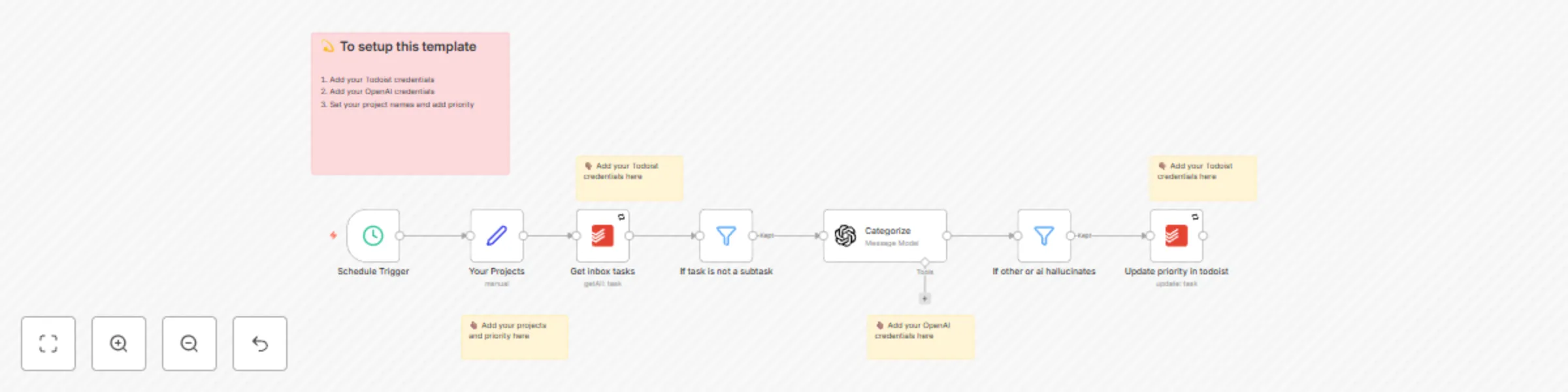
## How it works This workflow adds a priority to each Todoist item in your inbox, based on a list of projects that you add in the workflow. ## Setup 1. Add your Todoist credentials 2. Add your OpenAI credentials 3. Set your project names and add priority

M
Mutasem
Personal Productivity
30 Aug 2024
5178
0
Workflow preview: 🚨 Report n8n workflow errors directly to your email
Free beginner

🚨 Report n8n workflow errors directly to your email

## Use case Error workflows are an important part of running workflows in production. Get alerts for errors directly in your inbox. ![Screenshot 20240301 at 16.35.27.png](fileId:773) ## How to setup 1. Add your Gmail creds 2. Add your target email 2. Add this error workflow to other workflows [docs here](https://docs.n8n.io/flow-logic/error-handling/#create-and-set-an-error-workflow)

M
Mutasem
DevOps
1 Mar 2024
1810
0
Workflow preview: 🚨 Report n8n workflow errors to Telegram
Free intermediate

🚨 Report n8n workflow errors to Telegram

## Use case Error workflows are an important part of running workflows in production. Make sure to set them up for all your important workflows. The message links directly to the execution. ![Screenshot 20240301 at 15.23.33.png](fileId:772) ## How to setup 1. Add Telegram creds 2. Set chat id in **Telegram** node 2. Add this error workflow to other workflows https://docs.n8n.io/flow-logic/error-handling/#create-and-set-an-error-workflow

M
Mutasem
DevOps
1 Mar 2024
18481
0
Workflow preview: 🤖 Advanced Slackbot with n8n
Free advanced

🤖 Advanced Slackbot with n8n

## Use case Slackbots are super powerful. At n8n, we have been using them to get a lot done.. But it can become hard to manage and maintain many different operations that a workflow can do. This is the base workflow we use for our most powerful internal Slackbots. They handle a lot from running e2e tests for Github branch to deleting a user. By splitting the workflow into many subworkflows, we are able to handle each command seperately, making it easier to debug as well as support new usecases. In this template, you can find eveything to setup your own Slackbot (and I made it simple, there's only one node to configure 😉). After that, you need to build your commands directly. This bot can create a new thread on an alerts channel and respond there. ![Screenshot 20240301 at 07.54.07.png](fileId:769) ![Screenshot 20240301 at 08.03.33.png](fileId:767) Or reply directly to the user. ![Screenshot 20240301 at 07.53.41.png](fileId:766) It responds for help request to return a help page. ![Screenshot 20240301 at 08.16.40.png](fileId:764) It automatically handles unknown commands. ![Screenshot 20240301 at 08.16.54.png](fileId:765) It also supports flags and environment variables. For example `/cloudbot-test info mutasem --full-info -e env=prod` would give you the following info, when calling subworkflow. ![Screenshot 20240301 at 08.34.31.png](fileId:768) ## How to setup 1. Add Slack command and point it up to the webhook. For example. ![Screenshot 20240229 at 22.09.40.png](fileId:771) 2. Add the following to the **Set config** node - `alerts_channel` with alerts channel to start threads on - `instance_url` with this instance url to make it easy to debug - `slack_token` with slack bot token to validate request - `slack_secret_signature` with slack secret signature to validate request - `help_docs_url` with help url to help users understand the commands 3. Build other workflows to call and add them to `commands` in **Set Config**. Each command must be mapped to a workflow id with an `Execute Workflow Trigger` node 4. Activate workflow 🚀 ## How to adjust 1. Add your own commands. 2. Depending on your need, you might need to lock down who can call this.

M
Mutasem
DevOps
1 Mar 2024
10688
0
Workflow preview: Automatically document n8n workflows directly in Notion database
Free intermediate

Automatically document n8n workflows directly in Notion database

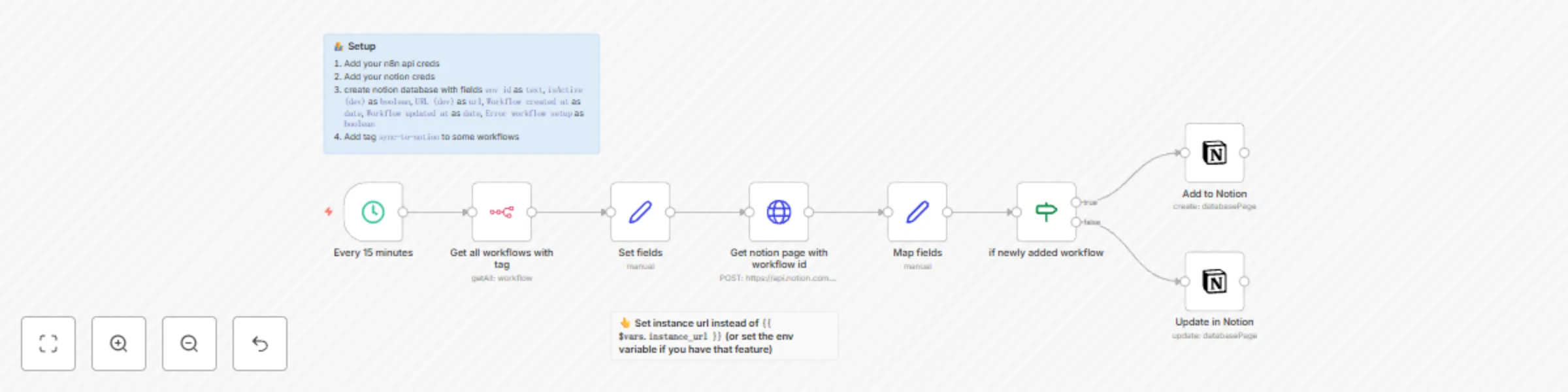
## Use case n8n workflows can go out of hand when you're automating as much as we do at n8n. We needed a place to document them and keep track of who owns and maintains them. To facilitate this we use this n8n workflow to automatically sync workflows directly to a Notion database if it has the tag `sync-to-notion`. ![Screenshot 20240228 at 21.03.27.png](fileId:756)![Screenshot 20240228 at 21.03.21.png](fileId:757) ## How to setup 1. Add your n8n api creds 2. Add your Notion creds 3. Create notion database with fields `env id` as `text`, `isActive (dev)` as `boolean`, `URL (dev)` as `url`, `Workflow created at` as `date`, `Workflow updated at` as `date`, `Error workflow setup` as `boolean` (Make sure page is connected) 4. Add tag `sync-to-notion` to some workflows

M
Mutasem
Internal Wiki
29 Feb 2024
4761
0
Workflow preview: 🚨 Report n8n workflow errors to Slack
Free intermediate

🚨 Report n8n workflow errors to Slack

## Use case Error workflows are an important part of running workflows in production. ![Screenshot 20240228 at 20.38.12.png](fileId:755) ## How to setup 1. Add Slack creds 2. Add this error workflow to other workflows ([docs](https://docs.n8n.io/flow-logic/error-handling/#create-and-set-an-error-workflow))

M
Mutasem
DevOps
29 Feb 2024
2237
0
Workflow preview: Automatically create daily list of todos in Todoist
Free intermediate

Automatically create daily list of todos in Todoist

## Use case Automatically create todo items in Todoist every morning. This workflow has two flows 1. At 5am, delete any uncompleted tasks every morning 2. At 5:10 am, copy all template tasks into Inbox In each template task, set the due dates and days to add the task. You can do that like this `days:mon,tues; due:8pm` which will add the task every Monday and Tuesday and make it due at 8pm. ## How to setup 1. Add Todoist creds 2. Create a `template` list to copy from in Todoist. Add days and due times on each task as necessary. 3. Set the projects to copy from and to write to in each **Todoist** node

M
Mutasem
Personal Productivity
29 Feb 2024
2426
0
Workflow preview: Write all Linear tickets to Google Sheets
Free intermediate

Write all Linear tickets to Google Sheets

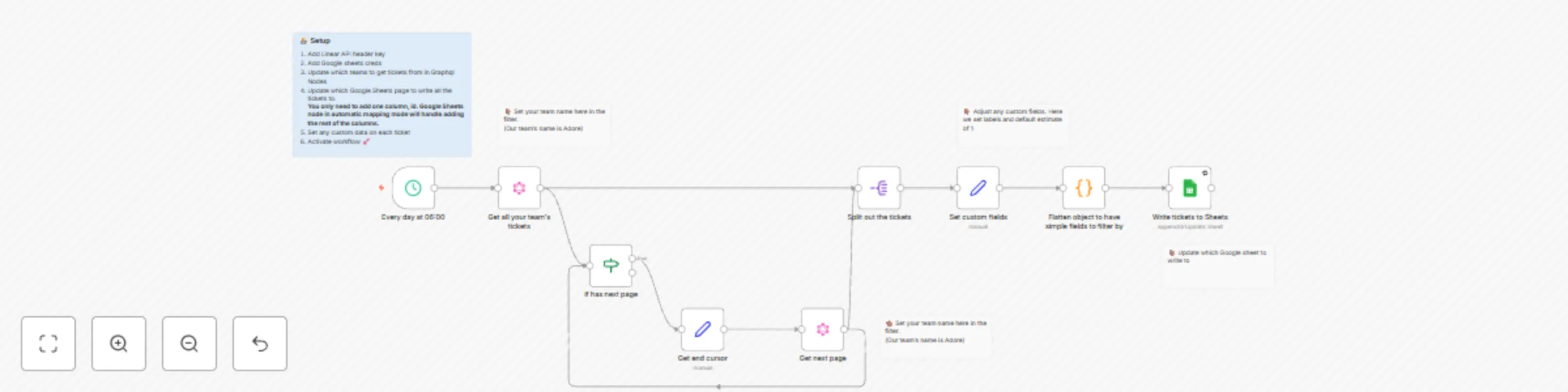
## Use Case Track all Linear tickets in Google sheets. Useful if you want to do some custom analysis but don't want to pay for Linear's Plus features (Linear Insights) or that it does not cover. ![Screenshot 20240229 at 12.20.05.png](fileId:761) ## Setup 1. Add Linear API header key 2. Add Google sheets creds 3. Update which teams to get tickets from in Graphql Nodes 4. Update which Google Sheets page to write all the tickets to **You only need to add one column, id, in the sheet. Google Sheets node in automatic mapping mode will handle adding the rest of the columns.** 5. Set any custom data on each ticket 6. Activate workflow 🚀 ## How to adjust this template Set any custom fields you want to get out of this, that you can quickly do in n8n.

M
Mutasem
Project Management
29 Feb 2024
1281
0
Workflow preview: Snooze Todoist tasks until 3 days before due date
Free advanced

Snooze Todoist tasks until 3 days before due date

## Use case This workflow snoozes any Todoist tasks, by moving them into a Snoozed todoist list and unsnoozes them 3 days before due date. Helps keep inbox clear only of tasks you need to worry about soon. ![Screenshot 20240228 at 19.40.42.png](fileId:754) ## How to setup 1. Add your Todoist creds 2. Create a Todoist project called `snoozed` 3. Set the project ids in the relevant nodes 4. Add due dates to your tasks in Inbox. Watch them disappear to `snoozed`. Set their date to tomorrow, watch it return to inbox. ## How to adjust this template Adjust the timeline.. Maybe 3 days is too close for you. Works mostly for me :)

M
Mutasem
Personal Productivity
29 Feb 2024
835
0
Workflow preview: Automatically archive Gmail emails from Inbox
Free intermediate

Automatically archive Gmail emails from Inbox

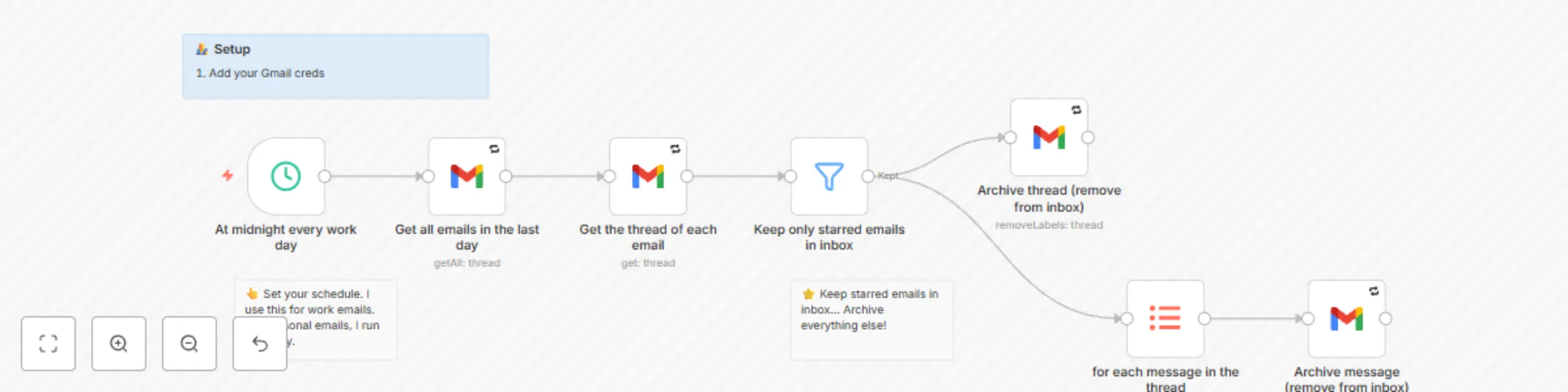
## Use Case Automatically archive emails in your Gmail inbox from the last day, **unless they have been starred.** Been using this with my personal and work emails to stick to an **Inbox Zero** strategy, without having to click or swipe a lot. ## Setup 1. Add your Gmail creds ## How to adjust this template Set your own schedule for when to run this. Otherwise, should be good to go. 🤞🏽

M
Mutasem
Personal Productivity
29 Feb 2024
3433
0
Workflow preview: Turn any RSS feed into email
Free intermediate

Turn any RSS feed into email

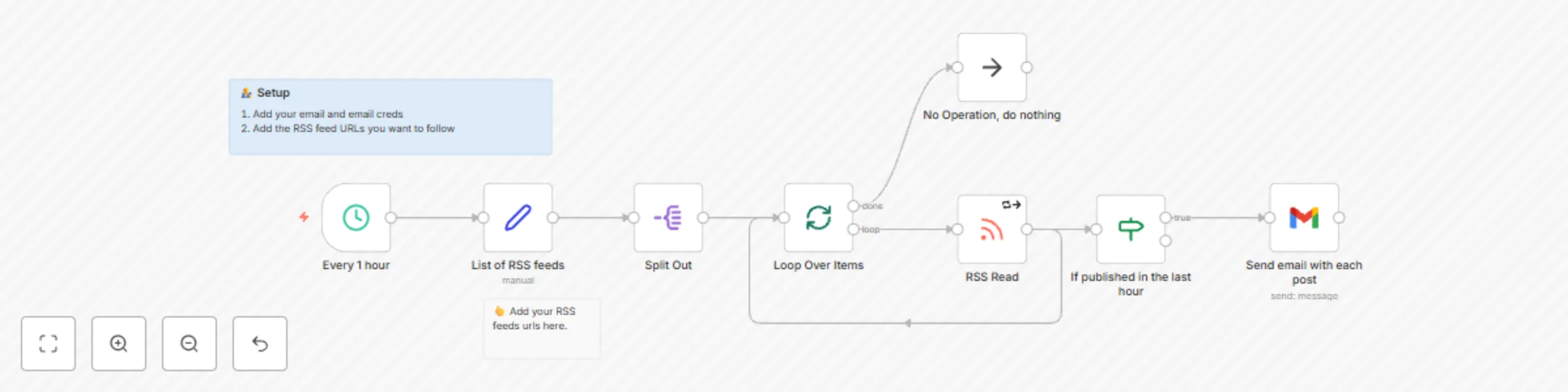
## Use case This workflow automatically turns any RSS feed into a newsletter. It send an email every time a new post is published to an RSS feed in the last hour. I have been using this personally to follow Derek Sivers and Anil Dash, who don't have newsletters. Check them out 😉 ![Screenshot 20240228 at 18.47.22.png](fileId:753) ## How to setup 1. Add your email and email creds 2. Add the RSS feed URLs you want to follow ## How to adjust this template Add the feeds you want to follow. It does not have to be just email. Why not get a telegram message? Or Slack message? Ah the power of n8n 🚀

M
Mutasem
Personal Productivity
29 Feb 2024
6784
0
Workflow preview: Automatically email great leads when they submit a form and record in HubSpot
Free advanced

Automatically email great leads when they submit a form and record in HubSpot

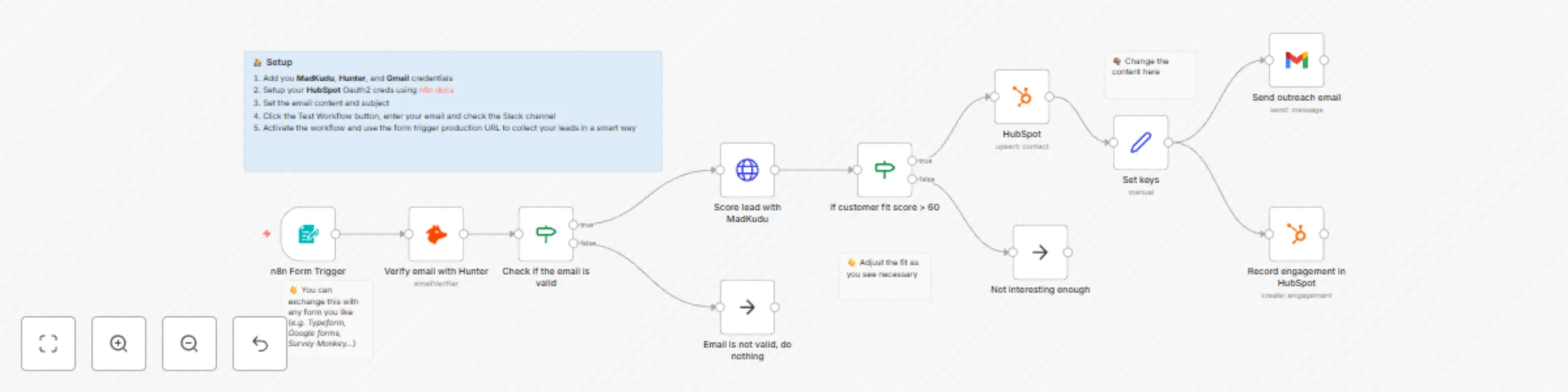
## Use case This workflow automatically qualifies great leads from a form and sends them an email 😮.. It also adds the user to Hubspot if not already added and records the outreach. ## How to setup 1. Add you **MadKudu**, **Hunter**, and **Gmail** credentials 2. Setup your **HubSpot** Oauth2 creds using [n8n docs](https://docs.n8n.io/integrations/builtin/trigger-nodes/n8n-nodes-base.hubspottrigger/) 3. Set the email content and subject 4. Click the Test Workflow button, enter your email and check the Slack channel 5. Activate the workflow and use the form trigger production URL to collect your leads in a smart way ## How to adjust this template You may want to raise or lower the threshold for your leads, as you see fit. You also need to update the content (the email and the subject), obviously 😅.

M
Mutasem
Lead Nurturing
23 Feb 2024
3806
0
Workflow preview: Get a Telegram alert when a great lead submits form with MadKudu and Hunter
Free intermediate

Get a Telegram alert when a great lead submits form with MadKudu and Hunter

## Use case If you have a form where potential leads reach out, then you probably want to analyze those leads and send a notification if certain requirements are met, e.g. employee number is high enough. MadKudu is built exactly to solve this problem. We use it along with Hunter and Telegram to get a message for high quality leads. ![Screenshot 20240222 at 17.05.42.png](fileId:741) ## How to setup 1. Add you **MadKudu**, **Hunter**, and **Telegram** credentials 2. Set the Telegram chat id to send to 3. Click the Test Workflow button, enter your email and check your email 4. Activate the workflow and use the form trigger production URL to collect your leads in a smart way ## How to adjust this template You may want to raise or lower the threshold for your leads, as you see fit.

M
Mutasem
Lead Generation
23 Feb 2024
901
0
Workflow preview: Alert via Gmail when a great lead submits form with MadKudu and Hunter
Free intermediate

Alert via Gmail when a great lead submits form with MadKudu and Hunter

## Use case If you have a form where potential leads reach out, then you probably want to analyze those leads and send a notification if certain requirements are met, e.g. employee number is high enough. MadKudu is built exactly to solve this problem. We use it along with Hunter and Gmail to get an email alert for high quality leads. ![Screenshot 20240222 at 16.50.23.png](fileId:740) ## How to setup 1. Add you **MadKudu**, **Hunter**, and **Gmail** credentials 2. Set the email to send to 3. Click the Test Workflow button, enter your email and check your email 4. Activate the workflow and use the form trigger production URL to collect your leads in a smart way ## How to adjust this template You may want to raise or lower the threshold for your leads, as you see fit.

M
Mutasem
Lead Generation
22 Feb 2024
752
0
Workflow preview: Qualify great leads from n8n Form with MadKudu and Hunter and alert on Slack
Free intermediate

Qualify great leads from n8n Form with MadKudu and Hunter and alert on Slack

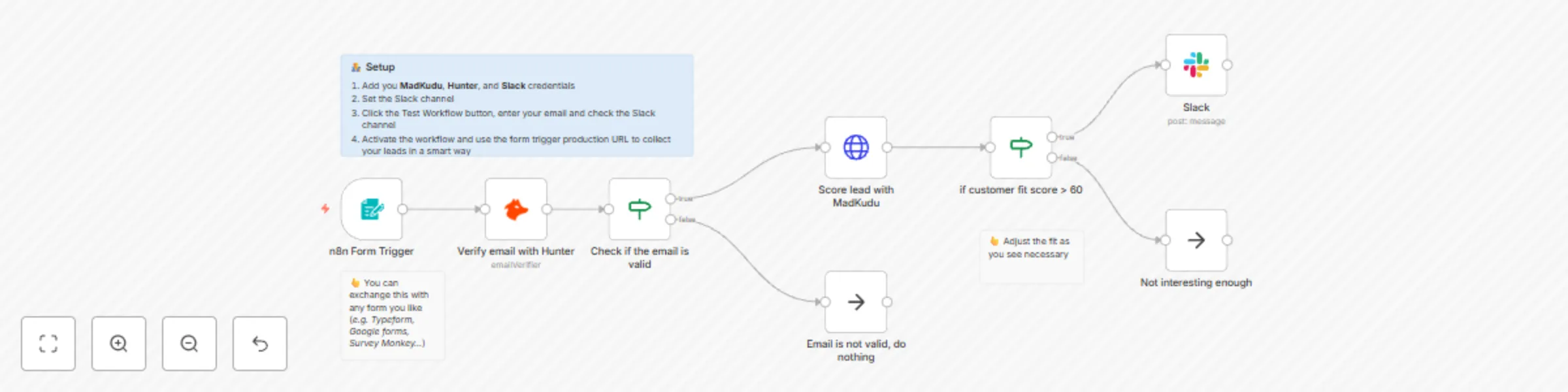
## Use case If you have a form where potential leads reach out, then you probably want to analyze those leads and send a notification if certain requirements are met, e.g. employee number is high enough. MadKudu is built exactly to solve this problem. We use it along with Hunter to alert on Slack for high quality leads. ![Screenshot 20240222 at 16.35.53.png](fileId:739) ## How to setup 1. Add you **MadKudu**, **Hunter**, and **Slack** credentials 2. Set the Slack channel 3. Click the Test Workflow button, enter your email and check the Slack channel 4. Activate the workflow and use the form trigger production URL to collect your leads in a smart way ## How to adjust this template You may want to raise or lower the threshold for your leads, as you see fit.

M
Mutasem
Lead Generation
22 Feb 2024
895
0
Workflow preview: Send follow-ups using Gmail to Hubspot contacts
Free intermediate

Send follow-ups using Gmail to Hubspot contacts

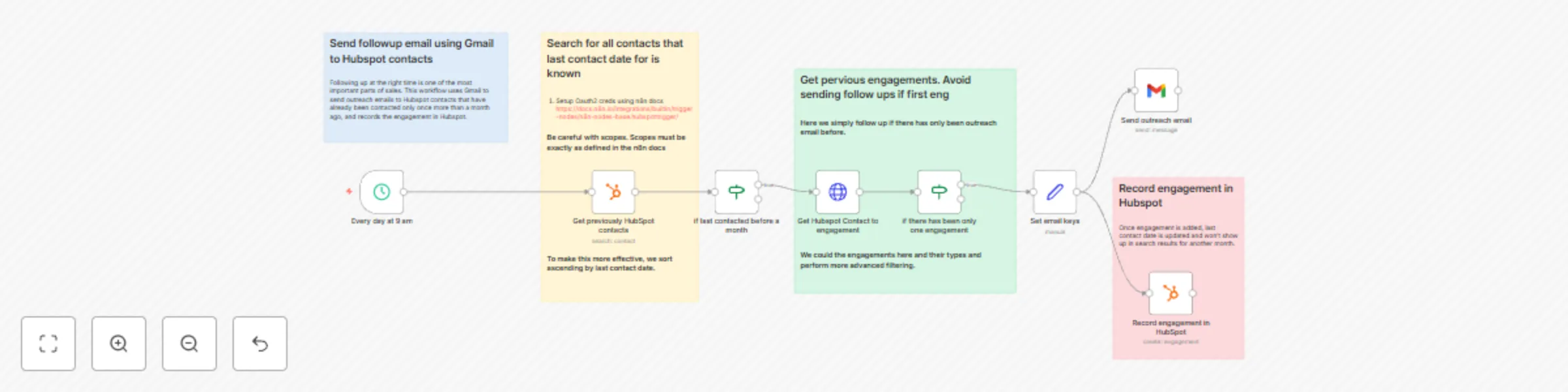
## Use Case Following up at the right time is one of the most important parts of sales. This workflow uses Gmail to send outreach emails to Hubspot contacts that have already been contacted only once more than a month ago, and records the engagement in Hubspot. ## Setup 1. Setup HubSpot Oauth2 creds (Be careful with scopes. They have to be exact, not less or more. Yes, it’s not simple, but it’s well documented in the n8n docs. Be smarter than me, read the docs) 2. Setup Gmail creds. 3. Change the email variables in the `Set keys` node ## How to adjust this template There's plenty to do here because the approach here is really just a starting point. Most important here is to figure out what your rules are to follow up. After a month? More than once? Also, remember to update the follow-up email! Unless you want to sell n8n 😉

M
Mutasem
Lead Nurturing
22 Feb 2024
2828
0
Workflow preview: Send outreach/cold email using Gmail to new HubSpot contacts
Free intermediate

Send outreach/cold email using Gmail to new HubSpot contacts

## Use case This workflow uses Gmail to send outreach emails to new Hubspot contacts that have yet to be contacted (usually unknown contacts), and records the outreach in Hubspot. ## Setup 1. [Setup HubSpot Oauth2 creds](https://docs.n8n.io/integrations/builtin/credentials/hubspot/) (Be careful with scopes. They have to be exact, not less or more. Yes, it's not simple, but it's well documented in the n8n docs. Be smarter than me, read the docs) 2. Setup Gmail creds. 3. Change the from email and from name in the `Record outreach in HubSpot` node ## How to adjust this template to your needs - Change the email message in the `Set keys` node - Think about your criteria to reach out to new contacts. Here we simply filter for only contacts with unknown dates.

M
Mutasem
Lead Nurturing
22 Feb 2024
3632
0
Workflow preview: Enrich new Hubspot contacts with contact and company data from ExactBuyer
Free intermediate

Enrich new Hubspot contacts with contact and company data from ExactBuyer

## Use Case This workflow aims to enrich new contacts in HubSpot. The more relevant the HubSpot profile, the more useful it is. Once active, this n8n workflow will update the social profiles, contact data (phone, email) as well as location data from ExactBuyer. ## Setup 1. Add HubSpot trigger credential (be careful, scopes must be exactly as in [n8n docs](https://docs.n8n.io/integrations/builtin/credentials/hubspot/) ) 2. Add your Exact Buyer API key 3. Add HubSpot credential for update node (be careful, scopes must be same as [n8n docs](https://docs.n8n.io/integrations/builtin/credentials/hubspot/) for this. This is different from the trigger cred) 4. Activate workflow ## How to adjust this template There's plenty of interesting info that ExactBuyer returns that could be helpful. Take a look and update this workflow to add what you need.

M
Mutasem
Lead Generation
22 Feb 2024
1779
0
Workflow preview: Enrich new Intercom users with contact details and more from ExactBuyer
Free intermediate

Enrich new Intercom users with contact details and more from ExactBuyer

## Use Case This workflow aims to enrich new contacts in Intercom. The more relevant the Intercom profile, the more useful it is. Once active, this n8n workflow will update contact data (phone, email) as well as location data from ExactBuyer. ## Setup 1. Add a webhook url in Intercom to call this workflow 2. Add your Exact Buyer API key 3. Add your Intercom API key 4. Activate workflow ## How to adjust this template There's plenty of interesting info that ExactBuyer returns that could be helpful. Take a look and update this workflow to add what you need.

M
Mutasem
Lead Generation
21 Feb 2024
1040
0