M

Miad Dadbin

1
Workflow

Workflows by Miad Dadbin

Workflow preview: Customer financial report delivery system with Telegram and Google Sheets
Free advanced

Customer financial report delivery system with Telegram and Google Sheets

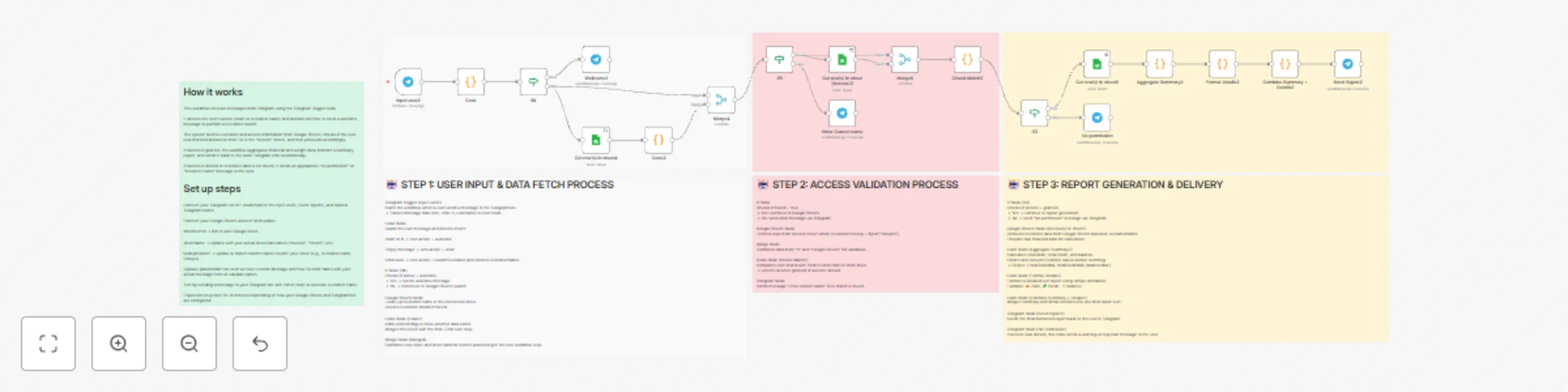
How it works This workflow receives messages from Telegram using the Telegram Trigger node. It detects the user’s action (/start or customer name) and decides whether to send a welcome message or perform a customer search. The system fetches customer and access information from Google Sheets, checks if the user is authorized (based on chat IDs in the “Access” sheet), and then proceeds accordingly. If access is granted, the workflow aggregates financial and weight data, formats a summary report, and sends it back to the same Telegram chat automatically. If access is denied or customer data is not found, it sends an appropriate “no permission” or “incorrect name” message to the user. ⚙️ Set up steps Connect your Telegram Bot API credentials in the Input user2, Send Report2, and related Telegram nodes. Connect your Google Sheets account and update: documentId → link to your Google Sheet sheetName → replace with your actual sheet/tab names (“Access”, “Sheet1”, etc.) lookupColumn → update to match column names used in your sheet (e.g., Customer name, Groups). Replace placeholder text such as Your Custom Message and Your Custom Name with your actual message texts or variable names. Test by sending a message to your Telegram bot with either /start or a known customer name. Expected setup time: 10–15 minutes depending on how your Google Sheets and Telegram bot are configured. Keep detailed field mapping or transformation logic (column names, sheet IDs) inside sticky notes within your workflow.

M
Miad Dadbin
Support Chatbot
31 Oct 2025
147
0