M

Max Tkacz

6
Workflows

Workflows by Max Tkacz

Workflow preview: Siri AI agent: Apple Shortcuts powered voice template
Free intermediate

Siri AI agent: Apple Shortcuts powered voice template

This template demonstrates how to trigger an AI Agent with Siri and Apple Shortcuts, showing a simple pattern for voice-activated workflows in n8n. It's easy to customize—add app nodes before the AI Agent step to pass additional context, or modify the Apple Shortcut to send inputs like text, geolocation, images, or files. ![Siri Template Thumbnail](https://uploads.n8n.io/devrel/siri-template-thumb.png) ### Set Up Basic instructions in template itself. ### Requirements - **n8n account** (cloud or self-hosted) - **Apple Shortcuts app** on iOS or macOS. Dictation ("Siri") must be activated. Download the [Shortcuts template here](https://uploads.n8n.io/devrel/ask-agent-v1.shortcut). ### Key Features: - **Voice-Controlled AI:** Trigger AI Agent via Siri for real-time voice replies. - **Customizable Inputs:** Modify Apple Shortcut to send text, images, geolocation, and more. - **Flexible Outputs:** Siri can return the AI’s response as text, files, or customize it to trigger CRUD actions in connected apps. - **Context-Aware:** Automatically feeds the current date and time to the AI Agent, with easy options to pass in more data. ### How It Works: 1. **Activate Siri** and speak your request. 2. Siri sends the transcribed text to the n8n workflow via Apple Shortcuts. 3. **AI Agent** processes the request and generates a response. 4. Siri reads the response, or the workflow can return geolocation, files, or even perform CRUD actions in apps. ### Inspiration: Custom Use Cases Tweak this template and make it your own. - **Capture Business Cards:** Snap a photo of a business card and record a voice note. Have the AI Agent draft a follow-up email in Gmail, ready to send. - **Voice-to-Task Automation:** Speak a new to-do item, and the workflow will add it to a Notion task board. - **Business English on the Fly:** Convert casual speech into polished business language, and save the refined text directly to your pasteboard, ready to be pasted into any app. "It's late because of you" -> "There has been a delay, and I believe your input may have contributed to it."

M
Max Tkacz
Personal Productivity
27 Sep 2024
32576
0
Workflow preview: Flux AI image generator
Free advanced

Flux AI image generator

Easily generate images with Black Forest's Flux Text-to-Image AI models using Hugging Face’s Inference API. This template serves a webform where you can enter prompts and select predefined visual styles that are customizable with no-code. The workflow integrates seamlessly with Hugging Face's free tier, and it’s easy to modify for any Text-to-Image model that supports API access. ## Try it Curious what this template does? Try a public version here: https://devrel.app.n8n.cloud/form/flux ## Set Up Watch this quick set up video 👇 [![Flux Generator](https://uploads.n8n.io/devrel/fluxgenerator.png)](https://youtu.be/Rv_1jt5WvtY) ## Accounts required - [Huggingface.co](https://huggingface.co) account (free) - [Cloudflare.com](https://cloudflare.com) account (free - used for storage; but can be swapped easily e.g. GDrive) ## Key Features: - **Text-to-Image Creation**: Generates unique visuals based on your prompt and style. - **Hugging Face Integration**: Utilizes Hugging Face’s Inference API for reliable image generation. - **Customizable Visual Styles**: Select from preset styles or easily add your own. - **Adaptable**: Swap in any Hugging Face Text-to-Image model that supports API calls. ## Ideal for: - **Creators**: Rapidly create visuals for projects. - **Marketers**: Prototype campaign visuals. - **Developers**: Test different AI image models effortlessly. ## How It Works: You submit an image prompt via the webform and select a visual style, which appends style instructions to your prompt. The Hugging Face Inference API then generates and returns the image, which gets hosted on Cloudflare S3. The workflow can be easily adjusted to use other models and styles for complete flexibility.

M
Max Tkacz
Content Creation
18 Sep 2024
83304
0
Workflow preview: Notion AI assistant generator
Free advanced

Notion AI assistant generator

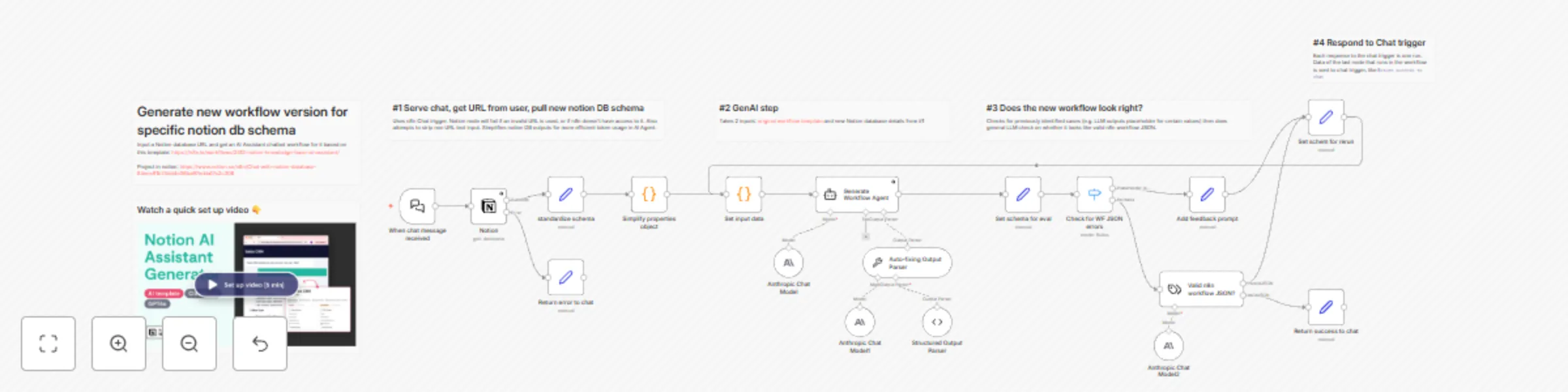
This n8n workflow template lets teams easily generate a custom AI chat assistant based on the schema of any Notion database. Simply provide the Notion database URL, and the workflow downloads the schema and creates a tailored AI assistant designed to interact with that specific database structure. ## Set Up Watch this quick set up video 👇 [![Notion AI Assistant Generator](https://uploads.n8n.io/devrel/notion-db-assistant-thumb#full-width)](https://youtu.be/iK87ppcaNgM) ## Key Features - **Instant Assistant Generation**: Enter a Notion database URL, and the workflow produces an AI assistant configured to the database schema. - **Advanced Querying**: The assistant performs flexible queries, filtering records by multiple fields (e.g., tags, names). It can also search inside Notion pages to pull relevant content from specific blocks. - **Schema Awareness**: Understands and interacts with various Notion column types like text, dates, and tags for accurate responses. - **Reference Links**: Each query returns direct links to the exact Notion pages that inform the assistant’s response, promoting transparency and easy access. - **Self-Validation**: The workflow has logic to check the generated assistant, and if any errors are detected, it reruns the agent to fix them. ## Ideal for - **Product Managers**: Easily access and query product data across Notion databases. - **Support Teams**: Quickly search through knowledge bases for precise information to enhance support accuracy. - **Operations Teams**: Streamline access to HR, finance, or logistics data for fast, efficient retrieval. - **Data Teams**: Automate large dataset queries across multiple properties and records. ## How It Works This AI assistant leverages two HTTP request tools—one for querying the Notion database and another for retrieving data within individual pages. It’s powered by the Anthropic LLM (or can be swapped for GPT-4) and always provides reference links for added transparency.

M
Max Tkacz
Internal Wiki
16 Sep 2024
47683
0
Workflow preview: Notion knowledge base AI assistant
Free intermediate

Notion knowledge base AI assistant

## Who is this for This workflow is perfect for teams and individuals who manage extensive data in Notion and need a quick, AI-powered way to interact with their databases. If you're looking to streamline your knowledge management, automate searches, and get faster insights from your Notion databases, this workflow is for you. It’s ideal for support teams, project managers, or anyone who needs to query specific data across multiple records or within individual pages of their Notion setup. Check out the Notion template this Assistant is set up to use: https://www.notion.so/templates/knowledge-base-ai-assistant-with-n8n ## How it works The **Notion Database Assistant** uses an AI Agent built with **Retrieval-Augmented Generation** (RAG) to query [this Knowledge Base style Notion database](https://30dayaisprint.notion.site/7ea9697d4875441eb2621105337d232e?v=cff6ba4cb0d14613b143af6f96dab287). The assistant can search across multiple properties like tags or question and retrieves content from inside individual Notion pages for additional context. **Key features include:** - Querying the database with flexible filters. - Searching within individual Notion pages and extracting relevant blocks. - Providing a reference link to the exact Notion pages used to inform its responses, ensuring transparency and easy verification. - This assistant uses two HTTP request tools—one for querying the Notion database and another for pulling data from within specific pages. It streamlines knowledge retrieval, offering a conversational, AI-driven way to interact with large datasets. ## Set up Find basic set up instructions inside the workflow itself or watch a quickstart video 👇 [![Video Thumbnail](https://uploads.n8n.io/maxt/notion-db-assistant-embedded-thumb.png)](https://www.youtube.com/watch?v=ynLZwS2Nhnc)

M
Max Tkacz
Internal Wiki
13 Sep 2024
48892
0
Workflow preview: Advanced AI demo (presented at AI Developers #14 meetup)
Free advanced

Advanced AI demo (presented at AI Developers #14 meetup)

This workflow was presented at the AI Developers meet up in San Fransico on 24 July, 2024. ### AI workflows 1. Categorize incoming Gmail emails and assign custom Gmail labels. This example uses the Text Classifier node, simplifying this usecase. 2. Ingest a PDF into a Pinecone vector store and chat with it (RAG example) 3. AI Agent example showcasing the HTTP Request tool. We teach the agent how to check availability on a Google Calendar and book an appointment.

M
Max Tkacz
Document Extraction
26 Jul 2024
25839
0
Workflow preview: Enrich new Discourse members with Clearbit then notify in Slack
Free intermediate

Enrich new Discourse members with Clearbit then notify in Slack

## Who is this template for? This workflow template is designed for **Sales** and **Customer Success** professionals seeking alerts when potential high-value users, prospects, or existing customers register for a Discourse community. Leveraging Clearbit, it retrieves enriched data for the new member to assess their value. ### Example result in Slack ![Screenshot 20240221 at 13.51.29.png](fileId:738) ## How it works - Each time a new member is created in Discourse, the workflow runs (powered by Discourse's native Webhooks feature). - After filtering out popular private email accounts, we run the member's email through Clearbit to fetch available information on the member as well as their organization. - If the enriched data meets certain criteria, we send a Slack message to a channel. This message has a few quick actions: `Open LinkedIn profile` and `Email member` ## Setup instructions Overview is below. Watch this [🎥 quick set up video](https://www.loom.com/share/d379895004374ddc85dc9171ca37c139?sid=bb28df29-bc91-4d32-a657-0bfbaaf50cc7) for detailed instructions on how to get the template running, as well as how to customize it. 1. Complete the `Set up credentials` step when you first open the workflow. You'll need a Discourse (admin user), Clearbit, and Slack account. 2. Set up the Webhook in Discourse, linking the `On new Discourse user` Trigger with your Discourse community. 3. Set the correct channel to send to in the `Post message in channel` step 4. After testing your workflow, swap the Test URL to Production URL in Discourse and activate your workflow Template was created in n8n `v1.29.1`

M
Max Tkacz
Lead Generation
21 Feb 2024
1402
0