L

Louis

11
Workflows

Workflows by Louis

Workflow preview: Automated job scraping with SerpAPI, Gemini AI filter & email notifications
Free advanced

Automated job scraping with SerpAPI, Gemini AI filter & email notifications

## 🛜 Daily Notification on Specific Latest Job Offers 🛜 🌟 **Overview**: Never miss a job offer again! This n8n workflow automates daily job scraping from LinkedIn, Indeed, Welcome to the Jungle, and more, using Google Dorks and SerpAPI. It filters offers with a Gemini AI agent, stores them in Google Sheets, and sends a sleek HTML newsletter to your inbox or subscribers—all manageable from your phone! **💼 Use Cases**: - Students hunting for M&A, valuation, or transaction services internships (6+ months). - Career switchers seeking automated, curated job alerts. - Content creators building a job newsletter to monetize their audience. **⚙️ How It Works**: 1. **Scrape**: Uses SerpAPI with a tailored Google Dork to fetch fresh job listings daily from top platforms. 2. **Filter**: A Gemini AI agent validates offers to ensure they match corporate finance criteria. 3. **Store**: Saves new offers in Google Sheets, marking duplicates to avoid spam. 4. **Notify**: Generates an email/newsletter notification and sends it via Outlook **🛠️ Setup Instructions**: - Import the JSON workflow into n8n. - Add credentials: SerpAPI (API key), Google Sheets (OAuth2), Microsoft Outlook (OAuth2) - Customize the Google Dork in the "Edit Fields" node for specific job criteria. - Schedule to run daily at 7 AM. Test and tweak the AI prompt for precision. **🔑 Required Credentials & Nodes**: - **Credentials**: SerpAPI, Google Sheets OAuth2, Microsoft Outlook OAuth2 - **Nodes**: Schedule Trigger, HTTP Request, Google Sheets, AI Agent (Gemini), Microsoft Outlook 🔗 **Creator**: Louis Delahaye | [n8n.io/creators/louisdl](https://n8n.io/creators/louisdl/) 🎥 YouTube [@cash-routine](https://www.youtube.com/@cash-routine) My AI Agency : https://agence-alain.fr

L
Louis
Personal Productivity
31 Oct 2025
54
0
Workflow preview: 🔥 X & Reddit tech trend analysis with Gemini AI for Notion & Telegram
Free advanced

🔥 X & Reddit tech trend analysis with Gemini AI for Notion & Telegram

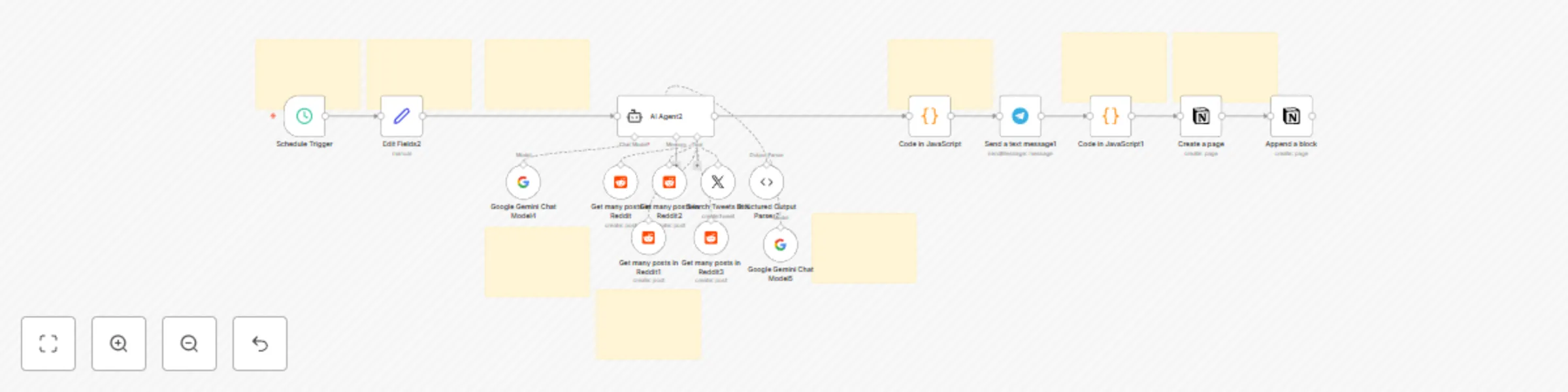
# 🔥 X & Reddit Trending Topics Finder ## 📝 Overview This n8n workflow helps YouTubers like @cash-routine 🚀 find trending AI, n8n, and automation topics on X and Reddit. It runs daily at 8 AM, using AI to spot hot discussions, debates, and monetization ideas 💰. Results are sent to Telegram 📩 and saved in Notion 📚, perfect for creating viral videos or paid services that blend value with trending buzz. **Benefits**: - 🕒 Daily trend alerts - 🤖 AI-driven insights with quotes & opportunities - 📲 Telegram + Notion outputs - 💸 Video ideas + business levers ## 🎯 Use Cases - **YouTubers**: Create videos like "Build a Micro-SaaS with n8n" 📹 - **Marketers**: Sell lead-gen automations 💼 - **Analysts**: Track AI debates for content ideas 🧠 ## ⚙️ How It Works 1. ⏰ **Trigger**: Runs daily at 8 AM. 2. ✍️ **Prompt**: Sets AI focus on AI/n8n trends. 3. 🌐 **Data**: Fetches top 10 posts from r/n8n, r/Automate, r/OpenAI, r/grok + X "Automation" tweets. 4. 🤖 **AI Analysis**: Gemini Pro finds 5 trends with: - 📈 Trend summary - 💬 Debate/quote - 💰 Video + monetization ideas 5. 📋 **Output**: JSON-structured results. 6. 📤 **Delivery**: Markdown chunks to Telegram (<4096 chars) + Notion page with random emoji. ## 🛠️ Setup 1. 📥 Import JSON into n8n. 2. 🔑 Add credentials: - Reddit OAuth2 - X OAuth2 - Google Gemini API (Pro + Flash) - Telegram API - Notion API (parent page: [Notion URL](https://www.notion.so/News-Trends-Actu-28df5b86dd77800d9abee33a8ee86613)) 3. ⚙️ Customize: - Adjust trigger time - Edit prompt for new subreddits/keywords - Update Notion page ID 4. ✅ Test & activate. ## 🔗 Nodes & Credentials - **Nodes**: Schedule Trigger, Set, AI Agent, Reddit Tool (x4), Twitter Tool, Structured Output Parser, Code (x2), Telegram, Notion (x2) - **Credentials**: Reddit, X, Gemini, Telegram, Notion ## 🚀 Enhancements - Add Slack/email alerts 📧 - Expand sources (e.g., Discord) 🌐 - Sell as a premium setup on @cash-routine for $49 💸 **Note**: Not free! Optimized for n8n cloud/self-hosted. Runtime: ~1-2 min. Check n8n forums for support. 🛠️ ![Screenshot 20251015 at 21.58.51.png](fileId:2963)![Screenshot 20251015 at 21.58.31.png](fileId:2964)

L
Louis
Market Research
16 Oct 2025
54
0
Workflow preview: Extract invoice data from PDFs with Gemini AI to Google Sheets 📄
Free advanced

Extract invoice data from PDFs with Gemini AI to Google Sheets 📄

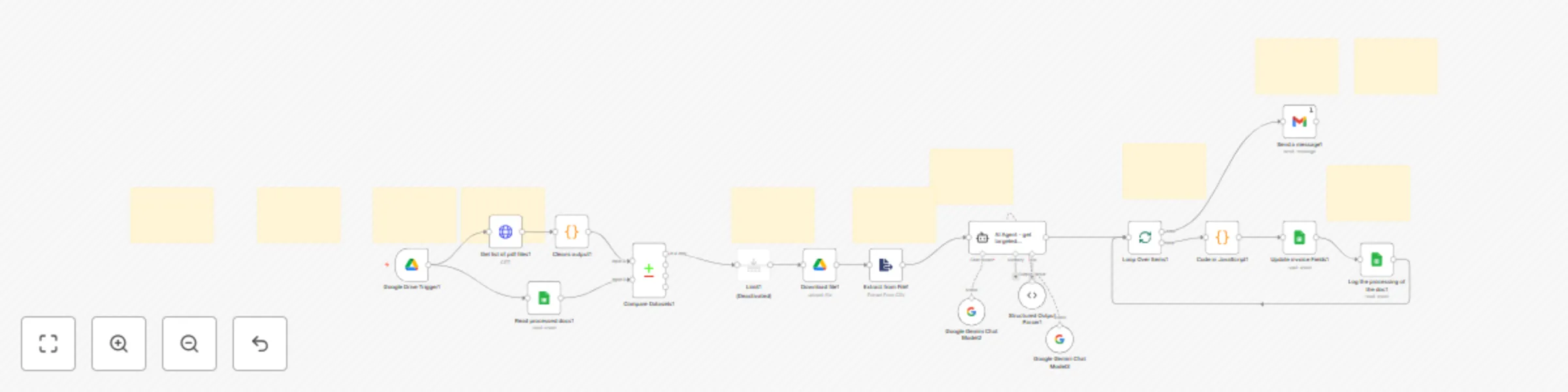
## 📄 Automated Invoice Processing (n8n + AI + Google Workspace) This workflow automates the extraction and processing of invoice data from PDFs stored in a Google Drive folder. It leverages **Google Drive, Google Sheets, and Gemini AI** to streamline invoice management. ### Key Features - **Automatic Detection:** Monitors a Google Drive folder for new invoices. - **AI-Powered Extraction:** Uses Gemini AI to extract structured data including Supplier, Buyer, Items, Total Amount, Tax, and Payment Terms. - **Data Logging:** Appends extracted invoice information to a Google Sheet and tracks processed documents to avoid duplicates. - **Notifications:** Sends email alerts once invoices are successfully processed. - **Flexible & Extensible:** Can be integrated with ERP/CRM systems, Slack/Telegram notifications, or OCR for scanned PDFs. 💡 **Perfect for:** Small to medium businesses, accountants, and operations teams looking to reduce manual invoice data entry and improve accuracy.

L
Louis
Invoice Processing
4 Oct 2025
94
0
Workflow preview: Latest tailored economic news for business 🌍💼✨
Free advanced

Latest tailored economic news for business 🌍💼✨

# 📬 What this workflow does Every morning → fetch 3 French economy RSS feeds → keep fresh items → AI rewrites into short summaries → send a nice HTML email newsletter. --- # 🔄 Flow (high level) 1. ⏰ Trigger at 07:00 2. 📰 Fetch RSS (Le Monde, Usine Nouvelle, Le Figaro) 3. ⛔ Filter → keep only recent items 4. 🔢 Sort newest first 5. ✂️ Limit 2 per source 6. ➕ Merge 7. 🤖 AI summary (title + paragraph) 8. 🏷 Normalize fields (title, source, link…) 9. 📦 Aggregate arrays 10. 📧 Send via Outlook (HTML template) --- # 🧩 Node notes - **Trigger** → 07:00 daily (check timezone). - **RSS Read** → feeds OK, but UsineNouvelle is `http` (redirects fine). - **If** nodes → ❗ currently `after $today` → keeps only future dates. - Fix: - For *today only*: `after $today.startOf('day')` - For *last 24h*: `after $now.minus({ hours: 24 })` - **Sort + Limit** → newest 2 per feed. - **Merge** → combine up to 6 items. - **AI agent** → prompt uses `<article>` … needs closing `</article>` ✅ - **Edit Fields** → maps source domains → nice labels (“Le Monde” etc). - **Aggregate** → arrays for email template. - **Outlook email** → HTML newsletter (mobile-friendly). --- # ⚡ Quick wins - 🕒 Fix the **date filter** logic (today/24h). - 📝 Fix **closing tag** in AI prompt (`</article>`). - 🌍 Add **User-Agent** header in RSS nodes (avoid 403). - 🔁 Remove duplicates on `link`. - ⏳ Mind the server **timezone** vs your audience. --- ![Screenshot 20250821 at 12.32.58.png](fileId:2168)

L
Louis
AI Summarization
21 Aug 2025
75
0
Workflow preview: 📑 Anonymize & reformat CVs with Gemini AI, Google Sheets & Apps Script
Free advanced

📑 Anonymize & reformat CVs with Gemini AI, Google Sheets & Apps Script

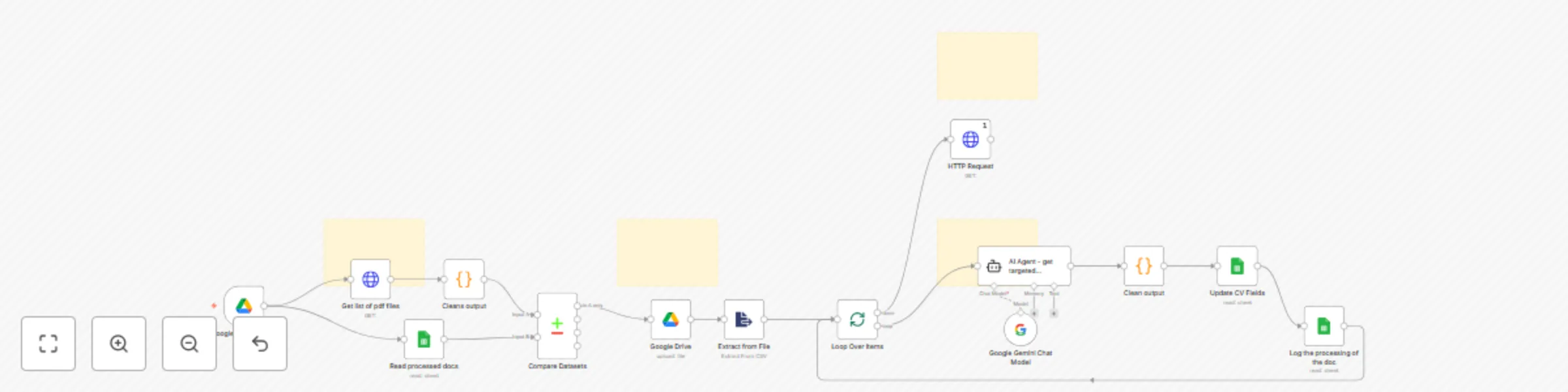
## 🧾 CV Anonymization & Reformatting Automation An advanced N8N workflow to anonymize and reformat resumes for internal or external distribution ### 🔍 Overview This template **automates the anonymization, structuring, and reformatting of CVs/resumes** using a combination of AI, PDF parsing, and Google Apps Script. It’s ideal for companies or teams that need to showcase their workforce—while ensuring candidate privacy and presenting the information in a standardized format. ### 👥 Who it's for - HR departments - Consulting agencies - Project managers needing anonymized candidate profiles - Any enterprise team required to share CVs in a consistent, brand-compliant, and privacy-conscious way ### ⚙️ What it does 1. Watches a Folder for new PDFs (CVs) Extracts Content from the PDF 2.Uses Gemini Flash 2.0 to intelligently structure the resume content 3. Stores the structured data in a Google Sheet 4. Generates a New CV from a customizable template via Google Apps Script 5. Anonymizes Names (e.g. “John Doe” → “J. D.”) 5. (Optional) Sends or downloads the final anonymized version ### 🛠️ Setup Requirements To use this workflow, you’ll need to configure: - Your input/output folders Field mappings (e.g. what to extract) - A Google Apps Script endpoint for PDF generation - A Google Sheet acting as your structured data database - A Gemini API key and access (or any other LLM) ### 💡 Templates are customizable: you can define your own layout as long as the placeholders match your database field names. ### ✨ Customization Ideas Automatically email the anonymized CV to a recipient Use conditional logic to switch templates (e.g. for different roles or departments) Add a second formatting layer for internal vs external audiences

L
Louis
HR
6 Jun 2025
299
0
Workflow preview: ✉️ Automated email sorting & drafting for customer support - with AI 🤖
Free advanced

✉️ Automated email sorting & drafting for customer support - with AI 🤖

# 🤖 Automated Email Sorting & FAQ Reply Assistant (n8n + Gemini AI) ## 🔍 Overview This **n8n workflow** automates email triage and FAQ responses using **Google Sheets** and **Gemini AI**. It’s designed to: - Automatically **sort incoming emails** into categories (e.g., FAQ, Billing, Tech Support). - **Draft polite, relevant replies** for FAQ emails using **AI**, grounded in your pre-approved content. - Maintain a **human-in-the-loop** process by saving responses as Gmail drafts for manual review. Perfect for startups or teams seeking to reduce support workload while ensuring consistent, helpful responses. --- ## ⚙️ Pre-conditions / Requirements Before using this workflow, make sure you have: - ✅ A **Google account** with access to: - Gmail (with custom labels like `FAQ-Waiting`, `FAQ-Draft`) - Google Sheets (used as your FAQ source) - ✅ A **Gemini API key** (to generate AI replies) - ✅ A **dedicated Gmail label** to collect emails needing draft replies (e.g., `FAQ-Waiting`) - ✅ A **dedicated Gmail label** to store drafted replies for manual sending (e.g., `FAQ-Draft`) - ✅ A **Google Sheet with two columns**: - `Question` — common user inquiries - `Answer` — the matching, approved reply text --- ## 🧠 How It Works 1. **Trigger** - Scheduled workflow run (e.g., every 15 minutes) 2. **Fetch Emails** - Grabs Gmail messages under a specific label like `FAQ-Waiting` 3. **Process & Clean** - Loops through each email - Cleans content (removes signatures/HTML) - Sends it to Gemini AI 4. **AI Reply Drafting** - AI matches email intent against your FAQ from Google Sheets - Generates a **friendly, accurate draft reply**, grounded **only** in your predefined Q&A 5. **Update Gmail** - Removes `FAQ-Waiting` label - Adds `FAQ-Draft` label - Saves draft reply in Gmail for manual review and sending 6. **Fallback Routing** - If email doesn’t match FAQ criteria, it follows a `FALSE` path - You can implement further logic here (e.g., route to Billing, escalate to a human agent, log as feedback) --- ## 🛠️ Setup Instructions 1. **Connect Gmail + Google Sheets + Gemini AI** - Set up credentials in n8n for Gmail, Google Sheets, and Gemini AI 2. **Prepare Labels in Gmail** - Create: `FAQ-Waiting` (input folder), `FAQ-Draft` (drafts ready to send) - Optionally, create other labels (e.g., `Billing`, `Tech Support`) 3. **Build your FAQ Sheet** - Create a new Google Sheet with: - Column A: `Question` - Column B: `Answer` - Add rows with typical user questions and the matching replies 4. **Configure AI Agent** - In the **AI agent node**, edit the prompt to fit your tone of voice (friendly, professional, concise, etc.) - Ensure the AI is instructed to only use answers from the sheet, and not hallucinate 5. **Adjust Schedule** - Modify the trigger interval to match your needs (e.g., every X minutes) --- ## 🧩 Customization Tips - **Custom Prompts**: Tailor the Gemini AI prompt in the node to change tone, length, or structure of replies - **Add New Categories**: Use the `FALSE` path in the `IF` node to handle non-FAQ emails (e.g., route to Billing, escalate to human agent, log feedback) - **Multiple Sheets**: You can expand the system by using different sheets for different topics - **Tone Matching**: Adjust AI output by providing sample reply templates or tone instructions directly in the AI node --- ## ✅ Use Cases - SaaS startups triaging customer support - Solo founders who want consistent replies with minimal effort - Teams managing growing inbox volumes while maintaining quality support ---

L
Louis
Ticket Management
21 May 2025
219
0
Workflow preview: Financial news digest with Google Gemini AI to Outlook email
Free advanced

Financial news digest with Google Gemini AI to Outlook email

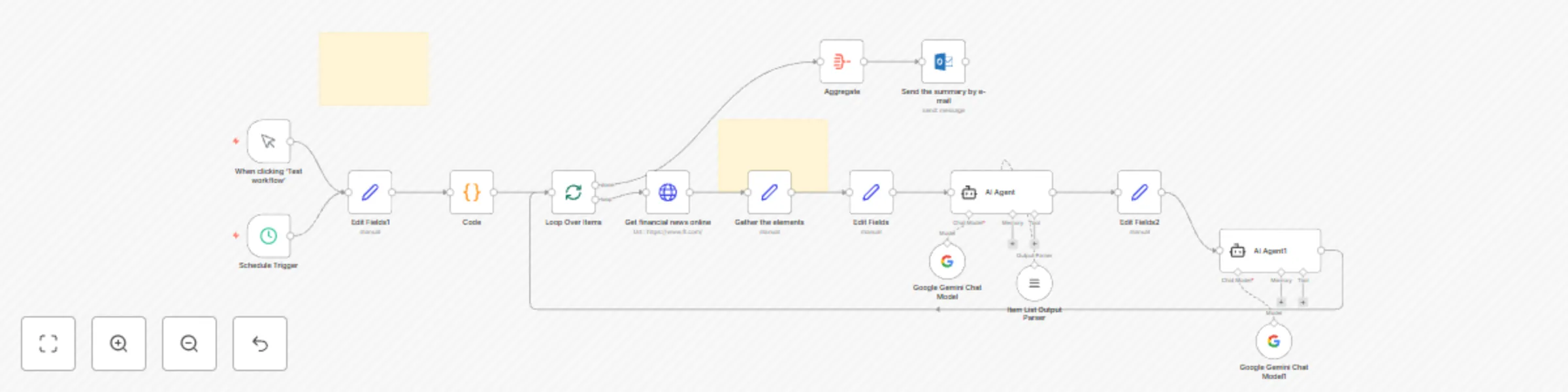
## 🧠 Key Features - Looping source scraping: Collects content from news sites you have selected (it might not work for all of them however) - HTML extraction & cleaning: Parses, cleans, and filters messy website data to isolate only the most relevant content. - AI-powered synthesis: Uses Google Gemini (via LangChain agent) to summarize and structure financial news into a clear, bullet-pointed format. - Email-ready output: Generates styled HTML summaries with coral-colored headings, ideal for daily email reports. - Fully automated delivery: Sends out beautifully formatted updates via Outlook — no manual work required. ## 🔧 Technologies Used n8n workflow orchestration LangChain agents for prompt logic and formatting Google Gemini API for advanced NLP Custom JS logic to manage dynamic inputs and cleanup Microsoft Outlook API for final distribution &gt; Feel free to reach out if needed !

L
Louis
Crypto Trading
16 May 2025
729
0
Workflow preview: Fetch live ETF metrics from JustETF to Excel with one-click updates
Free intermediate

Fetch live ETF metrics from JustETF to Excel with one-click updates

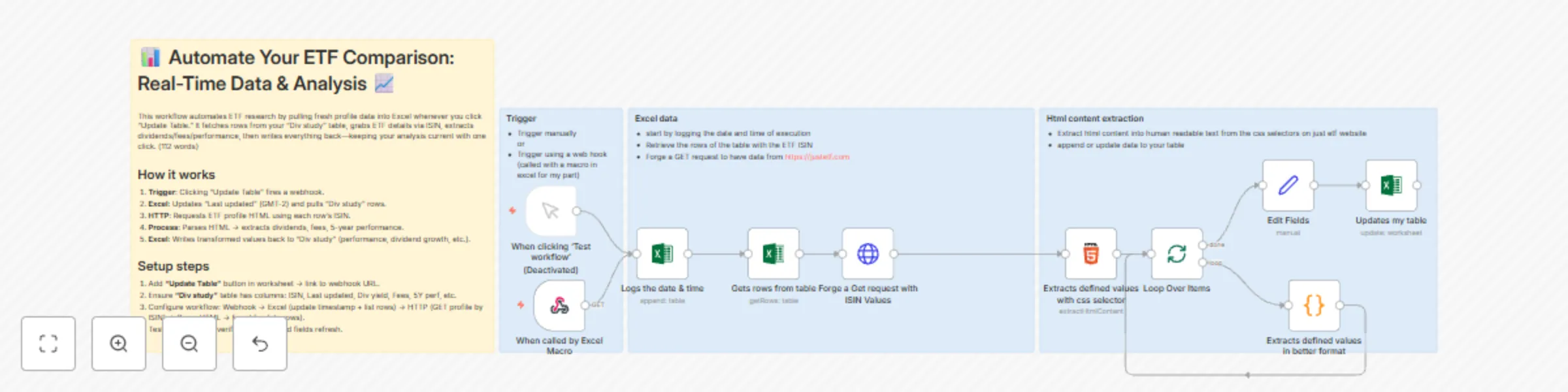
# Automate Your ETF Comparison: Real-Time Data & Analysis **Automate ETF research in Excel with one click.** This n8n workflow pulls live data from **justetf.com** using ISIN codes from your Excel table, extracts key metrics (dividends, fees, 5-year performance), and updates your “Div study” sheet instantly — all triggered by a button in Excel. Perfect for dividend investors, ETF screeners, or portfolio trackers who want **fresh, accurate data without manual copy-paste**. --- ## How it works 1. **Trigger**: Click “Update Table” in Excel → calls n8n via webhook 2. **Excel**: Logs current time (GMT-2) and reads all rows from “DivComp” table 3. **HTTP Request**: Fetches ETF profile page from `justetf.com` using ISIN 4. **HTML Extraction**: Parses page with CSS selectors to grab dividends, fees, 5Y performance 5. **Code Node**: Cleans & structures data (e.g., last 5 years of dividends, yield, growth) 6. **Update Excel**: Writes clean values back to your table (fees, yield, performance, name) --- ## Setup steps 1. **In Excel**: - Add a button → assign macro that calls your n8n **webhook URL** (path: `/ETF`) - Ensure table **“DivComp”** has: `ISIN`, `Dernière mise à jour`, `Frais`, `Performance depuis 5 ans`, etc. 2. **In n8n**: - Connect **Microsoft Excel** (OneDrive) credential - Update workbook/worksheet/table references if needed - Test with 1–2 ISINs first 3. **Click “Update Table”** → watch data refresh in real time! --- **Tags**: `ETF`, `Excel`, `Web Scraping`, `Investing`, `Finance`, `Automation`, `justetf`, `Dividend Tracking`

L
Louis
Crypto Trading
2 Nov 2024
852
0
Workflow preview: 🎵 Sync YouTube and Spotify music playlists
Free intermediate

🎵 Sync YouTube and Spotify music playlists

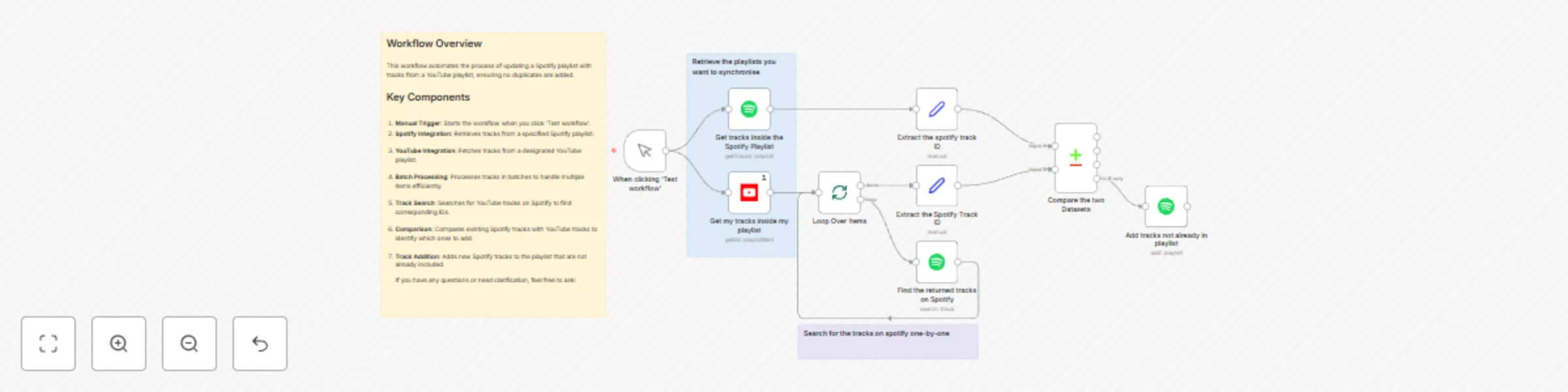
## Workflow Overview This workflow automates the process of updating a Spotify playlist with tracks from a YouTube playlist, ensuring no duplicates are added. ## Key Components 1. **Manual Trigger**: Starts the workflow when you click ‘Test workflow’. 2. **Spotify Integration**: Retrieves tracks from a specified Spotify playlist. 3. **YouTube Integration**: Fetches tracks from a designated YouTube playlist. 4. **Batch Processing**: Processes tracks in batches to handle multiple items efficiently. 5. **Track Search**: Searches for YouTube tracks on Spotify to find corresponding IDs. 6. **Comparison**: Compares existing Spotify tracks with YouTube tracks to identify which ones to add. 7. **Track Addition**: Adds new Spotify tracks to the playlist that are not already included. If you have any questions or need clarification, feel free to ask!

L
Louis
Personal Productivity
2 Nov 2024
2593
0
Workflow preview: 📈 Receive daily market news from FT.com to your Microsoft Outlook inbox
Free intermediate

📈 Receive daily market news from FT.com to your Microsoft Outlook inbox

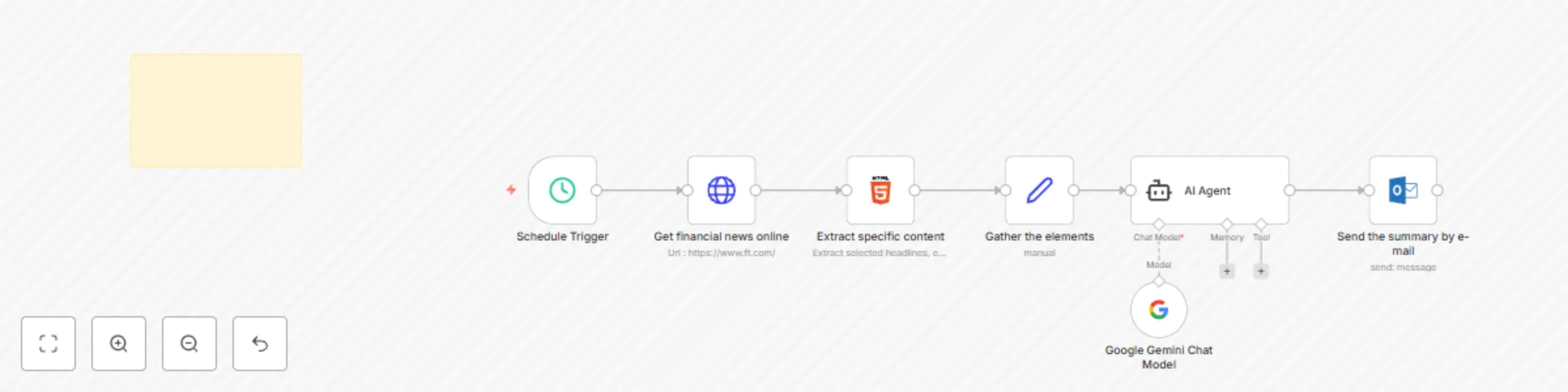
## 📈 Daily Financial News - Description This workflow automates the process of collecting, organizing, and delivering a daily summary of financial news by following these key steps: 1. **Scheduled Activation** The workflow starts at 7:00 AM each day, triggered by the Schedule Trigger node. 2. **News Retrieval** The **HTTP Request** node fetches the latest financial news from [FT.com](https://www.ft.com/). 3. **Content Extraction** The **Extract Specific Content** node scrapes targeted sections of the HTML (headlines, editor's picks, top stories, etc.) using CSS selectors to locate and capture relevant content. 4. **News Aggregation** The **Set Node** gathers and organizes the extracted news data, preparing it for summarization. Categories like "Headline #1," "Editor's Picks," and "Europe News" are all structured into a single data block. 5. **Summarization** An **AI Agent** (Google Gemini) takes the aggregated news data and creates a concise, HTML-formatted summary tailored to give investors an insightful market snapshot. 6. **Email Delivery** Finally, the **Microsoft Outlook** node sends the summary via email to the designated recipient with the subject "Financial news from today." This process ensures that financial news is efficiently curated, summarized, and delivered without manual intervention.

L
Louis
Crypto Trading
1 Nov 2024
9861
0
Workflow preview: 📂 Automatically update stock portfolio from OneDrive to Excel
Free advanced

📂 Automatically update stock portfolio from OneDrive to Excel

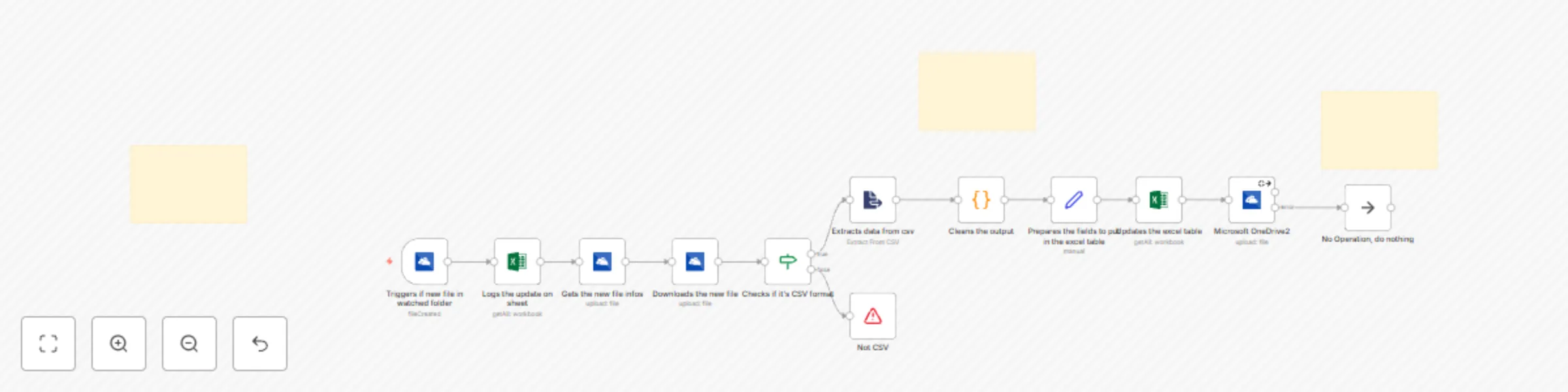
## Seamlessly Sync and Update Data from a csv in OneDrive to Excel with n8n This workflow is perfect for users who need a reliable, automated way to transfer and organize data from OneDrive into Excel—especially for tasks like portfolio tracking, inventory management, and record-keeping. By monitoring your OneDrive folder for new CSV files, it performs data cleaning, transformation, and real-time updates in an Excel sheet, ensuring only new or changed records are added. --- ## How it Works 1. **Automated Monitoring**: Every minute, the workflow scans a designated OneDrive folder for new files. 2. **File Verification**: It checks if the detected file is in CSV format; if not, the process stops with an error message. 3. **Data Extraction and Cleaning**: CSV data is loaded, and irrelevant headers are removed before mapping to specified columns in Excel. 4. **Excel Update**: The workflow maps data to your Excel sheet, updating only new or modified entries based on a unique identifier ("Ticker/ISIN"). 5. **Cleanup**: To keep your OneDrive organized, processed files are deleted after updating Excel. --- ## Setup Steps 1. **Connect OneDrive and Excel Accounts**: Link your Microsoft OneDrive and Excel accounts in n8n. 2. **Designate Folder and Worksheet**: Specify the OneDrive folder for monitoring and the Excel sheet for data updates. 3. **Configure Sync Frequency and CSV Validation**: Set the monitoring frequency to every minute and ensure the workflow identifies CSV files accurately. Once configured, this workflow offers a hands-free, efficient solution to keep your OneDrive and Excel data synchronized effortlessly.

L
Louis
File Management
30 Oct 2024
7587
0