AiAgent
Workflows by AiAgent
Automate fundamental stock analysis with FinnHub data and Google Sheets DCF calculator
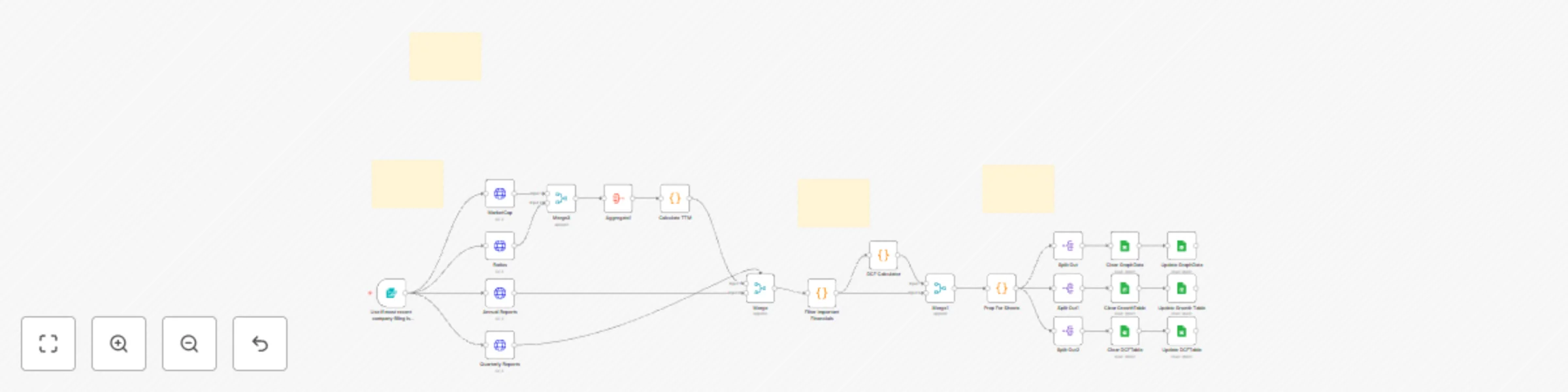
 [Demonstration video](https://youtu.be/mMlM2P4Vf0g) ## Disclaimers This workflow contains custom community nodes that requires local network version of n8n. This analysis is for informational and educational purposes only and does not constitute financial advice, investment advice, or a recommendation to buy or sell any security. This model is based on historical, publicly available data and future projections are purely theoretical. Stock market investing involves substantial risk, including the loss of principal. All investment decisions are solely the responsibility of the user. # What It Does Our proprietary workflow automates the most time-intensive components of fundamental research: Data Acquisition, TTM Aggregation, Growth Forecasting, and Intrinsic Valuation. Institutional Data Engine: Automatically extracts and cleans the last 6 years of annual reports and quarterly reports from FinnHub. TTM & Q4 Derivation: Proprietary code handles calculates the true Trailing Twelve Months (TTM) figures for Revenue, Net Income, FCF, Dividends, and Stock-Based Compensation (SBC). Advanced Growth Metrics: The system instantly calculates vital performance indicators: 3-Year & 5-Year Compound Annual Growth Rates (CAGR) for Revenue, Net Income, Free Cash Flow (FCF), and Dividends. Intrinsic Valuation (DCF): The workflow applies a Discounted Cash Flow (DCF) model, using the calculated TTM FCF as the base for a multi-year explicit forecast, generating a theoretical intrinsic price target for the company's stock. Automated Reporting: All current snapshots, growth metrics, and historical data are cleanly transferred to a Google Sheets template where charts, tables, and dashboards auto-populate instantly. This solution provides investors with rapid, objective, and institutional-grade financial modeling at zero cost-to-run. # Who This is For This platform is designed for data-driven investors and financial analysts who need to quickly screen companies, compare competitors, and access precise DCF valuations and growth trends without the manual effort of data compilation and spreadsheet modeling. It is ideal for anyone seeking objective, automatically generated financial insights. # How It Works - Data Acquisition & Structuring: The system initiates by securely extracting comprehensive historical financial data and regulatory filings (10-K, 10-Q) from FinnHub using the target stock ticker. - Core Metric Calculation & Cleaning: Proprietary code processes the raw reports to extract key financial metrics, including revenue, net income, free cash flow, debt, cash & cash equivalents, dividends, stock based compensation, outstanding shares for all periods. - TTM metrics: The workflow calculates the current TTM for all flow metrics (revenue, net income, FCF, and dividends) by summing the four most recent periods. - Growth Rate Calculation (CAGR & YoY): The workflow branches to calculate long-term performance indicators, generating the 3 & 5-Year CAGR for revenue, net income, FCF, and dividends. - Discounted Cash Flow (DCF) Valuation: The workflow initiates the DCF model, projecting the calculated TTM FCF forward over an explicit period and discounting the cash flows to generate a theoretical intrinsic stock price. - Presentation & Reporting (Google Sheets): All calculated data (TTM and SEC reports), Growth Metrics, and DCF model is organized and written to a dedicated Google Sheet. The sheet's pre-built charts and tables instantly auto-populate upon execution. # Set Up Steps 1. You will need a FinnHub account and API key to connect to the Https Request Nodes. FinnHub is a free service. 2. You will need a Google cloud and sheets account to create and connect the final Google Sheets document. 3. Requires OAuth which is free. 4. There is no cost to execute the workflow. 5. Detailed instructions included to obtain API keys and OAuth for Google cloud.
Automate Instagram posts with GPT-4o captions, ImgBB & Buffer integration
## Disclaimer This workflow uses two community nodes. # What It Does [Workflow Demonstration](https://www.youtube.com/watch?v=kv--CRbrcFg) This powerful automated workflow eliminates the need to manually create and upload Instagram posts, saving you time while delivering perfect captions and hashtags. Simply drop an image into a designated folder on your desktop, and the process begins instantly. GPT-4o analyzes the image and generates an engaging Instagram caption along with relevant hashtags tailored to the content. The image is then uploaded to ImgBB for reliable hosting, while the caption and hashtags are sent to Airtable. From there, Airtable automatically pulls in the hosted image link. Once everything is in place, Zapier takes over — sending the complete post, including the image and AI-generated description, directly to Buffer for scheduling and publishing to your Instagram account. In just a few minutes, you go from saving an image to having a fully composed, ready-to-post piece of content — with almost zero effort. # Who This Is For This workflow is designed for content creators, social media managers, entrepreneurs, and small business owners who want to save time, stay consistent, and scale their Instagram presence effortlessly. Whether you're running a brand, promoting a product, managing multiple clients, or just tired of the repetitive grind of posting — this automation gives you back your time while keeping your content sharp and professional. No design skills needed. No social media assistant required. Just drop your image, and let AI handle the rest. If you’re looking to streamline your workflow, boost engagement, and focus more on creativity than logistics — this is made for you. # How It Works Start by connecting a designated folder on your desktop to the workflow. Every time a new image is saved to this folder, the automation is triggered. Once you've added the image you'd like to post to Instagram, the workflow kicks off — sending the image to OpenAI, where GPT-4o analyzes it and generates an engaging Instagram-style caption, complete with relevant hashtags. For more personalized results, you can customize the GPT-4o prompt to match your brand’s voice or even provide a sample post from your Instagram account. The image is then uploaded to ImgBB for reliable cloud storage, and the AI-generated caption is sent to Airtable. Airtable automatically pulls in the hosted image link from ImgBB. This triggers Zapier, which packages the content and sends it to Buffer — where your post can be published immediately or scheduled for a later time based on your preferences. In just a few minutes, your image goes from a desktop folder to a fully automated, AI-crafted Instagram post — all without manual input. # Set Up Steps - Create a Folder: - Create a folder on your computer for saving images. Copy the folder path and add it to the Local File Trigger node in n8n. - Get OpenAI API Key: - Visit https://platform.openai.com/api-keys to generate your API key. Connect it to the Analyze Image AI Agent and the Prompt/Text Generator AI Agent. - Fund Your OpenAI Account: - Add credits to your OpenAI account. GPT-4o costs approximately $0.01 for every 3 automation runs. - Create an ImgBB Account (free): - Sign up at https://imgbb.com and obtain your free API key. - Create an Airtable Account (free): - Sign up at https://airtable.com and get your API key. - Set Up Zapier: - Create a free Zapier account at https://zapier.com. Connect it to Airtable and Buffer (100 tasks/month free). - Set Up Buffer: - Sign up at https://buffer.com, connect your Instagram account, and start with 10 free posts/month. ## Tips For improved description and tag performance recommend customizing the Analyze node. Change the #Description portion of the node to describe the types of posts you normally place on your Instagram and tailor it to how you like your descriptions to be. Additionally, change the #Example Post Description to a post with tags included of what you would normally post to your Instagram.
Find and compare online tools with GPT-4o and SerpAPI research
 # What It Does This powerful workflow can take hours of difficult research attempting to identify the perfect online tool to aid you with your business and condenses it into a few short seconds. Simply typing the name of an online tool you would like to identify into a chat message will initiate the workflow to begin its search process to identify 5 companies that will provide you with the online tool you desire. The initial chat will prompt the Tool Finder AI agent utilizing the power of GPT-4o in combination with SerpAPI to conduct a search and find 5 top end companies that contain the online tool you desire. It will then send the name of each company to five separate Reviewer Tool Agents that will gather information on each company. Each Reviewer Tools Agent will again harness the power of GPT-4o and SerpAPI to give a detailed descriptions of the online tool available including its price, limitations, summary of reviews, pros and cons, as well as an overall conclusion of the online tool. # Who This Is For This is the perfect workflow for anyone who is interested in obtaining an online tool to help automate business or everyday tasks. Rather than spending an excess amount of time searching through websites and review pages to determine the best product available this workflow completes the process for you. It provides five options in a condensed form that easily lets you compare and evaluate the options in a single place. Whether you are searching for an automatic email responder or the best available online spreadsheet, this workflow is exactly what you need to help bring your business to the next level. # How It Works Begin by opening the chat trigger node and typing the name of an online tool you would like to use to improve your day to day tasks. Example: Automatic email responder, automatic instagram poster, or online spreadsheet. This will trigger the Tool Finder Tools Agent to begin to utilize GPT-4o to begin to create search queries based off the tool you wish to identify. It will then use these search queries with SerpAPI to identify 5 companies that provide the online tool you desire. After it has obtained the names of five companies it will then in a structured output, send each item to a separate Reviewer Tools Agent. Once the Reviewer Tools Agent has received the name of the item it will then begin an in-depth review of that item. Each Reviewer Tools Agent will again use the power of GPT-4o connected with SerpAPI to obtain the most up to date information on each item from the internet. For each company and its tool you will be provided with: - Price: If it is a one time purchase, monthly subscription and if there is a free version. - Limits: It will provide any limitations on completing the desired tasks. If there is a limit on number of tasks that can be completed. If it only works with certain software. - Summary of reviews: It will provide an overall summary of the reviews, how many reviews, as well as the star rating of each item. It will go in depth on the summary of the reviews. It will provide 3-4 pros and 2-3 cons of each item. - Conclusion: It will provide an overall summary of the tool. After each of the Reviewer Tools Agent is complete with its review of the company and the online tool they provide, they will all send the information along to a Compiler Tools Agent. This tools agent uses GPT-4o-mini to arrange the data and present it in a concise, organized fashion. This allows for easy readability. # Set Up Steps 1. You will need to obtain an Open AI API key from platform.openai.com/api-keys 2. After you obtain this Open AI API key you will need to connect it to the Open AI Chat Model for all of the Tools agents (Item finder, Reviewer 1, Reviewer 2, Reviewer 3, Reviewer 4, Reviewer 5, and Compiler). 3. You will now need to fund your Open AI account. GPT 4o costs ~$0.03-$0.04 to run the workflow. 4. Next you will need to create a SerpAPI account at https://serpapi.com/users/sign_up 5. After you create an account you will need to obtain a SerpAPI key. 6. You will then need to use this key to connect to the SerpAPI tool for each of the tools agents (Tool finder, Reviewer 1, Reviewer 2, Reviewer 3, Reviewer 4, and Reviewer 5) 7. Tip: SerpAPI will allow you to run 100 free searches each month. This workflow uses ~15-30 SerpAPI searches per run. If you would like to utilize the workflow more than that each month, create multiple SerpAPI accounts and have an API key for each account. When you utilize all 100 free searches for an account, switch to the API key for another account within the workflow.
Website scam risk detector with GPT-4o and SerpAPI
# What It Does This intelligent workflow simplifies the complex task of determining whether a website is legitimate or potentially a scam. By simply submitting a URL through a form, the system initiates a multi-agent evaluation process. Four dedicated AI agents—each powered by GPT-4o and connected to SerpAPI—analyze different dimensions of the website: domain and technical details, search engine signals, product and pricing patterns, and on-site content analysis. Their findings are then passed to a fifth AI agent, the Analyzer, powered by GPT-4o mini, which consolidates the data, scores the site on a scale of 1–10 for scam likelihood, and presents the findings in a clear, structured format for the user. # Who It's For This workflow is ideal for anyone who needs to quickly and reliably assess the trustworthiness of a website. Whether you're a consumer double-checking a store before making a purchase, a small business owner validating supplier sites, a cybersecurity analyst conducting threat assessments, or a developer building fraud detection into your platform — this tool offers fast, AI-powered insights without the need for manual research or technical expertise. It's designed for both individuals and teams who value accurate, scalable scam detection. # How It Works The process begins with a simple form submission where the user enters the URL of the website they want to investigate. Once submitted, the workflow activates four specialized AI agents—each powered by GPT-4o and connected to SerpAPI—to independently analyze the site from different angles: Agent 1 examines domain age, SSL certificates, and TLD trustworthiness. Agent 2 reviews search engine results, forum mentions, and public scam reports. Agent 3 analyzes product pricing patterns and brand authenticity. Agent 4 assesses on-site content quality, grammar, legitimacy of claims, and presence of business info. Each agent returns its findings, which are then aggregated and passed to a fifth AI agent—the Analyzer. This final agent, powered by GPT-4o mini, evaluates all the input, assigns a scam likelihood score from 1 to 10, and compiles a neatly formatted summary with organized insights and a disclaimer for context. # Set UP You will need to obtain an Open AI API key from platform.openai.com/api-keys After you obtain this Open AI API key you will need to connect it to the Open AI Chat Model for all of the Tools agents (Analyzer, Domain & Technical Details, Search Engine Signals, Product & Pricing Patterns, and Content Analysis Tools Agents). You will now need to fund your Open AI account. GPT 4o costs ~$0.01 to run the workflow. Next you will need to create a SerpAPI account at https://serpapi.com/users/sign_up After you create an account you will need to obtain a SerpAPI key. You will then need to use this key to connect to the SerpAPI tool for each of the tools agents (Domain & Technical Details, Search Engine Signals, Product & Pricing Patterns, and Content Analysis Tools Agents) Tip: SerpAPI will allow you to run 100 free searches each month. This workflow uses ~5-15 SerpAPI searches per run. If you would like to utilize the workflow more than that each month, create multiple SerpAPI accounts and have an API key for each account. When you utilize all 100 free searches for an account, switch to the API key for another account within the workflow. ## Disclaimer This tool is designed to assist in evaluating the potential risk of websites using AI-generated insights. The scam likelihood score and analysis provided are based on publicly available information and should not be considered a definitive or authoritative assessment. This tool does not guarantee the accuracy, safety, or legitimacy of any website. Users should perform their own due diligence and use independent judgment before engaging with any site. N8N, OpenAI, its affiliates, and the creators of this workflow are not responsible for any loss, damages, or consequences arising from the use of this tool or the actions taken based on its results.
Generate structured scientific research PDF summaries with GPT-4o
## Disclaimer This workflow contains a community node.  # What It Does Leverage the power of GPT-4o to seamlessly summarize a scientific research PDF of your choosing. By simply downloading a PDF of a scientific research article into a folder on your computer this powerful workflow will automatically read the article and produce a detailed summarization of the article. The workflow will then save this summarization onto your computer for future convenience. # Who Is This For? The workflow is the perfect tool for all types of self-learners attempting to improve their knowledge base as efficiently as possible. It is a way to rapidly improve your knowledge base using peer reviewed scientific articles in a quick and efficient way. This workflow will provide a more detailed summary of the scientific research article than a typical abstract, while taking a fraction of the time it would take to read an entire paper. It will provide you with enough information to have a firm grasp on the information provided within the scientific article and will allow you to determine if you would like to dive deeper into the article. This workflow is perfect for professionals who need to stay current on the most recent literature in their field, as well as the self-learners who enjoy diving deep into a specific topic. It can aid anyone who is performing academic research, a literature review, or attempting to increase their knowledge base in a field using peer reviewed sources. # How It Works Utilizing the power of GPT-4o, the moment you save a PDF of a scientific research article to a predesignated folder it will being to read the article and produce a summary that will be saved into another designated folder on your computer via the following steps below. - Search the internet and your favorite journal databases for a scientific article that interests you. - With the n8n workflow activated, download a PDF of the scientific article and save it to a specific designated folder. - Saving the scientific article to this folder will trigger the workflow to initiate. - The workflow will then extract the contents of the PDF and pass the data along to an AI agent utilizing the power of GPT-4o. - This AI agent will produce a detailed summary of the scientific article. - This summary will include the following: - **Introduction heading** discussing the importance of the article and the specific aims of the study - **Methods heading** detailing how the study was conducted, what variables they evaluated, what their inclusion and exclusion criteria were, and what their measurement standards were. - **Results heading** providing specific data provided in the study for all variables tested as well as the statistical significance of each result. - **Summary heading** evaluating the importance of the results, how it compares to other scientific articles in the same field, as well as the recommendations of the authors on how to interpret the data provided by the results. - **Conclusion heading** summarizing the strengths and weaknesses of the scientific article as well as providing deficiencies in knowledge on the subject that would be a good topic for future studies. - After the AI agent has completed its summary, it will convert the summary to text and save it to a designated folder on your computer for future viewing. # Set Up Steps 1. You will need to create a folder on your computer where you would like to save your scientific article PDFs. You will then copy the pathway to this folder into the local file trigger node. 2. You will need to obtain an Open AI API key from platform.openai.com/api-keys 3. After you obtain this Open AI API key you will need to connect it to the Open AI Chat Model connected to the Summarizer Tools Agent. 4. You will now need to fund your Open AI account. GPT-4o costs ~$0.01 to run the workflow. 5. Finally, create a folder on your computer you wish to have the summarizations saved to. Copy the pathway to this folder into the Save to Folder node. # Customization This workflow is easy to customize to a specific area of research to provide the best possible summarization. If you have a specific expertise in a field of study, you can customize the output to provide data at a higher level of understanding for that field. For example, if you are a marine biologist, you can change the portion of the text prompt in the summarizer tool from "You are a research expert who is providing data to another researcher." to "You are a marine biologist expert who is providing data to another marine biologist." # Disclaimer If the pdf is too large, open AI will not be able to summarize it and will provide the error that you have reached your limit of requests.
Generate multiple T-shirt design prompts from images with GPT-4o
## Disclaimer This Workflow uses a community node.  # What It Does [Workflow Demonstration](https://youtu.be/Xco28XW-Ewg) This powerful workflow eliminates hours of trial and error when trying to craft the perfect prompt for AI-generated images. By simply saving an image of the design you want to model your generated images after into a designated folder on your desktop, the workflow is automatically triggered. Once the image is saved, n8n pulls it into the workflow, where an Analyze Image AI agent powered by GPT-4o analyzes it and generates a detailed text description. This description is then passed to another Prompt/Text Generator AI agent, which uses it as a template to create five entirely new and unique image prompts using the power of GPT-4o. These prompts produce images that share a similar art style with the original, while remaining creatively distinct. In addition, the AI will extract the original phrase and generate nine brand-new phrases that can be incorporated into the image. Finally, all this information is automatically saved into a folder on your computer, ready for you to use whenever you like. # Who This Is For This workflow is ideal for anyone looking to create high-quality AI-generated images with ease. It’s especially valuable for those running a print-on-demand business or working in logo and artwork design. By automating the process of crafting image prompts that match a desired style, it saves you hours of manual effort and guesswork. With this streamlined system, you can focus less on prompt engineering and more on what truly matters—growing your business. # How It Works Once you find an image or design that perfectly matches the style you're aiming for, the rest of the process is seamless. With the workflow running, simply save the image to the designated folder that triggers the automation. This action activates the workflow, and the image is automatically pulled into n8n using the Get Image From File node. From there, the Analyze Image AI Agent, powered by GPT-4o, takes over. It examines the image in depth—assessing its overall theme, art style, text phrase, font, aesthetic, and complexity (whether it’s a simple design or a more detailed composition). Based on this analysis, it generates a detailed description of the image along with the original text phrase it contains. Once the analysis is complete, a second AI agent, Prompt/Text Generator, receives this information and uses GPT-4o to create five unique image prompts. These prompts are designed to replicate the essence and style of the original image, while still producing completely original results when used with any AI image generator. In addition to the original phrase, the agent also generates nine brand-new text phrases. By combining each of the five prompts with the ten total text phrases (original + nine new), the workflow gives you the potential to generate 50 unique image variations. Finally, the Save to File node takes the entire output from the Prompt/Text Generator—including all five image prompts and ten text phrases—that was converted to text and automatically saves it into a designated folder on your computer for future use. After a completed workflow has been saved to the designated folder you must change the name of the file prior to running the workflow again. The workflow will only save the same file name each time. # Set Up Steps 1. You will need to create a folder on your computer where you would like to save your original image. You will then copy the pathway to this folder into the local file trigger node. 2. You will need to obtain an Open AI API key from platform.openai.com/api-keys 3. After you obtain this Open AI API key you will need to connect it to the Analyze Image AI Agent and the Open AI Chat Model connected to the Prompt/Text Generator AI Agent. 4. You will now need to fund your Open AI account. GPT 4o costs ~$0.01-$0.02 to run the workflow. 5. Finally create a folder on your computer you wish to have the summarizations saved to. Copy the pathway to this folder into the Save to File node.
AI-powered product research & comparison with GPT-4o and SerpAPI
# What It Does This powerful workflow can take hours of difficult research attempting to identify the perfect product to buy and condense it into a few short minutes. Simply typing the name of an item you wish to purchase into a chat message will initiate the workflow to begin its search process to identify 5 top of the line products for you to purchase. The initial chat with prompt the Item Finder AI agent utilizing the power of GPT-4o in combination with SerpAPI to conduct a search and find 5 top end items that match the prompt. It will then send the name of each item to a separate Reviewer Tools Agent that will gather information on each item. Each Reviewer Tools Agent will again harness the power of GPT-4o and SerpAPI to give a detailed description of the item features, lowest price available, options of retailers available to purchase the item, a summary of the reviews and overall star ratings. # Who This Is For This is the perfect workflow for anyone who is interested in making a big-time purchase and wants to have all the information presented in a quick organized fashion to make the best decision possible. Rather than searching through multiple stores and reading through hundreds of reviews and product description, you can now utilize the power of GPT-4o and SerpAPI to conduct that search for you and bring all the information to you. Whether you are searching for a TV with the best screen quality, a work laptop that will have the power and memory you need, or that unique item for your business that is difficult to find and even harder to find the cheapest price, this workflow is exactly what you need. # How It Works Begin by opening the chat trigger node and typing the name of an item you would like to purchase and would like it to do an in-depth search for. Example: golf driver, gaming desktop computer, or mid-size three row SUV. This will trigger the Item Finder Tools Agent to begin to utilize GPT-4o to begin to create search queries based off the item you wish to purchase. It will then use these search queries with SerpAPI to identify 5 high quality, modern items. After it has obtained the names of five items it will then in a structured output, send each item to a separate Reviewer Tools Agent. Once the Reviewer Tools Agent has received the name of the item it will then begin an in-depth review of that item. Each Reviewer Tools Agent will again use the power of GPT-4o connected with SerpAPI to obtain the most up to date information on each item from the internet. For each item you will be provided with: - Detailed description of item features - It will go in depth and give features that make that item unique. Qualities that will allow you to compare one items features to another. - Lowest Price available - Online retail stores available for purchase - Summary of reviews - It will give both the pros and cons discussed by various reviewers in regard to the item. - Overall star rating After each of the Reviewer Tools Agent is complete with its review of the item, they will all send the information along to a Compiler Tools Agent. This tools agent uses GPT-4o-mini to arrange the data and present it in a concise, organized fashion. This allows for easy readability. # Set Up Steps Set up steps: 1. You will need to obtain an Open AI API key from platform.openai.com/api-keys 2. After you obtain this Open AI API key you will need to connect it to the Open AI Chat Model for all of the Tools agents (Item finder, Reviewer 1, Reviewer 2, Reviewer 3, Reviewer 4, Reviewer 5, and Compiler). 3. You will now need to fund your Open AI account. GPT 4o costs ~$0.06 to run the workflow. 4. Next you will need to create a SerpAPI account at https://serpapi.com/users/sign_up 5. After you create an account you will need to obtain a SerpAPI key. 6. You will then need to use this key to connect to the SerpAPI tool for each of the tools agents (Item finder, Reviewer 1, Reviewer 2, Reviewer 3, Reviewer 4, and Reviewer 5) - Tip: SerpAPI will allow you to run 100 free searches each month. This workflow uses ~8-15 SerpAPI searches per run. If you would like to utilize the workflow more than that each month, create multiple SerpAPI accounts and have an API key for each account. When you utilize all 100 free searches for an account, switch to the API key for another account within the workflow.