Automatically join WhatsApp groups with Google Sheets and Evolution API
### Who’s it for
This workflow is ideal for **community managers, event organizers, and businesses** that regularly manage multiple WhatsApp groups. If you have a growing list of invitation codes stored in **Google Sheets**, this automation helps you automatically join groups, update statuses, and track results without manual work.
### How it works / What it does
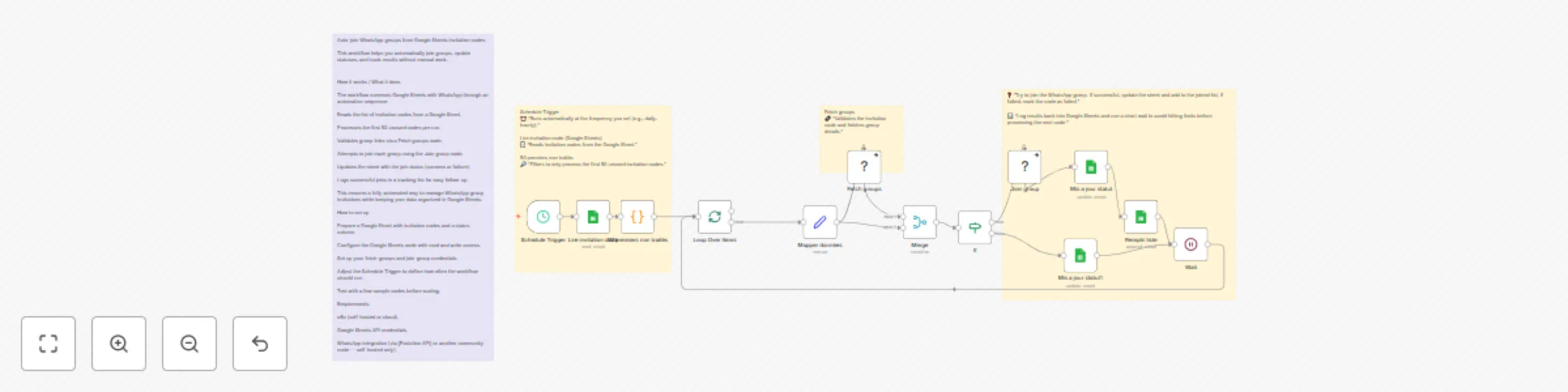
The workflow connects **Google Sheets** with WhatsApp through an automation sequence:
* Reads the list of invitation codes from a Google Sheet.
* Processes the first 50 unused codes per run.
* Validates group links via a **Fetch groups** node.
* Attempts to join each group using the **Join group** node.
* Updates the sheet with the join status (success or failure).
* Logs successful joins in a tracking list for easy follow-up.
This ensures a fully automated way to manage WhatsApp group invitations while keeping your data organized in Google Sheets.
### How to set up
1. Prepare a Google Sheet with invitation codes and a status column.
2. Configure the **Google Sheets node** with read and write access.
3. Set up your **fetch-groups** and **join-group** credentials.
4. Adjust the **Schedule Trigger** to define how often the workflow should run.
5. Test with a few sample codes before scaling.
### Requirements
* n8n (self-hosted or cloud).
* Google Sheets API credentials.
* WhatsApp integration (via \[Evolution API] or another community node — self-hosted only).
### How to customize the workflow
* Change the batch size (default: 50 codes per run).
* Add error handling or retry logic for invalid links.
* Send real-time notifications (Slack, email, or Telegram) after each join.
* Extend your Google Sheet schema with extra details (e.g., group category, campaign, date joined).
S
Sènato Julien KOUKPONOU Social Media