Personalized outreach for lawyers with LinkedIn scraping, GPT-4o, Google Sheets

⚠️ This template uses only official n8n nodes. No community nodes required.
## 🧑💼 Who is this for?
This workflow is designed for:
- Legal tech founders
- Marketing freelancers or consultants
- Agencies supporting lawyers and small law firms
- Anyone doing outbound outreach in the legal niche
## ❓ What problem is this solving?
LinkedIn is a goldmine for targeting legal professionals — but scraping and personalizing outreach is tedious and expensive. Most tools either:
- Require paid LinkedIn Sales Navigator
- Can’t personalize at scale
- Violate LinkedIn’s TOS
This workflow solves that by using **free Google Search**, **OpenRouter AI**, and **GPT-4o** to find, enrich, and message up to **1,000 solo lawyers per day** — without using browser automation or scrapers.
---
## ⚙️ What this workflow does
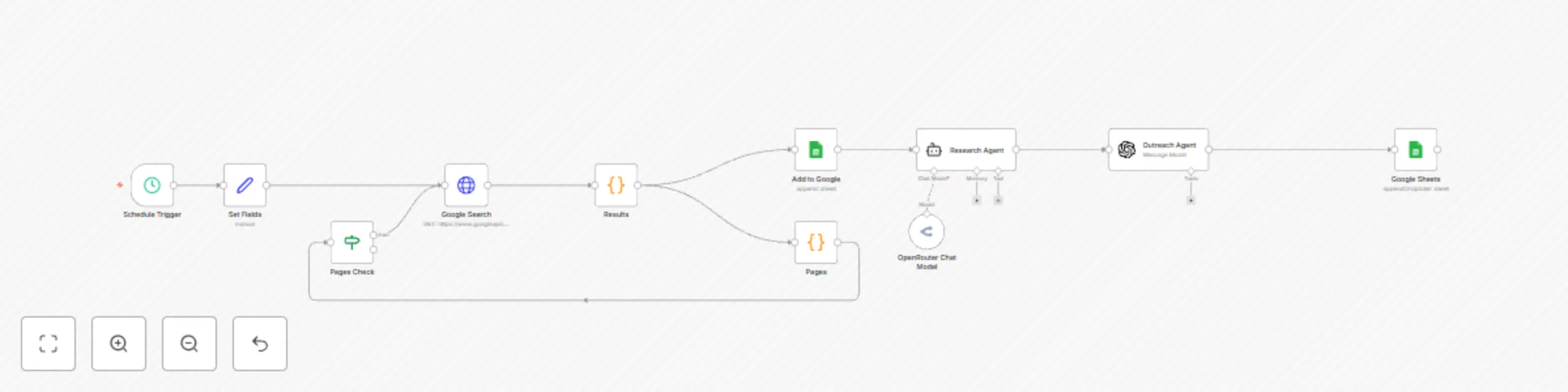
1. Uses **Google Programmable Search** to find solo lawyers and small firm founders on LinkedIn
2. Parses each profile’s name, title, profile URL, and snippet
3. Saves raw lead data to Google Sheets
4. Uses **OpenRouter Sonar Pro** to enrich each profile with external content
5. Generates a personalized, 1-line message using **GPT-4o**
6. Appends the final message into Google Sheets for outreach
---
## 🛠️ Setup
Estimated time: **15–20 minutes**
### ✅ Google Programmable Search
- Enable the Custom Search API on Google Cloud
- Create a programmable search engine set to search the full web
- Copy your `API key` and `CX ID`
### ✅ Google Sheets
- Create a sheet with columns: `Name`, `Title`, `Profile URL`, `Outreach Message`
- Share the sheet with your OAuth-connected Google account
### ✅ OpenRouter
- Sign up at [openrouter.ai](https://openrouter.ai)
- Fund with at least $5 and generate your API key
- Use the model `perplexity/sonar-pro` for real-time research
### ✅ GPT-4o (optional)
- You can use your OpenAI key or route GPT-4o via OpenRouter
All setup-specific values are marked clearly in sticky notes and placeholders.
---
## 🛠️ How to customize this workflow to your needs
- Change the Google search query to match your industry (e.g., `"founder" AND "therapist" site:linkedin.com/in`)
- Modify the AI prompt to match your tone (formal, casual, humorous)
- Connect the final output to your CRM (like HubSpot, Airtable, etc.)
- Add a second outreach message variant to A/B test performance
---
## 📌 Sticky Notes & Annotations
- All nodes are clearly renamed for understandability (e.g., `Find Lawyer Profiles`, `Parse LinkedIn Search Results`)
- Color-coded sticky notes explain:
- Setup instructions
- Required credentials
- Use case
---
## 🗂 Category
- AI
- Sales
- Marketing