Send a message via a Lark Bot
## What this workflow does
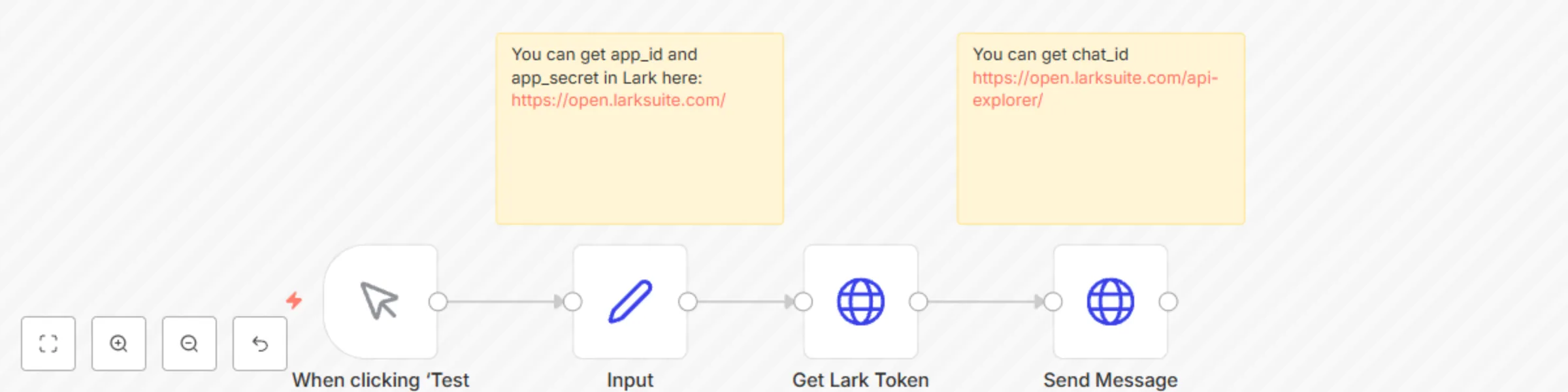
This workflow in n8n demonstrates how to send a message in Lark using a Lark bot. It begins with a manual trigger and then retrieves the necessary Lark token via a POST request. The token is used to authenticate and send a message to a specific chat using the Lark API. The input node provides the required ***app_id***, ***app_secret***, ***chat_id***, and ***message content***. After obtaining the token, the message is sent with the Lark API's message/v4/send/ endpoint.
## Who This Is For
This n8n workflow is ideal for **organizations**, **teams**, and **developers** who need to automate message sending within Lark, especially those managing notifications, alerts, or team reminders. It can help users reduce manual messaging tasks by leveraging a Lark bot to deliver messages at specific intervals or based on particular conditions, enhancing team communication and responsiveness.
## Setup
1. Fill the `Input` node with your values
2. Exchange the bearer token in the `Send Message` node with your token
**Author: Hiroshi**