H

Hemanth Arety

4
Workflows

Workflows by Hemanth Arety
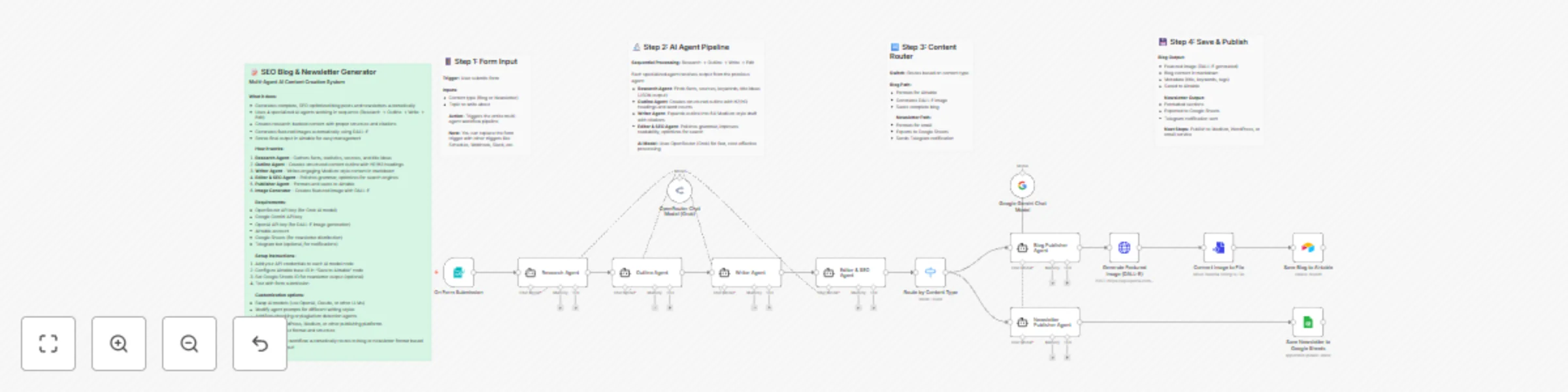
Workflow preview: Multi-agent AI content creator for SEO blogs & newsletters with OpenRouter, DALL-E, Gemini
Free advanced

Multi-agent AI content creator for SEO blogs & newsletters with OpenRouter, DALL-E, Gemini

## Who is this for This workflow is designed for content creators, digital marketers, bloggers, and businesses who need to produce high-quality, SEO-optimized blog posts and newsletters at scale. Perfect for marketing teams, content agencies, solopreneurs, and anyone looking to automate their content creation process while maintaining professional quality. ## What it does This multi-agent AI system generates complete, research-backed blog posts and newsletters automatically. Four specialized AI agents work in sequence: the Research Agent gathers facts and sources, the Outline Agent structures the content, the Writer Agent creates engaging Medium-style prose, and the Editor Agent polishes and optimizes for search engines. The workflow automatically routes content to either blog format (with DALL-E generated featured images) or newsletter format based on your input, then saves everything to Airtable or Google Sheets for easy management. ## Requirements - OpenRouter API key (for Grok AI model) - Google Gemini API key - OpenAI API key (for DALL-E image generation) - Airtable account - Google Sheets account (for newsletters) - Telegram bot token (optional, for notifications) ## How to set up 1. Import the workflow into your n8n instance 2. Add your API credentials to each language model node (OpenRouter, Google Gemini, OpenAI) 3. Configure your Airtable base ID and table ID in the "Save Blog to Airtable" node 4. Set your Google Sheets document ID in the "Save Newsletter to Google Sheets" node 5. (Optional) Add your Telegram bot token and chat ID for notifications 6. Test the workflow by submitting the form with a sample topic ## How to customize the workflow You can easily adapt this workflow to your specific needs. Replace the AI models with your preferred providers (Claude, GPT-4, Llama, etc.) by swapping the language model nodes. Modify the agent prompts to change writing style, tone, or target audience. Add additional agents for fact-checking, plagiarism detection, or brand voice alignment. Connect the output directly to publishing platforms like WordPress, Medium, Webflow, or email marketing services like Mailchimp. Adjust the image generation parameters to match your brand aesthetic, or skip image generation entirely if not needed.

H
Hemanth Arety
Content Creation
30 Oct 2025
1076
0

Workflow preview: Generate AI-curated Reddit digests for Telegram, Discord & Slack with Gemini
Free advanced

Generate AI-curated Reddit digests for Telegram, Discord & Slack with Gemini

Automatically fetch, curate, and distribute Reddit content digests using AI-powered filtering. This workflow monitors multiple subreddits, ranks posts by relevance, removes spam and duplicates, then delivers beautifully formatted digests to Telegram, Discord, or Slack. ## Who's it for Perfect for content creators tracking trends, marketers monitoring discussions, researchers following specific topics, and community managers staying informed. Anyone who wants high-quality Reddit updates without manually browsing multiple subreddits. ## How it works The workflow fetches top posts from your chosen subreddits using Reddit's JSON API (no authentication required). Posts are cleaned, deduplicated, and filtered by upvote threshold and custom keywords. An AI model (Google Gemini, OpenAI, or Claude) then ranks remaining posts by relevance, filters out low-quality content, and generates a formatted digest. The final output is delivered to your preferred messaging platform on a schedule or on-demand. ## Setup requirements - n8n version 1.0+ - AI provider API key (Google Gemini recommended - has free tier) - At least one messaging platform configured: - Telegram bot token + chat ID - Discord webhook URL - Slack OAuth token + channel access ## How to set up 1. Open the **Configuration** node and edit subreddit list, post counts, and keywords 2. Configure the **Schedule Trigger** or use manual execution 3. Add your AI provider credentials in the **AI Content Curator** node 4. Enable and configure your preferred delivery platform (Telegram/Discord/Slack) 5. Test with manual execution, then activate the workflow ## Customization options - **Subreddits**: Add unlimited subreddits to monitor (comma-separated) - **Time filters**: Choose from hour, day, week, month, year, or all-time top posts - **Keywords**: Set focus keywords to prioritize and exclude keywords to filter out - **Post count**: Adjust how many posts to fetch vs. how many appear in final digest - **AI prompt**: Customize ranking criteria and output format in the AI node - **Schedule**: Use cron expressions for hourly, daily, or weekly digests - **Output format**: Modify the formatting code to match your brand style Add email notifications, database storage, or RSS feed generation by extending the workflow with additional nodes.

H
Hemanth Arety
Market Research
28 Oct 2025
417
0
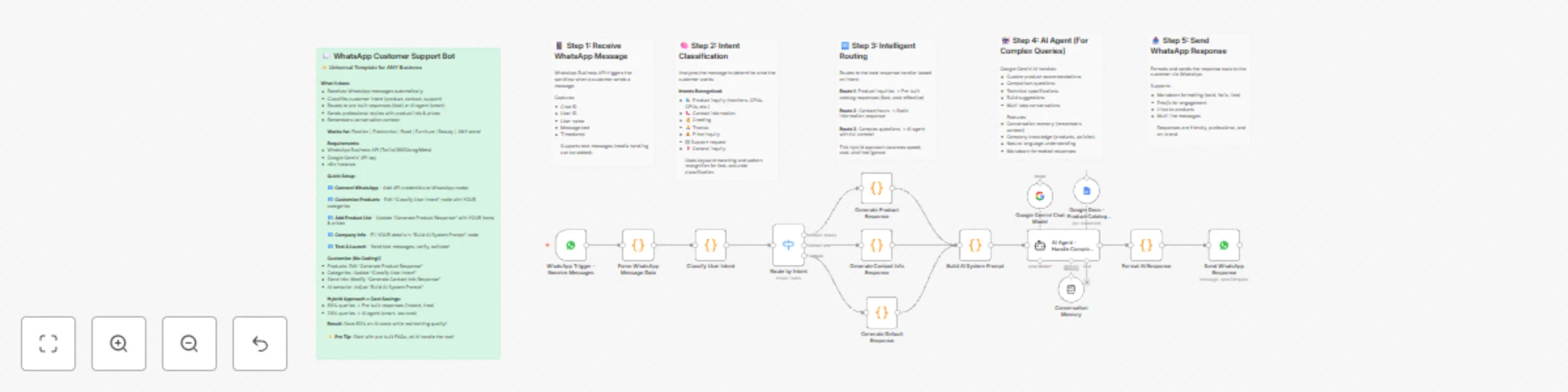
Workflow preview: Handle WhatsApp customer inquiries with AI and intent routing
Free advanced

Handle WhatsApp customer inquiries with AI and intent routing

# Handle WhatsApp customer inquiries with AI and intent routing (Whatsapp Chatbot) An intelligent, **fully customizable** WhatsApp customer support chatbot template that works for ANY business - whether you sell fashion, electronics, food, furniture, cosmetics, or anything else. This workflow combines pre-built responses for common queries with AI for complex questions, creating a cost-effective 24/7 customer support solution that adapts to your specific products and services. ## Who it's for This **universal template** works for ANY business type: - **E-commerce stores** (fashion, electronics, home goods, beauty, etc.) - **Local retail shops** (boutiques, grocery stores, bookshops, etc.) - **Service businesses** (salons, repair services, consultancies, etc.) - **Restaurants & cafes** (food delivery, reservations, menu inquiries) - **Any business** using WhatsApp Business API for customer communication ## What it does **This is a UNIVERSAL template** - it works for ANY business by simply updating the product categories, company information, and response templates. No coding knowledge required for basic customization! The workflow automates WhatsApp customer support through intelligent routing and AI assistance: 1. **Receives WhatsApp messages** via WhatsApp Business API webhook trigger 2. **Parses message data** extracting user info, chat ID, and message text 3. **Classifies intent** using pattern matching to determine what the customer wants (product inquiry, contact info, support, greeting, etc.) 4. **Routes intelligently** to the most appropriate response handler: - **Product inquiries** → Pre-built catalog responses with pricing and links - **Contact information** → Static company details (address, phone, hours) - **Complex queries** → AI agent with full company context 5. **Maintains conversation context** using memory to remember previous messages 6. **Sends formatted responses** back to the customer via WhatsApp with markdown formatting The hybrid approach (pre-built responses + AI) balances speed, cost, and intelligence - common questions get instant answers while complex queries receive personalized AI assistance. ## How to set up ### Requirements You'll need: - **WhatsApp Business API** access (via Twilio, 360Dialog, Meta Cloud API, or other providers) - **Google Gemini API key** (for AI responses) - [Get API key](https://ai.google.dev/) - **Google Docs** (optional - for product catalog reference) - **n8n instance** with WhatsApp nodes installed ### Setup Steps 1. **Configure WhatsApp Business API** - Sign up with a WhatsApp Business API provider (Twilio, 360Dialog, or Meta) - Get your API credentials (phone number ID, access token, webhook verify token) - Add credentials to n8n's WhatsApp node - Copy the webhook URL from n8n and configure it in your provider's dashboard 2. **Customize Company Information** - Open the "Build AI System Prompt" node - Replace all placeholder text with your actual company details: - Company name - Address and phone numbers - Email and website - Product categories and brands - Policies (COD, warranty, returns, delivery) - Store hours 3. **Configure Product Responses** - Edit the "Generate Product Response" node - Replace the sample products with your actual catalog: - Product names and specifications - Prices (update currency if not using INR) - Product URLs from your website - Add/remove product categories as needed 4. **Update Contact Details** - Edit the "Generate Contact Info Response" node - Add your complete contact information - Update store hours and addresses 5. **Set Up AI Credentials** - Add your Google Gemini API key to the credential manager - (Optional) Connect Google Docs if you want to use a product catalog document 6. **Activate and Test** - Activate the workflow in n8n - Send test messages to your WhatsApp Business number - Test different intents: greetings, product questions, contact requests - Verify responses are accurate and timely ### WhatsApp Business API Providers **Option 1: Meta Cloud API** (Official, free for moderate usage) - Sign up at: https://developers.facebook.com/ - Requires Facebook Business account - Best for: Small to medium businesses **Option 2: Twilio** (Reliable, paid service) - Sign up at: https://www.twilio.com/whatsapp - Pay-per-message pricing - Best for: Businesses needing high reliability **Option 3: 360Dialog** (WhatsApp-focused) - Sign up at: https://www.360dialog.com/ - Competitive pricing - Best for: WhatsApp-heavy businesses **Option 4: MessageBird, Vonage, others** - Various pricing and features - Research and compare based on your needs ## How it works ### Intent Classification System The workflow uses keyword pattern matching to classify user intent into these categories: **Priority 1: Contact Information** (highest priority) - Triggers: "where is store", "address", "contact", "phone number" - Response: Static contact details - Why first: Users asking for contact info need immediate, accurate answers **Priority 2: Greetings** - Triggers: "hi", "hello", "hey", "good morning" - Response: Friendly welcome with menu options - Helps: Sets a positive tone for the conversation **Priority 3: Product Inquiries** - Triggers: Category keywords (monitor, processor, GPU, RAM, etc.) - Response: Pre-built catalog with products, prices, and links - Categories: Customizable based on your products **Priority 4: AI Fallback** - Triggers: Everything else (comparisons, complex questions, multi-step queries) - Response: Google Gemini AI with company knowledge - Features: Conversation memory, personalized recommendations ### Response Architecture **Pre-Built Responses (Fast & Cost-Effective)** - Instant answers (no API calls) - Handles 70-80% of queries - Consistent, accurate information - No ongoing costs - Used for: Product lists, contact info, FAQs **AI Agent (Intelligent & Flexible)** - Handles complex questions - Maintains conversation context - Provides personalized recommendations - Adapts to different query styles - Used for: Comparisons, custom builds, technical questions ### Conversation Memory The workflow uses buffer window memory to remember recent conversation: - Stores last 10 messages per user - Enables multi-turn conversations - AI can reference previous questions - Creates more natural interactions - Memory is user-specific (isolated by user ID) ### Message Flow Example **User**: "Hi" → Intent: greeting → Response: Welcome message with menu **User**: "Show me monitors" → Intent: product_inquiry (monitors) → Response: Pre-built list of monitors with prices **User**: "Which one is best for gaming?" → Intent: general_inquiry (complex) → Response: AI analyzes previous context (monitors) and recommends gaming-focused option **User**: "What's your address?" → Intent: contact_info → Response: Complete contact details ## How to customize the workflow ### STEP 1: Customize Product Categories The workflow comes with example categories for multiple business types. Replace them with YOUR categories: **For a Fashion Store:** ```javascript const categories = [ { pattern: /(shirt|tshirt|top)/i, category: 'tops' }, { pattern: /(jeans|pants|trousers)/i, category: 'bottoms' }, { pattern: /(dress|gown|kurti)/i, category: 'dresses' }, { pattern: /(shoe|footwear|heels)/i, category: 'shoes' }, ]; ``` **For a Grocery Store:** ```javascript const categories = [ { pattern: /(vegetable|veggies)/i, category: 'vegetables' }, { pattern: /(fruit|fruits)/i, category: 'fruits' }, { pattern: /(dairy|milk|cheese)/i, category: 'dairy' }, { pattern: /(snack|chips|biscuit)/i, category: 'snacks' }, ]; ``` **For a Beauty/Cosmetics Store:** ```javascript const categories = [ { pattern: /(skincare|cream|serum)/i, category: 'skincare' }, { pattern: /(makeup|lipstick|foundation)/i, category: 'makeup' }, { pattern: /(perfume|fragrance)/i, category: 'perfumes' }, { pattern: /(hair|shampoo|conditioner)/i, category: 'haircare' }, ]; ``` **For a Home Furniture Store:** ```javascript const categories = [ { pattern: /(sofa|couch)/i, category: 'sofas' }, { pattern: /(bed|mattress)/i, category: 'bedroom' }, { pattern: /(table|desk|dining)/i, category: 'tables' }, { pattern: /(chair|seating)/i, category: 'chairs' }, ]; ``` **For a Restaurant:** ```javascript const categories = [ { pattern: /(pizza|italian)/i, category: 'italian' }, { pattern: /(burger|sandwich)/i, category: 'fast_food' }, { pattern: /(biryani|curry|indian)/i, category: 'indian' }, { pattern: /(dessert|sweet|ice cream)/i, category: 'desserts' }, ]; ``` --- ### STEP 2: Customize Product Responses Update the "Generate Product Response" node with YOUR actual products: **Example for Fashion Store:** ```javascript if (category === 'tops') { response = `Hi ${userName}! Check out our *TOPS* collection:\\n\\n`; response += `👕 *Cotton Casual T-Shirt*\\n 💰 ₹499\\n 🎨 5 colors available\\n 🔗 yourstore.com/tshirts\\n\\n`; response += `👚 *Formal Shirt*\\n 💰 ₹899\\n 🎉 Buy 2 Get 20% OFF\\n 🔗 yourstore.com/shirts\\n\\n`; } ``` **Example for Grocery Store:** ```javascript if (category === 'vegetables') { response = `Fresh *VEGETABLES* available, ${userName}:\\n\\n`; response += `🥕 *Fresh Carrots (1kg)*\\n 💰 ₹40\\n 🌱 Organic\\n\\n`; response += `🍅 *Tomatoes (1kg)*\\n 💰 ₹30\\n ✅ Farm Fresh\\n\\n`; } ``` **Example for Restaurant:** ```javascript if (category === 'italian') { response = `Delicious *ITALIAN* dishes, ${userName}:\\n\\n`; response += `🍕 *Margherita Pizza*\\n 💰 ₹299\\n 👨‍🍳 Chef's Special\\n\\n`; response += `🍝 *Creamy Alfredo Pasta*\\n 💰 ₹349\\n 🔥 Bestseller\\n\\n`; } ``` --- ### STEP 3: Update Company Information Edit the "Build AI System Prompt" node: **For a Boutique:** ```javascript const systemPrompt = `You are a customer service assistant for Elegant Threads Boutique. COMPANY INFORMATION: - Business: Women's Designer Clothing Boutique - Products: Ethnic wear, western wear, accessories - Price Range: ₹1,500 - ₹15,000 - Speciality: Custom tailoring available - Store Address: Shop 12, Fashion Street, Mumbai - Phone: +91 98XXXXXXXX - Delivery: Pan-Mumbai, 2-3 days - Returns: 7-day no-questions-asked return policy `; ``` **For a Tech Store:** ```javascript const systemPrompt = `You are customer support for TechHub Electronics. COMPANY INFORMATION: - Business: Consumer Electronics Retailer - Products: Smartphones, laptops, accessories, home appliances - Price Range: ₹500 - ₹2,00,000 - Speciality: Same-day delivery in Delhi NCR - Warranty: Extended warranty on all electronics - Store: Connaught Place, New Delhi - Phone: +91 11-XXXXXXXX `; ``` **For a Bakery:** ```javascript const systemPrompt = `You are the assistant for Sweet Delights Bakery. COMPANY INFORMATION: - Business: Fresh Baked Goods & Custom Cakes - Products: Cakes, pastries, cookies, bread - Price Range: ₹50 - ₹3,000 - Speciality: Custom cakes for all occasions (24hrs notice) - Store: Baker Street, Bangalore - Phone: +91 80-XXXXXXXX - Delivery: Free above ₹500 within 5km `; ``` --- ### Additional Customization Options ### Change AI Model **Replace Google Gemini** with other LLM providers: - **OpenAI GPT-4**: Best for nuanced understanding - **Anthropic Claude**: Strong at following instructions - **Llama** (self-hosted): Cost-effective for high volume Simply swap the "Google Gemini Chat Model" node with your preferred model. ### Add More Intents Extend the intent classification in the "Classify User Intent" node: ```javascript // Add order tracking if (/track.*order|order.*status|where.*order/i.test(text)) { intent = 'order_tracking'; } // Add complaint handling if (/complaint|unhappy|problem|issue|refund/i.test(text)) { intent = 'complaint'; } // Add shipping questions if (/shipping|delivery|courier|when.*arrive/i.test(text)) { intent = 'shipping_inquiry'; } ``` Then add corresponding response nodes in the routing switch. ### Integrate with CRM **Connect to HubSpot:** - Add HubSpot node after intent classification - Log every conversation as a ticket - Create contacts automatically - Track customer journey **Connect to Salesforce:** - Use Salesforce node to create leads - Update opportunity stages based on intent - Log interactions in Activity History **Connect to Airtable:** - Store conversations in Airtable database - Analyze common questions - Build knowledge base from real conversations ### Add Multi-Language Support **Method 1: Google Translate API** - Detect message language - Translate to English for processing - Translate response back to user's language **Method 2: Multilingual AI** - Add language preference to AI prompt - Train AI on multilingual responses - Support major languages natively ### Rich Media Responses **Send images:** ```javascript return [{ chatId: chatId, image: 'https://yoursite.com/product.jpg', caption: 'Check out this product!' }]; ``` **Send documents:** - Product catalogs (PDF) - Warranty cards - Invoice copies - Installation guides **Send location pins:** - Store locations - Delivery tracking - Service centers ### Human Handoff Logic Add escalation for complex issues: ```javascript // Check if AI can't help if (complexityScore > 8 || sentiment === 'angry') { // Notify human agent // Transfer conversation // Set status: 'awaiting_agent' } ``` Integrate with: - Intercom for live chat handoff - Slack for agent notifications - Zendesk for ticket creation ### Connect to Inventory **Real-time stock checking:** - Query your database for availability - Show "In Stock" / "Out of Stock" status - Suggest alternatives for unavailable products - Notify customers when items are restocked **Dynamic pricing:** - Pull current prices from database - Apply promotional discounts automatically - Show time-sensitive offers ### Add Analytics **Track metrics:** - Messages per day/week/month - Most common intents - AI usage vs. pre-built responses - Average response time - Customer satisfaction scores **Integration options:** - Google Analytics for website tracking - Mixpanel for event tracking - Custom dashboard in Grafana - Google Sheets for simple logging ### Business Hours Management Add business hours logic: ```javascript const now = new Date(); const hour = now.getHours(); const isBusinessHours = (hour >= 10 && hour < 20); // 10 AM - 8 PM if (!isBusinessHours) { return [{ response: "We're currently closed. Our hours are 10 AM - 8 PM. We'll respond when we open!" }]; } ``` ### A/B Testing Responses Test different response styles: - Formal vs. casual tone - With/without emojis - Short vs. detailed answers - Different CTAs Track which versions lead to more sales/conversions. ## Tips for best results **1. Start Simple** - Begin with 3-5 main intents - Add more as you see common patterns - Don't over-complicate the initial setup **2. Monitor and Iterate** - Review conversations weekly - Identify missed intents - Refine pattern matching - Update product information regularly **3. Balance Pre-Built vs. AI** - Use pre-built for: FAQs, product lists, contact info (fast, cheap) - Use AI for: Comparisons, complex queries, personalization (slower, costs money) - Aim for 70-80% pre-built, 20-30% AI **4. Optimize Response Times** - Pre-built responses are instant - AI responses take 2-5 seconds - Set user expectations ("Let me check that for you...") **5. Test Different Scenarios** - Happy path (normal inquiries) - Edge cases (misspellings, slang) - Multi-turn conversations - Multiple topics in one message **6. Keep Responses Concise** - WhatsApp users prefer short messages - Use formatting (bold, bullets) for readability - Break long responses into multiple messages **7. Maintain Brand Voice** - Customize AI system prompt with your brand personality - Use consistent tone across all responses - Include brand-appropriate emojis **8. Handle Failures Gracefully** - Add error handling for API failures - Have fallback responses ready - Always offer human contact option **9. Respect Privacy** - Don't store sensitive information - Comply with GDPR/local privacy laws - Allow users to delete their data **10. Monitor Costs** - Track Gemini API usage - Set spending alerts - Optimize prompt length to reduce token usage ## Common use cases across industries **Fashion & Apparel Store** - Answer size and fit questions - Share new collection arrivals - Check stock availability by size/color - Process exchange requests - Share styling tips **Electronics & Tech Store** - Provide product specifications - Compare different models - Check warranty information - Share installation guides - Handle technical support queries **Grocery & Food Store** - Check product availability - Share daily fresh stock updates - Take bulk orders - Provide recipe suggestions - Handle delivery slot bookings **Beauty & Cosmetics** - Recommend products for skin types - Share ingredient information - Explain usage instructions - Handle shade/color queries - Process return for wrong products **Home Furniture Store** - Share dimensions and specifications - Check delivery timelines - Provide assembly instructions - Schedule store visits - Custom furniture inquiries **Restaurant & Cafe** - Share menu and prices - Take table reservations - Handle takeaway orders - Answer dietary restriction questions - Share daily specials **Jewelry Store** - Share designs and prices - Book appointments for trials - Check customization options - Verify metal purity/certifications - Handle repair inquiries **Bookstore** - Check book availability - Take pre-orders for new releases - Recommend books by genre - Share reading lists - Handle exchange requests --- **Important Notes:** - This workflow requires WhatsApp Business API (not regular WhatsApp Business app) - WhatsApp Business API typically requires business verification - Message rates and limits vary by provider - Test thoroughly before deploying to customers - Always provide a way to reach human support **Getting Started Tip**: Start with just contact info and product inquiries. Once that works smoothly, add AI responses for complex queries. Gradually expand based on actual customer needs you observe in conversations.

H
Hemanth Arety
Support Chatbot
28 Oct 2025
1133
0

Workflow preview: Generate answer engine optimization strategy with Firecrawl, Gemini, OpenAI
Free advanced

Generate answer engine optimization strategy with Firecrawl, Gemini, OpenAI

# Generate AEO strategy from brand input using AI competitor analysis This workflow automatically creates a comprehensive Answer Engine Optimization (AEO) strategy by identifying your top competitors, analyzing their positioning, and generating custom recommendations to help your brand rank in AI-powered search engines like ChatGPT, Perplexity, and Google SGE. ## Who it's for This template is perfect for: - **Digital marketing agencies** offering AEO services to clients - **In-house marketers** optimizing content for AI search engines - **Brand strategists** analyzing competitive positioning - **Content teams** creating AI-optimized content strategies - **SEO professionals** expanding into Answer Engine Optimization ## What it does The workflow automates the entire AEO research and strategy process in 6 steps: 1. **Collects brand information** via a user-friendly web form (brand name, website, niche, product type, email) 2. **Identifies top 3 competitors** using Google Gemini AI based on product overlap, market position, digital presence, and geographic factors 3. **Scrapes target brand website** with Firecrawl to extract value propositions, features, and content themes 4. **Scrapes competitor websites** in parallel to gather competitive intelligence 5. **Generates comprehensive AEO strategy** using OpenAI GPT-4 with 15+ actionable recommendations 6. **Delivers formatted report via email** with executive summary, competitive analysis, and implementation roadmap The entire process runs automatically and takes approximately 5-7 minutes to complete. ## How to set up ### Requirements You'll need API credentials for: - **Google Gemini API** (for competitor analysis) - [Get API key](https://ai.google.dev/) - **OpenAI API** (for strategy generation) - [Get API key](https://platform.openai.com/api-keys) - **Firecrawl API** (for web scraping) - [Get API key](https://firecrawl.dev/) - **Gmail account** (for email delivery) - Use OAuth2 authentication ### Setup Steps 1. **Import the workflow** into your n8n instance 2. **Configure credentials**: - Add your Google Gemini API key to the "Google Gemini Chat Model" node - Add your OpenAI API key to the "OpenAI Chat Model" node - Add your Firecrawl API key as HTTP Header Auth credentials - Connect your Gmail account using OAuth2 3. **Activate the workflow** and copy the form webhook URL 4. **Test the workflow** by submitting a real brand through the form 5. **Check your email** for the generated AEO strategy report ### Credentials Setup Tips - For Firecrawl: Create HTTP Header Auth credentials with header name `Authorization` and value `Bearer YOUR_API_KEY` - For Gmail: Use OAuth2 to avoid authentication issues with 2FA - Test each API credential individually before running the full workflow ## How it works ### Competitor Identification The Google Gemini AI agent analyzes your brand based on 4 weighted criteria: product/service overlap (40%), market position (30%), digital presence (20%), and geographic overlap (10%). It returns structured JSON data with competitor names, URLs, overlap percentages, and detailed reasoning. ### Web Scraping Firecrawl extracts structured data from websites using custom schemas. For each site, it captures: company name, products/services, value proposition, target audience, key features, pricing info, and content themes. This runs asynchronously with 60-second waits to allow for complete extraction. ### Strategy Generation OpenAI GPT-4 analyzes the combined brand and competitor data to generate a comprehensive report including: executive summary, competitive analysis, 15+ specific AEO tactics across 4 categories (content optimization, structural improvements, authority building, answer engine targeting), content priority matrix with 10 ranked topics, and a detailed implementation roadmap. ### Email Delivery The strategy is formatted as a professional HTML email with clear sections, visual hierarchy, and actionable next steps. Recipients get an immediately implementable roadmap for improving their AEO performance. ## How to customize the workflow ### Change AI Models - **Replace Google Gemini** with Claude, GPT-4, or other LLM in the competitor analysis node - **Replace OpenAI** with Anthropic Claude or Google Gemini in the strategy generation node - Both use LangChain agent nodes, making model swapping straightforward ### Modify Competitor Analysis - **Find more competitors**: Edit the AI prompt to request 5 or 10 competitors instead of 3 - **Add filtering criteria**: Include factors like company size, funding stage, or geographic focus - **Change ranking weights**: Adjust the 40/30/20/10 weighting in the prompt ### Enhance Data Collection - **Add social media scraping**: Include LinkedIn, Twitter/X, or Facebook page analysis - **Pull review data**: Integrate G2, Capterra, or Trustpilot APIs for customer sentiment - **Include traffic data**: Add SimilarWeb or Semrush API calls for competitive metrics ### Change Output Format - **Export to Google Docs**: Replace Gmail with Google Docs node to create shareable documents - **Send to Slack/Discord**: Post strategy summaries to team channels for collaboration - **Save to database**: Store results in Airtable, PostgreSQL, or MongoDB for tracking - **Create presentations**: Generate PowerPoint slides using automation tools ### Add More Features - **Schedule periodic analysis**: Run monthly competitive audits for specific brands - **A/B test strategies**: Generate multiple strategies and compare results over time - **Multi-language support**: Add translation nodes for international brands - **Custom branding**: Modify email templates with your agency's logo and colors ### Adjust Scraping Behavior - **Change Firecrawl schema**: Customize extracted data fields based on industry needs - **Add timeout handling**: Implement retry logic for failed scraping attempts - **Scrape more pages**: Extend beyond homepage to include blog, pricing, and about pages - **Use different scrapers**: Replace Firecrawl with Apify, Browserless, or custom solutions ## Tips for best results - **Provide clear brand information**: The more specific the product type and niche, the better the competitor identification - **Ensure websites are accessible**: Some sites block scrapers; consider adding user agents or rotating IPs - **Monitor API costs**: Firecrawl and OpenAI charges can add up; set usage limits - **Review generated strategies**: AI recommendations should be reviewed and customized for your specific context - **Iterate on prompts**: Fine-tune the AI prompts based on output quality over multiple runs ## Common use cases - **Client onboarding** for marketing agencies - Generate initial AEO assessments - **Content strategy planning** - Identify topics and angles competitors are missing - **Quarterly audits** - Track competitive positioning changes over time - **Product launches** - Understand competitive landscape before entering market - **Sales enablement** - Equip sales teams with competitive intelligence --- **Note**: This workflow uses community and AI nodes that require external API access. Make sure your n8n instance can make outbound HTTP requests and has the necessary LangChain nodes installed.

H
Hemanth Arety
Market Research
28 Oct 2025
231
0