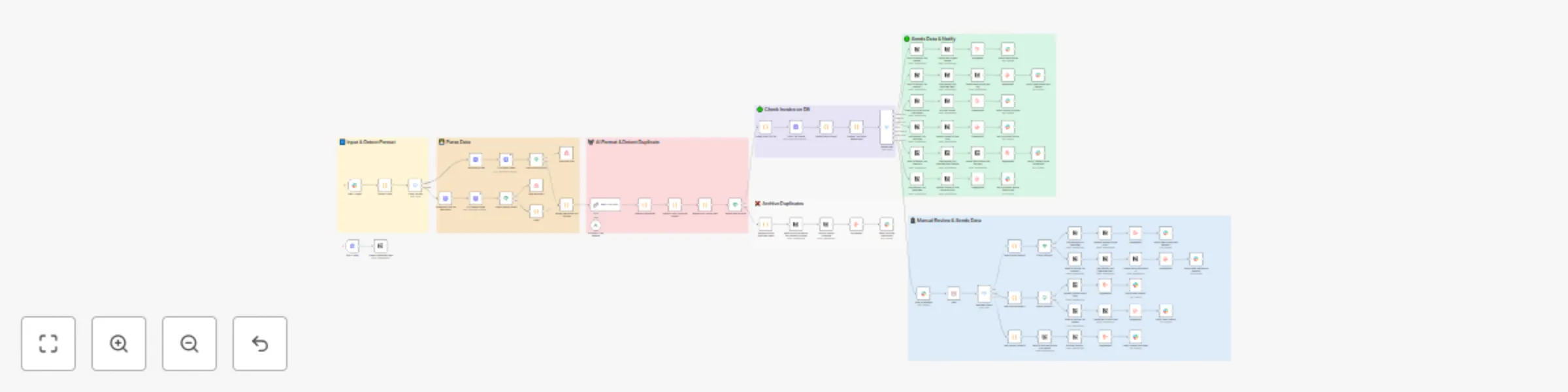
Automated invoice payment tracking with OCR, Claude AI, Slack & Notion DB
# How it Works
This workflow automates Invoice & Payment Tracking (with Approvals) across Notion and Slack.
- Ingest — You drop invoices/receipts (PDF/IMG/JSON) into the flow.
- Extract — OCR + parsing pulls out key fields (invoice no, vendor, currency, totals, receipt paid amount/date).
- De-dup & Match — We canonicalize vendor + invoice_no and search Notion:
- Primary match: Invoice No (+ optional Currency / Vendor (Canon)).
- Fallback: uses document Amount Total and dates.
- Decide the action
- create_unpaid — new invoice (no payment).
- create_paid — new invoice fully paid (unverified).
- create_partial — new invoice with a first partial payment.
- update_partial — add a partial to an existing invoice.
- update_mark_paid — mark existing invoice paid in full.
- manual_review — currency mismatch / overpayment / ambiguous.
- archive — push to archive logs (from manual review).
- Slack approvals (one-click) — A message shows previous paid, this receipt, new total, and Approve buttons (links to a Wait for Webhook resumeUrl). Reviewer picks: Approve Partial / Mark Paid / Manual Review / Archive.
- Notion updates
- We only write editable fields: Paid Amount (number), Status (select), Last Payment Date (date).
- Formulas (e.g., Amount Total, Amount Due) recompute automatically.
- Receipts are saved in a Receipts DB and related back to the invoice.
- Notifications & duplicates — If duplicates are detected, Slack posts a simple list with clickable invoice names.
- Archiving — From Manual Review, Archive goes straight to Archived Invoice DB (and optional Archived Source File DB) as a log entry—no pre-checks needed.
# Set up Steps
Prerequisites
1. Notion DB
2. 4 Slack Channel (**Invoice Input**, **Notification**, **Manual Review**, ***Duplicate Alert (Optional)***)
3. AI Model (We use **Claude 3.5 Haiku**, Feel free to use Latest Model)
4. OCR Parsing (We Used **ocr.space**, Feel Free to Change into any OCR Parsing you have)
#
- **Create Notion DBs:**
- *Invoice DB*: Title `Invoice No`; Number `Paid Amount` (editable); Select `Status`; Dates (`Issue/Due/Last Payment Date`); Formulas:
- `Amount Total = round(Subtotal - Discount Amount + Tax Total, 2)`
- `Amount Due = max(0, round(Amount Total - Paid Amount, 2))`
- *Receipts DB*: `Invoice No`, `Vendor`, `Paid Amount` (number), `Currency` (select), `Paid Date` (date), `Receipt No`, `Source URL`; Relation → Invoice.
- *Archived Invoice DB*: `Invoice No`, `Vendor`, `Reason`, `Source URL`, `Original Page ID`, `Archived At` (date).
- *(Optional)* Source File / Archived Source File DBs.
- Share all DBs with your Notion integration (*Add connections*).
- **Add credentials in n8n:** Notion (integration token) and Slack (bot token). Invite the bot to your channel.
- **Import the workflow/template:** Set each Notion node’s **Database ID** and each Slack node’s **Channel/Credential**.
- **Map updates:** In the Invoice **Update Page** node, map **Paid Amount**, **Status**, **Last Payment Date**. In **Create Receipt**, map `Invoice` relation + receipt fields.
- **Test:** Run with a sample invoice/receipt → click a Slack button → verify Invoice/Receipt updates in Notion → try Archive from Manual Review.