GiovanniSegar
Workflows by GiovanniSegar
AI agent that updates its own rules to modify behavior
## Video walkthrough https://www.youtube.com/watch?v=OwIFK-r-NtQ ## Summary of agent This agent can write and rewrite its own rules, allowing you to mold its behavior. It receives rules from a database as system instructions and has tools to create, edit, or delete them. This is a great baseline for new agent builds. You can tell it things like "Next time, use present tense when talking about this subject" and it will use a tool to save this as a rule, then receive that instruction in all future iterations. ## How to start using it ### Option 1: With a Postgres database (e.g., Supabase) 1. **Supabase Schema:** Create a table (e.g., `agent_rules`) with the following columns: * `id`: `bigint` (Primary Key, auto-incrementing) * `created_at`: `timestamp with time zone` (Default: `now()`) * `rule_text`: `text` * `agent`: `text` 2. **Workflow Updates:** * Update the **Postgres credentials** in the "Get rules from database," "Insert rule into database," and "Execute query on rule database" nodes. * Update the `agent` value (currently 'TestAgent') in the "Get rules from database" and "Insert rule into database" nodes if you want a different agent name. * Update the **Anthropic API credentials**. ### Option 2: With Google Sheets 1. **Google Sheet Setup:** Create a Google Sheet with columns for `rule_text` and `agent`. 2. **Workflow Updates:** * Example Google Sheets nodes are included. You will need to: * Connect your **Google Sheets credentials**. * Select your Google Sheet (with `rule_text` and `agent` columns) in all relevant Google Sheets nodes. * Replace the existing Postgres nodes ("Get rules from database", "Insert rule into database", "Execute query on rule database") with the configured Google Sheets nodes. * Update the `agent` value (currently 'TestAgent') in the Google Sheets nodes if you want a different agent name. * Update the **Anthropic API credentials**. * **Agent Instructions:** Update the agent's system message and remove the database schema section as it is no longer relevant
AI-powered Loom video Q&A with Gemini-2.5 and Slack notifications
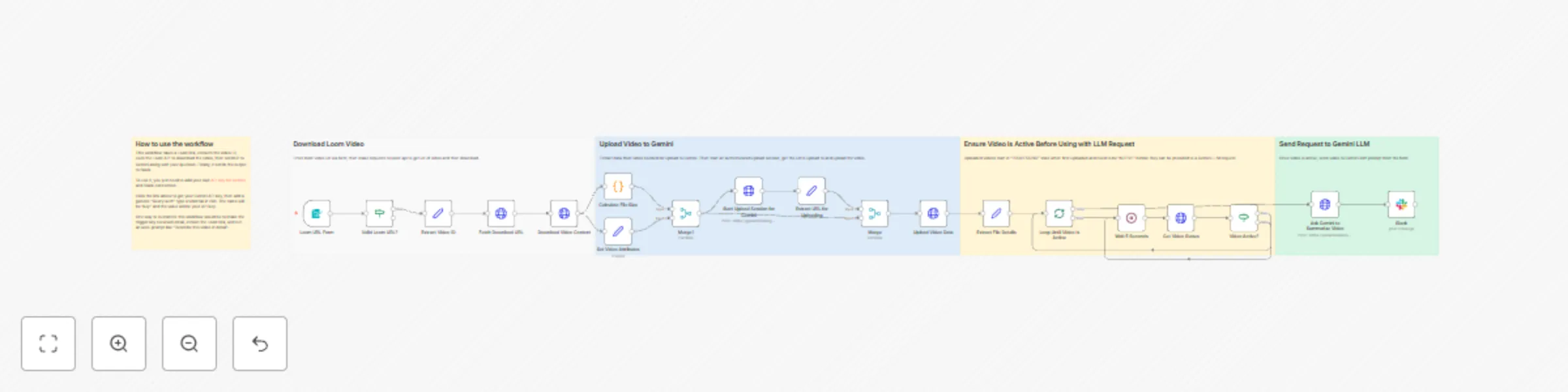
## How to use the workflow This workflow takes a Loom link, extracts the video ID, uses the Loom API to download the video, then sends it to Gemini along with your question. Finally, it sends the output to Slack. To use it, you just need to add your own [API key for Gemini](https://aistudio.google.com/app/apikey) and Slack connection. Click the link above to get your Gemini API key, then add a generic "Query auth" type credential in n8n. The name will be "key" and the value will be your API key. One way to customize this workflow would be to make the trigger any received email, extract the Loom link, and run an auto-prompt like "Describe this video in detail".
Convert image URLs to an uploaded attachment in Airtable
Super simple workflow to convert image URLs to an uploaded attachment in Airtable. You'll need to adjust the field names to match your specific data, including in the filter formula where it says "Cover image URL". Just replace that with the field name where you are storing the image URL.