Gilbert Onyebuchi
Workflows by Gilbert Onyebuchi
Create YouTube videos with OpenAI scripts, ElevenLabs voice, Pixabay and Shotstack
Complete YouTube video automation workflow that creates ready-to-upload videos from start to finish. No manual editing required. **How it works:** This n8n automation fetches stock videos from Pixabay, generates AI-powered voiceover scripts with OpenAI, creates professional narration using ElevenLabs text-to-speech, merges all clips with beautiful transitions using Shotstack rendering, and automatically uploads your finished video to Google Drive. **What you'll achieve:** - Create 5-10 minute videos automatically - Generate unlimited faceless YouTube content - Save hours of manual video editing - Build a consistent content pipeline - Scale your YouTube channel effortlessly **Requirements:** - Pixabay API (free tier available) - ElevenLabs API (text-to-speech) - Shotstack API (video rendering) - OpenAI API (script generation) - Google Drive API credentials Perfect for content creators, YouTube automation, educational channels, social media marketers, and faceless channel owners. 📧 **Questions?** Need customization? Connect with me on LinkedIn: [Click here](https://www.linkedin.com/in/gilbert-onyebuchi/) 👀 Check out my other automation workflows on my n8n creator profile for more productivity tools!
Automate video creation with Gemini Prompts and Vertex AI to Google Drive
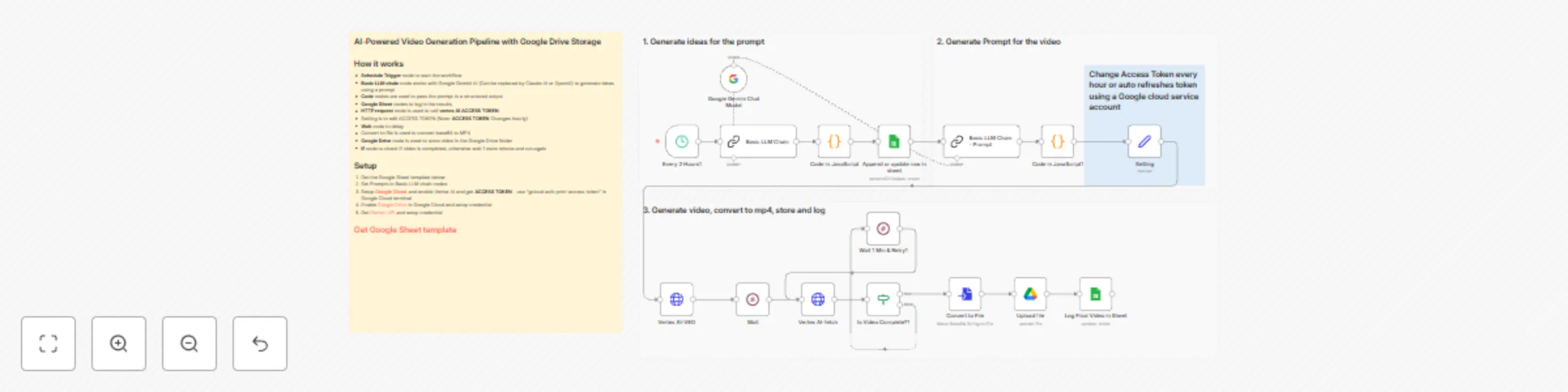
Automate video creation: AI generates ideas, Vertex AI renders videos, and auto-uploads to Google Drive with complete tracking. **What You Get** - Gemini AI for creative prompts - Vertex AI video generation - Auto-upload to Google Drive - Complete Google Sheets logging - Smart retry logic - Base64 to MP4 conversion **Setup** 1. Enable Vertex AI in [Google Cloud](https://console.cloud.google.com/vertex-ai/studio/) 2. Get [Gemini API key](https://aistudio.google.com/) 3. Run `gcloud auth print-access-token` for ACCESS TOKEN 4. Import workflow & configure credentials 5. Add prompts & test **Flow** Schedule → Gemini AI → Vertex AI → Wait → Convert → Upload → Log **Resources** - [Google Sheets Template](https://docs.google.com/spreadsheets/d/1575_YE8kQk92Xj2DTpx4feCYDXu4hZh8CVl57Un2l2k/edit?usp=sharing) **⚠️ Note:** ACCESS TOKEN expires hourly - refresh using `gcloud auth print-access-token` --- **📧 LinkedIn:** [linkedin.com/in/yourprofile](https://www.linkedin.com/in/gilbert-onyebuchi/) **🔗 More n8n Products:** [Click here](https://sites.google.com/view/template-n8n/linkedin-post-designer)
Google Calendar automated notifications with email, SMS & analytics dashboard
Automatically turn your Google Calendar into a fully-automated notification system with email alerts, SMS reminders, and a live performance dashboard - all powered by n8n. This automation helps you never miss an event, while giving you clear visibility into what notifications were sent, when, and how reliably they ran. **What This Automation Does** This solution is built as 4 connected workflows that run on a schedule and work together: **1. Daily Email Summary (Morning)** Every morning, the workflow: - Reads today’s events from Google Calendar - Formats them into a clean email - Sends a daily schedule summary via Mailchimp or SendGrid **2. Daily SMS Summary** Shortly after, it: Sends a concise SMS overview of today’s meetings using Twilio **3. 15-Minute Event Reminders** Before each event: - Sends an individual SMS reminder - Skips all-day events automatically **4. Weekly Schedule Preview** Every Sunday: - Sends a week-ahead summary so you can plan in advance **Live Reporting & Dashboard** All workflow activity is logged automatically into Google Sheets, which powers a real-time analytics dashboard showing: - Number of notifications sent - Success vs failure rates - Daily and weekly execution stats - Visual charts powered by Chart.js - No manual tracking needed, everything updates automatically. **How the Workflow Is Structured** The automation is grouped into 3 clear sections: **Section 1: Calendar Data Collection** - Pulls events from Google Calendar - Filters relevant meetings - Prepares clean event data **Section 2: Notifications & Messaging** - Formats emails and SMS messages - Sends reminders and summaries - Handles scheduling logic **Section 3: Logging & Reporting** - Saves every execution to Google Sheets - Updates daily stats automatically - Feeds the live dashboard **SUPPORT & FEEDBACK** Questions or issues? Connect with me on [LinkedIn](https://www.linkedin.com/in/gilbert-onyebuchi/) Want to see it in action? Try the live report demo: [Click here](https://sites.google.com/view/template-n8n/test-products/calendar-analytics)
Automate B2B lead generation using Google Places API & SendGrid with dashboard
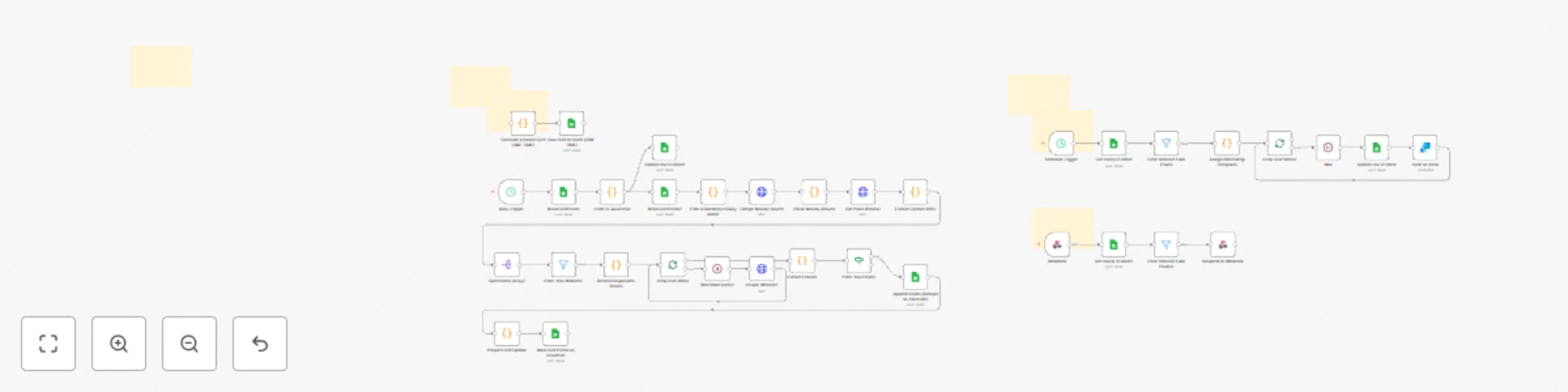
This n8n workflow automates the entire lead generation pipeline from discovery to outreach: **1. Location Grid Generation and Management** - Generates precise lat/lng grid points covering major US cities (New York, Texas, New Jersey, Atlanta, Miami) - Uses 1.5km radius searches for optimal coverage - Tracks searched locations to prevent duplicates - Processes 50 points per day (customizable based on API quota) **2. Automated Lead Discovery** - Daily scheduled searches using Google Places Nearby API - Extracts business details: name, address, rating, status, place ID - Fetches additional data via Google Places Details API (phone, website, hours) - Smart filtering to focus only on businesses with websites **3. Contact Information Extraction** - Scrapes business websites to find email addresses - Advanced email filtering removes fake/placeholder emails - Deduplicates by domain to ensure quality leads - Tracks all discovered emails per business **4. Intelligent Cold Email Outreach** - Two alternating email templates for variety and testing - Personalized with business name, industry, and first name - Rate-limited sending (30-second delays) to avoid spam flags - Automated via SendGrid integration - Marks sent emails in the database **5. Real-Time Lead Dashboard** - Webhook-powered reporting endpoint - Displays all discovered leads with full details - Filters out fake/invalid emails automatically - Clean, accessible data format for analysis **What You Get:** 1. Automated daily lead collection from Google Places 2. Email extraction from business websites 3. Personalized cold email campaigns with A/B testing 4. Lead tracking database in Google Sheets 5. Real-time reporting dashboard via webhook 6. Complete deduplication to maintain data quality **Setup Requirements:** - Google Cloud Platform account (for Places API key) - SendGrid account (for email sending) - Google Sheets (2 templates provided) - Basic n8n knowledge for configuration **Included Templates:** - Location Grid Google Sheet - Tracks searched coordinates - Leads Database Google Sheet - Stores all discovered leads - Dashboard Webpage - Real-time lead reporting interface **Customizable Features:** - Target locations (currently covers 5 major US cities) - Daily batch size (default: 50 searches/day) - Email templates and personalization - Search radius (default: 1.5km) - Industry filters and targeting **Perfect For:** - Marketing agencies building client lead lists - B2B sales teams prospecting locally - Service providers finding new customers - Anyone needing automated local business outreach **Need help setting this up or want custom modifications?** 📧 Connect with me on LinkedIn: [Gilbert Onyebuchi](https://www.linkedin.com/in/gilbert-onyebuchi/) 🌐 View live dashboard demo: [Click here](https://sites.google.com/view/template-n8n/test-products/lead-gen-report)
Email newsletter system with SendGrid, Google Sheets & freemium rate limiting
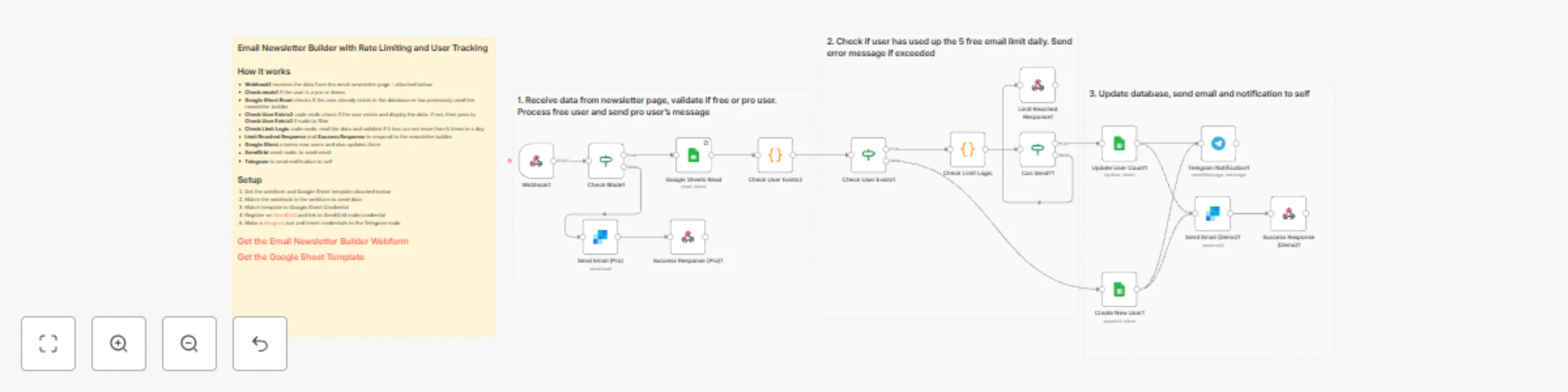
A complete email campaign automation system featuring dual-mode access control (Demo/Pro), usage tracking, and professional email delivery. Perfect for SaaS products, marketing agencies, or anyone building newsletter tools with freemium models. **WHAT IT DOES** This workflow manages email newsletter campaigns with built-in rate limiting for free users and unlimited access for premium users. It automatically tracks daily usage, manages user data in Google Sheets, delivers emails via SendGrid, and sends real-time notifications through Telegram. **KEY FEATURES** - Dual-Mode System: Demo mode (5 emails/day) and Pro mode (unlimited) - Smart Rate Limiting: Automatic daily counter reset - User Management: Automatic new user registration and tracking - Google Sheets Integration: Stores user data, send counts, and usage history - Professional Email Delivery: SendGrid integration for reliable sending - Real-Time Monitoring: Telegram notifications for every send - Ready-to-Use Templates: 4 professional email designs included (Modern, Professional, Promotional, Newsletter) - Live Preview: See exactly how emails look before sending - HTML Export: Copy email HTML for use in any platform **HOW IT WORKS** 1. User accesses the Email Newsletter Builder web form 2. Designs email using one of 4 professional templates 3. Chooses Demo or Pro mode 4. Webhook receives the email data and configuration 5. Workflow checks mode (Demo/Pro) 6. For Demo mode: - Queries Google Sheets for user email - Checks if user exists and validates daily limit (<5 sends) - If new user: Creates database entry - If existing user + under limit: Increments counter - If limit reached: Returns error message 7. For Pro mode: Sends immediately without limits 8. SendGrid delivers the email 9. Google Sheets updates with new send count and timestamp 10. Telegram notification sent to admin 11. Success/error response returned to user **SETUP REQUIREMENTS** 1. Google Sheets account (free) 2. SendGrid account (free tier: 100 emails/day) 3. Telegram account + bot (free) 4. n8n instance (self-hosted or cloud) **SUPPORT & FEEDBACK** Questions or issues? Connect with me on [LinkedIn](https://www.linkedin.com/in/gilbert-onyebuchi/) Want to see it in action? Try the live demo: [Click here](https://sites.google.com/view/template-n8n/email-newsletter) ⭐ If you find this workflow helpful, please give it a rating and share your feedback!
Design and post LinkedIn content with AI captions and custom templates
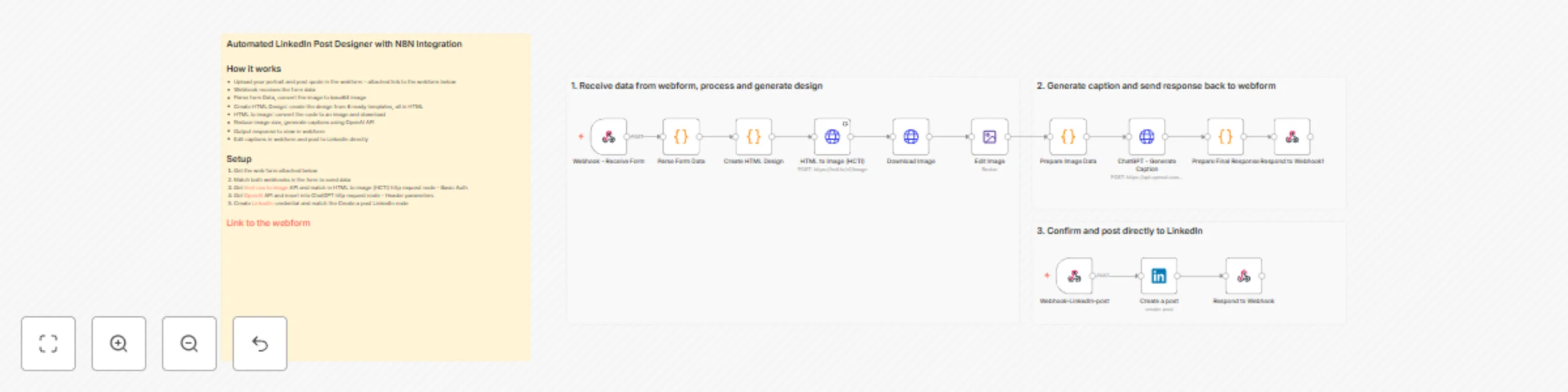
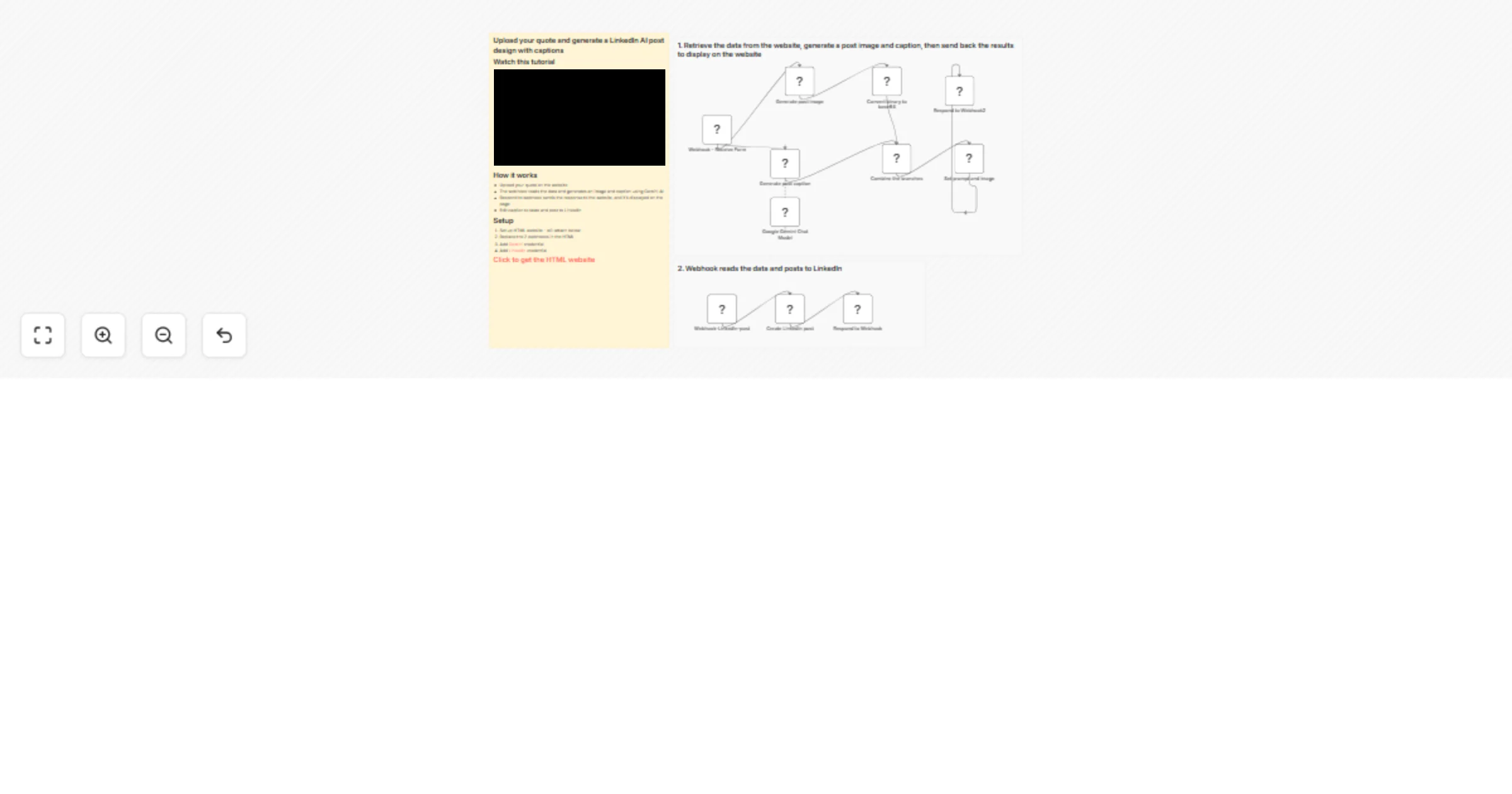
This workflow leverages n8n to automate LinkedIn content creation from start to finish. Upload an image and quote through a web form, and get a professionally designed post with AI-generated captions, ready to publish in seconds. ## Features * Randomly selects from 6 professional design templates for visual variety * Converts HTML designs to high-quality images (90-95% JPEG quality) * Generates engaging captions using OpenAI's GPT models * Built-in caption editor for customization before posting * Direct publishing to LinkedIn profiles or company pages * Auto-compresses images for optimal LinkedIn upload ## Prerequisites 1. **N8N Instance**: A running n8n instance (cloud or self-hosted) 2. **OpenAI API**: Active account with API access for caption generation 3. **LinkedIn Account**: Profile or company page with API access 4. **Image Conversion API**: HTML CSS to Image account 5. **Web Hosting**: Platform to host the web form (Netlify, Vercel, or custom server) ## Setup Instructions ### 1. Deploy Web Form * Download the provided web form template * Host on your preferred platform * Copy both webhook URLs from your n8n workflow * Update form's webhook endpoints with your n8n URLs ### 2. Configure Image Conversion * Sign up at [htmlcsstoimage.com](https://htmlcsstoimage.com/) * Get your API credentials (User ID + API Key) * Add to HTTP Request node as Basic Auth credentials ### 3. Connect OpenAI API * Create API key at [OpenAI Platform](https://platform.openai.com/settings/) * In the ChatGPT HTTP Request node, add Header parameter: * Key: `Authorization` * Value: `Bearer YOUR_API_KEY` * Recommended model: `gpt-4` or `gpt-3.5-turbo` ### 4. Authenticate LinkedIn * Create LinkedIn OAuth2 credential in n8n * Follow the authentication flow and grant required permissions * Select the credential in the "Create a post" LinkedIn node * Choose post destination (personal profile or company page) ### 5. Test the Workflow * Submit test data through the web form * Monitor n8n execution panel for successful completion * Verify image generation, caption quality, and LinkedIn posting * Adjust settings as needed based on results ## Notes * Processing time averages 10-20 seconds from upload to preview * All 6 design templates are fully responsive and LinkedIn-optimized * Caption editor allows full customization before publishing to LinkedIn For questions or issues, please contact me for consulting and support : [Linkedin](https://www.linkedin.com/in/gilbert-onyebuchi/). ## 🔗 Test with sample data first. **[Access Web Form Template](https://sites.google.com/view/template-n8n/linkedin-post-designer)**
Discover GitHub developers with Hunter.io email lookup & Google Sheets CRM sync
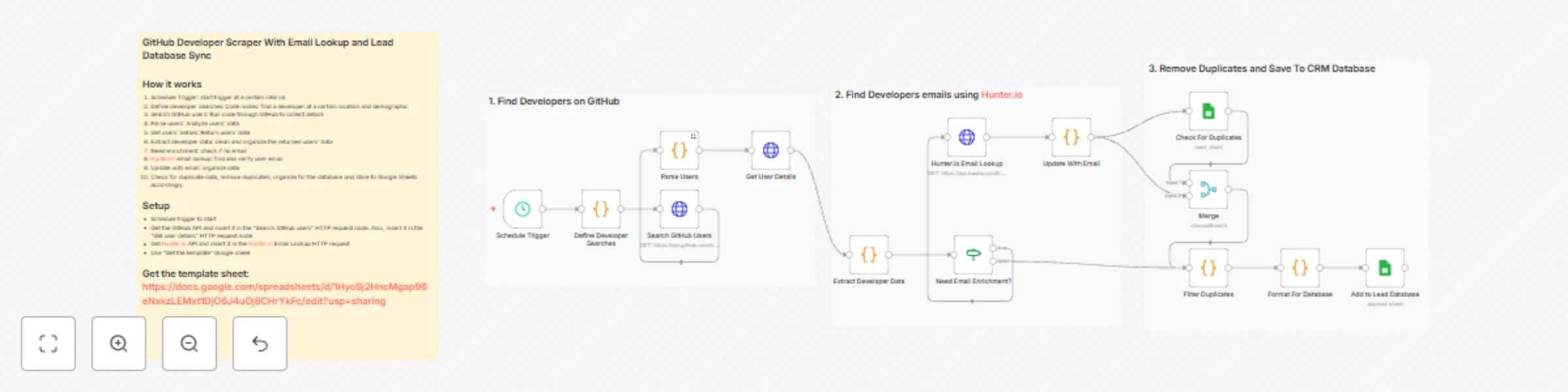
This workflow automatically discovers developers on GitHub, enriches their data with email addresses, removes duplicates, and saves everything into a structured Google Sheets CRM. No manual searching, copying, or data cleaning required. It’s perfect for recruiter teams, SaaS founders, agencies, and outbound marketers who need fresh developer leads every day without spending hours on GitHub. ## How It Works This automation is divided into 3 clear stages: 1. Find Developers on GitHub. The workflow runs on a schedule (daily/hourly). 2. Enrich Developer Data with Emails. The workflow checks if a developer already has an email. If not, it automatically uses Hunter.io to find a professional email address. 3. Remove Duplicates & Save to Google Sheets ## What You Get - Automatic developer sourcing - Email enrichment using Hunter.io - Built-in duplicate detection - Clean, enriched data you can use instantly for outreach ## What You Need - GitHub API - Hunter.io API key - Google Sheets connection - n8n (self-hosted or cloud)
Automate lead intake & CRM with Tally Forms to Google Sheets and SendGrid emails
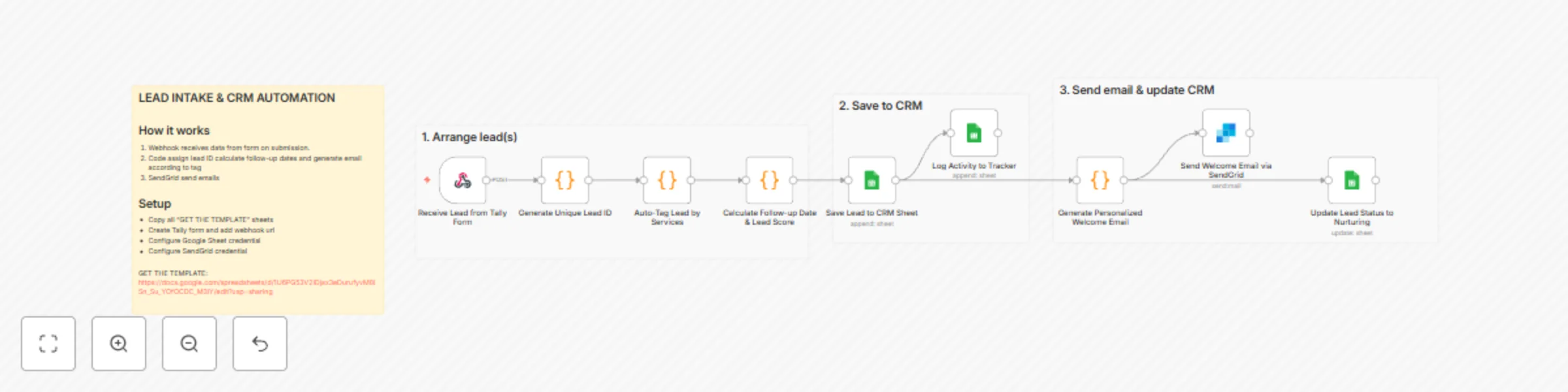
## Capture leads from Tally forms to Google Sheets CRM This workflow automates lead intake by capturing form submissions, enriching them with smart tags and scores, storing them in a Google Sheets CRM, and sending personalized welcome emails. ## Who's it for This template is perfect for solopreneurs, small agencies, and marketing consultants who need a simple yet powerful CRM system without paying for expensive tools like HubSpot or Salesforce. If you're collecting leads through forms and manually copying data to spreadsheets, this automation will save you hours every week. ## What it does When someone submits your Tally lead capture form, this workflow automatically: - Generates a unique lead ID and timestamps the entry - Analyzes their responses to assign relevant service tags (Podcast Lead, Social Content Lead, Video Editing Lead, etc.) - Calculates an initial lead score based on interest level - Determines the next follow-up date automatically - Appends all data to your Google Sheets CRM with proper formatting - Logs the activity in a separate tracker sheet - Sends a personalized welcome email tailored to their interests - Updates the lead status to "Nurturing" ## Requirements **Apps & Services:** - Google Sheets (for your CRM database) - Tally.so or Google Forms (for lead capture) - SendGrid account (free tier works) for email sending - n8n instance (cloud or self-hosted) **Setup needed:** - Create the Google Sheets CRM structure (4 sheets: Leads, Email Sequence Tracker, Activity Log, Dashboard Data) - Set up your Tally form with fields: Name, Email, Business Type, Interest Level, Services Needed - Configure SendGrid API credentials in n8n - Connect your Google Sheets account to n8n ## How to set up 1. **Copy the Google Sheets template** with all four sheets (Leads, Email Sequence Tracker, Activity Log, Dashboard Data) and set up column headers as specified 2. **Create your Tally form** at tally.so with the required fields, then grab the webhook URL from n8n 3. **Import this workflow** into your n8n instance 4. **Configure credentials** for Google Sheets and SendGrid 5. **Update the webhook URL** in your Tally form settings 6. **Customize the welcome email** in the "Generate Welcome Email" node with your branding 7. **Test with a sample submission** to verify everything flows correctly 8. **Activate the workflow** and start capturing leads ## How to customize **Modify service tags:** Edit the `serviceTagMap` object in the "Auto-Tag Lead" node to match your specific services. **Adjust lead scoring:** Change the scoring logic in "Calculate Initial Dates & Score" to prioritize different interest levels or sources. **Personalize emails:** Update the email templates in "Generate Welcome Email" to match your brand voice and add specific resources or links. **Add more integrations:** Extend the workflow with Slack notifications, SMS alerts via Twilio, or sync to other tools like Notion or Airtable. **Change follow-up timing:** Modify the `daysToAdd` calculation to adjust when leads receive their next touchpoint. **Add conditional paths:** Use IF nodes to route different lead types to different email sequences or team members.