F

Friedemann Schuetz

10
Workflows

Workflows by Friedemann Schuetz

Workflow preview: VEO3 video generator with AI optimization and Google Drive storage
Free intermediate

VEO3 video generator with AI optimization and Google Drive storage

# Welcome to my VEO3 Video Generator Workflow! This automated workflow transforms simple text descriptions into professional 8-second videos using Google's cutting-edge VEO3 AI model. Users submit video ideas through a web form, and the system automatically generates optimized prompts, creates high-quality videos with native audio, and delivers them via Google Drive - all powered by Claude 4 Sonnet for intelligent prompt optimization. ![image.png](fileId:1453) ## This workflow has the following sequence: 1. **VEO3 Generator Form** - Web form interface for users to input video content, format, and duration 2. **Video Prompt Generator** - AI agent powered by Claude 4 Sonnet that: - Analyzes user input for video content requirements - Creates factual, professional video titles - Generates detailed VEO3 prompts with subject, context, action, style, camera motion, composition, ambiance, and audio elements - Optimizes prompts for 16:9 landscape format and 8-second duration 3. **Create VEO3 Video** - Submits the optimized prompt to fal.ai VEO3 API for video generation 4. **Wait 30 seconds** - Initial waiting period for video processing to begin 5. **Check VEO3 Status** - Monitors the video generation status via fal.ai API 6. **Video completed?** - Decision node that checks if video generation is finished - If not completed: Returns to wait cycle - If completed: Proceeds to video retrieval 7. **Get VEO3 Video URL** - Retrieves the final video download URL from fal.ai 8. **Download VEO3 Video** - Downloads the generated MP4 video file 9. **Merge** - Combines video data with metadata for final processing 10. **Save Video to Google Drive** - Uploads the video to specified Google Drive folder 11. **Video Output** - Displays completion message with Google Drive link to user ## The following accesses are required for the workflow: - **Anthropic API** (Claude 4 Sonnet): [Documentation](https://docs.n8n.io/integrations/builtin/credentials/anthropic/) - **Fal.ai API** (VEO3 Model): Create API key at [https://fal.ai/dashboard/keys](https://fal.ai/dashboard/keys) - **Google Drive API**: [Documentation](https://docs.n8n.io/integrations/builtin/credentials/google/) ## Workflow Features: - **User-friendly web form**: Simple interface for video content input - **AI-powered prompt optimization**: Claude 4 Sonnet creates professional VEO3 prompts - **Automatic video generation**: Leverages Google's VEO3 model via fal.ai - **Status monitoring**: Real-time tracking of video generation progress - **Google Drive integration**: Automatic upload and sharing of generated videos - **Structured output**: Consistent video titles and professional prompt formatting - **Audio optimization**: VEO3's native audio generation with ambient sounds and music ## Current Limitations: - **Format**: Only 16:9 landscape videos supported - **Duration**: Only 8-second videos supported - **Processing time**: Videos typically take 60-120 seconds to generate ## Use Cases: - **Content creation**: Generate videos for social media, websites, and presentations - **Marketing materials**: Create promotional videos and advertisements - **Educational content**: Produce instructional and explanatory videos - **Prototyping**: Rapid video concept development and testing - **Creative projects**: Artistic and experimental video generation - **Business presentations**: Professional video content for meetings and pitches Feel free to [contact me via LinkedIn](https://www.linkedin.com/in/friedemann-schuetz), if you have any questions!

F
Friedemann Schuetz
Content Creation
8 Jun 2025
19027
0
Workflow preview: Wikipedia podcast generator - AI-powered voice content creator via Telegram
Free intermediate

Wikipedia podcast generator - AI-powered voice content creator via Telegram

**This n8n workflow template uses community nodes and is only compatible with the self-hosted version of n8n.** # Welcome to my Wikipedia Podcast Telegram Bot Workflow! This workflow creates an intelligent Telegram bot that transforms Wikipedia articles into engaging 5-minute podcast episodes using natural language queries and voice messages. ![Screenshot 20250529 185855.png](fileId:1416) ## What this workflow does This workflow processes incoming Telegram messages (text or voice, e.g. "Berlin") and generates professional podcast content about any Wikipedia topic (e.g. "Berlin", "Shakespeare", etc.). The AI agent researches the requested subject, creates a structured podcast script, and delivers it as high-quality audio directly through Telegram. **Key Features:** - Voice message support (speech-to-text and text-to-speech) - Wikipedia research integration for accurate content - Professional podcast structure (intro, main content, outro) - Natural-sounding AI voice synthesis - Conversational and educational tone optimized for audio consumption This workflow has the following sequence: 1. **Telegram Trigger** - Receives incoming messages (text or voice) from users via Telegram bot 2. **Text or Voice Switch** - Routes the message based on input type (text message vs. voice message) 3. **Voice Message Processing** (if voice input): - Retrieval of voice file from Telegram - Transcription of voice message to text using OpenAI Whisper 4. **Text Message Preparation** (if text input) - Prepares the text message for the AI agent 5. **Wikipedia Podcast Agent** - Core AI agent that: - Researches the requested topic using Wikipedia tool - Creates a professional 5-minute podcast script (600-750 words) - Follows structured format: intro, main content, outro - Uses conversational, accessible, and enthusiastic tone 6. **ElevenLabs Text to Speech** - Converts the podcast script into natural-sounding audio using AI voice synthesis 7. **Send Voice Response** - Delivers the generated podcast audio back to the user via Telegram ### Requirements: - **Telegram Bot API**: [Documentation](https://docs.n8n.io/integrations/builtin/credentials/telegram/) - Create a bot via @BotFather on Telegram - Get bot token and configure webhook - **Anthropic API** (Claude 4 Sonnet): [Documentation](https://docs.n8n.io/integrations/builtin/credentials/anthropic/) - Used for AI agent processing and podcast script generation - Provides Wikipedia research capabilities - **OpenAI API**: [Documentation](https://docs.n8n.io/integrations/builtin/credentials/openai/) - Used for speech transcription (Whisper model) - **ElevenLabs API**: [Documentation](https://github.com/n8n-ninja/n8n-nodes-elevenlabs?tab=readme-ov-fil) - Used for high-quality text-to-speech generation - Provides natural-sounding voice synthesis **Important:** The workflow uses the Wikipedia tool integrated with Claude 4 Sonnet to ensure accurate and comprehensive research. The AI agent is specifically prompted to create engaging, educational podcast content suitable for audio consumption. **Configuration Notes:** - Update the Telegram chat ID in the trigger for your specific bot - Modify the voice selection in ElevenLabs for different narrator styles - The system prompt can be customized for different podcast formats or target audiences - Supports both individual users and can be extended for group chats Feel free to [contact me via LinkedIn](https://www.linkedin.com/in/friedemann-schuetz), if you have any questions!

F
Friedemann Schuetz
Content Creation
30 May 2025
1550
0
Workflow preview: Airbnb Telegram agent - AI-powered accommodation search with voice support
Free advanced

Airbnb Telegram agent - AI-powered accommodation search with voice support

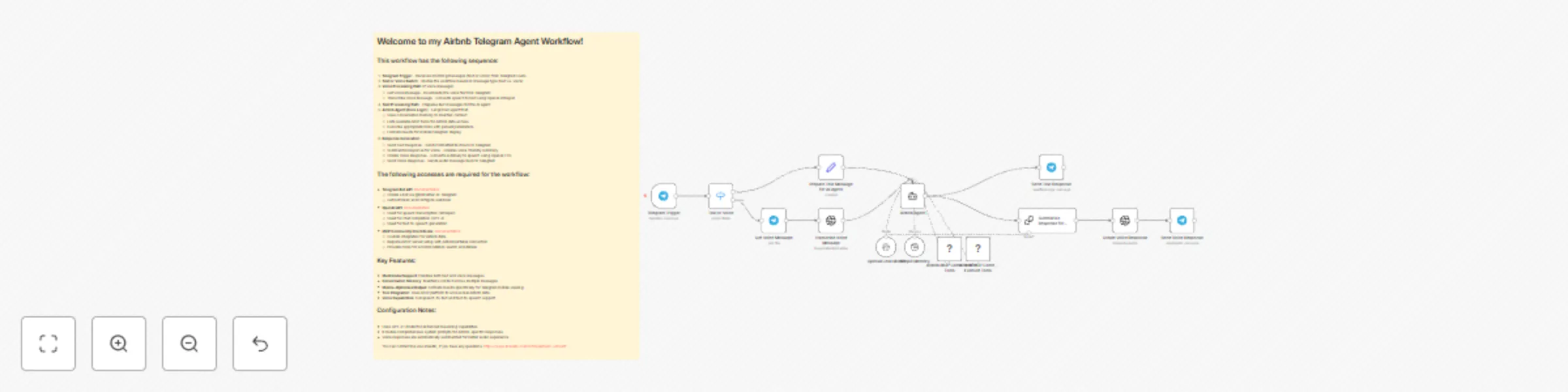
# Welcome to my Airbnb Telegram Agent Workflow! This workflow creates an intelligent Telegram bot that helps users search and find Airbnb accommodations using natural language queries and voice messages. **DISCLAIMER: This workflow only works with self-hosted n8n instances! You have to install the [n8n-nodes-mcp-client Community Node](https://www.npmjs.com/package/n8n-nodes-mcp)!** ![Screenshot 20250529 175332.png](fileId:1415) ## What this workflow does This workflow processes incoming Telegram messages (text or voice) and provides personalized Airbnb accommodation recommendations. The AI agent understands natural language queries, searches through Airbnb data using MCP tools, and returns mobile-optimized results with clickable links, prices, and key details. **Key Features:** - Voice message support (speech-to-text and text-to-speech) - Conversation memory for context-aware responses - Mobile-optimized formatting for Telegram - Real-time Airbnb data access via MCP integration This workflow has the following sequence: 1. **Telegram Trigger** - Receives incoming messages from users 2. **Text or Voice Switch** - Routes based on message type 3. **Voice Processing** (if applicable) - Downloads and transcribes voice messages 4. **Text Preparation** - Formats text input for the AI agent 5. **Airbnb AI Agent** - Core logic that: - Lists available MCP tools for Airbnb data - Executes searches with parsed parameters - Formats results for mobile display 6. **Response Generation** - Sends formatted text response 7. **Voice Response** (optional) - Creates and sends audio summary ### Requirements: - **Telegram Bot API**: [Documentation](https://docs.n8n.io/integrations/builtin/credentials/telegram/) - Create a bot via @BotFather on Telegram - Get bot token and configure webhook - **OpenAI API**: [Documentation](https://docs.n8n.io/integrations/builtin/credentials/openai/) - Used for speech transcription (Whisper) - Used for chat completion (GPT-4) - Used for text-to-speech generation - **MCP Community Client Node**: [Documentation](https://github.com/nerding-io/n8n-nodes-mcp) - Custom integration for Airbnb data - Requires MCP server setup with Airbnb/Airtable connection - Provides tools for accommodation search and details **Important:** You need to set up an MCP server with Airbnb data access. The workflow uses MCP tools to retrieve real accommodation data, so ensure your MCP server is properly configured with the Airtable/Airbnb integration. **Configuration Notes:** - Update the Telegram chat ID in the trigger for your specific bot - Modify the system prompt in the Airbnb Agent for different use cases - The workflow supports both individual users and can be extended for group chats Feel free to [contact me via LinkedIn](https://www.linkedin.com/in/friedemann-schuetz), if you have any questions!

F
Friedemann Schuetz
Support Chatbot
30 May 2025
6276
0
Workflow preview: Generate Images with OpenAI new GPT-Image-1 Model via User-Friendly Form
Free intermediate

Generate Images with OpenAI new GPT-Image-1 Model via User-Friendly Form

# Welcome to my Simple OpenAI Image Generator Workflow! This workflow creates an image with the new OpenAI image model "GPT-Image-1" based on a form input. ### This workflow has the following sequence: 1. Form trigger (image prompt and image size input) 2. Generate the Image via OpenAI API. 3. Return the image to the input form for download. ### The following accesses are required for the workflow: - OpenAI API access: [Documentation](https://docs.n8n.io/integrations/builtin/credentials/openai/) ### Instructions - Link your OpenAI Platform account in the “OpenAI Image Generation” node ("Credential Type") You can contact me via LinkedIn, if you have any questions: https://www.linkedin.com/in/friedemann-schuetz

F
Friedemann Schuetz
Content Creation
24 Apr 2025
1454
0
Workflow preview: Automated AI image tagging and writing keywords into image (via community node)
Free intermediate

Automated AI image tagging and writing keywords into image (via community node)

# Welcome to my Automated Image Metadata Tagging Workflow! **DISCLAIMER: This workflow only works with self-hosted n8n instances! You have to install the [n8n-nodes-exif-data Community Node](https://www.npmjs.com/package/n8n-nodes-exif-data)!** This workflow automatically analyzes the image content with the help of AI and writes it directly back into the image file as keywords. (https://n8n.io/workflows/2995).** ![Screenshot 20250224 201346.png](fileId:964) ## This workflow has the following steps: 1. Google Drive trigger (scan for new files added in a specific folder) 2. Download the added image file 3. Analyse the content of the image 4. Merge Metadata and image file 5. Write the Keywords into the Metadata (dc:subject/keywords) and create new image file 6. Update the original file in the Google Drive folder ## The following accesses are required for the workflow: - **You have to install the [n8n-nodes-exif-data Community Node](https://www.npmjs.com/package/n8n-nodes-exif-data)** - Google Drive: [Documentation](https://docs.n8n.io/integrations/builtin/credentials/google) - AI API access (e.g. via OpenAI, Anthropic, Google or Ollama) You can contact me via LinkedIn, if you have any questions: https://www.linkedin.com/in/friedemann-schuetz

F
Friedemann Schuetz
File Management
24 Feb 2025
1574
0
Workflow preview: Automated AI image tagging and writing the keywords into the image file
Free intermediate

Automated AI image tagging and writing the keywords into the image file

# Welcome to my Automated Image Metadata Tagging Workflow! This workflow automatically analyzes the image content with the help of AI and writes it directly back into the image file as keywords. ## This workflow has the following sequence: 1. Google Drive trigger (scan for new files added in a specific folder) 2. Download the added image file 3. Analyse the content of the image and extract the file as Base64 code 4. Merge Metadata and Base64 Code 5. Code Node to write the Keywords into the Metadata (dc:subject) 6. Convert to file and update the original file in the Google Drive folder ## The following accesses are required for the workflow: - Google Drive: [Documentation](https://docs.n8n.io/integrations/builtin/credentials/google) - AI API access (e.g. via OpenAI, Anthropic, Google or Ollama) You can contact me via LinkedIn, if you have any questions: https://www.linkedin.com/in/friedemann-schuetz

F
Friedemann Schuetz
File Management
24 Feb 2025
4238
0
Workflow preview: AI social media caption creator creates social media post captions in Airtable
Free intermediate

AI social media caption creator creates social media post captions in Airtable

# Welcome to my **AI Social Media Caption Creator** Workflow! ## What this workflow does This workflow automatically creates a social media post caption in an editorial plan in Airtable. It also uses background information on the target group, tonality, etc. stored in Airtable. ## This workflow has the following sequence: 1. Airtable trigger (scan for new records every minute) 2. Wait 1 Minute so the Airtable record creator has time to write the Briefing field 3. retrieval of Airtable record data 4. AI Agent to write a caption for a social media post. The agent is instructed to use background information stored in Airtable (such as target group, tonality, etc.) to create the post. 5. Format the output and assign it to the correct field in Airtable. 6. Post the caption into Airtable record. ## Requirements - Airtable Database: [Documentation](https://docs.n8n.io/integrations/builtin/credentials/airtable) - AI API access (e.g. via OpenAI, Anthropic, Google or Ollama) ### Example of an editorial plan in Airtable: [Editorial Plan example in Airtable](https://airtable.com/appIXeIkDPjQefHXN/shrwcY45g48RpcvvC) For this workflow you need the Airtable fields "created_at", "Briefing" and "SoMe_Text_AI" **Feel free to [contact me via LinkedIn](https://www.linkedin.com/in/friedemann-schuetz), if you have any questions!**

F
Friedemann Schuetz
Content Creation
29 Jan 2025
4716
0
Workflow preview: Zoom AI meeting assistant creates mail summary, ClickUp tasks and follow-up call
Free advanced

Zoom AI meeting assistant creates mail summary, ClickUp tasks and follow-up call

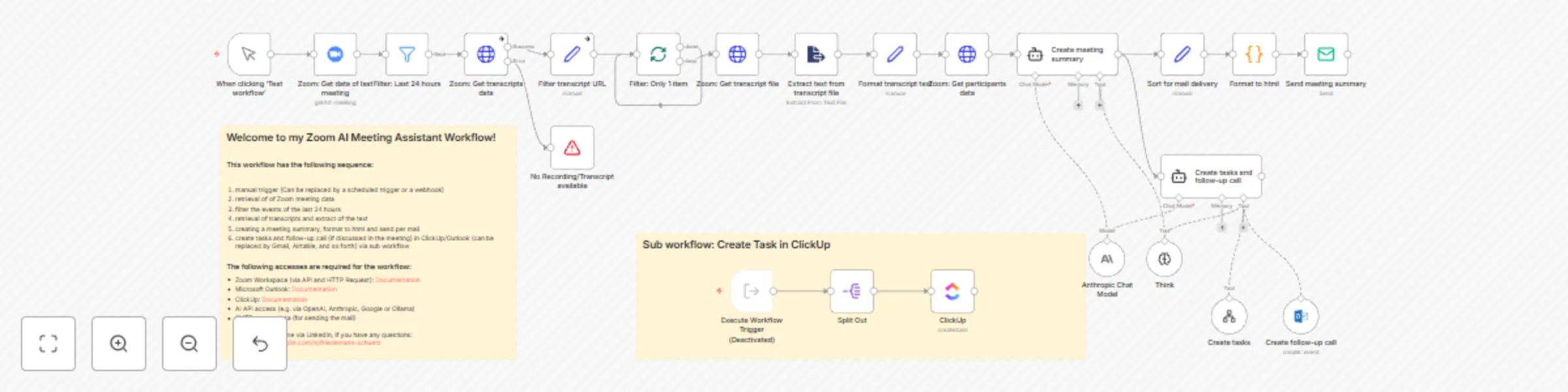
## Update 19-04-2025 ## - Change from OpenAI to Claude 3.7 Sonnet module - Adding the Think Tool **The update enables significantly better results to be achieved. This is particularly noticeable during longer meetings!** ## What this workflow does This workflow retrieves the Zoom meeting data from the last 24 hours. The transcript of the last meeting is then retrieved, processed, a summary is created using AI and sent to all participants by email. AI is then used to create tasks and follow-up appointments based on the content of the meeting. Important: You need a Zoom Workspace Pro account and must have activated Cloud Recording/Transcripts! This workflow has the following sequence: 1. manual trigger (Can be replaced by a scheduled trigger or a webhook) 2. retrieval of of Zoom meeting data 3. filter the events of the last 24 hours 4. retrieval of transcripts and extract of the text 5. creating a meeting summary, format to html and send per mail 6. create tasks and follow-up call (if discussed in the meeting) in ClickUp/Outlook (can be replaced by Gmail, Airtable, and so forth) via sub workflow ### Requirements: - Zoom Workspace (via API and HTTP Request): [Documentation](https://docs.n8n.io/integrations/builtin/credentials/zoom/) - Microsoft Outlook: [Documentation](https://docs.n8n.io/integrations/builtin/credentials/microsoft/) - ClickUp: [Documentation](https://docs.n8n.io/integrations/builtin/credentials/clickup/) - AI API access (e.g. via OpenAI, Anthropic, Google or Ollama) - SMTP access data (for sending the mail) You must set up the individual sub-workflows as separate workflows. Then set the “Execute workflow trigger” here. Then select the corresponding sub-workflow in the AI Agent Tools. You can select the number of domains yourself. If the data queries are not required, simply delete the corresponding tool (e.g. “Analytics_Domain_5). Feel free to [contact me via LinkedIn](https://www.linkedin.com/in/friedemann-schuetz), if you have any questions!

F
Friedemann Schuetz
Project Management
26 Jan 2025
15417
0
Workflow preview: AI marketing report (Google Analytics & Ads, Meta Ads), sent via email/Telegram
Free advanced

AI marketing report (Google Analytics & Ads, Meta Ads), sent via email/Telegram

## What this workflow does This workflow retrieves Online Marketing data (Google Analytics for several domains, Google Ads, Meta Ads) from the last 7 days and the same period in the previous year. The data is then prepared by AI as a table, analyzed and provided with a small summary. The summary is then sent by email to a desired address and, shortened and summarized again, sent to a Telegram account. This workflow has the following sequence: 1. time trigger (e.g. every Monday at 7 a.m.) 2. retrieval of Online Marketing data from the last 7 days (via sub workflows) 3. assignment and summary of the data 4. retrieval of Online Marketing data from the same time period of the previous year 5. allocation and summary of the data 6. preparation in tabular form and brief analysis by AI. 7. sending the report as an email 8. preparation in short form by AI for Telegram (optional) 9. sending as Telegram message. ## Requirements The following accesses are required for the workflow: - Google Analytics (via Google Analytics API): [Documentation](https://docs.n8n.io/integrations/builtin/credentials/google/) - Google Ads (via HTTP Request -> Google Ads API):[Documentation](https://docs.n8n.io/integrations/builtin/credentials/google/) - Meta Ads (via Facebook Graph API): [Documentation](https://docs.n8n.io/integrations/builtin/credentials/facebookgraph/) - AI API access (e.g. via OpenAI, Anthropic, Google or Ollama) - SMTP access data (for sending the mail) - Telegram access data (optional for sending as Telegram message): [Documentation](https://docs.n8n.io/integrations/builtin/credentials/telegram/) You must set up the individual sub-workflows as separate workflows. Then set the “Execute workflow trigger” here. Then select the corresponding sub-workflow in the AI Agent Tools. You can select the number of domains yourself. If the data queries are not required, simply delete the corresponding tool (e.g. “Analytics_Domain_5). Feel free to [contact me via LinkedIn](https://www.linkedin.com/in/friedemann-schuetz), if you have any questions!

F
Friedemann Schuetz
Market Research
23 Jan 2025
49524
0
Workflow preview: Create a Google Analytics data report with AI and sent it to e-mail and Telegram
Free intermediate

Create a Google Analytics data report with AI and sent it to e-mail and Telegram

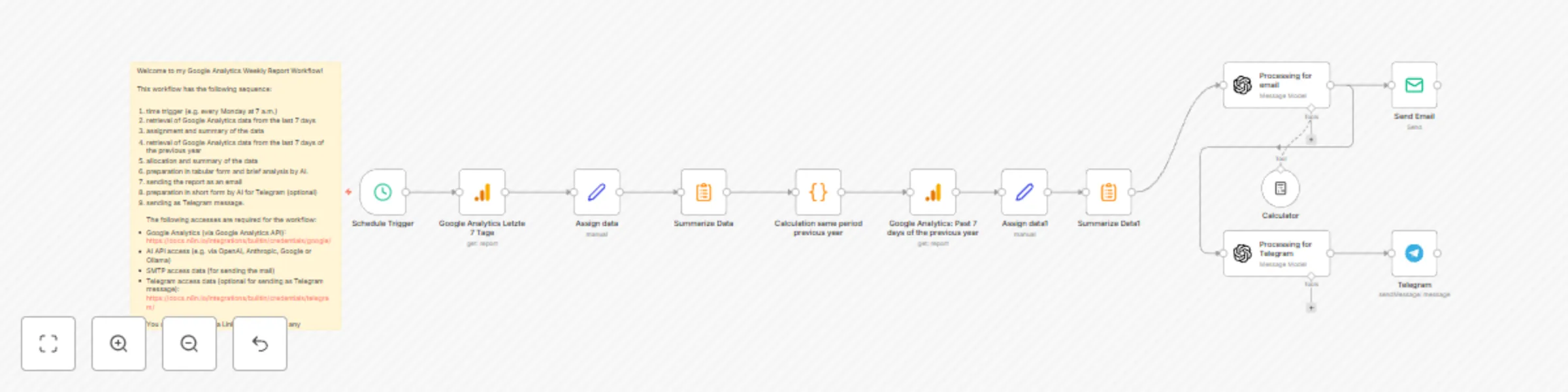
## What this workflow does This workflow retrieves Google Analytics data from the last 7 days and the same period in the previous year. The data is then prepared by AI as a table, analyzed and provided with a small summary. The summary is then sent by email to a desired address and, shortened and summarized again, sent to a Telegram account. This workflow has the following sequence: 1. time trigger (e.g. every Monday at 7 a.m.) 2. retrieval of Google Analytics data from the last 7 days 3. assignment and summary of the data 4. retrieval of Google Analytics data from the last 7 days of the previous year 5. allocation and summary of the data 6. preparation in tabular form and brief analysis by AI. 7. sending the report as an email 8. preparation in short form by AI for Telegram (optional) 9. sending as Telegram message. ## Requirements The following accesses are required for the workflow: - Google Analytics (via Google Analytics API): [Documentation](https://docs.n8n.io/integrations/builtin/credentials/google/) - AI API access (e.g. via OpenAI, Anthropic, Google or Ollama) - SMTP access data (for sending the mail) - Telegram access data (optional for sending as Telegram message): [Documentation](https://docs.n8n.io/integrations/builtin/credentials/telegram/) Feel free to [contact me via LinkedIn](https://www.linkedin.com/in/friedemann-schuetz), if you have any questions!

F
Friedemann Schuetz
Market Research
25 Dec 2024
12068
0