E

Ertay Kaya

7
Workflows

Workflows by Ertay Kaya

Workflow preview: Generate and post Google Play review replies with Anthropic Claude and Google Drive
Free advanced

Generate and post Google Play review replies with Anthropic Claude and Google Drive

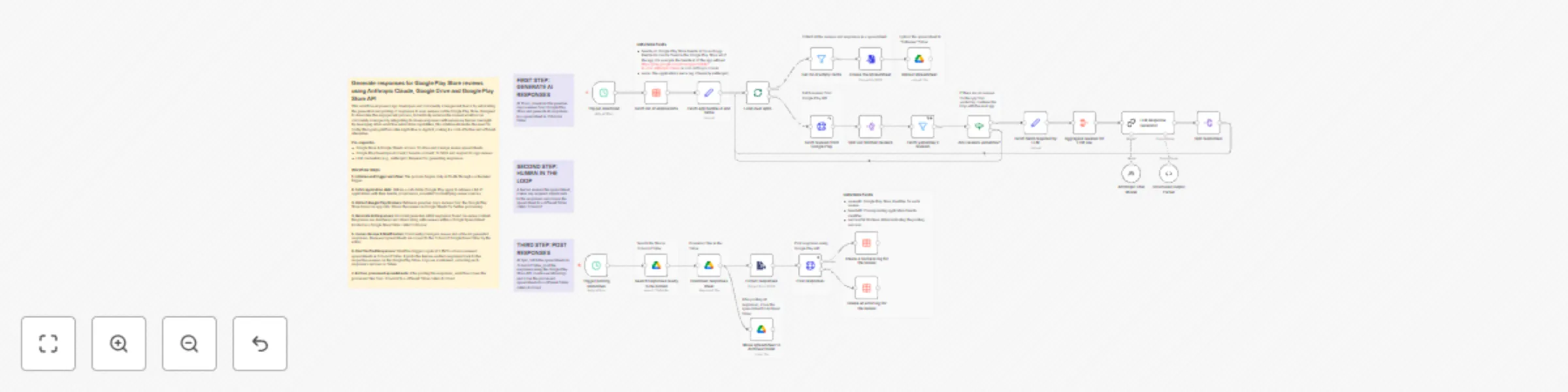
## Generate responses for Google Play Store reviews using Anthropic Claude, Google Drive and Google Play Store API This workflow empowers app developers and community management teams by automating the generation and posting of responses to user reviews on the Google Play Store. Designed to streamline the engagement process, it drastically reduces the manual workload on community managers by integrating AI-driven responses with necessary human oversight. By leveraging n8n's workflow automation capabilities, this solution eliminates the need for costly third-party platforms like AppFollow or Appbot, making it a cost-effective and efficient alternative. **Pre-requisites** * Google Drive & Google Sheets access: To store and manage review spreadsheets. * Google Play Developer Account / Service account: To fetch and respond to app reviews. * LLM credentials (e.g., Anthropic): Required for generating responses. ### Workflow steps **1. Initialise and trigger workflow:** The process begins daily at 10 AM through a scheduled trigger. **2. Fetch application data:** Utilizes a data table (Google Play apps) to retrieve a list of applications with their bundle_id and name, essential for identifying review sources. **3. Collect Google Play Reviews:** Retrieves previous day's reviews from the Google Play Store based on app data. Stores the reviews in Google Sheets for further processing. **4. Generate AI Responses:** AI model generates initial responses based on review content. Responses are structured and stored along with reviews within a Google Spreadsheet located in a Google Drive folder called *ToReview*. **5. Human Review & Modification:** Community managers review and refine AI-generated responses. Reviewed spreadsheets are moved to the *ToSubmit* Google Drive folder by the editor. **6. Post Verified Responses:** Workflow triggers again at 5 PM to access reviewed spreadsheets in *ToSubmit* folder. It posts the human-verified responses back to the respective reviews on the Google Play Store. Logs are maintained, recording each response's success or failure. **7. Archive processed spreadsheets:** After posting the responses, workflow moves the processed files from *ToSubmit* to a different folder called *Archived*

E
Ertay Kaya
Ticket Management
9 Jan 2026
0
0
Workflow preview: Track and report App Store featuring nominations with MySQL, Slack and Google Drive
Free advanced

Track and report App Store featuring nominations with MySQL, Slack and Google Drive

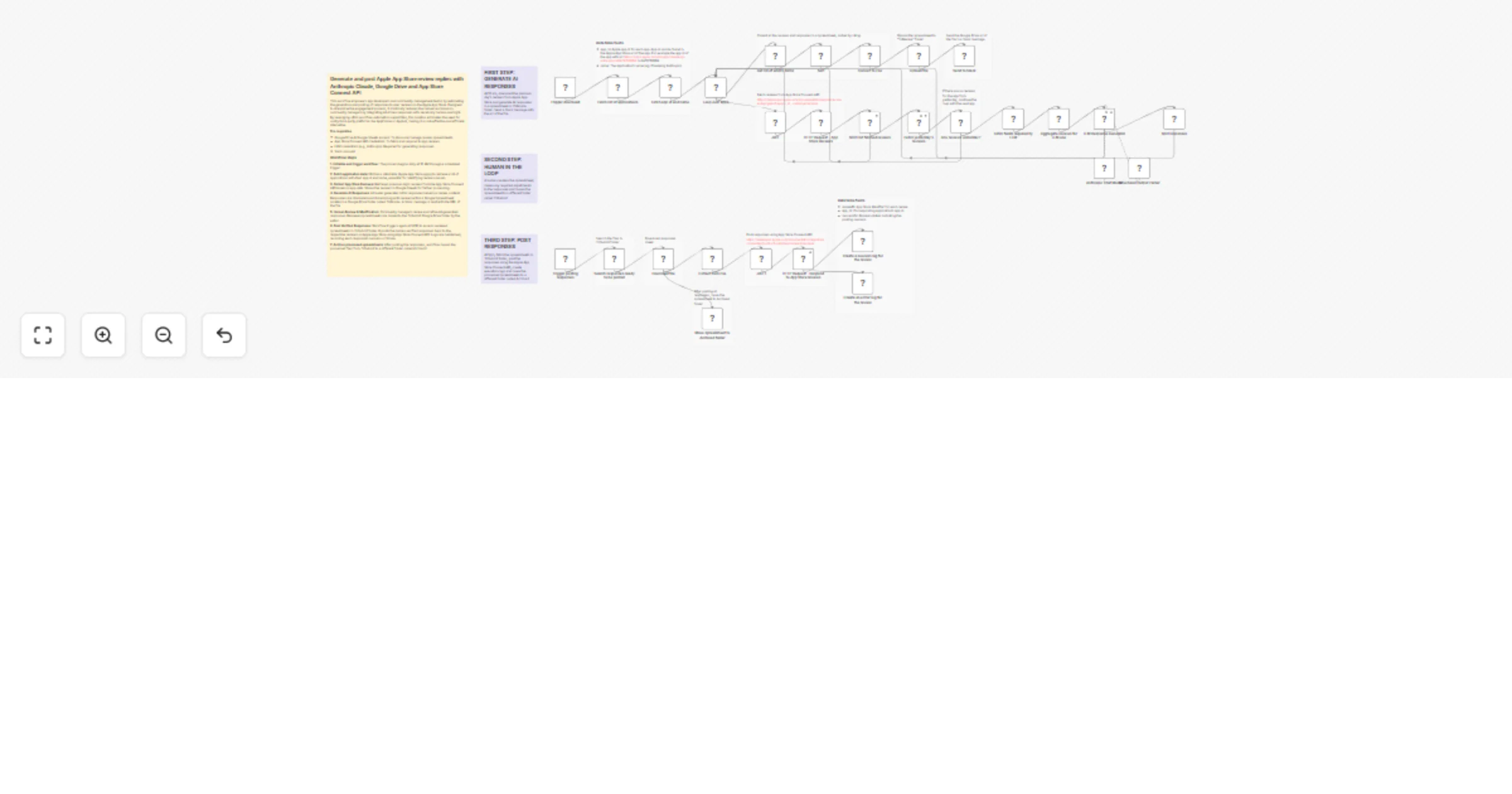
### Apple App Store Connect: Featuring Nominations Report This workflow automates the process of tracking and reporting app nominations submitted to Apple for App Store featuring consideration. It connects to the App Store Connect API to fetch your list of apps and submitted nominations, stores the data in a MySQL database, and generates a report of all nominations. The report is then exported as a CSV file and can be automatically shared via Google Drive and Slack. #### Key features * Authenticates with App Store Connect using JWT. * Fetches all apps and submitted nominations, including details and related in-app events (API documentation: https://developer.apple.com/documentation/appstoreconnectapi/featuring-nominations) * Stores and updates app and nomination data in MySQL tables. * Generates a comprehensive nominations report with app and nomination details. * Exports the report as a CSV file. * Shares the report automatically to Google Drive and Slack. * Runs on a weekly schedule, but can be triggered manually as well. #### Setup Instructions * Obtain your App Store Connect API credentials (Issuer ID, Key ID, and private key) from your Apple Developer account. * Set up a MySQL database and configure the connection details in the workflow’s MySQL node(s). * (Optional) Connect your Google Drive and Slack accounts using the respective n8n nodes if you want to share the report automatically. * Update any credentials in the workflow to match your setup. * Activate the workflow and set the schedule as needed. This template is ideal for teams who regularly submit apps or updates for featuring on the App Store and want to keep track of their nomination history and status in a structured, automated way.

E
Ertay Kaya
Document Extraction
17 Dec 2025
20
0
Workflow preview: Slack workflow router: AI-powered workflow selection
Free advanced

Slack workflow router: AI-powered workflow selection

### Slack Workflow Router: AI-Powered Workflow Selection #### Problem Statement Slack only allows one webhook per Slack app, and n8n generates a unique webhook for each workflow. This limitation means you typically need to create multiple Slack apps to trigger multiple n8n workflows from Slack. This workflow solves that problem by acting as a gateway for a single Slack app, enabling it to trigger multiple n8n workflows. #### How It Works When a message is received from Slack, an AI agent analyzes the message and selects the most suitable workflow to execute. The available workflows are stored in a data table, including their ID, name, and description, which the agent uses to make its decision. This approach allows you to manage and trigger multiple workflows from a single Slack app, making your Slack-to-n8n integration much more scalable and maintainable. #### Key Features * Trigger multiple n8n workflows from a single Slack app mention. * AI-powered workflow selection based on user message and workflow descriptions. * Centralized management of available workflows via a data table. * Scalable and easy to maintain—no need to create multiple Slack apps. #### Setup Instructions * Create a data table in your n8n project with these columns: workflow_id, workflow_name, and workflow_description. * Add your workflows to the table. * Connect your Slack and OpenAI accounts. * Deploy the workflow and mention your Slack app to trigger automations. This template is ideal for teams who want to centralize and scale their Slack automation without creating multiple Slack apps.

E
Ertay Kaya
Engineering
16 Dec 2025
46
0
Workflow preview: AI-powered auto-tagging for Zendesk tickets using GPT-4.1-mini
Free intermediate

AI-powered auto-tagging for Zendesk tickets using GPT-4.1-mini

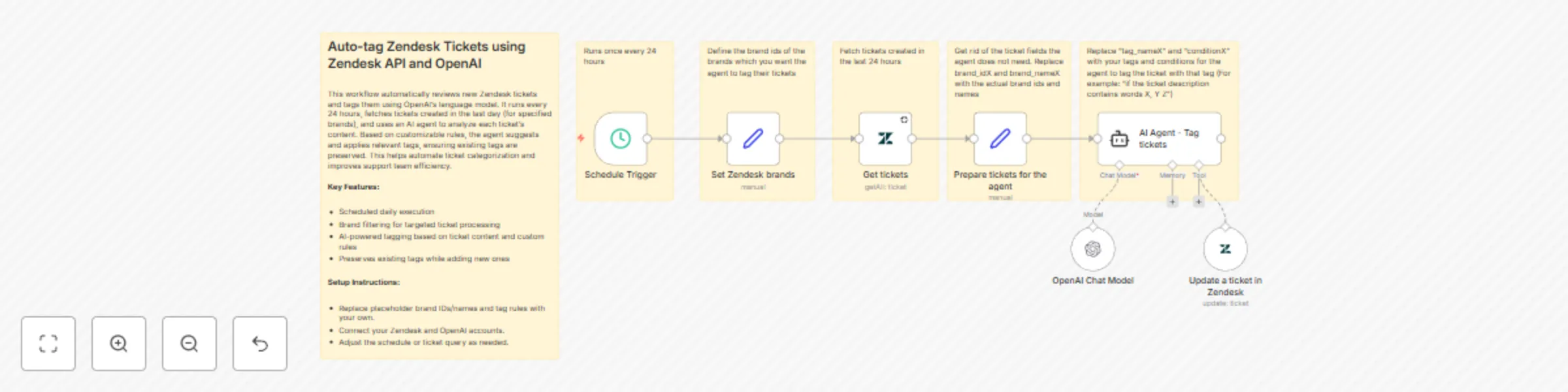
This workflow automatically reviews new Zendesk tickets and tags them using OpenAI’s language model. It runs every 24 hours, fetches tickets created in the last day (for specified brands), and uses an AI agent to analyze each ticket’s content. Based on customizable rules, the agent suggests and applies relevant tags, ensuring existing tags are preserved. This helps automate ticket categorization and improves support team efficiency. **Key Features:** * Scheduled daily execution * Brand filtering for targeted ticket processing * AI-powered tagging based on ticket content and custom rules * Preserves existing tags while adding new ones **Setup Instructions:** * Replace placeholder brand IDs/names and tag rules with your own. * Connect your Zendesk and OpenAI accounts.

E
Ertay Kaya
Ticket Management
24 Nov 2025
131
0
Workflow preview: Summarize Apple App Store reviews with Pinecone, GPT-4 Mini & Slack
Free advanced

Summarize Apple App Store reviews with Pinecone, GPT-4 Mini & Slack

This n8n workflow automates the process of collecting, storing, and summarizing customer reviews from the Apple App Store for multiple apps. It fetches daily reviews, stores them in a Pinecone vector database, and generates a weekly summary using OpenAI, which is then posted to a Slack channel. **Key Features** - Fetches daily customer reviews for a list of Apple App Store apps using the App Store Connect API. - Stores reviews in Pinecone, with separate namespaces for each app and automatic weekly cleanup. - Uses OpenAI to generate a summary of reviews, including positive/negative highlights and average star rating. - Posts the summary to a specified Slack channel every week. **How to use** - Set your Apple App Store app IDs and names in the provided Set nodes. - Configure your Apple API, Pinecone, OpenAI, and Slack credentials. - Adjust the schedule triggers as needed for daily fetching and weekly summarization. - Deploy the workflow to automate review monitoring and reporting for your apps.

E
Ertay Kaya
Market Research
10 Nov 2025
199
0
Workflow preview: Summarize Google Play Store reviews with GPT-4-mini, Pinecone & Slack alerts
Free advanced

Summarize Google Play Store reviews with GPT-4-mini, Pinecone & Slack alerts

This workflow automatically fetches reviews for one or more Google Play Store apps, summarizes the feedback using OpenAI, stores and manages review data with Pinecone, and posts the summary to a Slack channel. It is designed for product teams, community managers, or anyone who wants to keep track of app sentiment and review trends without manually reading each review. **Features:** - Fetches daily reviews for specified Google Play Store app bundle IDs using a Google Service Account. - Stores reviews in a Pinecone vector database for efficient retrieval and summarization. - Uses OpenAI to generate a summary, including: - Positive and negative review highlights - Star rating breakdown and average rating - Total number of reviews processed - Posts the summary to a Slack channel of your choice. - Supports both daily and weekly triggers. - Automatically clears old reviews from the vector store weekly to keep data fresh. **Setup Instructions:** - Add your Google Play app bundle IDs in the “Set the bundle ids” node. - Configure your Google Service Account, Pinecone, OpenAI, and Slack credentials. - Set your preferred Slack channel in the “Send to Slack channel” node. - Enable the workflow and customize the schedule as needed. **Use Cases:** - Monitor app sentiment and user feedback trends. - Share review insights with your team in Slack. - Automate reporting for product or support teams.

E
Ertay Kaya
Market Research
8 Nov 2025
1149
0
Workflow preview: Zendesk ticket summarizer with Pinecone, OpenAI, and Slack
Free advanced

Zendesk ticket summarizer with Pinecone, OpenAI, and Slack

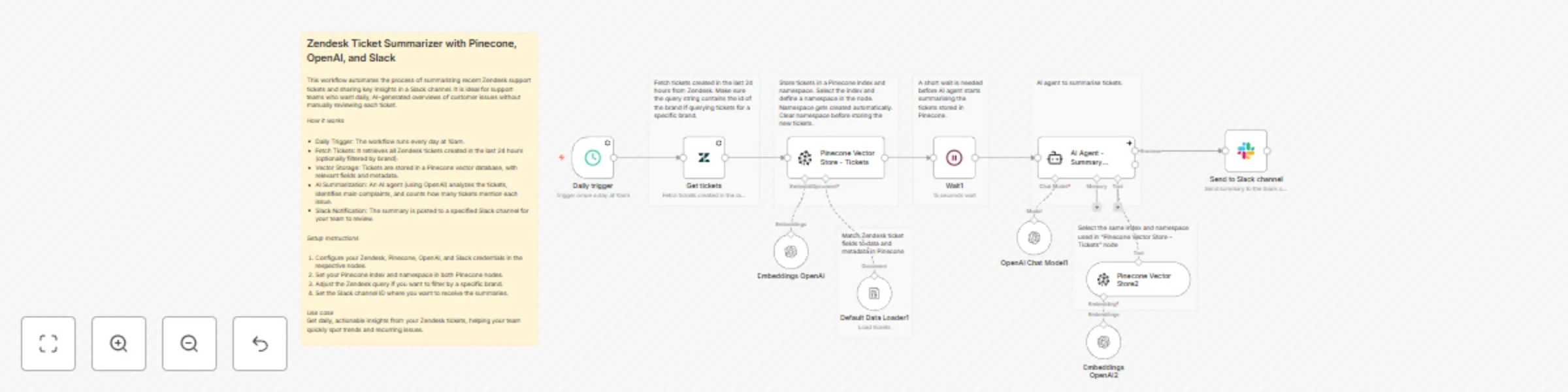
## Zendesk Ticket Summarizer with Pinecone, OpenAI, and Slack This workflow automates the process of summarizing recent Zendesk support tickets and sharing key insights in a Slack channel. It is ideal for support teams who want daily, AI-generated overviews of customer issues without manually reviewing each ticket. **How it works** * Daily Trigger: The workflow runs every day at 10am. * Fetch Tickets: It retrieves all Zendesk tickets created in the last 24 hours (optionally filtered by brand). * Vector Storage: Tickets are stored in a Pinecone vector database, with relevant fields and metadata. * AI Summarization: An AI agent (using OpenAI) analyzes the tickets, identifies main complaints, and counts how many tickets mention each issue. * Slack Notification: The summary is posted to a specified Slack channel for your team to review. **Setup Instructions** 1. Configure your Zendesk, Pinecone, OpenAI, and Slack credentials in the respective nodes. 2. Set your Pinecone index and namespace in both Pinecone nodes. 3. Adjust the Zendesk query if you want to filter by a specific brand. 4. Set the Slack channel ID where you want to receive the summaries. **Use case** Get daily, actionable insights from your Zendesk tickets, helping your team quickly spot trends and recurring issues.

E
Ertay Kaya
Ticket Management
4 Nov 2025
127
0