Convert LLM output into rich Telegram messages — Auto-Media & smart chunking
# Telegram Rich Output Helper Workflow
**Who is this for?**
Builders of Telegram chat‑bots, AI assistants, or notification services who already run **n8n** and need to convert long, mixed‑media answers from an LLM (or any upstream source) into Telegram‑friendly messages.
**Prerequisites**
1. A Telegram bot created with **@BotFather**.
2. The bot’s HTTP API token saved as a *Telegram API* credential in n8n.
3. n8n ≥ 1.0 with the built‑in **Telegram** node still installed.
4. A parent workflow that calls this one via **Execute Workflow** and passes:
* `chatId` — the destination chat ID (integer).
* `output` — a string that can contain plain text *and* HTTP links to images, audio, or video.
---
## What the workflow does
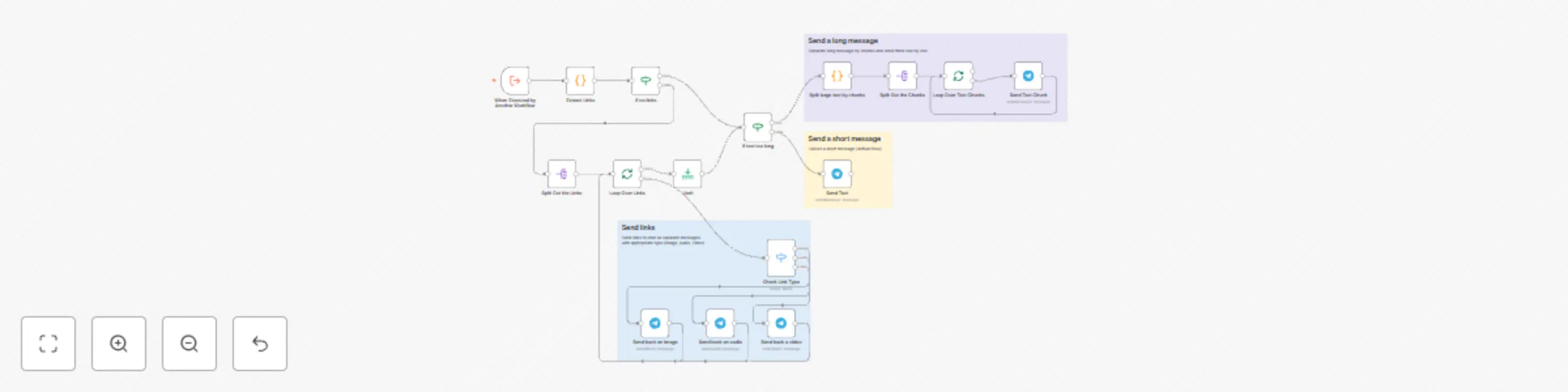
1. **Extract Links** – A JavaScript Code node scans `output`, deduplicates URLs, and classifies each by file extension.
2. **Link Path**
* If no media links exist, the text path is used.
* Otherwise, each link is routed through a **Switch** node that triggers the correct Telegram call (`sendPhoto`, `sendAudio`, `sendVideo`) so users get inline previews or players.
3. **Text Path**
* An *IF* node checks whether the remaining text exceeds Telegram’s 1 000‑character limit.
* When it does, a Code node slices the text at line boundaries; **SplitInBatches** then sends the chunks sequentially so nothing is lost.
4. All branches converge, keeping the whole exchange inside one execution.
---
## Customisation tips
* **Adjust the character limit** – edit the first expression in “If text too long”.
* **Filter/enrich links** – extend the regex or add MIME checks before dispatch.
* **Captions & keyboards** – populate `additionalFields` in the three “Send back” nodes.
* **Throughput vs. order** – tweak the batch size in both **SplitInBatches** nodes.
With this template in place, your users receive the complete message, playable media, and zero manual formatting – all within Telegram’s API limits.