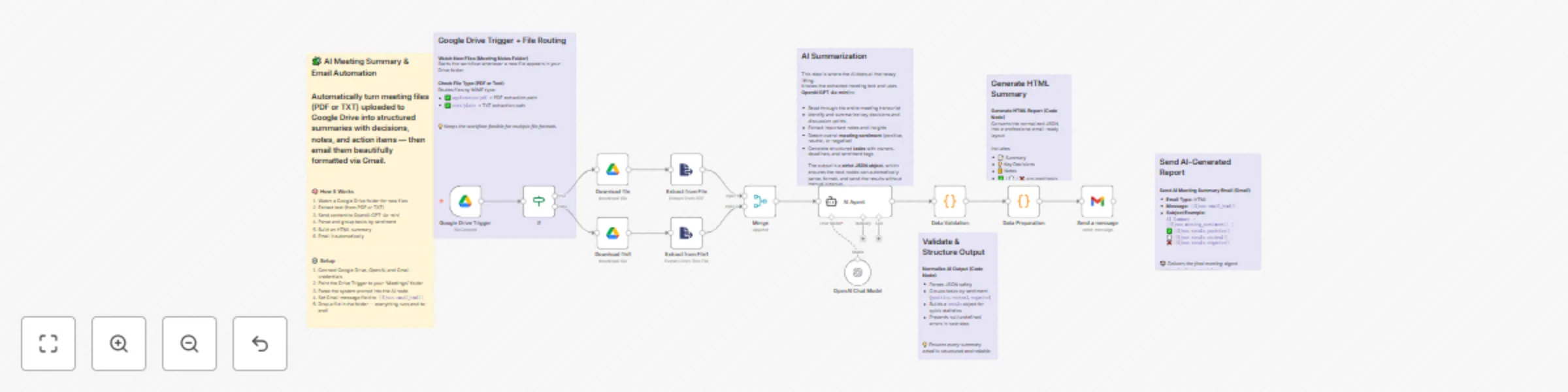
Summarize meeting transcripts with GPT-4 & sentiment analysis for Gmail
## Who it's for
Project managers, AI builders, and teams who want structured, automated meeting summaries with zero manual work.
## What it does
This workflow monitors a Google Drive folder for new meeting notes (PDF/TXT), extracts text, summarizes it via OpenAI GPT-4o, groups tasks by sentiment, builds a styled HTML summary, and sends it via Gmail.
## How to set it up
1. Connect Google Drive, OpenAI, and Gmail credentials.
2. Point the Drive Trigger to your meeting notes folder.
3. Paste the system prompt into the AI node.
4. Set Gmail Email Type to **HTML** and Message to `{{$json.email_html}}`.
5. Drop a test file and execute once.
## Requirements
- n8n account
- Google Drive, OpenAI, and Gmail credentials
- Non-scanned PDFs or plain text files
## Customization ideas
- Add Slack or Notion logging
- Support additional file types
- Translate summaries automatically
## Tags
#ai #automation #productivity #gmail #drive #meeting-summary #openai