A

Angel Menendez

39
Workflows

Workflows by Angel Menendez

Workflow preview: Generate avatar snippet videos from Google Sheets scripts in Google Drive
Free intermediate

Generate avatar snippet videos from Google Sheets scripts in Google Drive

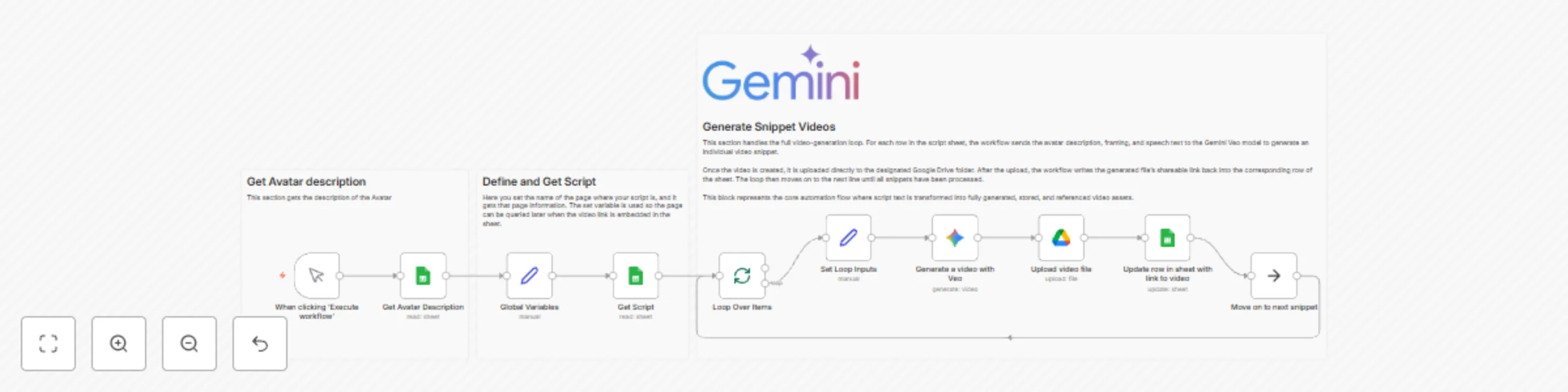
## Who it’s for This workflow is for content creators and marketers who write short scripts in Google Sheets and want to automatically turn each line into an AI-generated avatar video stored in Google Drive, with links written back to the sheet. ## How it works A **Manual Trigger** starts the workflow. It first uses **Get Avatar Description** (Google Sheets) to read avatar details from a dedicated “Gaia” sheet. The **Global Variables** node sets the working script page (for example, “Draft 5”) and exposes the avatar description. Next, **Get Script** reads all rows from the selected sheet. **Loop Over Items** iterates through each row, while **Set Loop Inputs** prepares the variables: avatar description, speech, and framing. For every row, **Generate a video with Veo** (Google Gemini video model) creates an 8-second 16:9 clip. **Upload video file** saves it to a chosen Google Drive folder, and **Update row in sheet with link to video** writes the Drive link back into the same row, then loops to the next snippet. Yellow sticky notes explain each phase, with the large one summarizing the end-to-end snippet generation loop. ## How to set up 1. Connect your Google Sheets and Google Drive credentials. 2. Update the spreadsheet IDs, sheet names, and Drive folder to match your own. 3. Configure the Gemini/Veo model credentials. 4. Adjust the default script page name in **Global Variables**. ## Requirements * n8n instance * Google Sheets and Google Drive accounts * Google Gemini / Veo API access No API keys or personal identifiers are hardcoded; always store credentials securely in n8n and avoid real PII in test data. ## How to customize * Change the **page** value in **Global Variables** to target different script tabs. * Edit the Veo prompt to alter background, camera framing, or speaking style. * Modify video duration, aspect ratio, or output folder in the Gemini and Drive nodes. * Extend the loop to add more post-processing steps (e.g., thumbnail generation, analytics tracking).

A
Angel Menendez
Content Creation
25 Nov 2025
152
0
Workflow preview: Automatically update Amazon transaction memos in YNAB with AI & Gmail
Free advanced

Automatically update Amazon transaction memos in YNAB with AI & Gmail

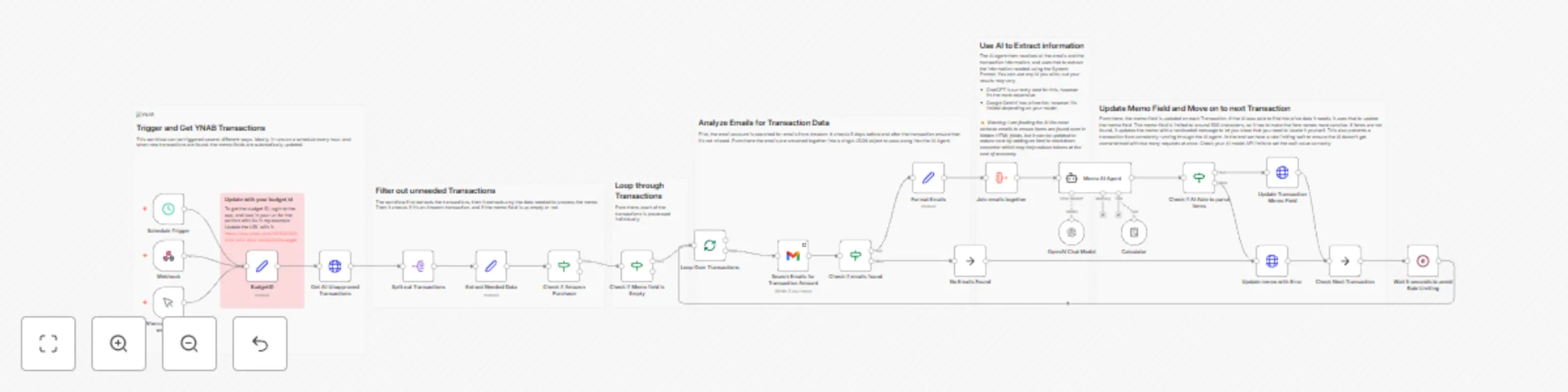
![](https://upload.wikimedia.org/wikipedia/commons/thumb/d/d4/YNAB_logo.svg/115px-YNAB_logo.svg.png) Who it's for ------------ This workflow is ideal for YNAB users who frequently shop on Amazon and want their transaction memos to automatically show itemized purchase details. It's especially helpful for people who import bank transactions into YNAB and want to keep purchase records tidy without manual entry. How it works ------------ The workflow triggers on a set schedule, via a webhook, or manually. It retrieves all unapproved transactions from your YNAB budget, filters for Amazon purchases with empty memo fields, and processes each transaction individually. Using Gmail, it searches for matching Amazon emails (within ±5 days of the transaction date) and sends the email data to an AI agent powered by OpenAI. The AI extracts product names and prices, generating a concise memo line (up to 499 characters). If no valid purchase info is found, a fallback message is added instead. A 5-second delay prevents API rate limiting. How to set up ------------- 1. Connect your YNAB account with valid API credentials. 2. Connect Gmail with OAuth2 authentication. 3. Add your OpenAI (or other LLM) API credentials. 4. Configure the schedule trigger or use manual/webhook start. 5. Run the workflow and monitor execution logs in n8n. Requirements ------------ - YNAB API credentials - Gmail OAuth2 connection - OpenAI API key (or another compatible AI model) How to customize ---------------- You can change the AI model (e.g., Gemini or Claude) or add HTML-to-Markdown conversion to lower token costs. Adjust the wait node delay to fit your API rate limits or modify the email date range for greater accuracy. **Security note:** Never store or share API keys or personal email data directly in the workflow. Use credential nodes to manage sensitive information securely.

A
Angel Menendez
Document Extraction
5 Nov 2025
107
0
Workflow preview: Submit iOS meeting notes to Obsidian using local AI transcription
Free intermediate

Submit iOS meeting notes to Obsidian using local AI transcription

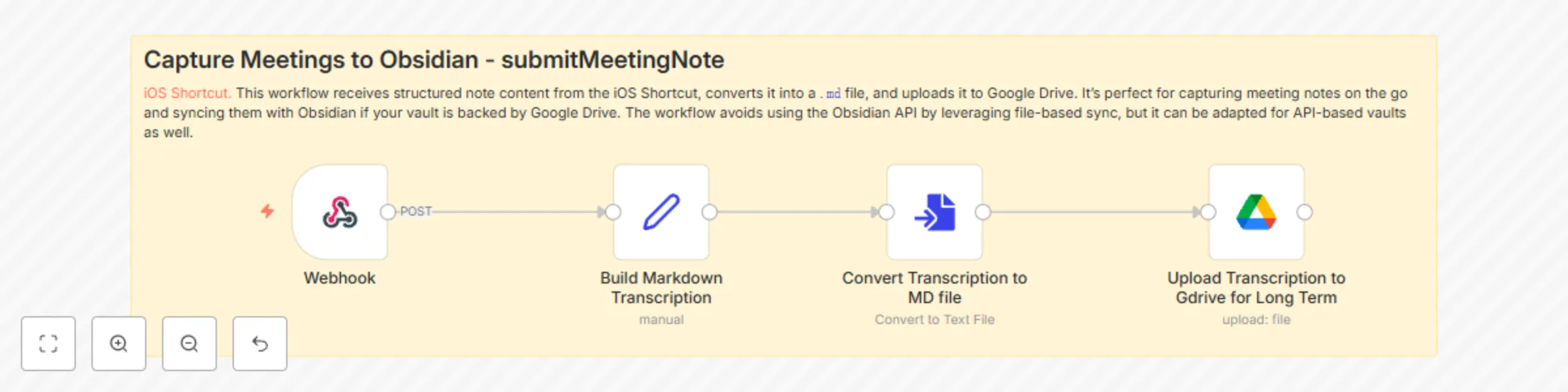
This workflow enables seamless, privacy-first capture of meeting notes from your iPhone. It pairs with an [iOS Shortcut](https://www.icloud.com/shortcuts/f97a1f2ad52648e5998caf321a482890) that leverages **Apple’s on-device transcription** from the Voice Memos app and optionally passes the output to **ChatGPT or a local AI model** for summarization. ### Who it's for - Anyone who wants fast, secure note capture on iOS - Professionals (e.g., lawyers, therapists) who require **on-device processing** for privacy - Obsidian users who want to sync mobile notes via Google Drive ### What it does 1. You record a voice memo in the iOS Voice Memos app. 2. The Shortcut transcribes it locally (no API or cloud involved). 3. Optionally, a summarization step is done via ChatGPT or a replaceable local model. 4. The data is sent to an n8n webhook, where it’s converted into a `.md` file. 5. The Markdown file is uploaded to a Google Drive folder synced with your Obsidian vault. ### Key Benefits - 🧠 Keeps your meeting notes private — no cloud APIs required - 🗃️ Easily searchable in Obsidian as structured Markdown files - 🛠️ Fully local if you swap out ChatGPT for a local model (can be less stable) ### Limitations - Transcriptions longer than **~1 hour** may fail or produce unstable results. - Some setup required to replace ChatGPT with a local model in the Shortcut. ### Setup - Install and configure the [iOS Shortcut](https://www.icloud.com/shortcuts/f97a1f2ad52648e5998caf321a482890) - Replace the ChatGPT step in the Shortcut if you need full local-only processing - Point the webhook in the Shortcut to your n8n instance - Make sure your Obsidian vault is synced with the Google Drive folder used in the workflow - Update any of the prompts in the iOS shortcut to ensure its personalized. > ⚡ Pro Tip: Use a Set node early on to clearly define the `filename`, `title`, and `text` so it's easier to modify this for other note types (e.g., journals, therapy sessions, etc.)

A
Angel Menendez
Personal Productivity
4 Nov 2025
81
0
Workflow preview: Automate Morning Brew–style Reddit Digests and Publish to DEV using AI
Free advanced

Automate Morning Brew–style Reddit Digests and Publish to DEV using AI

*This workflow contains community nodes that are only compatible with the self-hosted version of n8n.* ## Who’s it for Community managers, content marketers, and builders who want a daily, skimmable update from a subreddit—automatically summarized, formatted, and cross-posted to DEV Community. Here is a [Link to video hackathon detailing this build.](https://youtube.com/live/5oAnKSCP4do) ## What it does * Collects fresh posts from a subreddit (seeded via RSS). * Uses the **Bright Data** node to batch-scrape each post for richer fields (upvotes, comment count, comments). * Flattens comments/replies with **JMESPath** and trims payload size. * Summarizes into a Morning Brew–style brief (Top Stories, Quick Hits, Community Q\&A, Comment Spotlight). * Converts to clean **Markdown** and **publishes to DEV** with **HTTP Request**. * Optional: emails the same digest via Gmail. ## How to set up 1. **Trigger**: Start with Manual Trigger; swap to **Cron** (daily) when ready. 2. **RSS → URLs**: Set the subreddit RSS of your choice, just add .rss to the end of the subreddit URL. 3. **Update AI Prompt to fit your needs** ## Requirements * DEV Community API key. * Bright Data account + the Bright Data api key [Found Here](https://brightdata.com/cp/setting/users). * Optional: LLM provider credentials (OpenAI, Gemini). ## How to customize * Swap DEV publishing for email/Slack; or post both. * Add more subreddits and **dedupe by URL**. ## Best practices * **No hardcoded API keys**—use credentials. * Pin long-running outputs while building to save credits. * Only collect **publicly available data** with Bright Data.

A
Angel Menendez
AI Summarization
20 Aug 2025
295
0
Workflow preview: Extract structured candidate data from resumes with GPT AI
Free advanced

Extract structured candidate data from resumes with GPT AI

![Resume Parsing with AI](https://img.youtube.com/vi/2SUPiNmLWdA/maxresdefault.jpg) ## Who is this for? This workflow is perfect for HR teams, recruiters, and hiring platforms that need to automate the extraction of key candidate details—like name, email, skills, and education—from resume files submitted in various formats. ## What problem does this solve? Manually reviewing and extracting structured data from resumes is time-consuming and error-prone. This automation eliminates that bottleneck, standardizing candidate data for seamless integration into CRMs, applicant tracking systems, or Google Sheets. ## What this workflow does This n8n template listens for uploaded resume files, detects their format (PDF, DOC, TXT, CSV, etc.), and automatically extracts the raw text using n8n’s built-in file extraction tools. The extracted text is then parsed using an OpenAI-powered agent that returns structured fields such as: - Full Name - Email Address - Skill Keywords - Education Details Optionally, you can push the structured output to Google Sheets (node included, currently disabled). ## Setup 1. Clone this workflow into your n8n instance. 2. Enable the `When chat message received` trigger if using n8n chat. 3. Provide your OpenAI credentials and enable the LangChain Agent node. 4. (Optional) Connect Google Sheets by authenticating with your Google account and filling in your target document and sheet. Watch the setup and demo video here: 🎥 [https://youtu.be/2SUPiNmLWdA](https://youtu.be/2SUPiNmLWdA) ## How to customize - Modify the OpenAI system message to extract different fields (e.g., phone number, LinkedIn). - Replace the Google Sheets node with a webhook to push results to your ATS. - Add filters to limit accepted file types or max file size. > ⚠️ This template is designed to be secure. It uses credentials stored in the n8n credential manager—no hardcoded secrets required.

A
Angel Menendez
HR
8 Jul 2025
1584
0
Workflow preview: Transform voice memos into daily journals & tasks with OMI.ME & Gemini AI
Free advanced

Transform voice memos into daily journals & tasks with OMI.ME & Gemini AI

## Who’s it for This template is perfect for [OMI pendant](https://www.omi.me/?ref=ANGELGMENENDEZ) users or anyone with AI-generated memory transcripts who want to: * Automatically create daily journals in Markdown * Extract actionable tasks from conversations * Store memories in Google Drive * Sync action items to Google Tasks Great for creators, ADHD professionals, techies, or productivity hackers who want to build a second brain workflow with no manual data entry. --- ## What it does / How it works This workflow: 1. Accepts POST data from the OMI AI pendant (via webhook) 2. Extracts structured summaries, tasks, events, and raw transcript data 3. Converts the transcript into Markdown using metadata like emoji, category, and overview 4. Uses Google Gemini or an AI Agent to generate a high-quality journal entry 5. Splits out action items and creates tasks in Google Tasks 6. Uploads both the transcription and the final journal file into separate Google Drive folders for archival 7. Deletes processed files if needed (cleanup path is included) --- ## How to set up * [Connect your OMI device to send daily summaries to the webhook endpoint](https://docs.omi.me/doc/get_started/introduction) * Authenticate your Google Drive and Google Tasks accounts * Replace any hardcoded values (like folder IDs or task list IDs) with your own * Review the system prompt in the AI Agent node if you'd like to personalize your journal style --- ## ## Requirements * OMI pendant or device that generates `.md` summaries via API or webhook * Google Drive & Google Tasks credentials set up in n8n * Optional: Google Gemini or OpenAI for natural language journal generation --- ## ## How to customize * Change the output folder IDs for GDrive in the **Upload Transcription** and **Upload Journal** nodes. One folder is for long term storage and the other is short term, the contents of which are deleted every night to generate the journal entries. Ensure your workflow timezone is set correctly in the settings. * Replace Google Tasks with another todo app (e.g. Notion, Todoist) using HTTP or native nodes * Customize the AI prompt in the **AI Agent** or **Gemini Chat** node to reflect your tone (e.g., poetic, minimalist, spiritual) * Modify the Markdown format in the `Build Markdown Transcription` node for your preferred structure

A
Angel Menendez
Personal Productivity
4 Jul 2025
807
0
Workflow preview: Evaluate tool usage accuracy in multi-agent AI workflows using evaluation nodes
Free advanced

Evaluate tool usage accuracy in multi-agent AI workflows using evaluation nodes

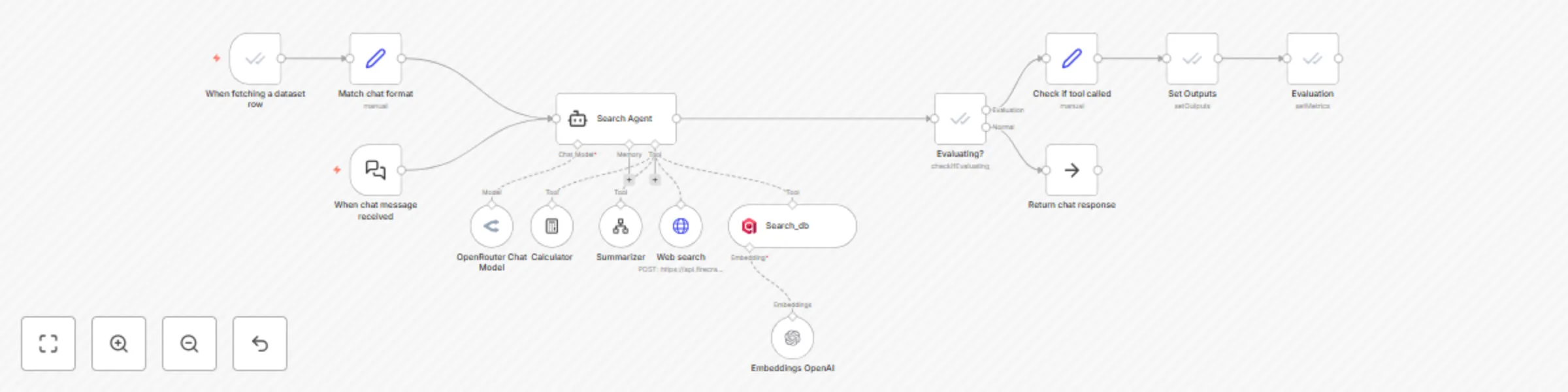
Who's it for ------------ This workflow is ideal for AI developers running multi-agent systems in n8n who need to quantitatively evaluate tool usage behavior. If you're building autonomous agents and want to verify their decisions against ground-truth expectations, this workflow gives you plug-and-play observability. What it does ------------ This template uses n8n's built-in Evaluation Trigger and Evaluation nodes to assess whether an AI agent correctly used all the expected tools. It supports: - Dataset-driven testing of agent behavior - Logging actual tools to compare them with the expected tools - Assigning performance metrics (tool_called = true/false) - Persisting output back to Google Sheets for further debugging The workflow can be triggered by either the chat input or the dataset row evaluation. It routes through a multi-tool agent node powered by the best LLMs. The agent has access to tools such as web search, calculator, vector search, and summarizer tools. The workflow then aims to validate tool use decisions by extracting the intermediate steps from the agent (i.e., action + observation) and comparing the tools that were called with the expected tools. If the tools that were called during the workflow execution match, then it's a pass; otherwise, it's documented as a fail. The evaluation nodes take care of that process.  How to set it up ---------------- 1. Connect your Google Sheets OAuth2 credential. Replace the document with your own test dataset. 2. Set your desired models and configure the different agent tools, such as the summarizer and vector store. The default vector store used is Qdrant, so the user must create this vector store with a few samples of queries + web search results. 3. Run from either the chat trigger or the evaluation trigger to test. Requirements ------------ - Google Sheets OAuth2 credential - OpenRouter / OpenAI credentials for AI agents and embeddings - Firecrawl and Qdrant credentials for web + vector search How to customize ---------------- - Edit the Search Agent system message to define tool selection behavior - Add more metric columns in the Evaluation node for complex scoring - Add new tool nodes and link them to the agent block - Swap in your own summarizer

A
Angel Menendez
Engineering
2 Jul 2025
13322
0
Workflow preview: Personalized LinkedIn responses with OpenAI GPT & Notion-based routing
Free intermediate

Personalized LinkedIn responses with OpenAI GPT & Notion-based routing

## Who is this for? This workflow is for professionals and teams who want to automate LinkedIn message replies with intelligent, human-like responses — without losing control over tone or accuracy. Ideal for founders, sales teams, DevRel, or community managers handling high-volume inbound messages. ## What problem is this workflow solving? Responding to every LinkedIn message manually is slow and inconsistent. Basic AI bots generate replies without context or nuance. This subworkflow solves both problems by using structured message routing from Notion and profile insights from UniPile to craft smart, context-aware responses. ## What this workflow does This workflow takes the sender’s message and profile (from [LinkedIn Auto Message Router with Request Detection](#)) and references your centralized [Notion database of message types](https://www.notion.so/1da5b6e0c94f808680b6eab8e340d60e). It uses that to either match the message to a known response or generate a new one using OpenAI's GPT model — all while following professional tone guidelines. This is the **third workflow in a 3-part automation system**: - Receives data from **[LinkedIn Auto Message Router with Request Detection](#)** - Uses **[UniPile LinkedIn Profile Lookup Subworkflow](#)** to enrich responses based on follower count or org data ### Example Use Case If a message comes from someone with low reach (e.g., under 1,000 followers), the AI politely deflects a meeting request. If an influencer reaches out, the AI immediately offers a booking link. Your team controls this logic by updating the Notion database — no edits to the workflow required. ## Setup 1. Connect this workflow as a subworkflow in your router or Slack approval flow 2. Store your Notion API key and database ID in n8n 3. Provide the following parent inputs: - `message` – The LinkedIn message text - `sender` – Name of the sender - `chatid` – Session ID (optional for memory) - `linkedinprofile` – Enriched array with LinkedIn context (follower count, connection info, etc.) 4. Add your preferred AI model credentials (supports OpenAI, Gemini, or Ollama) 5. Optional: Customize system prompt to better match your brand voice ## How to customize this workflow to your needs - Update the Notion schema to include industry-specific categories or actions - Change the AI tone (e.g., humorous, more corporate, etc.) - Add conditional logic for auto-sending messages without Slack approval - Extend to support multiple platforms (e.g., email, X/Twitter, Instagram DMs)

A
Angel Menendez
Lead Nurturing
12 Jun 2025
3334
0
Workflow preview: Unipile LinkedIn profile lookup subworkflow
Free intermediate

Unipile LinkedIn profile lookup subworkflow

## Who is this for? This subworkflow is ideal for developers and automation builders working with UniPile and n8n to automate message enrichment and LinkedIn lead routing. ## What problem is this workflow solving? UniPile separates personal and organization accounts into two different API endpoints. This flow handles both intelligently so you're not missing sender context due to API quirks or bad assumptions. ## What this workflow does This subworkflow is used by: - **[LinkedIn Auto Message Router with Request Detection](#)** - **[LinkedIn AI Response Generator with Slack Approval](#)** It receives a message sender ID and tries to enrich it using UniPile's `/people` and `/organizations` endpoints. It returns a clean, consistent profile object regardless of which source was used. ## Setup 1. Generate a UniPile API token and save it in your n8n credentials 2. Make sure this subworkflow is triggered correctly by your parent flows 3. Test both people and organization lookups to verify responses are normalized ## How to customize this workflow to your needs - Add a secondary enrichment layer using tools like Clearbit or FullContact - Customize the fallback logic or error handling - Expand the returned data for more AI context or user routing (e.g., job title, region)

A
Angel Menendez
Lead Generation
12 Jun 2025
774
0
Workflow preview: LinkedIn auto message router and responder with request detection
Free advanced

LinkedIn auto message router and responder with request detection

## Who is this for? Public-facing professionals (developer advocates, founders, marketers, content creators) who get bombarded with LinkedIn messages that aren't actually for them - support requests when you're in marketing, sales inquiries when you're a devrel, partnership pitches when you handle content, etc. ## What problem is this workflow solving? When you're visible online, people assume you handle everything at your company. You end up spending hours daily playing human router, forwarding messages like "How do I reset my password?" or "What's your enterprise pricing?" to the right teams. This **LinkedIn automation workflow** stops you from being your company's unofficial customer service representative. ## What this workflow does This **AI-powered LinkedIn DM management** workflow automatically assesses incoming LinkedIn messages and routes them intelligently: 1. **Automated Message Assessment**: Receives inbound LinkedIn messages via UniPile and looks up sender details from both personal and company LinkedIn profiles. 2. **Smart Route Matching**: Compares the message content against your **message routing workflow** table in Notion, which contains: - **Question**: "How can I become an n8n ambassador?" - **Description**: "Route here when a user is requesting to become an n8n ambassador. Also when they're asking how they could do more to evangelize n8n in their city, or to start organizing n8n meetups and events in their city." - **Action**: "Tell the user to open the following notion page which has details on ambassador program including how to apply, as well as perks of the program: https://www.notion.so/n8n-Ambassador-Program-d883b2a130e5448faedbebe5139187ea?pvs=21" 3. **AI Response Generation**: When a message matches an existing route, this **AI assistant** generates a personalized response draft based on the "Action" instructions from your routing table. 4. **Human-in-the-Loop Approval**: Sends the draft response to Slack with approve/reject buttons, so you maintain control while saving time. Draft can be edited from within Slack on desktop and mobile. 5. **Automated LinkedIn Responses**: Once approved, sends the reply back via LinkedIn and marks the original message as handled. The result: You stop being a human switchboard and can focus on your actual job while people still get helpful, timely responses through **automated customer service**. You can also add routes for things you do handle but get asked about daily (like 'How do I join your beta?' or 'What's your content strategy?') to standardize your responses. ## Setup 1. Sign up for a [UniPile](https://unipile.com) account and create a webhook under the Messaging section 2. Set the callback URL to this workflow's production URL 3. Generate a UniPile API key with all required scopes and store it in your n8n credentials 4. Create a Slack app and enable interactive message buttons and webhooks Here is a slack App manifest template for easy deployment in slack: ```json { "display_information": { "name": "Request Router", "description": "A bot that alerts when a new linkedin question comes in.", "background_color": "#12575e" }, "features": { "bot_user": { "display_name": "Request Router", "always_online": false } }, "oauth_config": { "scopes": { "bot": [ "chat:write", "chat:write.customize", "chat:write.public", "links:write", "im:history", "im:read", "im:write" ] } }, "settings": { "interactivity": { "is_enabled": true, "request_url": "Your webhook url here" }, "org_deploy_enabled": false, "socket_mode_enabled": false, "token_rotation_enabled": false } } ``` 5. Set up your Notion database with the three-column structure (Question, Description, Action) 6. Configure the AI node with your preferred provider (OpenAI, Gemini, Ollama etc) 7. Replace placeholder LinkedIn user and organization IDs with your own ## How to customize this workflow to your needs - **Database Options**: Swap Notion with Google Sheets, Airtable, or another database - **Filtering Logic**: Add custom filters based on keywords, message length, follower count, or business logic - **AI Customization**: Adjust the system prompt to match your brand tone and response goals - **Approval Platform**: Replace Slack with email, Discord, or another review platform - **Team Routing**: Use Slack metadata to route approvals to specific team members based on message category - **Enrichment**: Add secondary data enrichment using tools like Clearbit or FullContact - **Response Rules**: Create conditional logic for different response types based on sender profile or message content Perfect for anyone who's tired of being their company's accidental customer service department while trying to do their real job. This **LinkedIn automation template** was inspired by a live build done by [Max Tkacz](https://www.linkedin.com/in/maxtkacz/) and [Angel Menendez](https://www.linkedin.com/in/angelgmenendez/) for [The Studio](https://www.youtube.com/playlist?list=PLlET0GsrLUL7LWMf4Q3gHNu5mk-hur7QV).

A
Angel Menendez
Ticket Management
12 Jun 2025
3936
0
Workflow preview: CallForge - 08 - AI product insights from sales calls with Notion
Free advanced

CallForge - 08 - AI product insights from sales calls with Notion

![callforgecompressed.png](fileId:1010) --- # **CallForge - AI-Powered Product Insights Processor from Sales Calls** Automate **product feedback extraction** from AI-analyzed **sales calls** and store structured insights in **Notion** for data-driven product decisions. --- ## **🎯 Who is This For?** This workflow is designed for: ✅ **Product managers** tracking customer feedback and feature requests. ✅ **Engineering teams** identifying usability issues and AI/ML-related mentions. ✅ **Customer success teams** monitoring product pain points from real sales conversations. It streamlines **product intelligence gathering**, ensuring customer insights **are structured, categorized, and easily accessible** in **Notion** for better decision-making. --- ## **🔍 What Problem Does This Workflow Solve?** Product teams often struggle to **capture, categorize, and act on** valuable feedback from sales calls. With **CallForge**, you can: ✔ **Automatically extract and categorize product feedback** from AI-analyzed sales calls. ✔ **Track AI/ML-related mentions** to gauge customer demand for AI-driven features. ✔ **Identify feature requests and pain points** for product development prioritization. ✔ **Store structured feedback in Notion**, reducing manual tracking and increasing visibility across teams. This workflow **eliminates manual feedback tracking**, allowing product teams to focus on **innovation and customer needs**. --- ## **📌 Key Features & Workflow Steps** ### **🎙️ AI-Powered Product Feedback Processing** This workflow **processes AI-generated sales call insights** and organizes them in **Notion databases**: 1. **Triggers when AI sales call data is received.** 2. **Detects product-related feedback** (feature requests, bug reports, usability issues). 3. **Extracts key product insights**, categorizing feedback based on customer needs. 4. **Identifies AI/ML-related mentions**, tracking customer interest in AI-driven solutions. 5. **Aggregates feedback and categorizes it by sentiment** (positive, neutral, negative). 6. **Logs insights in Notion**, making them accessible for product planning discussions. ### **📊 Notion Database Integration** - **Product Feedback** → Logs feature requests, usability issues, and bug reports. - **AI Use Cases** → Tracks AI-related discussions and customer interest in machine learning solutions. --- ## **🛠 How to Set Up This Workflow** ### **1. Prepare Your AI Call Analysis Data** - Ensure **AI-generated sales call insights** are available. - Compatible with **Gong, Fireflies.ai, Otter.ai, and other AI transcription tools**. ### **2. Connect Your Notion Database** - Set up Notion databases for: 🔹 **Product Feedback** (logs feature requests and bug reports). 🔹 **AI Use Cases** (tracks AI/ML mentions and customer demand). ### **3. Configure n8n API Integrations** - **Connect your Notion API key** in n8n under “Notion API Credentials.” - **Set up webhook triggers** to receive AI-generated sales insights. - **Test the workflow** using a sample AI sales call analysis. --- ## **🔧 How to Customize This Workflow** 💡 **Modify Notion Data Structure** – Adjust fields to align with your product team's workflow. 💡 **Refine AI Data Processing Rules** – Customize how feature requests and pain points are categorized. 💡 **Integrate with Slack or Email** – Notify teams when recurring product issues emerge. 💡 **Expand with Project Management Tools** – Sync insights with **Jira, Trello, or Asana** to create product tickets automatically. --- ## **⚙️ Key Nodes Used in This Workflow** 🔹 **If Nodes** – Detect if product feedback, AI mentions, or feature requests exist in AI data. 🔹 **Notion Nodes** – Create and update structured feedback entries in Notion. 🔹 **Split Out & Aggregate Nodes** – Process multiple insights and consolidate AI-generated data. 🔹 **Wait Nodes** – Ensure smooth sequencing of API calls and database updates. --- ## **🚀 Why Use This Workflow?** ✔ **Eliminates manual sales call review** for product teams. ✔ **Provides structured, AI-driven insights** for feature planning and prioritization. ✔ **Tracks AI/ML mentions** to assess demand for AI-powered solutions. ✔ **Improves product development strategies** by leveraging real customer insights. ✔ **Scalable for teams using n8n Cloud or self-hosted deployments**. This workflow **empowers product teams** by transforming **sales call data into actionable intelligence**, optimizing **feature planning, bug tracking, and AI/ML strategy**. 🚀

A
Angel Menendez
Market Research
28 Feb 2025
1234
0
Workflow preview: CallForge - 07 - AI marketing data processing with Gong & Notion
Free advanced

CallForge - 07 - AI marketing data processing with Gong & Notion

![callforgecompressed.png](fileId:1009) --- # **CallForge - AI-Powered Marketing Insights Extraction from Sales Calls** Automate **marketing intelligence gathering** from **AI-analyzed sales calls** and store insights in **Notion**. --- ## **🎯 Who is This For?** This workflow is designed for: ✅ **Marketing teams** looking to extract trends and insights from sales conversations. ✅ **Product managers** who need direct customer feedback from sales calls. ✅ **Revenue operations (RevOps) teams** optimizing AI-driven call analysis. It streamlines **AI-powered marketing intelligence**, identifying **customer pain points, competitor mentions, and recurring trends**—all automatically stored in **Notion**. --- ## **🔍 What Problem Does This Workflow Solve?** Manually reviewing **sales call transcripts** for marketing insights is **time-consuming** and **inconsistent**. With **CallForge**, you can: ✔ **Extract key marketing insights** from AI-analyzed sales calls. ✔ **Track recurring discussion topics** across multiple conversations. ✔ **Generate actionable marketing recommendations** for strategy and content. ✔ **Store structured insights in Notion** for seamless access. This automation **eliminates manual work** and ensures marketing teams **get data-driven insights** from real customer conversations. --- ## **📌 Key Features & Workflow Steps** ### **🎙️ AI-Driven Marketing Insights Processing** This workflow **processes AI-generated sales call insights** and organizes them in **Notion databases**: 1. **Triggers when AI sales call data is received.** 2. **Identifies marketing-related data** (trends, customer pain points, competitor mentions). 3. **Extracts key marketing insights**, categorizing product discussions and recurring topics. 4. **Logs trends across multiple calls**, ensuring marketing teams spot recurring themes. 5. **Processes actionable insights**, capturing marketing strategy recommendations. 6. **Stores all findings in Notion**, enabling structured, searchable insights. ### **📊 Notion Database Integration** - **Marketing Insights** → Logs key trends and product mentions from sales calls. - **Recurring Topics** → Tracks frequently discussed themes across calls. - **Actionable Recommendations** → Stores AI-generated recommendations for marketing teams. --- ## **🛠 How to Set Up This Workflow** ### **1. Prepare Your AI Call Analysis Data** - Ensure **AI-generated sales call insights** are available. - Compatible with **Gong, Fireflies.ai, Otter.ai, and other AI transcription tools**. ### **2. Connect Your Notion Database** - Set up Notion databases for: 🔹 **Marketing Insights** (logs trends and product mentions) 🔹 **Recurring Topics** (tracks frequently discussed customer concerns) 🔹 **Actionable Recommendations** (stores marketing strategy insights) ### **3. Configure n8n API Integrations** - **Connect your Notion API key** in n8n under “Notion API Credentials.” - **Set up webhook triggers** to receive AI-generated sales insights. - **Test the workflow** using a sample AI sales call analysis. --- ## **🔧 How to Customize This Workflow** 💡 **Modify Notion Data Structure** – Adjust fields to match marketing strategy needs. 💡 **Refine AI Data Processing Rules** – Customize what insights are extracted and logged. 💡 **Integrate with Slack or Email** – Notify teams when key marketing trends emerge. 💡 **Expand CRM Integration** – Sync insights with **HubSpot, Salesforce, or Pipedrive**. - [CallForge - 01 - Filter Gong Calls Synced to Salesforce by Opportunity Stage](https://n8n.io/workflows/3031-callforge-01-filter-gong-calls-synced-to-salesforce-by-opportunity-stage/) - [CallForge - 02 - Prep Gong Calls with Sheets & Notion for AI Summarization](https://n8n.io/workflows/3032-callforge-02-prep-gong-calls-with-sheets-and-notion-for-ai-summarization/) - [CallForge - 03 - Gong Transcript Processor and Salesforce Enricher](https://n8n.io/workflows/3033-callforge-03-gong-transcript-processor-and-salesforce-enricher/) - [CallForge - 04 - AI Workflow for Gong.io Sales Calls](https://n8n.io/workflows/3034-callforge-04-ai-workflow-for-gongio-sales-calls/) - [CallForge - 05 - Gong.io Call Analysis with Azure AI & CRM Sync](https://n8n.io/workflows/3035-callforge-05-gongio-call-analysis-with-azure-ai-and-crm-sync/) - [CallForge - 06 - Automate Sales Insights with Gong.io, Notion & AI](https://n8n.io/workflows/3036-callforge-06-automate-sales-insights-with-gongio-notion-and-ai/) - [CallForge - 07 - AI Marketing Data Processing with Gong & Notion](https://n8n.io/workflows/3037-callforge-07-ai-marketing-data-processing-with-gong-and-notion/) - [CallForge - 08 - AI Product Insights from Sales Calls with Notion](https://n8n.io/workflows/3039-callforge-08-ai-product-insights-from-sales-calls-with-notion/) --- ## **⚙️ Key Nodes Used in This Workflow** 🔹 **If Nodes** – Detect if marketing insights, recurring topics, or recommendations exist in AI data. 🔹 **Notion Nodes** – Create and update entries in Notion databases. 🔹 **Split Out & Aggregate Nodes** – Process multiple insights and consolidate AI-generated data. 🔹 **Wait Nodes** – Ensure smooth sequencing of API calls and database updates. --- ## **🚀 Why Use This Workflow?** ✔ **Eliminates manual sales call review** for marketing teams. ✔ **Provides structured, AI-driven insights** for marketing and product strategy. ✔ **Tracks competitor mentions and customer pain points** automatically. ✔ **Improves content marketing and campaign planning** with real customer insights. ✔ **Scalable for teams using n8n Cloud or self-hosted deployments**. This workflow **empowers marketing teams** by transforming **sales call data into actionable intelligence**, streamlining **strategy, content planning, and competitor analysis**. 🚀

A
Angel Menendez
Market Research
28 Feb 2025
1528
0
Workflow preview: CallForge - 06 - Automate sales insights with Gong.io, Notion & AI
Free advanced

CallForge - 06 - Automate sales insights with Gong.io, Notion & AI

![callforgecompressed.png](fileId:1008) --- # **CallForge - AI-Powered Sales Call Data Processor** Automate **sales call analysis** and store structured insights in **Notion** with AI-powered intelligence. ## **Who is This For?** This workflow is ideal for: ✅ **Sales teams** looking to automate call insight processing. ✅ **Sales operations managers** managing AI-driven call analysis. ✅ **Revenue teams** using **Gong, Fireflies.ai, Otter.ai, or similar transcription tools**. It streamlines **sales call intelligence**, ensuring that insights such as **competitor mentions, objections, and customer pain points** are efficiently **categorized and stored** in **Notion** for easy access. --- ## **🔍 What Problem Does This Workflow Solve?** Manually reviewing and documenting **sales call takeaways** is **time-consuming and error-prone**. With **CallForge**, you can: ✔ **Identify competitors** mentioned in sales calls. ✔ **Capture objections and customer pain points** for follow-up. ✔ **Track sales call outcomes** and categorize insights automatically. ✔ **Store structured sales intelligence in Notion** for future reference. ✔ **Improve sales strategy** with AI-driven, automated call analysis. --- ## **📌 Key Features & Workflow Steps** ### **🎙️ AI-Powered Call Data Processing** This workflow **processes AI-generated sales call insights** and structures them in **Notion databases**: 1. **Triggers automatically** when AI call analysis data is received. 2. **Extracts competitor mentions** from the call transcript and logs them in Notion. 3. **Identifies and categorizes sales objections** for better follow-ups. 4. **Processes integration mentions**, capturing tools or platforms referenced in the call. 5. **Extracts customer use cases**, categorizing pain points and feature requests. 6. **Aggregates all extracted insights** and updates relevant Notion databases. ### **📊 Notion Database Integration** - Competitors → **Logs mentioned competitors for sales intelligence**. - Objections → **Tracks and categorizes common objections from prospects**. - Integrations → **Captures third-party tools & platforms discussed in calls**. - Use Cases → **Stores customer challenges & product feature requests**. --- ## **🛠 How to Set Up This Workflow** ### **1. Prepare Your AI Call Analysis Data** - Ensure AI-generated sales call data is **passed into the workflow**. - Compatible with **Gong, Fireflies.ai, Otter.ai**, and other AI transcription tools. ### **2. Connect Your Notion Database** - Set up Notion databases for: 🔹 **Competitors** (tracks competing products) 🔹 **Objections** (logs customer objections & concerns) 🔹 **Integrations** (captures mentioned platforms & tools) 🔹 **Use Cases** (categorizes customer pain points & feature requests) ### **3. Configure n8n API Integrations** - **Connect your Notion API key** in n8n under “Notion API Credentials.” - **Set up webhook triggers** to receive data from your AI transcription tool. - **Test the workflow** using a sample AI-generated call transcript. - [CallForge - 01 - Filter Gong Calls Synced to Salesforce by Opportunity Stage](https://n8n.io/workflows/3031-callforge-01-filter-gong-calls-synced-to-salesforce-by-opportunity-stage/) - [CallForge - 02 - Prep Gong Calls with Sheets & Notion for AI Summarization](https://n8n.io/workflows/3032-callforge-02-prep-gong-calls-with-sheets-and-notion-for-ai-summarization/) - [CallForge - 03 - Gong Transcript Processor and Salesforce Enricher](https://n8n.io/workflows/3033-callforge-03-gong-transcript-processor-and-salesforce-enricher/) - [CallForge - 04 - AI Workflow for Gong.io Sales Calls](https://n8n.io/workflows/3034-callforge-04-ai-workflow-for-gongio-sales-calls/) - [CallForge - 05 - Gong.io Call Analysis with Azure AI & CRM Sync](https://n8n.io/workflows/3035-callforge-05-gongio-call-analysis-with-azure-ai-and-crm-sync/) - [CallForge - 06 - Automate Sales Insights with Gong.io, Notion & AI](https://n8n.io/workflows/3036-callforge-06-automate-sales-insights-with-gongio-notion-and-ai/) - [CallForge - 07 - AI Marketing Data Processing with Gong & Notion](https://n8n.io/workflows/3037-callforge-07-ai-marketing-data-processing-with-gong-and-notion/) - [CallForge - 08 - AI Product Insights from Sales Calls with Notion](https://n8n.io/workflows/3039-callforge-08-ai-product-insights-from-sales-calls-with-notion/) --- ## **🔧 How to Customize This Workflow** 💡 **Modify Notion Data Structure** – Adjust fields to match your company’s CRM setup. 💡 **Enhance AI Data Processing** – Align fields with different AI transcription providers. 💡 **Expand with CRM Integration** – Sync insights with **HubSpot, Salesforce, or Pipedrive**. 💡 **Add Notifications** – Send alerts via **Slack, email, or webhook** when key competitor mentions or objections are detected. --- ## **⚙️ Key Nodes Used in This Workflow** 🔹 **If Nodes** – Checks if AI-generated data includes competitors, integrations, objections, or use cases. 🔹 **Notion Nodes** – Creates or updates entries in Notion databases. 🔹 **Split Out & Aggregate Nodes** – Processes multiple insights and consolidates AI outputs. 🔹 **Wait Nodes** – Ensures smooth sequencing of API calls and database updates. 🔹 **HTTP Request Node** – Sends AI-extracted insights to Notion for structured storage. --- ## **🚀 Why Use This Workflow?** ✔ **Eliminates manual data entry** and speeds up sales intelligence processing. ✔ **Ensures structured and categorized sales insights** for decision-making. ✔ **Improves team collaboration** with AI-powered competitor tracking & objections logging. ✔ **Seamlessly integrates with Notion** to centralize and manage sales call insights. ✔ **Scalable for teams using n8n Cloud or self-hosted deployments**. This workflow **empowers sales teams** with **automated AI insights**, streamlining **sales strategy and follow-ups** with minimal effort. 🚀

A
Angel Menendez
CRM
28 Feb 2025
1905
0
Workflow preview: CallForge - 05 - Gong.io call analysis with Azure AI & CRM sync
Free advanced

CallForge - 05 - Gong.io call analysis with Azure AI & CRM sync

![callforgecompressed.png](fileId:1007) --- # **CallForge - AI Sales Call Processing & Insights Extraction** Automate **sales call analysis** with AI-powered insights for **sales, marketing, and product teams**. ## **Who is This For?** This workflow is designed for: ✅ **Sales teams** looking to extract structured insights from Gong call transcripts. ✅ **Marketing professionals** seeking AI-driven customer pain points & content strategy. ✅ **Product teams** needing feedback from sales calls to **prioritize feature development**. ## **🔍 What Problem Does This Workflow Solve?** Manually analyzing **Gong.io sales call transcripts** is slow, inconsistent, and lacks **structured insights**. With **CallForge**, you can: ✔ **Extract AI-powered insights** about **use cases, objections, competitors, and next steps**. ✔ **Provide structured marketing & product intelligence** to enhance strategy. ✔ **Automatically store call insights in Notion and Salesforce** for easy access. ✔ **Ensure resilience** with **automated reruns on failed workflows** (handling Notion API limits). ✔ **Improve decision-making** with AI-powered **competitor and sentiment analysis**. --- ## **📌 Key Workflow Features** ### **🎤 AI-Powered Transcript Analysis** - Uses AI to **identify use cases, objections, competitors, and customer pain points**. - Categorizes insights for **sales, marketing, and product teams**. ### **📌 AI Agent Breakdown** 🔹 **Sales AI Agent** – Extracts **customer objections, pain points, competitors, and next steps**. 🔹 **Marketing AI Agent** – Identifies **recurring topics, keyword trends, and content opportunities**. 🔹 **Product AI Agent** – Captures **feature requests and AI/ML-related references**. ### **📊 Structured Output Processing** - **Sales Data Processor** → Stores insights in **Notion & Salesforce** for sales tracking. - **Marketing Data Processor** → Extracts **SEO & content strategy insights** for marketing teams. - **Product AI Data Processor** → Logs **customer feedback** to prioritize **feature development**. ### **💡 Competitor & Integration Analysis** - **Tracks competing products mentioned in calls**. - **Identifies integration needs**, flagging workarounds used by prospects. ### **📢 Real-Time Slack Notifications** - **Alerts teams on workflow progress** and completed call analyses. ### **🔄 Failure Resilience & Automated Re-Runs** - If a **Notion API limit is reached**, the process **resumes automatically**. --- ## **🚀 How This Works** ### **🛠 1. Trigger & Call Data Processing** - The workflow **retrieves Gong call transcripts and metadata**. - **Normalizes data**, correcting common mispronunciations like "n8n." ### **🤖 2. AI Agents Analyze the Call** - **Sales Agent** – Extracts actionable insights for sales follow-ups. - **Marketing Agent** – Identifies **recurring themes** and **keyword trends**. - **Product Agent** – Captures **feature requests and AI/ML usage mentions**. ### **📡 3. Data is Stored in Notion & Salesforce** - **Logs AI-extracted insights** in **Notion** for structured tracking. - **Pushes sales-related data** to **Salesforce** for team accessibility. ### **🔔 4. Slack Alerts for Teams** - **Notifies sales, marketing, and product teams** about extracted insights. - [CallForge - 01 - Filter Gong Calls Synced to Salesforce by Opportunity Stage](https://n8n.io/workflows/3031-callforge-01-filter-gong-calls-synced-to-salesforce-by-opportunity-stage/) - [CallForge - 02 - Prep Gong Calls with Sheets & Notion for AI Summarization](https://n8n.io/workflows/3032-callforge-02-prep-gong-calls-with-sheets-and-notion-for-ai-summarization/) - [CallForge - 03 - Gong Transcript Processor and Salesforce Enricher](https://n8n.io/workflows/3033-callforge-03-gong-transcript-processor-and-salesforce-enricher/) - [CallForge - 04 - AI Workflow for Gong.io Sales Calls](https://n8n.io/workflows/3034-callforge-04-ai-workflow-for-gongio-sales-calls/) - [CallForge - 05 - Gong.io Call Analysis with Azure AI & CRM Sync](https://n8n.io/workflows/3035-callforge-05-gongio-call-analysis-with-azure-ai-and-crm-sync/) - [CallForge - 06 - Automate Sales Insights with Gong.io, Notion & AI](https://n8n.io/workflows/3036-callforge-06-automate-sales-insights-with-gongio-notion-and-ai/) - [CallForge - 07 - AI Marketing Data Processing with Gong & Notion](https://n8n.io/workflows/3037-callforge-07-ai-marketing-data-processing-with-gong-and-notion/) - [CallForge - 08 - AI Product Insights from Sales Calls with Notion](https://n8n.io/workflows/3039-callforge-08-ai-product-insights-from-sales-calls-with-notion/) --- ## **📊 Sample Output Data** ### **1️⃣ Sales Insights** ```json { "UseCases": [ { "Summary": "A manufacturing company wants to automate inventory tracking and reduce manual entry delays.", "DepartmentTags": ["Operations"], "IndustryTags": ["Manufacturing"], "ImplementationStatus": "Evaluating" } ], "Objection": { "ObjectionTags": ["Feature Limitation"], "Nature": "The prospect wanted a deeper integration with their ERP system, which n8n currently lacks." }, "CallSummary": "The call focused on automation for supply chain processes. The prospect expressed interest but wanted confirmation on ERP integration capabilities.", "NextSteps": ["Schedule a follow-up demo for ERP integration."] } ``` ### **2️⃣ Marketing Insights** ```json { "MarketingInsights": [ { "Tag": "Workflow Template Request", "Summary": "The prospect requested a template for automating CRM lead tracking." } ], "RecurringTopics": [ { "Topic": "CRM Integration", "Mentions": 3, "Context": "Discussed how n8n could sync CRM data automatically." } ], "ActionableInsights": [ { "RecommendationType": "Tutorial", "Title": "How to Automate CRM Lead Tracking with n8n", "Topic": "CRM Integration", "Rationale": "The prospect expressed a need for CRM automation templates." } ] } ``` ### **3️⃣ Product Feedback** ```json { "ProductFeedback": [ { "Sentiment": "Positive", "Feedback": "The external speaker praised the simplicity of n8n's UI, making it easier for non-developers to automate tasks." }, { "Sentiment": "Negative", "Feedback": "The external speaker mentioned frustration over the lack of a dedicated ERP integration node." } ], "AI_ML_References": { "Exist": true, "Context": "The external speaker mentioned using AI for automating customer ticket categorization.", "Details": { "DevelopmentStatus": "Building", "Department": "Support", "RequiresAgents": true, "RequiresRAG": false, "RequiresChat": "Yes: External App (e.g., Slack)" } } } ``` --- ## **🔧 How to Customize This Workflow** 💡 **🔗 Change Data Storage** – Swap **Notion for Airtable, HubSpot, or another CRM**. 💡 **📩 Customize Slack Notifications** – Send alerts via **email, webhook, or another channel**. 💡 **🛠 Modify AI Processing** – Adjust AI models or processing prompts. 💡 **📊 Add More Integrations** – Sync insights with **Pipedrive, HubSpot, or another CRM**. --- ## **🚀 Why Use This Workflow?** ✔ **Automates Gong call transcript analysis**, eliminating manual work. ✔ **Improves collaboration** by structuring insights for sales, marketing, and product teams. ✔ **Boosts sales conversions** by identifying objections and next steps. ✔ **Enhances marketing and SEO strategy** with AI-driven insights. ✔ **Optimizes product roadmap decisions** based on customer feedback. This workflow **scales AI-powered sales intelligence** for better **decision-making, content strategy, and sales enablement**. 🚀

A
Angel Menendez
CRM
28 Feb 2025
5130
0
Workflow preview: CallForge - 04 - AI workflow for Gong.io sales calls
Free advanced

CallForge - 04 - AI workflow for Gong.io sales calls

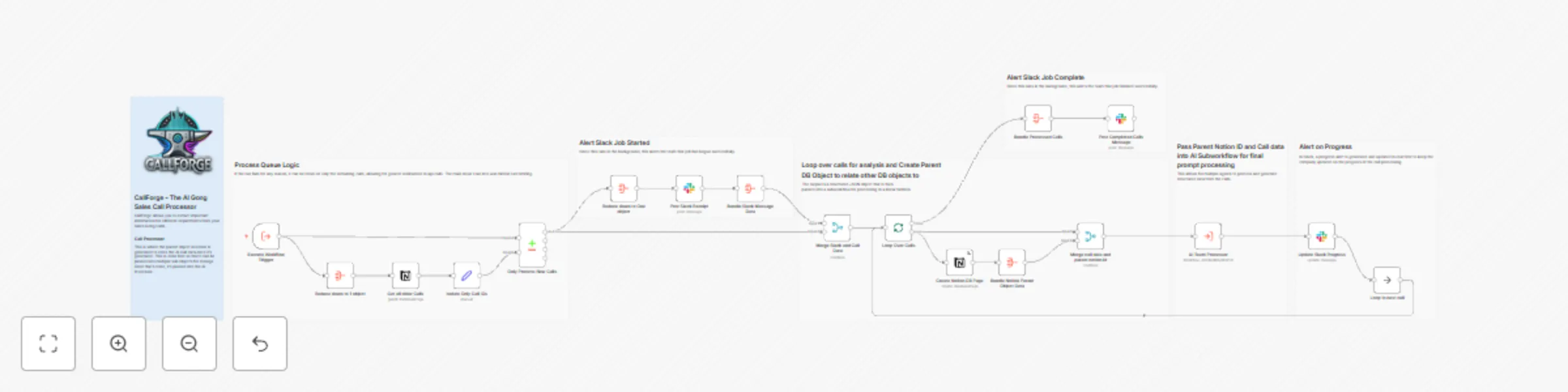
![callforgecompressed.png](fileId:1006) --- # **CallForge - AI Gong Sales Call Processing Workflow** Automate your **Gong.io sales call analysis** with **AI-driven insights**, real-time tracking, and structured **CRM integration**. ## **Who is This For?** This workflow is designed for: ✅ **Sales teams** looking to automate sales call processing. ✅ **Revenue operations (RevOps) professionals** managing high volumes of call data. ✅ **AI-driven sales intelligence teams** using **Gong.io** for data-driven insights. ## **What Problem Does This Workflow Solve?** Manually managing and analyzing **large volumes of Gong call data** is time-consuming and error-prone. With **CallForge**, you can: ✔ **Automate call processing** to scale AI-driven insights. ✔ **Integrate with Notion** to track and organize sales call data efficiently. ✔ **Get real-time Slack updates** to stay informed on call processing progress. ✔ **Handle API failures gracefully**, allowing easy reruns if a rate limit is hit. ✔ **Ensure AI-ready analysis**, feeding structured call data into an AI-powered system. ## **What This Workflow Does** ### **1. Triggers on New Gong Calls** - Captures **new Gong calls** and retrieves **metadata, call summaries, and participant details**. ### **2. Compares Calls Against Notion Database** - Checks whether the call has already been **processed and stored in Notion**. - **Prevents duplicate entries** from being added. ### **3. Creates a Parent Notion Record for AI Processing** - Stores **call details** such as **date, title, URL, company name, sales rep, and opportunity details** in Notion. - Links calls to **Salesforce Opportunity (SF Opp) data**. - Assigns **sales representatives and customer information** to each call. ### **4. Loops Through Calls for Processing** - **Ensures resilience** by allowing failed runs to **restart where they left off**. - Processes calls **one at a time** to prevent **Notion rate limits**. ### **5. Sends Call Data to an AI Processor** - Extracts structured call details and **sends them to an AI-powered analysis workflow**. - Allows **multiple AI agents** to process and extract structured data from calls. ### **6. Provides Real-Time Slack Alerts** - Posts a **progress update** in Slack when the queue starts processing. - Sends **real-time call progress notifications**. - Sends a **completion alert** once all calls are processed. ## **How to Set Up This Workflow** ### **1. Connect Your APIs** 🔹 **Gong API Credentials** – Ensure you have valid **Gong API credentials** in n8n. 🔹 **Notion Database** – Provide **access to a Notion database** for storing call insights. 🔹 **Slack Integration** – Configure a **Slack channel** for progress alerts. 🔹 **AI Processing Workflow** – Connect an **AI-powered call processing workflow** for final analysis. - [CallForge - 01 - Filter Gong Calls Synced to Salesforce by Opportunity Stage](https://n8n.io/workflows/3031-callforge-01-filter-gong-calls-synced-to-salesforce-by-opportunity-stage/) - [CallForge - 02 - Prep Gong Calls with Sheets & Notion for AI Summarization](https://n8n.io/workflows/3032-callforge-02-prep-gong-calls-with-sheets-and-notion-for-ai-summarization/) - [CallForge - 03 - Gong Transcript Processor and Salesforce Enricher](https://n8n.io/workflows/3033-callforge-03-gong-transcript-processor-and-salesforce-enricher/) - [CallForge - 04 - AI Workflow for Gong.io Sales Calls](https://n8n.io/workflows/3034-callforge-04-ai-workflow-for-gongio-sales-calls/) - [CallForge - 05 - Gong.io Call Analysis with Azure AI & CRM Sync](https://n8n.io/workflows/3035-callforge-05-gongio-call-analysis-with-azure-ai-and-crm-sync/) - [CallForge - 06 - Automate Sales Insights with Gong.io, Notion & AI](https://n8n.io/workflows/3036-callforge-06-automate-sales-insights-with-gongio-notion-and-ai/) - [CallForge - 07 - AI Marketing Data Processing with Gong & Notion](https://n8n.io/workflows/3037-callforge-07-ai-marketing-data-processing-with-gong-and-notion/) - [CallForge - 08 - AI Product Insights from Sales Calls with Notion](https://n8n.io/workflows/3039-callforge-08-ai-product-insights-from-sales-calls-with-notion/) ## **How to Customize This Workflow** 💡 **Modify Call Storage** – Swap **Notion** for a different **CRM or database** (e.g., **HubSpot, Airtable, Salesforce**). 💡 **Change AI Processing** – Integrate a **custom AI model** for analyzing sales conversations. 💡 **Customize Slack Notifications** – Adjust **Slack messages** or send **alerts via email instead**. 💡 **Expand with More Integrations** – Connect with **Salesforce, Pipedrive, or HubSpot** for further enrichment. ## **Why Use CallForge?** 🚀 **Automate Gong call tracking** for seamless sales intelligence. 📊 **Improve sales operations** with structured, AI-powered insights. ⚡ **Get real-time updates** and keep your team informed instantly. **Start optimizing your Gong call processing today!**

A
Angel Menendez
CRM
28 Feb 2025
2739
0
Workflow preview: CallForge - 03 - Gong transcript processor and Salesforce enricher
Free advanced

CallForge - 03 - Gong transcript processor and Salesforce enricher

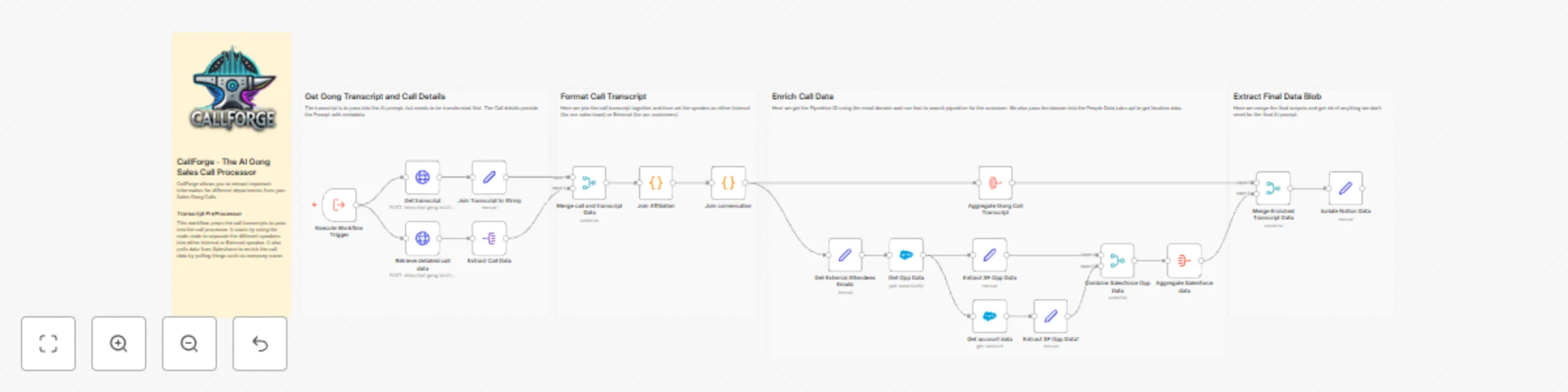
![callforgecompressed.png](fileId:1005) --- # **CallForge - AI Gong Transcript PreProcessor** Transform your **Gong.io** call transcripts into structured, enriched, and AI-ready data for **better sales insights and analytics**. ## **Who is This For?** This workflow is designed for: ✅ **Sales teams** looking to automate call transcript formatting. ✅ **Revenue operations (RevOps) professionals** optimizing AI-driven insights. ✅ **Businesses using Gong.io** that need **structured, enriched call transcripts** for better decision-making. ## **What Problem Does This Workflow Solve?** Manually processing raw **Gong call transcripts** is inefficient and often lacks essential **context for AI-driven insights**. With **CallForge**, you can: ✔ **Extract and format Gong call transcripts** for structured AI processing. ✔ **Enhance metadata** using sales data from **Salesforce**. ✔ **Classify speakers** as **internal (sales team)** or **external (customers)**. ✔ **Identify external companies** by filtering out free email domains (e.g., Gmail, Yahoo). ✔ **Enrich customer profiles** using **PeopleDataLabs** to identify company details and locations. ✔ **Prepare transcripts for AI models** by structuring conversations and removing unnecessary noise. ## **What This Workflow Does** ### **1. Retrieves Gong Call Data** - Calls the **Gong API** to extract **call metadata, speaker interactions, and collaboration details**. - Fetches **call transcripts** for AI processing. ### **2. Processes and Cleans Transcripts** - Converts **call transcripts** into **structured, speaker-based dialogues**. - Assigns each speaker as either **Internal (Sales Team)** or **External (Customer)**. ### **3. Extracts Company Information** - **Retrieves Salesforce data** to match customers with existing sales opportunities. - **Filters out free email domains** to determine the **customer’s actual company domain**. - Calls the **PeopleDataLabs API** to retrieve additional **company data and location details**. ### **4. Merges and Enriches Data** - **Combines Gong metadata, Salesforce customer details and insights**. - Ensures all necessary data is available for **AI-driven sales insights**. ### **5. Final Formatting for AI Processing** - Merges all **call transcript data** into a **single structured format** for AI analysis. - Extracts the final **cleaned, enriched dataset** for further **AI-powered insights**. ## **How to Set Up This Workflow** ### **1. Connect Your APIs** 🔹 **Gong API Access** – Set up your Gong API credentials in n8n. 🔹 **Salesforce Setup** – Ensure API access if you want customer enrichment. 🔹 **PeopleDataLabs API** – Required to retrieve company and location details based on email domains. 🔹 **Webhook Integration** – Modify the webhook call to **push enriched call data** to an internal system. - [CallForge - 01 - Filter Gong Calls Synced to Salesforce by Opportunity Stage](https://n8n.io/workflows/3031-callforge-01-filter-gong-calls-synced-to-salesforce-by-opportunity-stage/) - [CallForge - 02 - Prep Gong Calls with Sheets & Notion for AI Summarization](https://n8n.io/workflows/3032-callforge-02-prep-gong-calls-with-sheets-and-notion-for-ai-summarization/) - [CallForge - 03 - Gong Transcript Processor and Salesforce Enricher](https://n8n.io/workflows/3033-callforge-03-gong-transcript-processor-and-salesforce-enricher/) - [CallForge - 04 - AI Workflow for Gong.io Sales Calls](https://n8n.io/workflows/3034-callforge-04-ai-workflow-for-gongio-sales-calls/) - [CallForge - 05 - Gong.io Call Analysis with Azure AI & CRM Sync](https://n8n.io/workflows/3035-callforge-05-gongio-call-analysis-with-azure-ai-and-crm-sync/) - [CallForge - 06 - Automate Sales Insights with Gong.io, Notion & AI](https://n8n.io/workflows/3036-callforge-06-automate-sales-insights-with-gongio-notion-and-ai/) - [CallForge - 07 - AI Marketing Data Processing with Gong & Notion](https://n8n.io/workflows/3037-callforge-07-ai-marketing-data-processing-with-gong-and-notion/) - [CallForge - 08 - AI Product Insights from Sales Calls with Notion](https://n8n.io/workflows/3039-callforge-08-ai-product-insights-from-sales-calls-with-notion/) ## **How to Customize This Workflow** 💡 **Modify Data Sources** – Connect different CRMs (e.g., **HubSpot, Zoho**) instead of Salesforce. 💡 **Expand AI Analysis** – Add another **AI model (e.g., OpenAI GPT, Claude)** for advanced conversation insights. 💡 **Change Speaker Classification Rules** – Adjust **internal vs. external speaker logic** to match your team’s structure. 💡 **Filter Specific Customers** – Modify the **free email filtering logic** to better fit your company’s needs. ## **Why Use CallForge?** 🚀 **Automate Gong call transcript processing** to save time. 📊 **Improve AI accuracy** with enriched, structured data. 🛠 **Enhance sales strategy** by extracting actionable insights from calls. **Start optimizing your Gong transcript analysis today!**

A
Angel Menendez
CRM
28 Feb 2025
1993
0
Workflow preview: CallForge - 02 - prep Gong calls with sheets & notion for AI summarization
Free advanced

CallForge - 02 - prep Gong calls with sheets & notion for AI summarization

![callforgecompressed.png](fileId:1004) --- # **CallForge - AI Gong Sales Call Processor** Streamline your sales call analysis with **CallForge**, an automated workflow that extracts, enriches, and refines **Gong.io** call data for AI-driven insights. ## **Who is This For?** This workflow is designed for: ✅ **Sales teams** looking to automate sales call insights. ✅ **Revenue operations (RevOps) professionals** optimizing call data processing. ✅ **Businesses using Gong.io** to analyze and enhance sales call transcripts. ## **What Problem Does This Workflow Solve?** Manually analyzing sales calls is **time-consuming** and prone to **inconsistencies**. While Gong provides raw call data, interpreting these conversations and improving **AI-generated summaries** can be challenging. With **CallForge**, you can: ✔️ **Automate transcript extraction** from Gong.io. ✔️ **Enhance AI insights** by adding **product and competitor data**. ✔️ **Reduce errors** from AI-generated summaries by correcting mispronunciations. ✔️ **Eliminate duplicate calls** to prevent redundant processing. ## **What This Workflow Does** ### **1. Extracts Gong Call Data** - Retrieves **call recordings, metadata, meeting links, and duration** from Gong. ### **2. Removes Duplicate Entries** - **Queries Notion** to ensure that already processed calls are not duplicated. ### **3. Enriches Call Data** - **Fetches integration details** from Google Sheets. - **Retrieves competitor insights** from Notion. - **Merges data** to provide AI with a more comprehensive context. ### **4. Prepares AI-Friendly Transcripts** - **Cleans up transcripts** for structured AI processing. - **Reduces prompt complexity** for more accurate OpenAI outputs. ### **5. Sends Processed Data to an AI Call Processor** - **Delivers the cleaned and enriched transcript** to an AI-powered workflow for generating structured call summaries. ## **How to Set Up This Workflow** ### **1. Connect Your APIs** 🔹 **Gong API Access** – Set up your Gong API credentials in n8n. 🔹 **Google Sheets Credentials** – Provide API access for retrieving integration data. 🔹 **Notion API Setup** – Connect Notion to fetch competitor insights and store processed data. 🔹 **AI Processing Workflow** – Ensure an OpenAI-powered workflow is in place for structured summaries. - [CallForge - 01 - Filter Gong Calls Synced to Salesforce by Opportunity Stage](https://n8n.io/workflows/3031-callforge-01-filter-gong-calls-synced-to-salesforce-by-opportunity-stage/) - [CallForge - 02 - Prep Gong Calls with Sheets & Notion for AI Summarization](https://n8n.io/workflows/3032-callforge-02-prep-gong-calls-with-sheets-and-notion-for-ai-summarization/) - [CallForge - 03 - Gong Transcript Processor and Salesforce Enricher](https://n8n.io/workflows/3033-callforge-03-gong-transcript-processor-and-salesforce-enricher/) - [CallForge - 04 - AI Workflow for Gong.io Sales Calls](https://n8n.io/workflows/3034-callforge-04-ai-workflow-for-gongio-sales-calls/) - [CallForge - 05 - Gong.io Call Analysis with Azure AI & CRM Sync](https://n8n.io/workflows/3035-callforge-05-gongio-call-analysis-with-azure-ai-and-crm-sync/) - [CallForge - 06 - Automate Sales Insights with Gong.io, Notion & AI](https://n8n.io/workflows/3036-callforge-06-automate-sales-insights-with-gongio-notion-and-ai/) - [CallForge - 07 - AI Marketing Data Processing with Gong & Notion](https://n8n.io/workflows/3037-callforge-07-ai-marketing-data-processing-with-gong-and-notion/) - [CallForge - 08 - AI Product Insights from Sales Calls with Notion](https://n8n.io/workflows/3039-callforge-08-ai-product-insights-from-sales-calls-with-notion/) ### **2. Customize to Fit Your Needs** 💡 **Modify Data Sources** – Update connections if using a different CRM, database, or analytics tool. 💡 **Adjust AI Processing Logic** – Optimize transcript formatting based on your preferred AI model. 💡 **Expand Data Enrichment** – Integrate CRM data, industry benchmarks, or other insights. ## **Why Use CallForge?** By automating Gong call processing, **CallForge** empowers sales teams to: 📈 **Gain valuable AI-driven insights** from calls. ⚡ **Speed up decision-making** with cleaner, structured data. 🛠 **Improve sales strategies** based on enriched, accurate transcripts. 🚀 **Start automating your Gong call analysis today!**

A
Angel Menendez
CRM
28 Feb 2025
1577
0
Workflow preview: CallForge - 01 - filter Gong calls synced to Salesforce by opportunity stage
Free intermediate

CallForge - 01 - filter Gong calls synced to Salesforce by opportunity stage

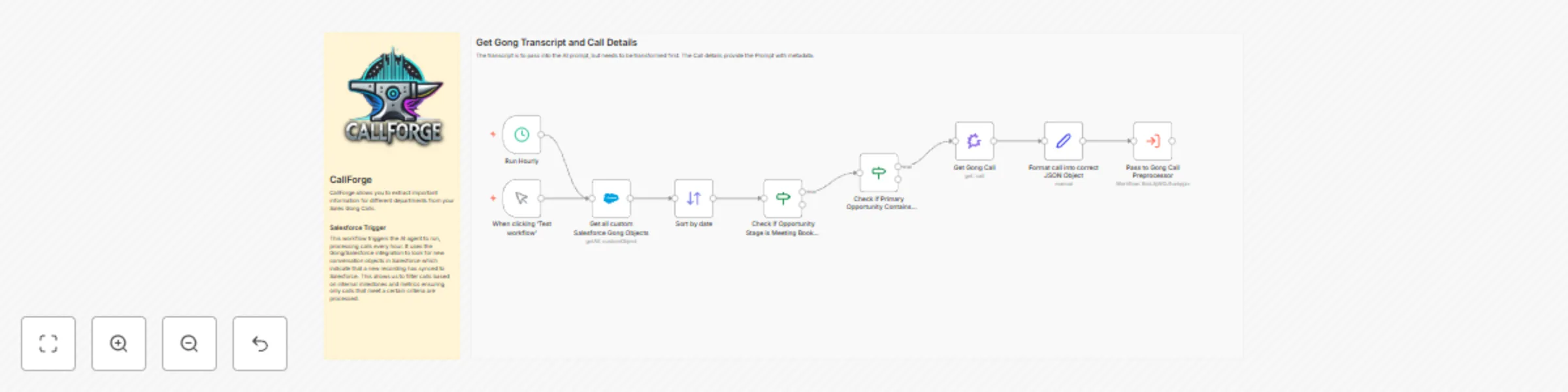
![callforgecompressed.png](fileId:1003) ## Workflow Description ### Who is this for? This workflow is designed for **sales and revenue teams** using **Gong and Salesforce** to track and analyze sales calls. It helps automate the extraction, filtering, and preprocessing of Gong call data for further AI analysis. ### What problem is this solving? Sales teams often generate large amounts of call data, but not all calls are relevant for deeper analysis. This workflow **filters calls** based on predefined criteria, extracts relevant metadata, and **formats the data** before passing it to an AI processing pipeline. ### What this workflow does - **Triggers on new Gong calls synced to Salesforce** every hour. - **Filters calls based on opportunity stage** (Discovery or Meeting Booked). - **Retrieves Gong call details** via API. - **Formats call data into a structured JSON object** for AI processing. - **Passes the structured data to a Gong Call Preprocessor workflow** for further insights. ### Setup 1. Ensure that you have connected **Salesforce** and **Gong** APIs with valid credentials. 2. Modify the Salesforce query in `Get all custom Salesforce Gong Objects` to match your organization’s requirements. 3. Set the schedule trigger interval in the `Run Hourly` node if needed. 4. Connect this workflow to an AI processing workflow to analyze call transcripts. Workflow Templates: - [CallForge - 01 - Filter Gong Calls Synced to Salesforce by Opportunity Stage](https://n8n.io/workflows/3031-callforge-01-filter-gong-calls-synced-to-salesforce-by-opportunity-stage/) - [CallForge - 02 - Prep Gong Calls with Sheets & Notion for AI Summarization](https://n8n.io/workflows/3032-callforge-02-prep-gong-calls-with-sheets-and-notion-for-ai-summarization/) - [CallForge - 03 - Gong Transcript Processor and Salesforce Enricher](https://n8n.io/workflows/3033-callforge-03-gong-transcript-processor-and-salesforce-enricher/) - [CallForge - 04 - AI Workflow for Gong.io Sales Calls](https://n8n.io/workflows/3034-callforge-04-ai-workflow-for-gongio-sales-calls/) - [CallForge - 05 - Gong.io Call Analysis with Azure AI & CRM Sync](https://n8n.io/workflows/3035-callforge-05-gongio-call-analysis-with-azure-ai-and-crm-sync/) - [CallForge - 06 - Automate Sales Insights with Gong.io, Notion & AI](https://n8n.io/workflows/3036-callforge-06-automate-sales-insights-with-gongio-notion-and-ai/) - [CallForge - 07 - AI Marketing Data Processing with Gong & Notion](https://n8n.io/workflows/3037-callforge-07-ai-marketing-data-processing-with-gong-and-notion/) - [CallForge - 08 - AI Product Insights from Sales Calls with Notion](https://n8n.io/workflows/3039-callforge-08-ai-product-insights-from-sales-calls-with-notion/) ### How to customize - **Change filtering logic**: Adjust the **opportunity stage filter** (`Check if Opportunity Stage is Meeting Booked or Discovery`) to match your sales process. - **Modify data formatting**: Add or remove fields in the `Format call into correct JSON Object` node to customize the output. - **Adjust trigger frequency**: Change the `Run Hourly` node to run at a different interval if required.

A
Angel Menendez
CRM
28 Feb 2025
1882
0
Workflow preview: Automate SIEM alert enrichment with MITRE ATT&CK, Qdrant & Zendesk in n8n
Free advanced

Automate SIEM alert enrichment with MITRE ATT&CK, Qdrant & Zendesk in n8n

### **n8n Workflow: Automate SIEM Alert Enrichment with MITRE ATT&CK & Qdrant** --- ## **Who is this for?** This workflow is ideal for: - **Cybersecurity teams & SOC analysts** who want to automate **SIEM alert enrichment**. - **IT security professionals** looking to integrate **MITRE ATT&CK intelligence** into their ticketing system. - **Organizations using Zendesk for security incidents** who need enhanced **contextual threat data**. - **Anyone using n8n and Qdrant** to build **AI-powered security workflows**. --- ## **What problem does this workflow solve?** Security teams receive **large volumes of raw SIEM alerts** that lack actionable context. Investigating every alert manually is **time-consuming** and can lead to **delayed response times**. This workflow solves this problem by: ✔ **Automatically enriching SIEM alerts** with MITRE ATT&CK TTPs. ✔ **Tagging & classifying alerts** based on known attack techniques. ✔ **Providing remediation steps** to guide the response team. ✔ **Enhancing security tickets in Zendesk** with relevant threat intelligence. --- ## **What this workflow does** 1️⃣ **Ingests SIEM alerts** (via chatbot or ticketing system like Zendesk). 2️⃣ **Queries a Qdrant vector store** containing MITRE ATT&CK techniques. 3️⃣ **Extracts relevant TTPs (Tactics, Techniques, & Procedures)** from the alert. 4️⃣ **Generates remediation steps** using AI-powered enrichment. 5️⃣ **Updates Zendesk tickets** with threat intelligence & recommended actions. 6️⃣ **Provides structured alert data** for further automation or reporting. --- ## **Setup Guide** ### **Prerequisites** - **n8n instance** (Cloud or Self-hosted). - **Qdrant vector store** with MITRE ATT&CK data embedded. - **OpenAI API key** (for AI-based threat processing). - **Zendesk account** (for ticket enrichment, if applicable). - [Clean Mitre Data Python Script](https://drive.google.com/file/d/1Yxv5fDdQ2OigYhhfv_WqGb9QTr-Q_aeW/view?usp=sharing) - [Cleaned Mitre Data](https://drive.google.com/file/d/1Kt6ZJ4DYvNm44I9fBKvmXjeHQqLJqCwA/view?usp=drive_link) - [Full Mitre Data](https://drive.google.com/file/d/1Lq7v3luu3DC44Tdn2DIxiVwnh3UQWM_Y/view?usp=drive_link) ### **Steps to Set Up** 1️⃣ **Embed MITRE ATT&CK data into Qdrant** - This workflow pulls MITRE ATT&CK data from **Google Drive** and **loads it into Qdrant**. - The data is **vectorized using OpenAI embeddings** for fast retrieval. 2️⃣ **Deploy the n8n Chatbot** - The chatbot listens for **SIEM alerts** and sends them to the AI processing pipeline. - Alerts are **analyzed using an AI agent trained on MITRE ATT&CK**. 3️⃣ **Enrich Zendesk Tickets** - The workflow extracts **MITRE ATT&CK techniques** from alerts. - It **updates Zendesk tickets with contextual threat intelligence**. - The **remediation steps are included as internal notes** for SOC teams. --- ## **How to Customize This Workflow** 🔧 **Modify the chatbot trigger**: Adapt the chatbot node to receive alerts from **Slack, Microsoft Teams, or any other tool**. 🔧 **Change the SIEM input source**: Connect your workflow to **Splunk, Elastic SIEM, or Chronicle Security**. 🔧 **Customize remediation steps**: Use a **custom AI model** to tailor remediation responses based on **organization-specific security policies**. 🔧 **Extend ticketing integration**: Modify the Zendesk node to also work with **Jira, ServiceNow, or another ITSM platform**. --- ## **Why This Workflow is Powerful** ✅ **Saves time**: Automates **alert triage & classification**. ✅ **Improves security posture**: Helps **SOC teams act faster** on threats. ✅ **Leverages AI & vector search**: Uses **LLM-powered enrichment** for **real-time context**. ✅ **Works across platforms**: Supports **n8n Cloud, Self-hosted, and Qdrant**. --- ## **🚀 Get Started Now!** 📖 [Watch the Setup Video](https://youtu.be/SbWrCe0R9LE) 💬 **Have Questions? Join the Discussion in the YouTube Comments!**

A
Angel Menendez
SecOps
3 Feb 2025
13864
0
Workflow preview: Voiceflow demo support chatbot
Free advanced

Voiceflow demo support chatbot

### Submission Overview for Voiceflow Demo Workflow [View the YouTube video for this workflow here.](https://youtu.be/ET2VgV8ICDI) #### Who is this for? This workflow is ideal for businesses and developers using Voiceflow to power AI voice chatbots. It benefits teams that want to enhance chatbot functionality through integrations with platforms like Zendesk, Google Calendar, and Airtable. #### What problem is this workflow solving? The workflow addresses the need for seamless integration of chatbot interactions with backend systems. It automates customer service tasks such as ticket creation, meeting scheduling, and data reporting, reducing manual effort and enhancing efficiency. #### What does this workflow do? - **Customer Lookup:** Checks the database for existing customers and returns relevant details or a "NOT_FOUND" status. - **Zendesk Ticket Creation:** Automates the creation of support tickets for customer issues. - **Meeting Scheduling:** Integrates with Google Calendar to provide availability and schedule meetings. - **Transcript Reporting:** Aggregates interaction data and sends it to Airtable for analysis by the product team. #### Setup 1. Configure your Voiceflow chatbot to connect to this workflow via a webhook. 2. Set up the required integrations: - **Zendesk API:** For ticket creation. - **Google Calendar API:** For scheduling. - **Airtable API:** For storing transcripts. 3. Customize the workflow's nodes to match your use case, such as database fields or API endpoints. 4. Deploy the workflow on your n8n instance and test the integrations. #### How to customize this workflow to your needs - Adjust database queries to match your customer data schema. - Modify the Zendesk ticket payload to include additional fields or custom formats. - Update Google Calendar configurations for different scheduling requirements. - Add or remove Airtable fields based on the product team's analysis needs. This template adheres to n8n’s submission guidelines, ensuring clarity, relevance, and broad applicability for users in customer service, product development, and automation.

A
Angel Menendez
Support Chatbot
25 Jan 2025
9659
0
Workflow preview: List recent ServiceNow incidents in Slack using pop up modal
Free advanced

List recent ServiceNow incidents in Slack using pop up modal

#### **Who is this for?** This workflow is designed for IT teams, service desk personnel, and incident management professionals who need a streamlined way to monitor and report on recent ServiceNow incidents directly within Slack. #### **What problem is this workflow solving? / Use Case** Manually monitoring incidents in ServiceNow can be time-consuming, and keeping teams updated about new or specific incidents often involves additional manual effort. This workflow automates the process of querying recent incidents from ServiceNow based on user-defined parameters and delivering formatted results directly to Slack. It ensures faster response times and improved incident visibility. #### **What this workflow does** This workflow integrates Slack and ServiceNow to provide an automated system for retrieving and presenting incident details. 1. **Slack User Interaction**: Users initiate the workflow via a Slack modal form, selecting incident parameters like priority and state. 2. **ServiceNow Query**: The workflow queries ServiceNow for incidents matching the selected criteria. 3. **Results Delivery**: Incident results are sent back to Slack as a message formatted using Block Kit. If no results are found, the workflow notifies the user with a detailed message, either in a Slack channel or via direct message. 4. **Error Handling**: If no channel is selected or any issues arise, the workflow ensures graceful fallback with appropriate notifications. #### **Setup Instructions** 1. **Slack Setup**: - Integrate Slack with n8n using a Slack app. - Configure the modal form to accept parameters like priority and state. - [Check out this video for setting up a modal slack app on YouTube.](https://youtu.be/z4JuK4qPJ1E) 2. **ServiceNow Integration**: - Use ServiceNow credentials to connect with n8n. - Ensure appropriate permissions for querying incidents. 3. **n8n Workflow Configuration**: - Import this workflow into n8n. - Verify all node configurations, particularly those for ServiceNow API queries and Slack outputs. - Set up webhook URLs for Slack event handling. 4. **Testing**: - Trigger the workflow from Slack to test modal inputs and incident queries. - Confirm the output is correctly formatted and delivered to the intended Slack channel or user. #### **How to Customize this Workflow to Your Needs** - Modify the ServiceNow query logic to include additional filters or fields. - Adjust the Slack Block Kit formatting to match your organization’s preferred notification style. - Use conditional logic to add more advanced handling for specific priorities or states. - Expand the workflow to include escalation steps, such as notifying a specific team or creating follow-up tasks. #### **Workflow Highlights** - **Slack Modal Form**: Allows users to specify search criteria for incidents interactively. - **Dynamic Results Delivery**: Automatically sends results to a Slack channel or direct message based on user input. - **Error Handling**: Provides fallback notifications when no incidents are found or user inputs are incomplete. - **Customizable Integration**: Easily adaptable to fit different organizational needs, including advanced filtering and formatting options.

A
Angel Menendez
Ticket Management
15 Jan 2025
1429
0
Workflow preview: Display ServiceNow incident details in Slack using slash commands
Free intermediate

Display ServiceNow incident details in Slack using slash commands

#### **Who is this for?** This workflow is designed for teams using Slack for communication and ServiceNow for incident management. It simplifies incident lookup by enabling team members to fetch incident details directly within Slack via a Slash Command. #### **What problem is this workflow solving?** Manually switching between Slack and ServiceNow to retrieve incident details can be time-consuming and disrupt workflow efficiency. This workflow bridges the two platforms, providing instant access to critical incident information in Slack, saving time, and improving response efficiency. #### **What this workflow does?** The workflow listens for a Slash Command in Slack that includes an incident ID, extracts the ID from the incoming payload, queries ServiceNow for the corresponding incident details, and sends a formatted response back to Slack. Depending on the query result, it can: - Display incident details (e.g., ID, description, severity, and priority). - Notify the user if no matching incident is found. - Alert the user if there’s an issue connecting to ServiceNow. #### **Setup** 1. **Slack Setup:** - Create a Slash Command in Slack with the appropriate endpoint URL. - Configure the command to send a POST request to the webhook endpoint of this workflow. - For details on how to setup the Slack app using Slash commands and n8n, [check out this video](https://youtu.be/z4JuK4qPJ1E). 2. **ServiceNow Setup:** - Create or use an existing account with the necessary permissions to access incident data. - Configure the `ServiceNow` node with your ServiceNow credentials. 3. **n8n Workflow Activation:** - Deploy and activate the workflow in your n8n instance. - Ensure all nodes are properly configured and connected. #### **How to customize this workflow to your needs** - **Modify Incident Query Parameters:** Adjust the query logic in the `Search For Incident in ServiceNow` node to include additional filters or data points based on your organization’s needs. - **Slack Response Customization:** Customize the Slack response template to display additional incident details or to match your team’s tone and style. - **Error Handling:** Enhance the error handling nodes to include more detailed logs or send alerts to a dedicated Slack channel.

A
Angel Menendez
Ticket Management
15 Jan 2025
1076
0
Workflow preview: ServiceNow incident notifications to Slack workflow
Free intermediate

ServiceNow incident notifications to Slack workflow

### Who is this for? This workflow is ideal for IT operations teams or system administrators who use ServiceNow to track incidents and Slack for team communication. It provides real-time updates on new ServiceNow incidents directly in a designated Slack channel, ensuring timely response and collaboration. ### What problem is this workflow solving? / Use case Manually monitoring ServiceNow for new incidents can be time-consuming and prone to delays. This workflow automates the process, ensuring that team members are instantly notified of new incidents, complete with all relevant details, in a Slack channel. It enhances operational efficiency and incident response time. ### What this workflow does 1. **Schedule or Manual Trigger**: The workflow can be triggered manually or set to run automatically every 5 minutes. 2. **Retrieve New Incidents**: Fetches incidents created in ServiceNow within the last 5 minutes. 3. **Error Handling**: Posts an error message in Slack if there are issues connecting to ServiceNow. 4. **Incident Processing**: - If new incidents are found, they are sorted in ascending order by their number. - Detailed incident information is formatted and sent to a specified Slack channel. 5. **No Incidents**: If no new incidents are found, the workflow does nothing. ### Setup 1. **ServiceNow API Credentials**: Configure ServiceNow Basic Authentication in the workflow to connect to your ServiceNow instance. 2. **Slack API Credentials**: Add your Slack API credentials to enable message posting. 3. **Slack Channel Configuration**: - Define the Slack channel where notifications should be sent. - Ensure the channel ID is correctly set in the Slack node. 4. **Adjust the Schedule**: Modify the schedule in the `Schedule Trigger` node to suit your requirements. ### How to customize this workflow to your needs 1. **Notification Format**: - Customize the Slack message format to include additional or fewer details. - Update the `Blocks` section in the Slack node for personalized messages. 2. **Incident Query Parameters**: - Adjust the `sysparm_query` parameter in the ServiceNow node to filter incidents based on specific criteria. 3. **Error Handling**: - Modify the error message in the Slack node for more detailed troubleshooting information. ### Features - **Real-Time Notifications**: Immediate updates on new ServiceNow incidents. - **Error Handling**: Alerts in Slack if the workflow encounters issues connecting to ServiceNow. - **Customizable Notifications**: Flexibility to modify incident details sent to Slack. This workflow streamlines incident management and fosters collaboration by delivering actionable updates directly to your team.

A
Angel Menendez
Ticket Management
8 Jan 2025
2994
0
Workflow preview: Analyze email headers for IP reputation and spoofing detection - Gmail
Free advanced

Analyze email headers for IP reputation and spoofing detection - Gmail

# Analyze Emails for Security Insights ## Who is this for? This workflow is ideal for IT professionals, security analysts, and organizations looking to enhance their email security practices. It is particularly useful for those who need to analyze Gmail email headers for IP tracking, spoofing detection, and sender reputation assessment. ## What problem is this workflow solving? Email spoofing and phishing attacks are significant cybersecurity threats. By analyzing email headers, this workflow provides detailed insights into the email's origin, authentication status, and the reputation of the sending IP address. It helps detect potential spoofing attempts and assess the trustworthiness of incoming emails. ## What this workflow does This n8n workflow automates the process of analyzing email headers received in Gmail. It performs the following key functions: 1. **Triggering and Email Header Extraction:** It monitors Gmail inboxes for new emails and extracts their headers for analysis. 2. **Authentication Analysis:** It validates SPF, DKIM, and DMARC authentication results to ensure the email adheres to industry-standard security protocols. 3. **IP Analysis:** The workflow extracts the originating IP address and evaluates its reputation and geographic details using external APIs. 4. **Reputation Scoring:** It integrates with IP Quality Score to detect spam activity and assess the sender's reputation. 5. **Consolidation and Webhook Response:** All results are aggregated into a single JSON response, making it easy to integrate with third-party platforms or tools for further automation. ## Setup 1. **Authenticate Gmail:** Configure the `Gmail Trigger` node with your Gmail account credentials. 2. **API Keys (Optional):** - Obtain an API key for IP Quality Score (https://ipqualityscore.com). - Ensure the IP-API endpoint is accessible. - This step is optional as ipqualityscore.com will provide a limited number of free lookups each month. [See more details here](https://www.ipqualityscore.com/plans). 3. **Activate the Workflow:** Ensure the workflow is active to process incoming emails in real-time. ## How to customize this workflow to your needs - **Add Alerts:** Use the `Gmail - Respond to Webhook` node to trigger notifications in Slack, email, or any other communication channel. - **Integrate with SIEM:** Forward the workflow output to SIEM tools like Splunk or ELK Stack for further analysis. - **Modify Validation Rules:** Update SPF, DKIM, or DMARC logic in the `Set` nodes to align with your organization’s security policies. - **Expand IP Analysis:** Add more APIs or services to enrich IP reputation data, such as VirusTotal or AbuseIPDB. --- This workflow provides a robust foundation for email security monitoring and can be tailored to fit your organization's unique requirements. With its modular design and integration options, it’s a versatile tool to enhance your cybersecurity operations.

A
Angel Menendez
SecOps
27 Dec 2024
16362
0