Dhruv Mali
Workflows by Dhruv Mali
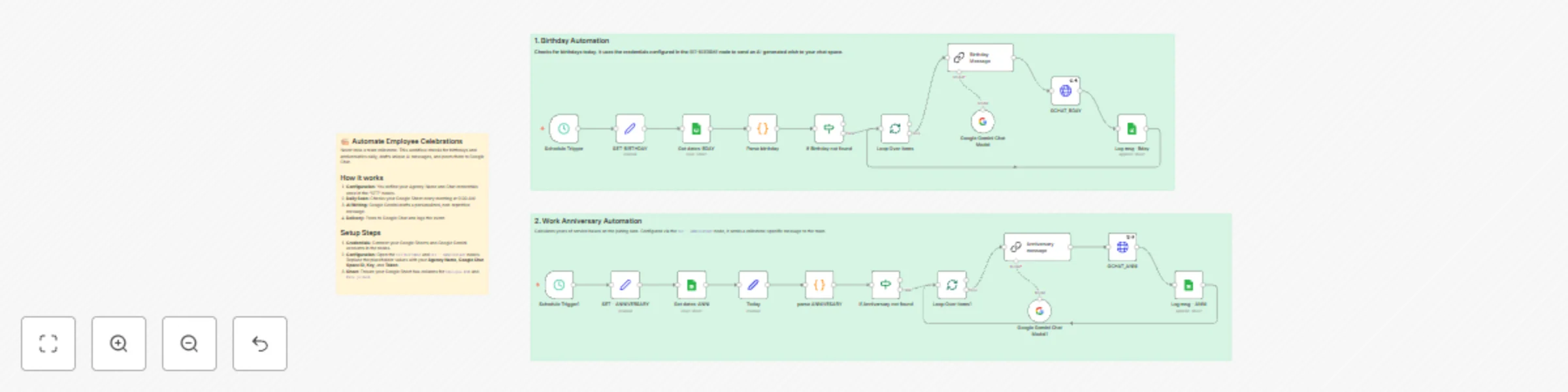
Automate HR celebrations with Google Gemini, Sheets & Chat for team milestones
## Description This workflow acts as your automated HR assistant, scanning for employee milestones and posting AI-generated celebration messages to Google Chat. ### How it works * **Daily Scan:** Checks your Google Sheet every morning to identify birthdays and work anniversaries. * **AI Drafting:** Uses **Google Gemini** to write unique, warm messages for each employee, ensuring wishes never sound robotic or repetitive. * **Delivery:** Automatically posts the message to your team's **Google Chat** space and logs the activity. ### Set up steps 1. **Connect Accounts:** Set up credentials for **Google Sheets** and **Google PaLM/Gemini**. 2. **Configure Settings:** Open the `SET-BIRTHDAY` and `SET - ANNIVERSARY` nodes to enter your **Agency Name** and **Google Chat API** details (Space ID, Key, Token). 3. **Prepare Data:** Ensure your Google Sheet contains columns for employee names, dates of birth, and joining dates.
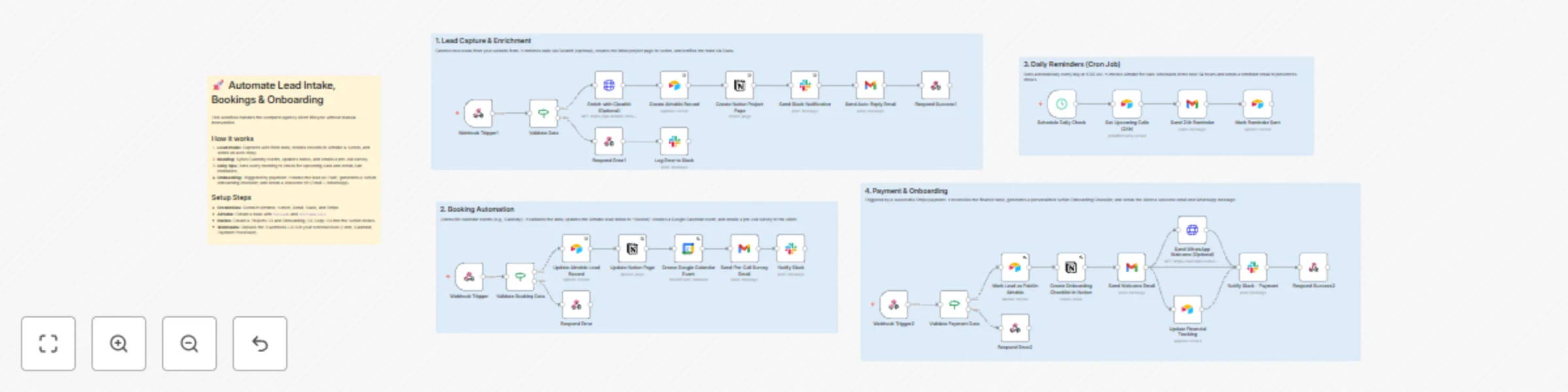
Automate client lifecycle: lead intake to onboarding with Airtable, Notion & Google Calendar
## How it works This workflow automates the entire lifecycle of a service-based client, combining four distinct business flows into a single view: 1. **Intake Leads:** Receives a webhook from your form builder, validates the data, optionally enriches the email using Clearbit, and creates records in Airtable and Notion. 2. **Manage Bookings:** Processes scheduling webhooks to update lead status, create Google Calendar events, and send pre-call survey emails. 3. **Send Reminders:** Runs a daily schedule to scan Airtable for upcoming calls and automatically sends 24h reminder emails to reduce no-shows. 4. **Onboard Clients:** Reacts to successful payments by marking leads as "Paid," generating a Notion Onboarding Checklist, and sending a Welcome Kit via Email and WhatsApp. ## Set up steps 1. **Configure Credentials:** * Connect your accounts for **Airtable, Notion, Slack, Google Calendar, and GMAIL**. * (Optional) Add credentials for **Clearbit** (enrichment) and **Twilio** (WhatsApp). 2. **Customize Emails:** * Open the four **Email Send** nodes. * Customize the `Body Text` with your own booking links and survey URLs. 3. **Configure Tables & IDs:** * Update the **Airtable** nodes with your specific Base and Table names (e.g., `tblLeads`). * Update the **Notion** nodes with your Database IDs for Projects and Onboarding. 4. **Connect Webhooks:** * Copy the Production URLs from the three Webhook nodes (`Lead Intake`, `Booking`, `Payment`) and paste them into your respective form, calendar, or payment provider settings.
Agentic B2B lead enrichment from Google Search to Google Sheets
## How it works This is an advanced "Agentic" workflow that acts as an autonomous lead generation specialist. It goes beyond simple scraping by "thinking" about where to look for contact info. 1. **Search & Filter:** It performs a Google Search for your niche (e.g., "Marketing Agencies in Toronto"), normalizing results to remove directories (Clutch, Yelp) and junk links. 2. **Homepage Analysis:** It visits every lead's website and uses an AI Agent to identify key pages (Contact, About, Careers) and social profiles. 3. **Deep Scan (Branch A):** If a "Contact Us" page is found, a second AI Agent visits that specific page to extract hidden emails and phone numbers. 4. **LinkedIn Enrichment (Branch B):** Simultaneously, if a LinkedIn profile is found, it scrapes the profile to extract Company Size, Industry, and Headquarters location. 5. **Aggregation:** Finally, it merges data from all sources, formats the arrays into readable text, and saves the complete profile to Google Sheets. ## Set up steps 1. **Configure APIs:** * **Serper.dev:** Required for the initial Google Search results. * **ScraperAPI:** Required to bypass bot detection when visiting company websites and LinkedIn. * **Google Gemini (or OpenAI):** Required for the AI Agents to analyze HTML. 2. **Setup Google Sheet:** * Create a new Sheet with these exact headers in Row 1: `Company Name`, `Linked Summary`, `employee count`, `industry`, `Emails`, `Phone`, `Website`. * Connect the **Google Sheets** node to this file. 3. **Configure Variables:** * In the **Edit Fields** node (Start), enter your `search_query` (e.g., "Plumbers in Chicago"). 4. **Important Note:** * This workflow uses a **Loop** with a 1.5s wait time to be polite to servers. A batch of 50 leads will take approximately 10-15 minutes to complete.