Deborah
Workflows by Deborah
Set credentials dynamically using expressions
## How it works This workflow shows how to set credentials dynamically using expressions. It accepts an API key via a form, then uses it in the NASA node to authenticate a request. ## Setup steps First, set up your NASA credential: 1. Create a new NASA credential. 1. Hover over **API Key**. 1. Toggle **Expression** on. 1. In the **API Key** field, enter `{{ $json["Enter your NASA API key"] }}`. Then, test the workflow: 1. Get an [API key from NASA](https://api.nasa.gov/) 2. Select **Test workflow** 3. Enter your key using the form. 4. The workflow runs and sends you to the NASA picture of the day. For more information on expressions, refer to [n8n documentation | Expressions](https://docs.n8n.io/code/expressions/).
Ask a human for help when the AI doesn't know the answer
This is a workflow that tries to answer user queries using the standard GPT-4 model. If it can't answer, it sends a message to Slack to ask for human help. It prompts the user to supply an email address. This workflow is used in [Advanced AI examples | Ask a human](https://docs.n8n.io/advanced-ai/examples/human-fallback/) in the documentation. To use this workflow: 1. Load it into your n8n instance. 2. Add your credentials as prompted by the notes. 3. Configure the Slack node to use your Slack details, or swap out Slack for a different service.
Allow your AI to call an API to fetch data
Use n8n to bring data from any API to your AI. This workflow uses the [Chat Trigger](https://docs.n8n.io/integrations/builtin/core-nodes/n8n-nodes-langchain.chattrigger/) to provide the chat interface, and the [Custom n8n Workflow Tool](https://docs.n8n.io/integrations/builtin/cluster-nodes/sub-nodes/n8n-nodes-langchain.toolworkflow/) to call a second workflow that calls the API. The second workflow uses AI functionality to refine the API request based on the user's query. It then makes an API call, and returns the response to the main workflow. This workflow is used in [Advanced AI examples | Call an API to fetch data](https://docs.n8n.io/advanced-ai/examples/api-workflow-tool/) in the documentation. To use this workflow: 1. Load it into your n8n instance. 2. Add your credentials as prompted by the notes. **Requires n8n 1.28.0 or above**
Very quick quickstart
Want to learn the basics of n8n? Our comprehensive [quick quickstart](https://docs.n8n.io/try-it-out/quickstart/) tutorial is here to guide you through the basics of n8n, step by step. Designed with beginners in mind, this tutorial provides a hands-on approach to learning n8n's basic functionalities.
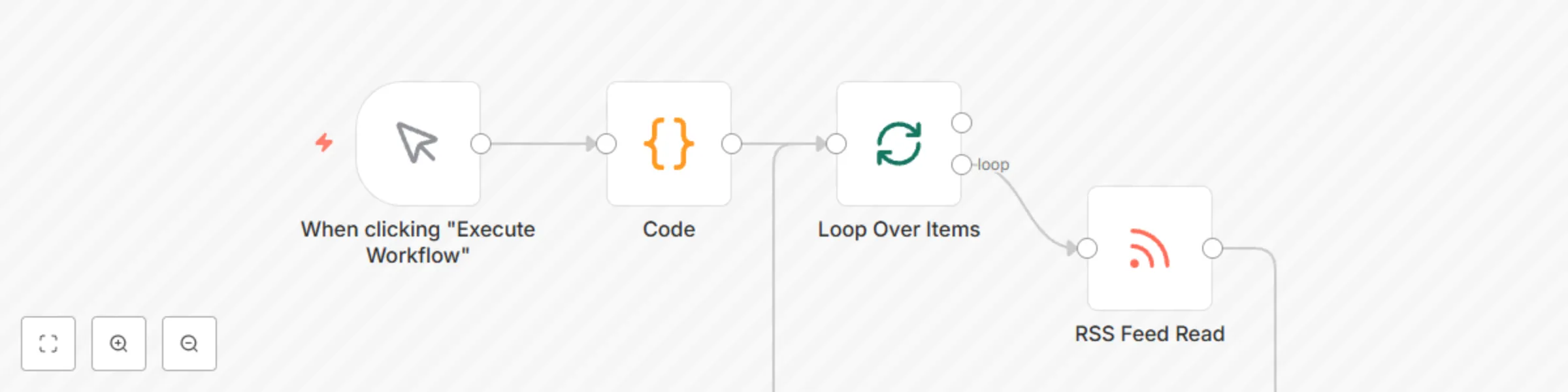
Read RSS feed from two different sources