David w/ SimpleGrow
Workflows by David w/ SimpleGrow
Send weekly engagement stats & raffle updates via WhatsApp using Airtable
## Scheduled Trigger: Every X day at Y pm, the workflow is automatically triggered. ## Fetch User Data: The workflow retrieves all user records from the "WhatsApp Engagement Database" in Airtable. Each record contains the user’s WhatsApp ID, current points, and the number of raffle vouchers. ## Personalized Message Preparation: For each user, a personalized WhatsApp message is prepared. The message includes: The user’s current point total The number of raffle vouchers they have for the week Encouragement to keep engaging for more chances to win Information about the weekly raffle and available prizes ## Send WhatsApp Message: The workflow sends this personalized message to each user via the Whapi API, using their WhatsApp ID. ## Result: Every active user receives a weekly update about their engagement status, raffle tickets, and a motivational message to encourage further participation. This helps boost engagement and keeps users informed about their progress and chances in the weekly raffle.
WhatsApp group onboarding with automated welcome messages & Airtable point system
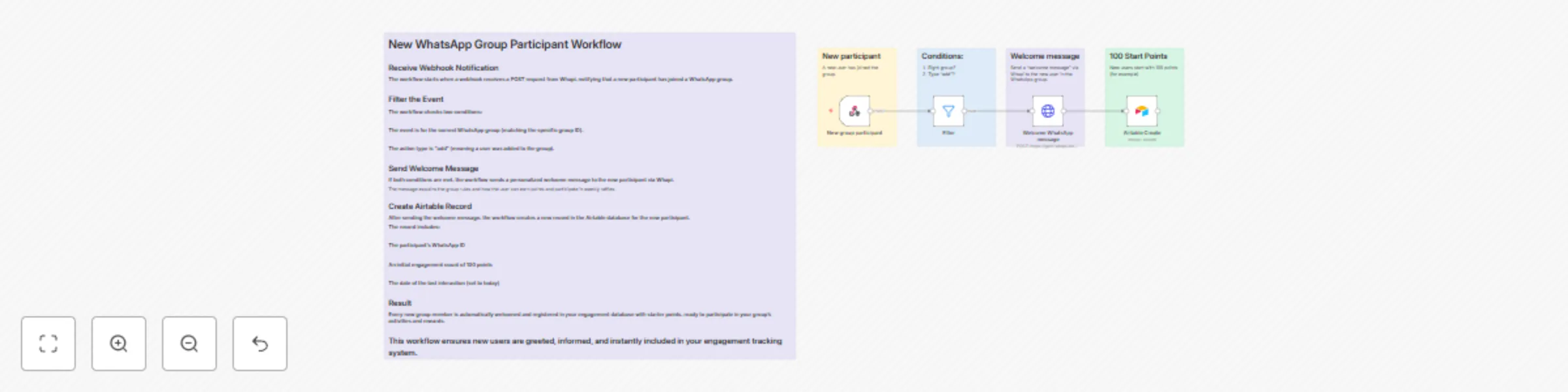
## Receive Webhook Notification The workflow starts when a webhook receives a POST request from Whapi, notifying that a new participant has joined a WhatsApp group. ## Filter the Event The workflow checks two conditions: The event is for the correct WhatsApp group (matching the specific group ID). The action type is "add" (meaning a user was added to the group). ## Send Welcome Message If both conditions are met, the workflow sends a personalized welcome message to the new participant via Whapi. The message explains the group rules and how the user can earn points and participate in weekly raffles. ## Create Airtable Record After sending the welcome message, the workflow creates a new record in the Airtable database for the new participant. The record includes: The participant’s WhatsApp ID An initial engagement count of 100 points The date of the last interaction (set to today) ## Result Every new group member is automatically welcomed and registered in your engagement database with starter points, ready to participate in your group’s activities and rewards. This workflow ensures new users are greeted, informed, and instantly included in your engagement tracking system.
Track WhatsApp group message activity with Airtable database
## This n8n workflow tracks user engagement in a specific WhatsApp group by capturing incoming messages via a Whapi webhook. It first filters messages to ensure they come from the correct group, then identifies the message type—text, emoji reaction, voice, or image. The workflow searches for the user in an Airtable database using their WhatsApp ID and increments their message count by one. It updates the Airtable record with the new count and the date of the last interaction. This automated process helps measure user activity and supports engagement initiatives like weekly raffles or rewards. The system is flexible and can be expanded to include more message types or additional actions. ## Overall, it provides a seamless way to encourage and track user participation in your WhatsApp community.