A

AI/ML API | D1m7asis

12
Workflows

Workflows by AI/ML API | D1m7asis

Workflow preview: Convert Gmail emails to Telegram voice messages with GPT-5 and Inworld TTS
Free intermediate

Convert Gmail emails to Telegram voice messages with GPT-5 and Inworld TTS

## **Who’s it for** For makers, founders, and productivity nerds who want to **listen to their inbox** instead of reading it. No servers, no hosting — all done with **n8n**, a **Telegram bot**, and **AI/ML API** (LLM + TTS). ## **What it does / How it works** This workflow listens for **new Gmail emails**, extracts the sender, subject, date, and snippet, generates a **2–3 sentence natural summary** using GPT-5 via AI/ML API, then converts the text into a **lifelike voice message** using **Inworld TTS-1-Max**. The final audio file is downloaded and instantly delivered to your Telegram via a bot. A separate auxiliary flow captures your **Telegram chat_id** once, stores it in a Data Table, and the main flow reuses it every time — no hardcoding required. High-level flow: 1. Gmail Trigger detects new incoming email 2. Code node builds a clean `emailData` block 3. AI/ML API (GPT-5) generates a natural spoken summary 4. AI/ML API (Inworld TTS-1-Max) converts summary → voice 5. Audio file is downloaded 6. Voice message is sent to the same Telegram chat ## **Requirements** * A working n8n instance (self-hosted or cloud) * Gmail OAuth2 credentials * Telegram bot token from **@BotFather** * AI/ML API key * Base URL: `https://api.aimlapi.com/v1` * Supports GPT-5 and Inworld TTS-1-Max ## **Set up steps** * Create a Telegram bot via **@BotFather** and add Telegram API credentials in n8n * Create an **AI/ML API** credential using your API key * Add Gmail OAuth2 credentials for inbox access * Import the workflow JSON * Open nodes and attach the correct credentials (no hardcoded tokens inside nodes) * Run the Telegram Trigger once and send any message to your bot — this saves your `chat_id` * Activate your workflow and receive your first voice-summary ## **How to customize** * Replace GPT-5 with another LLM from AI/ML API (same schema) * Change prompt style: tone, structure, language, or verbosity * Add language selection or multi-voice support * Add filters (e.g., only important emails, only starred emails) * Log all activity to Google Sheets or a database * Add IF conditions: voice only during certain hours, weekday vs weekend rules * Add rate-limits or user allowlists * Change the voice model for different notification styles: corporate, friendly, narrator

A
AI/ML API | D1m7asis
Personal Productivity
1 Dec 2025
43
0
Workflow preview: Create personalized city trip itineraries with Telegram Bot & GPT-4o
Free advanced

Create personalized city trip itineraries with Telegram Bot & GPT-4o

### Overview This workflow transforms your **Telegram bot** into a smart AI-powered travel assistant that instantly creates **3-day trip plans** for any city in the world. Users can personalize trips by sending hashtags such as `#luxury`, `#budget`, or `#romantic` to receive itineraries aligned with their travel style — from cozy getaways to adrenaline-filled adventures. Ideal for **travel bloggers, tour operators, and AI enthusiasts** looking to provide interactive trip suggestions through Telegram. --- ### How it Works 1. **Telegram Trigger** — Listens for new messages from users. 2. **Show Typing Indicator** — Sends a “typing…” signal for a smooth user experience. 3. **Switch Node** — Detects preset hashtags (e.g. `#cozy`, `#nightlife`, `#cultural`) and routes the flow. 4. **Prompt Builder** — Creates a JSON prompt with the selected city, trip duration, and preset theme. 5. **AI/ML API (GPT-5 or GPT-4o)** — Generates a detailed 3-day itinerary including sights, restaurants, and travel tips. 6. **Telegram Message** — Sends the formatted trip plan back to the user. --- ### Key Features * 🌍 **Dynamic Itinerary Generation** — Get personalized 3-day travel plans for any city. * 🧠 **AI-Driven Recommendations** — Sights, food, local culture, and insider tips generated via AI/ML API. * 🎯 **Preset Travel Styles** — Support for multiple hashtags: * `#cozy` — Relaxed and charming 🛋️ * `#nightlife` — Bars, concerts, and clubbing 🌃🍸 * `#extreme` — Adventure & adrenaline 🧗‍♂️ * `#family` — Kid-friendly fun 👨‍👩‍👧‍👦 * `#budget` — Affordable travel 💰 * `#luxury` — Premium experiences ✨ * `#cultural` — Museums & history 🎨🏛️ * `#nature` — Parks & scenic hikes 🌲🏞️ * `#romantic` — Cozy and scenic spots 💕 * 💬 **Interactive Telegram Experience** — Fast responses with typing indicators. * ⚙️ **Plug-and-Play Setup** — Ready to import and activate. --- ### Setup Steps 1. **Create Telegram Bot** * Open [@BotFather](https://t.me/BotFather) * Run `/newbot`, set a name and username * Save your bot token 2. **Add Credentials in n8n** * **Telegram API** → Use your bot token * **AI/ML API** → Add your API key (GPT-4o or GPT-5 model) 3. **Import and Configure** * Import this JSON workflow into n8n * Link credentials for Telegram and AI/ML API * Activate the workflow 4. **Test the Bot** * Send: `#luxury Paris` or `#nature Bali` * Receive your detailed AI-generated itinerary instantly --- ### Example Interaction **User:** ``` /romantic Florence ``` **Bot:** ``` ✨ 3-Day Romantic Getaway in Florence ✨ Day 1 — Artistic Beginnings • Visit: Uffizi Gallery, Ponte Vecchio • Eat: Trattoria ZaZa 🍝 • Tip: Sunset walk along Arno River 🌇 Day 2 — Tuscan Charm • Visit: Boboli Gardens, Piazzale Michelangelo • Eat: Wine tasting in Chianti region 🍷 • Tip: Rent a Vespa for the full Italian vibe 🇮🇹 Day 3 — Hidden Gems • Visit: Fiesole hilltop village • Eat: Local bakery for morning cappuccino ☕ • Tip: Avoid peak crowds by starting early 🌅 ``` --- ### Resources * 📘 [AI/ML API Documentation](https://docs.aimlapi.com)

A
AI/ML API | D1m7asis
Support Chatbot
15 Oct 2025
131
0
Workflow preview: Interactive Russian language tutor bot with GPT-4o and Telegram
Free advanced

Interactive Russian language tutor bot with GPT-4o and Telegram

This n8n workflow turns Telegram into a personal language tutor. Users can choose between different learning modes — vocabulary, grammar, quiz, or mixed lessons — simply by adding a hashtag to their message. The bot processes requests with **AI/ML API** and sends back structured, interactive lessons in Telegram. --- ## 🚀 Features - 📩 Telegram-based input with hashtag commands - 🧠 Adaptive AI responses (vocabulary, grammar, quiz) - 🔤 Pronunciation support in Latin transcription - 📒 Grammar explanations with examples - ❓ Custom quizzes with auto-feedback - 💬 Supportive learning experience with motivational messages - ⏳ Typing indicator for smoother UX --- ## 🛠 Setup Guide 1. 📲 **Create Telegram Bot** - Go to [@BotFather](https://t.me/BotFather) - Use `/newbot` → choose a name and username - Save the bot token 2. 🔐 **Set Up Credentials in n8n** - **Telegram API**: Use your bot token - **AI/ML API**: Add your API key under **AI/ML account** 3. ⚙️ **Configure the Workflow** - Import the JSON into n8n - Update credentials (Telegram + AI/ML API) - Activate the workflow 4. 💬 **Start Learning** - In Telegram, send a message with one of the supported hashtags: - `#vocabulary` — learn new words - `#grammar` — study rules with examples - `#quiz` — get exercises - Or just send plain text for a free-form AI response --- ## 🔍 Node Overview - **Telegram Trigger** → Listens for incoming messages - **Show Typing Indicator** → Displays “typing…” while processing - **Switch Node** → Routes message by hashtag (#vocabulary, #grammar, #quiz) - **Prompt Builder Nodes** → Create JSON payload for AI/ML API - **AI/ML API Node** → Generates the structured lesson - **Telegram Send** → Sends the formatted response back to the user --- ## 💡 Example Flow **User Input:** ``` #vocabulary кукуруза ``` **Bot Output:** ``` Кукуруза (Kukurúza) — Corn Pronunciation: koo-koo-ROO-zah Sentence: Я люблю есть кукурузу на гриле. I love eating grilled corn. 👉 Try to write your own sentence with “кукуруза”! ```

A
AI/ML API | D1m7asis
AI Chatbot
22 Sep 2025
213
0
Workflow preview: Answer questions with factual web search using Telegram, Tavily and GPT-5
Free advanced

Answer questions with factual web search using Telegram, Tavily and GPT-5

# 🧠 Telegram Search Assistant — Tavily + AI/ML API This **n8n workflow** lets users ask questions in Telegram and receive concise, fact-based answers. It performs a **web search with Tavily**, then uses **AIMLAPI (GPT-5)** to summarize results into a clear 3–4 sentence reply. The flow ensures grounded, non-hallucinated answers. --- ## 🚀 Features - 📩 **Telegram-based input** - ⌨️ **Typing indicator** for better UX - 🔎 **Web search** with Tavily (JSON results) - 🧠 **Summarization** with AIMLAPI (`openai/gpt-5-chat-latest`) - 📤 **Replies** in the same chat/thread - ✅ **Guardrails** against hallucinations --- ## 🛠 Setup Guide ### 1. 📲 Create Telegram Bot - Talk to **[@BotFather](https://t.me/BotFather)** - Use `/newbot` → choose a name and username - Save the **bot token** ### 2. 🔐 Set Up Credentials in n8n - **Telegram API**: use your bot token - **Tavily**: add your Tavily API key - **AI/ML API**: add your API key - Base URL: `https://api.aimlapi.com/v1` ### 3. 🔧 Configure the Workflow - Open the **n8n editor** and import the JSON - Update credentials for **Telegram**, **Tavily**, and **AIMLAPI** --- ## ⚙️ Flow Summary | Node | Function | |--------------------------|-----------------------------------------------| | 📩 Receive Telegram Msg | Triggered when user sends text | | ⌨️ Typing Indicator | Shows “typing…” to user | | 🔎 Web Search | Queries Tavily with user’s message | | 🧠 LLM Summarize | Summarizes search JSON into a factual answer | | 📤 Reply to Telegram | Sends concise answer back to same thread | --- ## 📁 Data Handling - By default: **no data stored** - Optional: log queries & answers to **Google Sheets** or a **database** --- ## 💡 Example Prompt Flow **User sends:** ``` When is the next solar eclipse in Europe? ``` **Bot replies:** ``` The next solar eclipse in Europe will occur on August 12, 2026. It will be visible as a total eclipse across Spain, with partial views in much of Europe. The maximum eclipse will occur around 17:46 UTC. ``` --- ## 🔄 Customization - Add commands: `/help`, `/sources`, `/news` - Apply **rate-limits** per user - Extend logging to Google Sheets / DB - Add **NSFW / profanity filters** before search --- ## 🧪 Testing - Test **end-to-end in Telegram** (not just “Execute Node”) - Add a fallback reply if Tavily returns empty results - Use sticky notes for debugging & best practices --- ## 📎 Resources - 🔗 [AI/ML API Docs](https://docs.aimlapi.com) - 🔗 [Tavily Search API](https://tavily.com)

A
AI/ML API | D1m7asis
Support Chatbot
17 Sep 2025
461
0
Workflow preview: Analyze images & extract text with GPT-4o Vision and Telegram
Free advanced

Analyze images & extract text with GPT-4o Vision and Telegram

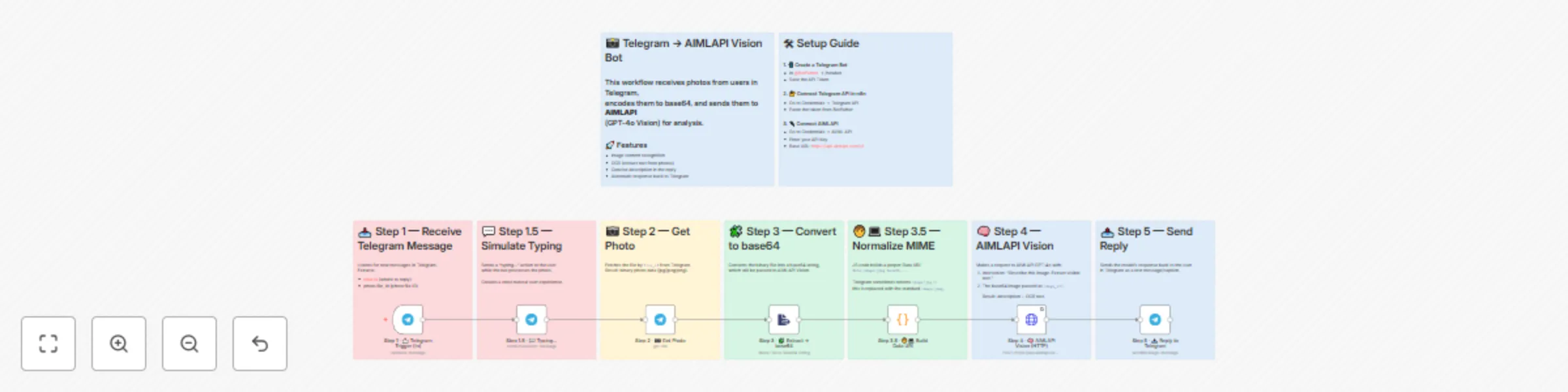
![image.png](fileId:2307) ## Who’s it for Teams and makers who want a plug-and-play vision bot: users send a photo in Telegram, the bot returns a concise description plus OCR text. No custom servers required—just n8n, a Telegram bot, and an AIMLAPI key. ## What it does / How it works The workflow listens for new Telegram messages, fetches the highest-resolution photo, converts it to base64, normalizes the MIME type, and calls AIMLAPI (GPT-4o Vision) via the HTTP Request node using the OpenAI-compatible `messages` format with an `image_url` data URI. The model returns a short caption and extracted text. The answer is sent back to the same Telegram chat. ## Requirements * n8n instance (self-hosted or cloud) * Telegram bot token (from @BotFather) * AIMLAPI account and API key (OpenAI-compatible endpoint) ## How to set up 1. Create a Telegram bot with @BotFather and copy the token. 2. In n8n, add Telegram credentials (no hardcoded tokens in nodes). 3. Add AIMLAPI credentials with your API key (base URL: `https://api.aimlapi.com/v1`). 4. Import the workflow JSON and connect credentials in the nodes. 5. Execute the trigger and send a photo to your bot to test. ## How to customize the workflow * Modify the vision prompt (e.g., add brand, language, or formatting rules). * Switch models within AIMLAPI (any vision-capable model using the same `messages` schema). * Add an IF branch for text-only messages (reply with guidance). * Log usage to Google Sheets or a database (user id, file id, response). * Add rate limits, user allowlists, or Markdown formatting in Telegram responses. * Increase timeouts/retries in the HTTP Request node for long-running images.

A
AI/ML API | D1m7asis
Support Chatbot
3 Sep 2025
926
0
Workflow preview: Send daily AI-generated quotes & images to Telegram with GPT-4o and Flux-pro
Free advanced

Send daily AI-generated quotes & images to Telegram with GPT-4o and Flux-pro

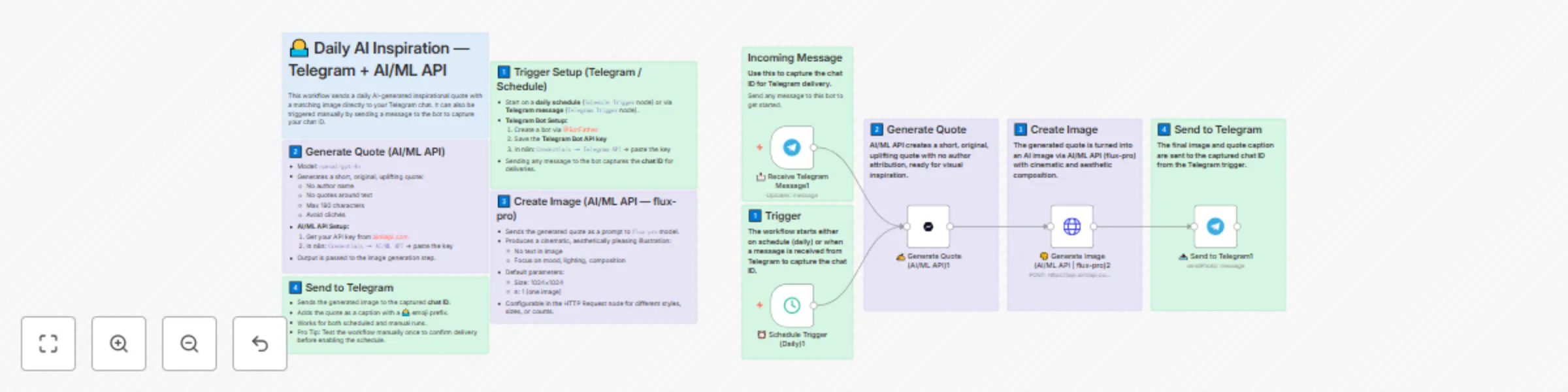
*This workflow contains community nodes that are only compatible with the self-hosted version of n8n.* 🌅 **Daily AI Inspiration (n8n + AI/ML API + Telegram)** This n8n workflow sends a short, original AI‑generated quote and a matching cinematic image to your Telegram chat every morning. It auto‑captures your chat ID from the first message you send to the bot, then runs on a daily schedule. **🚀 Key Features** * Zero‑Friction Delivery — Just send any message once; the chat ID is saved for daily drops. * AI Quote Writer — GPT‑4o crafts concise, uplifting quotes (no author, no quotes). * Cinematic Visuals — `flux-pro` turns each quote into a mood‑rich illustration. * Hands‑Off Scheduling — Runs at a set time every day via Schedule Trigger. * Telegram Ready — Sends the image + caption directly to your chat. **🛠 Setup Guide** 1. **Create AI/ML API Credentials** * Get your API key in AI/ML API. * In n8n → **Credentials**, add **AI/ML API** (Bearer token, Base URL `https://api.aimlapi.com/v1`). 2. **Create Telegram Credentials** * In Telegram, open **@BotFather** → `/newbot` → save the bot token. * In n8n → **Credentials → Telegram API**, paste the token. 3. **Capture Chat ID** * Start the workflow, message your bot once (Telegram Trigger will store the chat ID automatically). 4. **Schedule & Test** * Set your preferred time in **Schedule Trigger** (e.g., 07:30). * Execute once to confirm delivery, then enable the workflow. **💡 How It Works** 1. **Trigger** — Runs daily via Schedule Trigger (or manually after first chat message to capture chat ID). 2. **Quote Generation** — AI/ML API (GPT‑4o) produces a short, original, uplifting line. 3. **Image Creation** — AI/ML API (`flux-pro`) renders a cinematic image inspired by the quote. 4. **Telegram Delivery** — Sends the image to your chat with the quote as the caption (🌅 prefix). Optional: tweak image size (`1024×1024` by default), add logging (Google Sheets), or extend with moderation, model switching, or multi‑chat routing.

A
AI/ML API | D1m7asis
Content Creation
15 Aug 2025
539
0
Workflow preview: Chat with GPT-5 on Telegram: AI-powered conversational bot
Free intermediate

Chat with GPT-5 on Telegram: AI-powered conversational bot

# 💬 GPT-5 Powered Telegram Bot — AI/ML API + n8n This n8n workflow lets users chat with **GPT-5** directly in Telegram. It simulates typing for a natural UX, sends messages to GPT-5 via AI/ML API, and replies back in the same chat. Optionally, each interaction can be logged in Google Sheets. --- ## 🚀 Features * 📩 Telegram-based chat input * 💬 Typing indicator before reply * 🧠 High-quality AI responses via `openai/gpt-5-chat-latest` (AI/ML API) * 📤 Replies sent back in Telegram with formatting * 📝 Optional logging to Google Sheets * 🔒 Secure credential handling in n8n --- ![image.png](fileId:2272) --- ![image.png](fileId:2274) --- ![image.png](fileId:2273) --- ## 🛠 Setup Guide ### 1. 📲 Create Telegram Bot * Open [@BotFather](https://t.me/BotFather) * Use `/newbot`, choose name + username * Save the **API token** ### 2. 🔐 Set Up Credentials in n8n * `Telegram API`: paste the BotFather token * `AI/ML API`: create a key from [aimlapi.com](https://aimlapi.com/?utm_source=aimlapi-n8n-readme&utm_medium=github&utm_campaign=integration) * (Optional) `Google Sheets`: connect via OAuth2/Service Account ### 3. 📗 Prepare Google Sheet (optional logging) * Name: e.g., `GPT5 Bot Logs` * Sheet: `Sheet1` * Columns: ``` user_id | date | query | response ``` ### 4. 🔧 Configure Workflow * Import the JSON into n8n * Attach your credentials to the Telegram + AI/ML API nodes * (Optional) update Google Sheets node with Sheet ID --- ## ⚙️ Flow Summary | Node | Function | | ------------------------------- | -------------------------------------- | | `📩 Receive Telegram Message` | Trigger on user message | | `💬 Simulate Typing` | Sends "typing…" action to Telegram | | `🧠 Process with GPT-5` | Calls AI/ML API with message text | | `📤 Send Response to Telegram` | Replies back to user with model output | | `📝 Log Interaction` (optional) | Appends log row to Google Sheets | --- ## 💡 Example User Flow 1. User sends: ``` What’s the capital of Japan? ``` 2. Bot replies after "typing…": ``` The capital of Japan is Tokyo. ``` 3. Conversation continues naturally. --- ## 🧪 Testing * Use a test chat with your bot * Trigger via `/execute workflow` (not “Execute Node”) * Add `Set` or `Console` nodes for debugging --- ## 📎 Resources * 🔗 [AI/ML API Docs](https://docs.aimlapi.com/?utm_source=aimlapi-n8n-readme&utm_medium=github&utm_campaign=integration) * 🤖 [GPT-5 Models](https://aimlapi.com/models?utm_source=aimlapi-n8n-readme&utm_medium=github&utm_campaign=integration)

A
AI/ML API | D1m7asis
AI Chatbot
13 Aug 2025
1260
0
Workflow preview: Generate videos from text prompts using GPT-5 and Google Veo-3
Free advanced

Generate videos from text prompts using GPT-5 and Google Veo-3

*This workflow contains community nodes that are only compatible with the self-hosted version of n8n.* **🎬 GPT-5 Cinematic Video Generator (n8n + AI/ML API + Google Veo-3)** This n8n workflow transforms even a single word into a fully rendered cinematic video using **Google Veo-3 image-to-video** and prompt expansion with **GPT-5**. Ideal for rapid creative prototyping, content creation, and AI-driven video production. --- **🚀 Key Features** * **Ultra-Short Input Ready** – Works with just one keyword or a short idea. * **AI Prompt Expansion** – GPT-5 adds cinematic elements: camera motion, mood, color palette, and composition. * **Automated Video Generation** – Veo-3 i2v model creates smooth, visually appealing clips. * **Smart Polling** – Waits until video is ready, with success/fail handling. * **Direct Output** – Returns ready-to-use video URL for download or publishing. --- **🛠 Setup Guide** 1. **Create AI/ML API Credentials** * Get your API key from [AI/ML API Keys](https://aimlapi.com/app/keys). * In n8n > Credentials, add **AI/ML account** (Bearer token). 2. **(Optional) Change Image Source** * Edit the `Set image URL` node to point to your desired still image for video generation. 3. **Run from Chat** * Send a word or short phrase via **Chat Trigger** to start the process. 4. **(Optional) Extend Output** * Add Google Drive upload, YouTube publish, or database logging nodes for a complete content pipeline. --- **💡 How It Works** 1. **Trigger** – Receives chat input (keyword or brief). 2. **Prompt Expansion** – GPT-5 turns it into a cinematic, Veo-3-optimized description. 3. **Video Creation** – Sends prompt + image to Veo-3 image-to-video. 4. **Polling** – Checks generation status every 30 seconds until complete. 5. **Result** – Returns direct video URL, ready for your next steps.

A
AI/ML API | D1m7asis
Content Creation
13 Aug 2025
1510
0
Workflow preview: Create a multi-model AI chatbot with Telegram, AIMLAPI, and Google Sheets
Free advanced

Create a multi-model AI chatbot with Telegram, AIMLAPI, and Google Sheets

# 📲 **AI Multi-Model Telegram Chatbot (n8n + AIMLAPI)** This n8n workflow enables Telegram users to interact with **multiple AI models dynamically** using **#model_id commands**. It also supports a **/models** command to list all available models. Each user has a **daily usage limit**, tracked via **Google Sheets**. --- ## 🚀 **Key Features** * **Dynamic Model Selection:** Users choose models on-the-fly via `#model_id` (e.g., `#openai/gpt-4o`). * **/models Command:** Lists all available models grouped by provider. * **Daily Limit Per User:** Enforced using Google Sheets. * **Prompt Parsing:** Extracts model and message from user input. * **Logging:** Logs every request & result into Google Sheets for usage tracking. * **Seamless Telegram Delivery:** Responses are sent directly back to the chat. --- ## 🛠 **Setup Guide** ### 1. 📲 **Create a Telegram Bot** * Go to [@BotFather](https://t.me/BotFather) * Use `/newbot` → Set name & username. * Copy the generated **API token**. ### 2. 🔐 **Add Telegram Credentials to n8n** * Go to **n8n > Credentials > Telegram API**. * Create a new credential with the BotFather token. ### 3. 📗 **Google Sheets Setup** * Create a Google Sheet named **Sheet1**. * Add columns: ``` user_id | date | query | result ``` * Share the sheet with your **Service Account** or **OAuth Email** (depending on auth method). ### 4. 🔌 **Connect AIMLAPI** * Get your API key from *[AIMLAPI](https://aimlapi.com/app/?utm_source=n8n-workflow&utm_medium=github&utm_campaign=integration).* * In n8n > Credentials, add **AI/ML API**: * API Key: your_key_here. ### 5. ⚙️ **Customize Limits & Enhancements** * Adjust daily limits in the `Set Daily Limit` node. * Optional: * Add NSFW content filtering. * Implement alias commands. * Extend with /help, /usage, /history. * Add inline button UX (advanced). --- ## 💡 **How It Works** ### ➡️ **Command Examples:** 1. **Start a chat with a specific model:** ``` #openai/gpt-4o Write a motivational quote. ``` 2. **Request available models list:** ``` /models ``` ### ➡️ **Workflow Logic:** 1. **Receives a Telegram message.** 2. Switch node checks if the message is `/models` or a prompt. 3. For `/models`, it fetches and sends a grouped list of models. 4. For prompts: * Checks usage limits. * Parses `#model_id` and prompt text. * Dynamically routes the request to the chosen model. * Sends the AI's response back to the user. * Logs the query & result to Google Sheets. 5. If daily limit exceeded → sends a limit exceeded message. --- ## 🧪 **Testing & Debugging Tips** * Test via a separate Telegram chat. * Use Console/Set nodes to debug payloads. * Always test commands by messaging the bot (not via "Execute Node"). * Validate cases: * Missing #model_id. * Invalid model_id. * Limit exceeded handling.

A
AI/ML API | D1m7asis
Personal Productivity
6 Aug 2025
616
0
Workflow preview: Generate AI images in Telegram with GPT-4o enhancement and Flux Pro
Free advanced

Generate AI images in Telegram with GPT-4o enhancement and Flux Pro

# 🧠 AI Image Generator Bot — Telegram + AI/ML API This n8n workflow allows users to generate AI-generated images by sending messages to a Telegram bot. Each request is logged in Google Sheets and limited by a **daily quota** per user. Image prompts are enhanced by LLM before generation. --- ## 🚀 Features - 📩 Telegram-based input - 🧠 Prompt enhancement with GPT-4o - 🎨 AI image generation via `flux-pro` model (AIMLAPI) - 🖋 Auto-caption generation - 📊 Usage tracked per user daily in Google Sheets - 🔒 Daily request limits - ✅ Graceful UX for over-limit cases --- ## 🛠 Setup Guide ### 1. 📲 Create Telegram Bot - Talk to [@BotFather](https://t.me/BotFather) - Use `/newbot` → Choose a name and username - Save the **bot token** ### 2. 🔐 Set Up Credentials in n8n - `Telegram API`: Use your bot token - `Google Sheets`: Set up via OAuth2 or Service Account - `AI/ML API`: Set up with your API key from [aimlapi.com](https://aimlapi.com/?utm_source=aimlapi-n8n-readme&utm_medium=github&utm_campaign=integration) ### 3. 📗 Prepare Google Sheet - Name: Any (e.g., `Image bot usage statistic`) - Sheet: `Sheet1` - Columns: ``` user_id | date | query | result_url ``` * Share the sheet with the email of your service/OAuth2 account ### 4. 🔧 Configure the Workflow * Open the n8n editor and import the JSON * Update: * Telegram credential * Google Sheets credential and Sheet ID * AI/ML API credentials --- ## ⚙️ Flow Summary | Node | Function | | ------------------------------ | ------------------------------------ | | `📩 Receive Telegram Message` | Triggered by user message | | `📊 Fetch Usage Logs` | Reads today's entries from Sheet | | `📈 Count Today’s Requests` | Counts how many generations today | | `🔢 Set Daily Limit` | Sets default limit (5) | | `🚦 Check Limit Exceeded?` | If over limit → notify | | `🧠 Enhance Prompt` | Uses GPT-4o to improve user's prompt | | `🎨 Generate Image` | Sends to AIMLAPI to generate | | `🖋 Describe Image` | Generates caption for the image | | `📤 Send Image to User` | Sends back to Telegram | | `📝 Log Successful Generation` | Writes to Google Sheets | --- ## 📁 Data Logging Each successful generation is stored in Google Sheets: | user\_id | date | query | result\_url | | -------- | ---- | ----- | ----------- | --- ## 💡 Example Prompt Flow 1. User sends: ``` astronaut cat floating in space ``` 2. Bot replies: > **Here’s your image:** > A majestic feline astronaut drifts through a glittering cosmic void, its helmet reflecting starlight. 3. The image is sent with the caption --- ## 🔄 Daily Limit * Default: `5` generations/day per Telegram user * You can change this in the `🔢 Set Daily Limit` node --- ## 🧪 Testing * Use `/execute workflow` in Telegram — not "Execute Node" in editor * Log test results to sheet * Add extra `Set` nodes for debugging as needed --- ## 📎 Resources * 🔗 [AI/ML API Docs](https://docs.aimlapi.com/?utm_source=aimlapi-n8n-readme&utm_medium=github&utm_campaign=integration) * 🖼️ [flux-pro Model UI](https://aimlapi.com/models?utm_source=aimlapi-n8n-readme&utm_medium=github&utm_campaign=integration)

A
AI/ML API | D1m7asis
Content Creation
29 Jul 2025
1122
0
Workflow preview: Build a Telegram mental health support bot with GPT-4o
Free advanced

Build a Telegram mental health support bot with GPT-4o

*This workflow contains community nodes that are only compatible with the self-hosted version of n8n.* **n8n Workflow Template: AI‑Powered Mental Health Support Bot** **Overview:** This template enables you to build a Telegram bot that delivers real‑time, empathetic mental health support. Incoming messages tagged with `#vent`, `#insight`, or `#cope` are routed to GPT‑4o via the AI/ML API, which returns tailored, compassionate responses. **How it works:** 1. **Telegram Trigger** listens for new chat messages or voice notes. 2. **Show Typing Indicator** immediately signals “typing…” in the chat. 3. **Switch Node** examines the text prefix and routes to one of four branches (`Vent`, `Insight`, `Cope`, or default). 4. **Set Prompt** nodes build a JSON payload with a specific role‑play prompt for each branch. 5. **AI/ML API** node (model `gpt-4o`) generates the response. 6. **Telegram** node sends the AI’s answer back to the user. **Setup Steps:** 1. Connect your **Telegram** bot token in the Telegram credentials. 2. Add your **AI/ML API** key (GPT‑4o) in n8n’s credential settings. 3. Activate the workflow and deploy your n8n instance webhook URL to BotFather. 4. Test by sending `#vent I’m stressed`, `#insight Why do I feel…`, or any tag in your Telegram chat. This plug‑and‑play workflow brings AI‑driven emotional support directly into Telegram.

A
AI/ML API | D1m7asis
Support Chatbot
28 Jul 2025
853
0
Workflow preview: Automate AI video production & distribution with Veo3, YouTube & Google Suite
Free advanced

Automate AI video production & distribution with Veo3, YouTube & Google Suite

*This workflow contains community nodes that are only compatible with the self-hosted version of n8n.* # Generate Veo3 Videos via AI/ML API, Save to Google Drive and Upload to YouTube Transform your content creation process by automating video generation with AI, publishing to YouTube, and logging results in Google Sheets. This workflow is ideal for content creators, marketers, and social media managers looking to streamline video production and distribution. ## How it works 1. **Trigger**: Start the workflow manually or on a scheduled interval (e.g., every hour). 2. **Generate Video**: Send a request to the AI/ML API to create video content based on predefined prompts and settings. 3. **Monitor Status**: Poll the AI/ML API until the video generation is completed, with retry logic for reliability. 4. **Download & Upload**: Retrieve the generated video file and upload it to your connected YouTube channel. 5. **Title Generation**: Generate a YouTube title using AI to optimize for engagement. 6. **Log Results**: Update a Google Sheet with video metadata and the YouTube URL for tracking and analytics. ## Set up steps 1. **Connect Credentials**: Add OAuth2 credentials for AI/ML API, YouTube, and Google Sheets in n8n Credentials. 2. **Configure Nodes**: Rename nodes for clarity (e.g., `Generate Video`, `Upload to YouTube`) and set up the HTTP Request node to use your AI/ML API credential. 3. **Sheet Preparation**: Create a Google Sheet with columns for `Date`, `Prompt`, `Video ID`, and `YouTube URL`. 4. **Schedule**: If using scheduling, configure the Schedule Trigger interval (e.g., every 60 minutes). 5. **Test & Deploy**: Run a manual trigger, verify video generation, upload, and sheet entry, then activate the workflow for automation.

A
AI/ML API | D1m7asis
Content Creation
24 Jul 2025
1988
0