ConvertAPI
Workflows by ConvertAPI
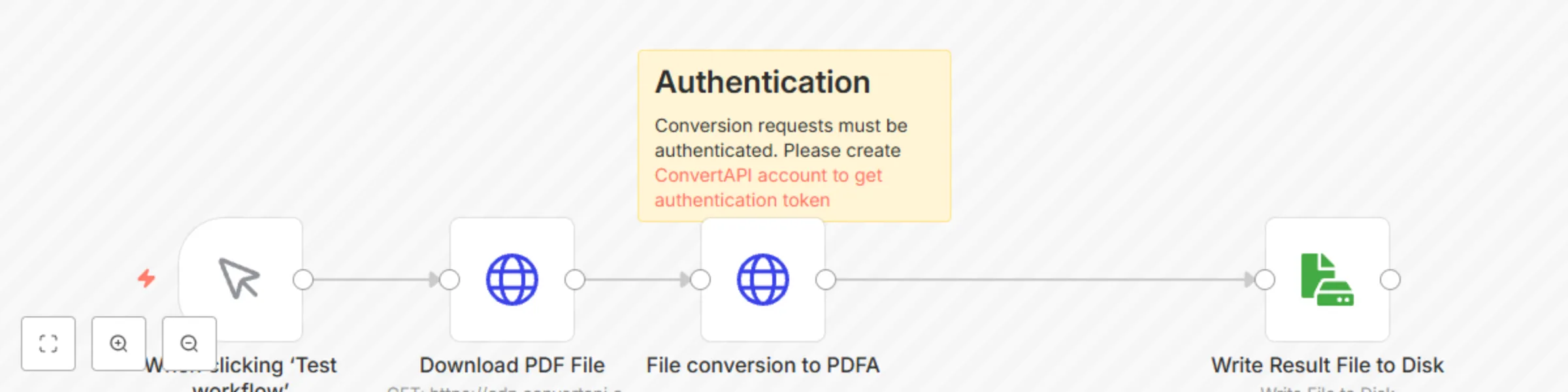
Convert PDF to PDFA using ConvertAPI
## Who is this for? For developers and organizations that need to convert **PDF** files to **PDFA** for long term archiving. ## What problem is this workflow solving? The file format conversion problem. ## What this workflow does 1. Downloads the PDF file from the web. 2. Converts the PDF file to PDFA. 3. Stores the PDFA file in the local file system. ## How to customize this workflow to your needs 1. Open the `HTTP Request` node. 2. Adjust the URL parameter (all endpoints can be found [here](https://www.convertapi.com/api)). 3. Use your `API Token` for authentication. Pass the token in the `Authorization` header as a Bearer token. You can manage your API Tokens in the [User panel → Authentication](https://www.convertapi.com/a/authentication). 4. Optionally, additional `Body Parameters` can be added for the converter.
Convert image to PDF using ConvertAPI
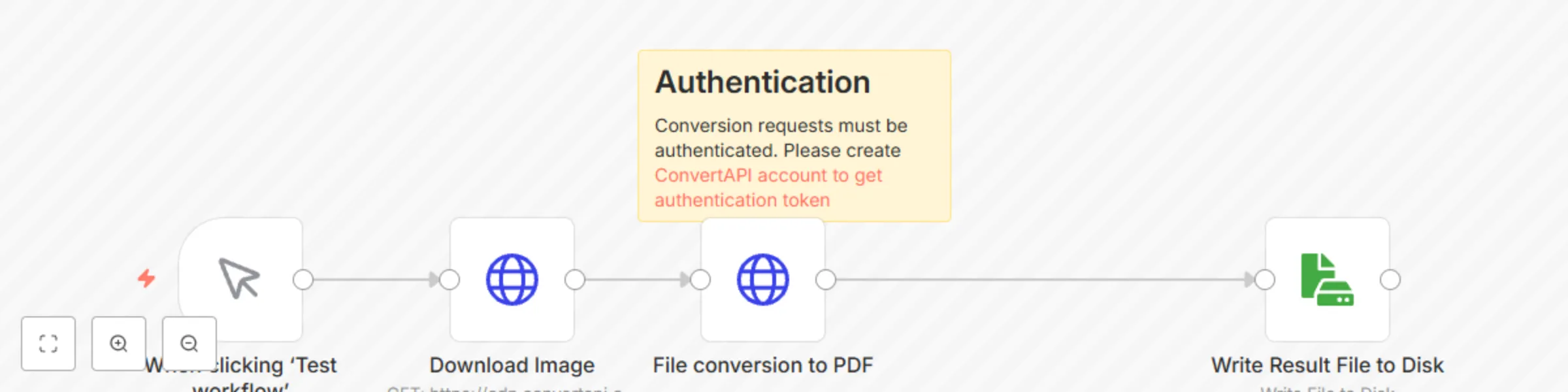
## Who is this for? For developers and organizations that need to convert **image** files to **PDF**. ## What problem is this workflow solving? The file format conversion problem. ## What this workflow does 1. Downloads the JPG file from the web. 2. Converts the JPG file to PDF. 3. Stores the PDF file in the local file system. ## How to customize this workflow to your needs 1. Open the `HTTP Request` node. 2. Adjust the URL parameter (all endpoints can be found [here](https://www.convertapi.com/api)). 3. Use your `API Token` for authentication. Pass the token in the `Authorization` header as a Bearer token. You can manage your API Tokens in the [User panel → Authentication](https://www.convertapi.com/a/authentication). 4. Optionally, additional `Body Parameters` can be added for the converter.
Convert HTML to PDF using ConvertAPI
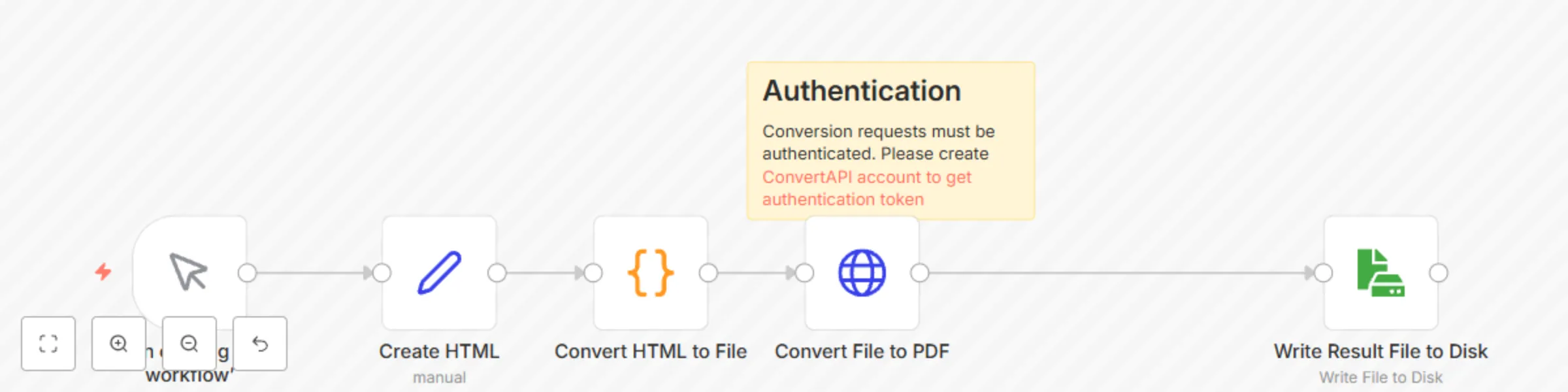
## Who is this for? For developers and organizations that need to convert **HTML** files to **PDF**. ## What problem is this workflow solving? The file format conversion problem. ## What this workflow does 1. Converts HTML to file. 2. Converts the HTML file to PDF. 3. Stores the PDF file in the local file system. ## How to customize this workflow to your needs 1. Open the `HTTP Request` node. 2. Adjust the URL parameter (all endpoints can be found [here](https://www.convertapi.com/api)). 3. Use your `API Token` for authentication. Pass the token in the `Authorization` header as a Bearer token. You can manage your API Tokens in the [User panel → Authentication](https://www.convertapi.com/a/authentication). 4. Optionally, additional `Body Parameters` can be added for the converter.
Convert web page to PDF using ConvertAPI
## Who is this for? For developers and organizations that need to convert **web page** to **PDF**. ## What problem is this workflow solving? The web page conversion to PDF problem. ## What this workflow does 1. Converts web page to PDF. 2. Stores the PDF file in the local file system. ## How to customize this workflow to your needs 1. Open the `HTTP Request` node. 2. Adjust the URL parameter (all endpoints can be found [here](https://www.convertapi.com/api)). 3. Use your `API Token` for authentication. Pass the token in the `Authorization` header as a Bearer token. You can manage your API Tokens in the [User panel → Authentication](https://www.convertapi.com/a/authentication). 4. Change the parameter `url` to the webpage you want to convert to pdf 5. Optionally, additional `Body Parameters` can be added for the converter.
Protect PDF with the password using ConvertAPI
## Who is this for? For developers and organizations that need to protect **PDF** files with the password. ## What problem is this workflow solving? PDF file protection problem. ## What this workflow does 1. Downloads the PDF file from the web. 2. Protects PDF file with the password. 3. Stores the PDF file in the local file system. ## How to customize this workflow to your needs 1. Open the `HTTP Request` node. 2. Adjust the URL parameter (all endpoints can be found [here](https://www.convertapi.com/api)). 3. Use your `API Token` for authentication. Pass the token in the `Authorization` header as a Bearer token. You can manage your API Tokens in the [User panel → Authentication](https://www.convertapi.com/a/authentication). 4. Change the password in the parameter `UserPassword` 5. Optionally, additional `Body Parameters` can be added for the converter.
Convert PPTX to PDF using ConvertAPI
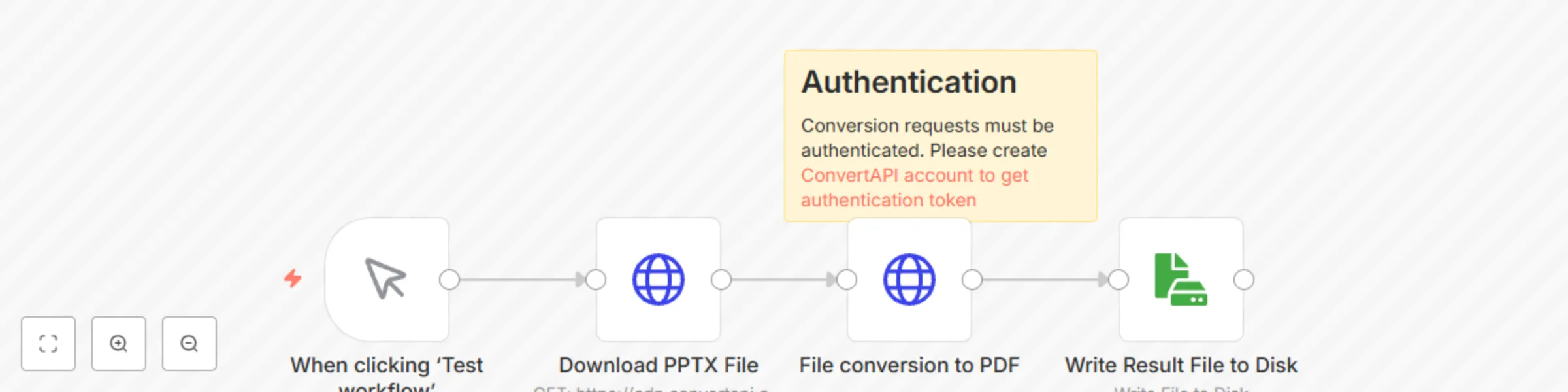
## Who is this for? For developers and organizations that need to convert **PPTX** files to **PDF**. ## What problem is this workflow solving? The file format conversion problem. ## What this workflow does 1. Downloads the PPTX file from the web. 2. Converts the PPTX file to PDF. 3. Stores the PDF file in the local file system. ## How to customize this workflow to your needs 1. Open the `HTTP Request` node. 2. Adjust the URL parameter (all endpoints can be found [here](https://www.convertapi.com/api)). 3. Use your `API Token` for authentication. Pass the token in the `Authorization` header as a Bearer token. You can manage your API Tokens in the [User panel → Authentication](https://www.convertapi.com/a/authentication). 4. Optionally, additional `Body Parameters` can be added for the converter.
Convert XLSX to PDF using ConvertAPI
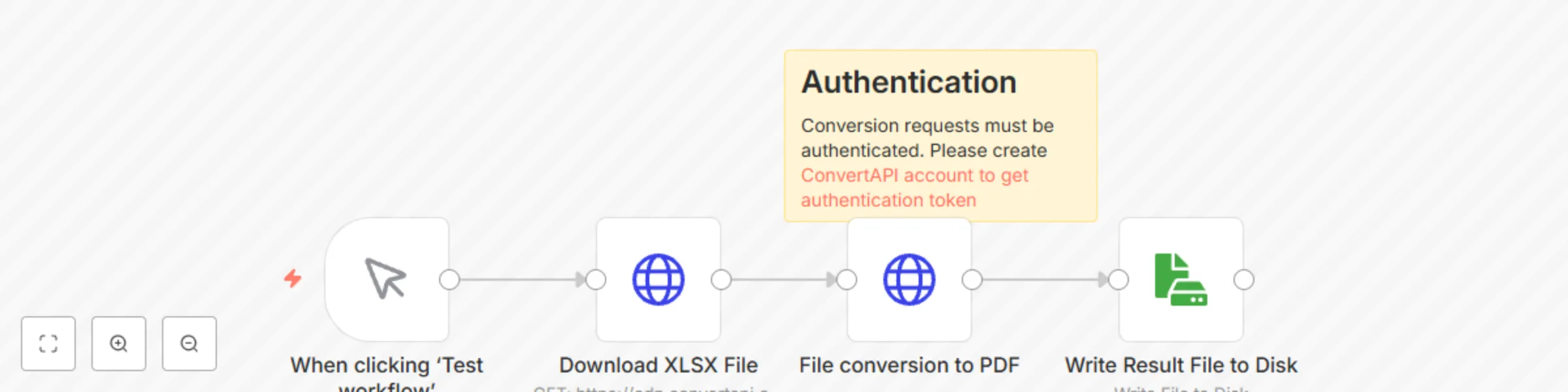
## Who is this for? For developers and organizations that need to convert **XLSX** files to **PDF**. ## What problem is this workflow solving? The file format conversion problem. ## What this workflow does 1. Downloads the XLSX file from the web. 2. Converts the XLSX file to PDF. 3. Stores the PDF file in the local file system. ## How to customize this workflow to your needs 1. Open the `HTTP Request` node. 2. Adjust the URL parameter (all endpoints can be found [here](https://www.convertapi.com/api)). 3. Use your `API Token` for authentication. Pass the token in the `Authorization` header as a Bearer token. You can manage your API Tokens in the [User panel → Authentication](https://www.convertapi.com/a/authentication). 4. Optionally, additional `Body Parameters` can be added for the converter.
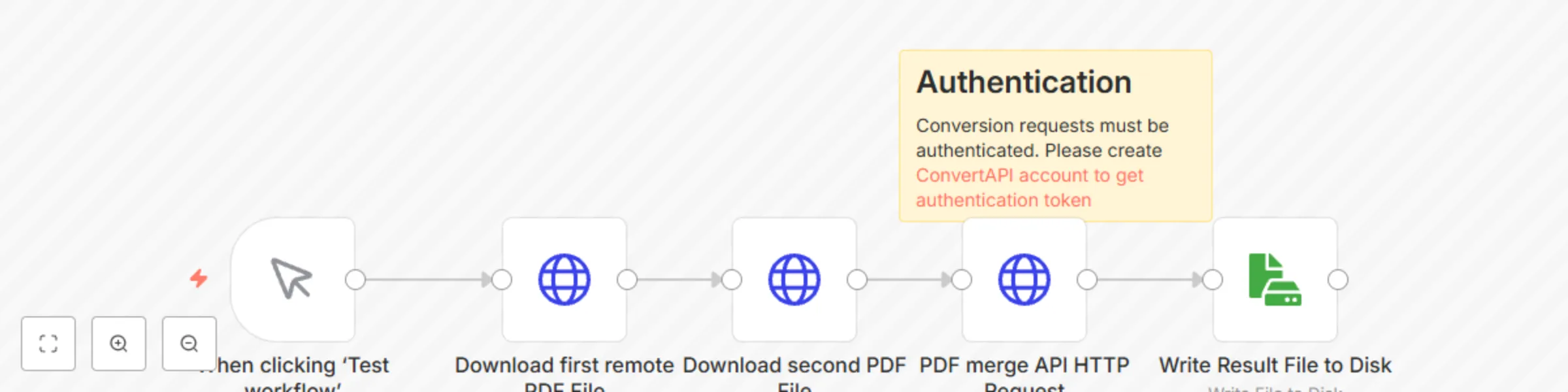
Merge PDF files using ConvertAPI
## Who is this for? For developers and organizations that need to combine **PDF** files. ## What problem is this workflow solving? PDF file merging problem. ## What this workflow does 1. Downloads two PDF files from the web. 2. Merges two PDF files into one. 3. Stores the PDF file in the local file system. ## How to customize this workflow to your needs 1. Open the `PDF merge HTTP Request` node. 2. Adjust the URL parameter (all endpoints can be found [here](https://www.convertapi.com/api)). 3. Use your `API Token` for authentication. Pass the token in the `Authorization` header as a Bearer token. You can manage your API Tokens in the [User panel → Authentication](https://www.convertapi.com/a/authentication). 4. Optionally, additional `Body Parameters` can be added for the converter.
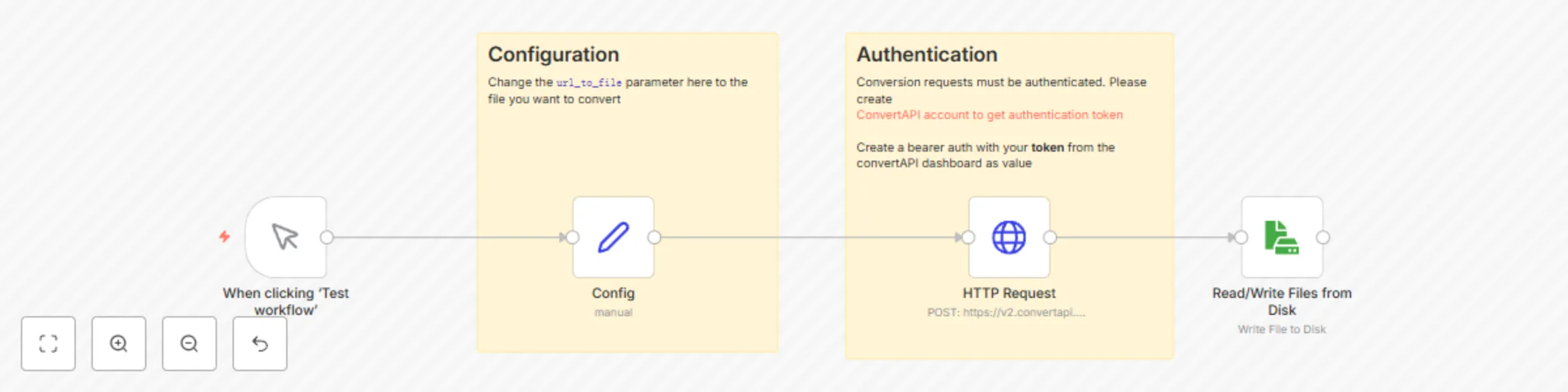
Convert DOCX (from URL) to PDF using ConvertAPI
## Who is this for? For developers and organizations that need to convert **DOCX** files to **PDF**. ## What problem is this workflow solving? The file format conversion problem. ## What this workflow does 1. Downloads the DOCX file from the web. 2. Converts the DOCX file to PDF. 3. Stores the PDF file in the local file system. ## How to customize this workflow to your needs 1. Open the `HTTP Request` node. 2. Adjust the URL parameter (all endpoints can be found [here](https://www.convertapi.com/api)). 3. Use your `API Token` for authentication. Pass the token in the `Authorization` header as a Bearer token. You can manage your API Tokens in the [User panel → Authentication](https://www.convertapi.com/a/authentication). 4. Adjust `url_to_file` in the `Config` node to URL pointing to your file. 5. Optionally, additional `Body Parameters` can be added for the converter.
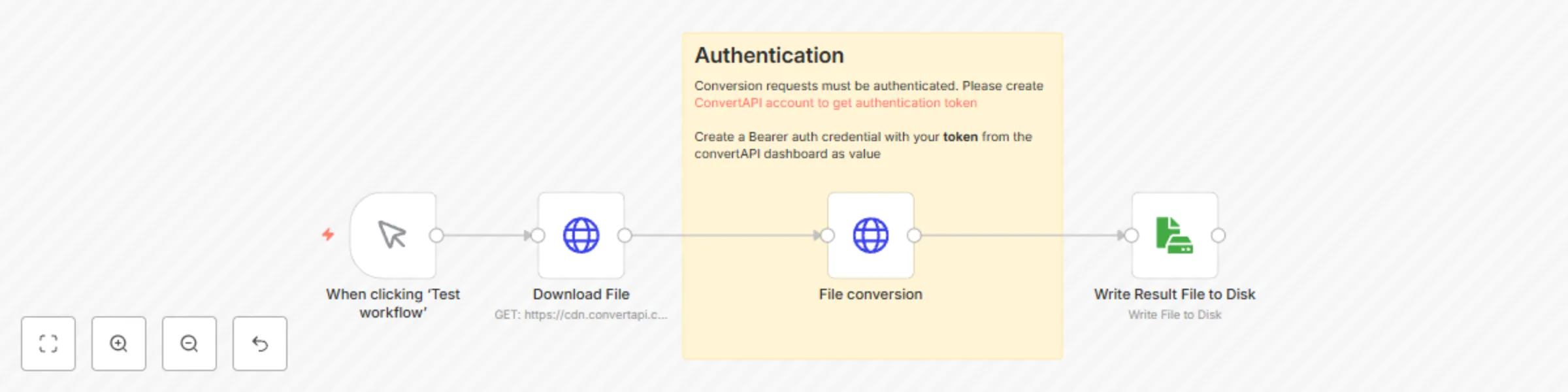
Convert DOCX to PDF using ConvertAPI
## Who is this for? For developers and organizations that need to convert **DOCX** files to **PDF**. ## What problem is this workflow solving? The file format conversion problem. ## What this workflow does 1. Downloads the DOCX file from the web. 2. Converts the DOCX file to PDF. 3. Stores the PDF file in the local file system. ## How to customize this workflow to your needs 1. Open the `HTTP Request` node. 2. Adjust the URL parameter (all endpoints can be found [here](https://www.convertapi.com/api)). 3. Use your `API Token` for authentication. Pass the token in the `Authorization` header as a Bearer token. You can manage your API Tokens in the [User panel → Authentication](https://www.convertapi.com/a/authentication). 4. Optionally, additional `Body Parameters` can be added for the converter.