Club de Inteligencia Artificial Politécnico CIAP

Workflows by Club de Inteligencia Artificial Politécnico CIAP
University FAQ & calendar assistant with Telegram, MongoDB and Gemini AI
# 🤖 Interactive Academic Chatbot (Telegram + MongoDB) ## Overview 📋 This project is a template for building a complete academic virtual assistant using n8n. It connects to Telegram, answers frequently asked questions by querying MongoDB, keeps the community informed about key dates (via web scraping), and collects user feedback for continuous improvement.  ## How It Works ## Architecture and Workflow ⚙️ n8n: Orchestration of 3 workflows (chatbot, scraping worker, announcer). Telegram: Frontend for user interaction and sending announcements. MongoDB: Centralized database for FAQs, academic calendar, and feedback logs. Web Scraping: HTTP Request and HTML Extract nodes to read the university's web calendar. Cron: For automatic periodic executions (daily and weekly). ## Core Processes 🧠 Real-time reception of user queries via Telegram. Querying MongoDB collections for FAQ answers and calendar dates. Daily scraping of the university website to keep the calendar updated. Instant logging of user feedback (👍/👎) in MongoDB. Proactive sending of weekly announcements to the Telegram channel. ## Key Benefits ✅ Complete automation of student communication 24/7. An always-accurate academic calendar database without manual intervention. A built-in continuous improvement system through user feedback. Proactive communication of important events to the entire community. ## Use Cases 💼 Automation of student support in universities, colleges, and institutions. A virtual assistant for any organization needing to manage FAQs and a dynamic calendar. An automated announcements channel to keep a community informed. ## Requirements 👨💻 n8n instance (self-hosted or cloud). Credentials for a Telegram Bot (obtained from @BotFather). Credentials for a MongoDB database (Connection URI). URL of the academic calendar to be scraped. ## Authors 👥 - Doménica Amores - Nicole Guevara - Adrián Villamar - Mentor: Jaren Pazmiño Applicants to the CIAP Polytechnic Artificial Intelligence Club 
Telegram appointment scheduler bot with Google Calendar & Sheets
# Telegram Appointment Scheduling Bot with n8n ## 📃 Description **Tired of managing appointments manually?** This template transforms your Telegram account into a **smart virtual assistant** that handles the entire scheduling process for you, 24/7. This workflow allows you to deploy a **fully functional Telegram bot** that not only **schedules appointments** but also **checks real-time availability in your Google Calendar**, logs a **history in Google Sheets**, and allows your clients to cancel or view their upcoming appointments. It's the perfect solution for professionals, small businesses, or anyone looking to automate their booking system professionally and effortlessly. --- ## ✨ Key Features - **Complete Appointment Management:** Allows users to schedule, cancel, and list their future appointments. - **Conflict Prevention:** Integrates with Google Calendar to check availability before confirming a booking, eliminating the risk of double-booking. - **Automatic Logging:** Every confirmed appointment is saved to a row in Google Sheets, creating a perfect database for tracking and analysis. - **Smart Interaction:** The bot handles unrecognized commands and guides the user, ensuring a smooth experience. - **Easy to Adapt:** Connect your own accounts, customize messages, and tailor it to your business needs in minutes. --- ## 🚀 Setup Follow these steps to deploy your own instance of this bot: ### 1. Prerequisites - An n8n instance (Cloud or self-hosted). - A Telegram account. - A Google account. ### 2. Telegram Bot 1. Talk to **@BotFather** on Telegram. 2. Create a new bot using `/newbot`. 3. Give it a name and a `username`. 4. Copy and save the **API token** it provides. ### 3. Google Cloud & APIs 1. Go to the [Google Cloud Console](https://console.cloud.google.com/). 2. Create a new project. 3. Enable the **Google Calendar API** and **Google Sheets API**. 4. Create **OAuth 2.0 Client ID** credentials. Make sure to add your n8n instance's OAuth redirect URL. 5. Save the **Client ID** and **Client Secret**. ### 4. Google Sheets 1. Create a new spreadsheet in Google Sheets. 2. Define the column headers in the first row. For example: `id`, `Client Name`, `Date and Time`, `ISO Date`. ### 5. n8n 1. Import the workflow JSON file into your n8n instance. 2. Set up the credentials: - **Telegram:** Create a new credential and paste your bot's token. - **Google Calendar & Google Sheets (OAuth2):** Create a new credential and paste the Client ID and Client Secret from the Google Cloud Console. 3. Review the Google Calendar and Google Sheets nodes to select your correct calendar and spreadsheet. 4. **Activate the workflow!** --- ## 💬 Usage Once the bot is running, you can interact with it using the following commands in Telegram: - **To start the bot:** `/start` - **To schedule a new appointment:** `agendar YYYY-MM-DD HH:MM Your Full Name` - **To cancel an existing appointment:** `cancelar YYYY-MM-DD HH:MM Your Full Name` - **To view your future appointments:** `mis citas Your Full Name` --- ## 👥 Authors - Jaren Pazmiño President of the Polytechnic Artificial Intelligence Club (CIAP) 
Automate news publishing to LinkedIn with Gemini AI and RSS feeds
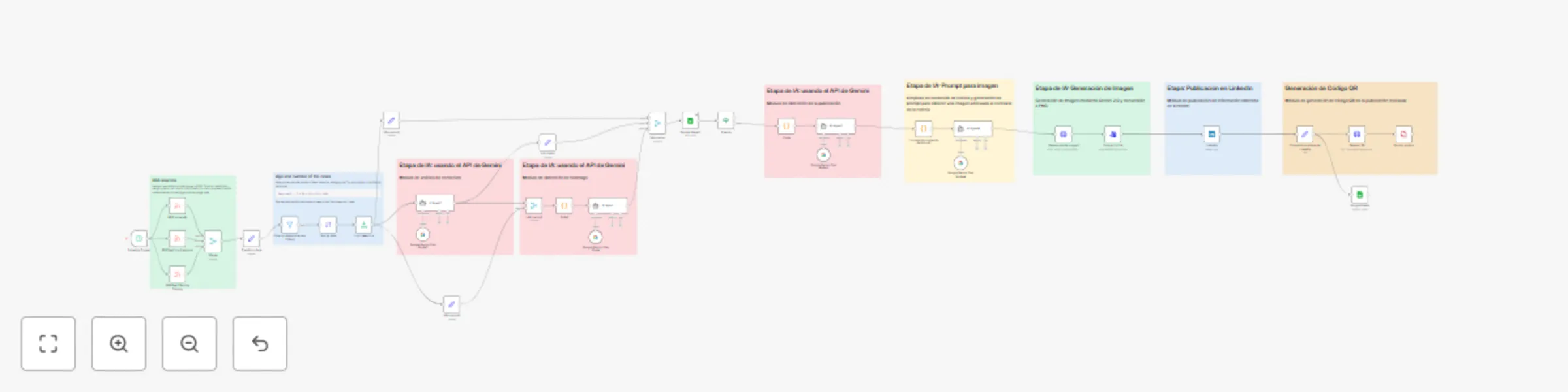
# 📰 LinkedIn News Auto-Publisher ## Overview 📋 This project is an automated news publisher for LinkedIn. It uses RSS feeds to fetch news, processes the content with the Gemini API to generate precise summaries, and automatically publishes to LinkedIn via its API. * * * ## How It Works ### Architecture and Workflow ⚙️ - **n8n**: Efficient orchestration of workflow with automation. - **RSS**: News sources such as TechCrunch and MIT Technology Review. - **Gemini API**: Dynamic generation of content and precise summaries. - **LinkedIn API**: Automatic publication on profiles and corporate pages. ### Content Processing 🧠 - Fetching news through RSS feeds. - Processing and generating summaries with the Gemini API. - Automatic publication on LinkedIn. * * * ## Key Benefits ✅ - Complete automation of the news publishing process. - Dynamic generation of precise and relevant content. - Integration with reliable news sources and publication on a professional platform. * * * ## Use Cases 💼 - Automation of news publishing for businesses and professionals. - Keeping corporate profiles and pages updated with relevant content. - Saving time in managing content on social networks. * * * ## Requirements 👨💻 - n8n instance (self-hosted or cloud). - Gemini API credentials. - LinkedIn bot setup and API credentials. - Configured RSS feeds to fetch news. * * * ## Authors 👥 - Joel Choez - Alan Bajaña - Jaren Pazmiño - David Sandoval Members of CIAP