Telegram support bot with OpenAI, Pinecone and human expert escalation
**Template name**
Smart AI Support Assistant for Telegram
**Short description**
Smart AI Support Assistant for Telegram automatically answers repeated questions in your group using a Q&A knowledge base in Pinecone and forwards new or unclear questions to a human expert.
**Long description (Description поле)**
## How it works
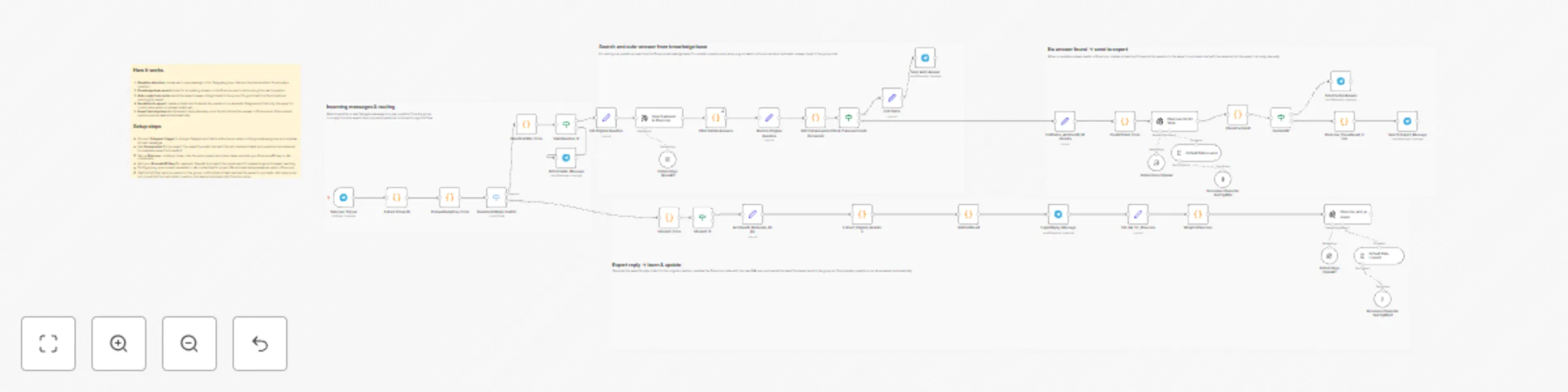
1. **Question detection** listens to messages in a Telegram group and checks whether each new message is a real question or an expert reply.
2. **Knowledge base search** looks for an existing answer in the Pinecone vector store for valid questions from the group.
3. **Auto‑reply from cache** sends the saved answer straight back to the group when a good match is found, without involving the expert.
4. **Escalation to expert** creates a ticket and forwards unanswered questions to the expert in a private chat with the same bot.
5. **Expert learning loop** saves the expert’s reply to Pinecone so that similar questions are answered automatically in the future.
## Setup steps
- Connect **Telegram Trigger** to a single Telegram bot that is added as an admin to the group/supergroup and receives all user messages.
- Use **the same bot** for the expert: the expert’s private chat with this bot is where tickets and questions are delivered.
- Set up **Pinecone**: create an index, note the environment and index name, and add your Pinecone API key to n8n credentials.
- Add your **AI model API key** (for example, OpenAI) and select the model used for embeddings and answer rewriting.
- Configure any environment variables or n8n credentials for project IDs and spaces/namespaces used in Pinecone.
- Test the full flow: send a question in the group, confirm that a ticket reaches the expert in a private chat, reply once, and check that the next similar question is answered automatically from the cache.