Budi SJ
Workflows by Budi SJ

Brand DNA generator using JotForm, Google Search, Gemini AI & Notion
# Automated Brand DNA Generator Using JotForm, Google Search, AI Extraction & Notion The Brand DNA Generator workflow automatically scans and analyzes online content to build a company’s Brand DNA profile. It starts with input from a form, then crawls the company’s website and Google search results to gather relevant information. Using AI-powered extraction, the system identifies insights such as value propositions, ideal customer profiles (ICP), pain points, proof points, brand tone, and more. All results are neatly formatted and automatically saved to a Notion database as a structured Brand DNA report, eliminating the need for manual research. ## 🛠️ Key Features - Automated data capture, collects company data directly from form submissions and Google search results. - Uses AI-powered insight extraction with LLMs to extract and summarize brand-related information from website content. - Fetches clean text from multiple web pages using HTTP requests and a content extractor. - Merges extracted data from multiple sources into a single Brand DNA JSON structure. - Automatically creates a new page in Notion with formatted sections (headings, paragraphs, and bullet points). - Handles parsing failures and processes multiple pages efficiently in batches. ## 🔧 Requirements - JotForm API Key, to capture company data from form submissions. - SerpAPI Key, to perform automated Google searches. - OpenRouter / LLM API, for AI-based language understanding and information extraction. - Notion Integration Token & Database ID, to save the final Brand DNA report to Notion. ## 🧩 Setup Instructions 1. Connect your JotForm account and select the form containing the fields Company Name and Company Website. 2. Add your SerpAPI Key. 3. Configure the AI model using OpenRouter or LLM. 4. Enter your Notion credentials and specify the databaseId in the Create a Database Page node. 5. Customize the prompt in the Information Extractor node to modify the tone or structure of AI analysis (Optional). 6. Activate the workflow, then submit data through the JotForm to test automatic generation and Notion integration. ## 💡 Final Output A complete Brand DNA Report containing: - Company Description - Ideal Customer Profile - Pain Points - Value Proposition - Proof Points - Brand Tone - Suggested Keywords All generated automatically from the company’s online presence and stored in Notion with no manual input required.
Import research papers from Telegram to Zotero with AI abstract summaries
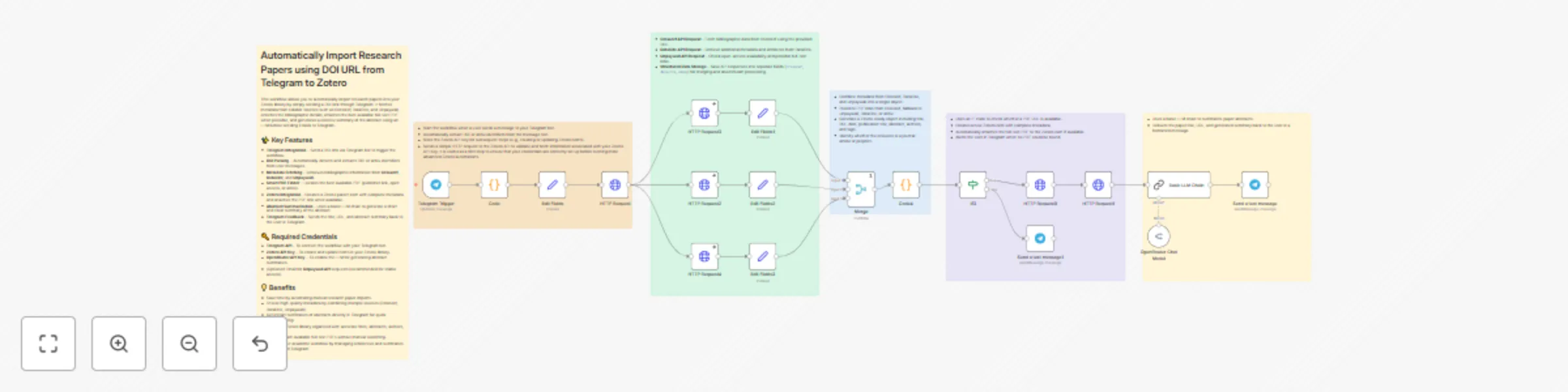
# Automatically Import Research Papers using DOI URL from Telegram to Zotero This workflow allows you to automatically import research papers into your Zotero library by simply sending a DOI link through Telegram. It fetches metadata from reliable sources such as Crossref, DataCite, and Unpaywall, enriches the bibliographic details, attaches the best available full-text PDF when possible, and generates a concise summary of the abstract using an LLM before sending it back to Telegram. ## ✨ Key Features - **Telegram Integration** – Send a DOI link via Telegram bot to trigger the workflow. - **DOI Parsing** – Automatically detects and extracts DOI or arXiv identifiers from user messages. - **Metadata Fetching** – Retrieves bibliographic information from **Crossref**, **DataCite**, and **Unpaywall**. - **Smart PDF Finder** – Locates the best available PDF (publisher link, open access, or arXiv). - **Zotero Integration** – Creates a Zotero parent item with complete metadata and attaches the PDF link when available. - **Abstract Summarization** – Uses a basic LLM chain to generate a short and clear summary of the abstract. - **Telegram Feedback** – Sends the title, URL, and abstract summary back to the user in Telegram. ## 🔑 Required Credentials - **Telegram API** – To connect the workflow with your Telegram bot. - **Zotero API Key** – To create and update items in your Zotero library. - **OpenRouter API Key** – To enable the LLM for generating abstract summaries. - *(Optional)* Email for **Unpaywall API** requests (recommended for stable access). ## 💡 Benefits - Save time by automating manual research paper imports. - Ensure high-quality metadata by combining multiple sources (Crossref, DataCite, Unpaywall). - Get instant summaries of abstracts directly in Telegram for quick understanding. - Keep your Zotero library organized with accurate titles, abstracts, authors, and tags. - Quickly attach available full-text PDFs without manual searching. - Improve your academic workflow by managing references and summaries directly from Telegram.
Generate ASO reports from Google Play Apps with Gemini AI & Google Docs
# Automated App Analysis & ASO Report Generator This workflow automates the process of analyzing a mobile app from the Google Play Store and generating a professional **ASO (App Store Optimization) Report**. Simply submit a Play Store URL, and the workflow will fetch app intelligence data, parse it, run an AI-based analysis, and deliver a formatted report in Google Docs. A Telegram notification with the document link ensures you never miss a new report. ## ✨ Key Features - **Form Input Trigger** – Start the workflow by submitting a Play Store URL. - **Automated Data Retrieval** – Uses HTTP request to fetch app intelligence (via SensorTower or similar APIs). - **Smart Data Parsing** – Extracts essential app details, competitor insights, reviews, downloads, and revenue data. - **AI-Powered ASO Report** – Generates a professional analysis using LLM (Gemini via OpenRouter) with structured sections: - 📱 App Overview - ⭐ User Ratings & Reviews - 📊 Competitor Analysis - 📈 Market Insights - 💡 Actionable Recommendations - **Google Docs Integration** – Creates and updates a Google Doc with the generated report. - **Instant Notification** – Sends a Telegram message with the app report link for quick access. --- ## 🔐 Required Credentials To run this workflow, you’ll need: - **SensorTower API (or alternative App Intelligence API)** – for app details, reviews, competitors, and market data. - **OpenRouter API** – to access LLM model. - **Google Docs OAuth2** – to create and update the ASO report in Google Docs. - **Telegram API** – for instant notifications with the report link. --- ## 🎁 Benefits - **Save Time** – Automates the manual process of app research and reporting. - **Consistent Reporting** – Ensures every report follows a professional structure with clear sections. - **Actionable Insights** – Get AI-generated recommendations to improve app performance and competitiveness. - **Collaboration-Ready** – Reports are stored in Google Docs for easy sharing and editing. - **Real-Time Alerts** – Stay updated via Telegram whenever a new report is generated. ---
Analyze YouTube comments sentiment & keywords with Gemini AI and Telegram reporting
# YouTube Comment Sentiment & Keyword Extractor **Template Google Sheets:** [Click here to open](https://docs.google.com/spreadsheets/d/1LBlCLH8L-eooAlfGq66_cLTbxyCse83c1VZaea0tjMg/edit?usp=sharing) This workflow automatically retrieves comments from YouTube videos listed in Google Sheets, analyzes sentiment and keywords using an LLM, stores the results, then generates an aggregate summary and sends a report to Telegram. --- ## ✨ Key Features - **Automated Scheduling** – Runs the process at regular intervals. - **Google Sheets Integration** – Fetches a list of videos and stores analysis results directly in Google Sheets. - **YouTube Comment Retrieval** – Retrieves top-level comments (up to 100 per video; can be extended with pagination). - **Comment Parsing** – Flattens the API response into one item per comment. - **AI Sentiment & Keyword Analysis** – Powered by an LLM model to extract: - Sentiment (`positive`, `neutral`, `negative`) - Sentiment score (-1 to 1) - Keywords (cleaned from stopwords, emojis, hashtags) - Language (ISO 639-1, 2-letter code) - **Data Normalization** – Ensures LLM output is consistent and safe to write to the sheet. - **Telegram Reporting** – Sends a concise report for each video directly to a Telegram chat. --- ## 🔐 Required Credentials - **Google Sheets OAuth2 API** – Read & write access to the spreadsheet. - **YouTube Data API Key** – To fetch comments via `commentThreads`. - **OpenRouter API Key** – To access the LLM model. - **Telegram Bot API** – To send reports via a Telegram bot. --- ## 🎁 Benefits - **End-to-End Automation** – From comment retrieval to reporting, no manual steps required. - **No Duplication** – Each comment is uniquely tracked by `comment_id`. - **Data Transparency** – Raw and analyzed data stored neatly in Google Sheets. - **Actionable Insights** – Sentiment and keyword summaries ready for content strategy decisions. - **Scalable** – Can be extended for pagination, reply comment analysis, or additional metrics. - **Cross-Platform** – Direct Telegram integration for easy monitoring on any device.
Extract & structure invoice data with Google Vision OCR, Gemini LLM & Google Sheets
# Automated Invoice Collection & Data Extraction Using Vision API and LLM This workflow automates the process of collecting uploaded invoices, extracting text using **Google Vision API**, and processing the extracted text with an LLM to produce structured data containing key transaction details such as **date, voucher number, transaction detail, vendor, and transaction value**. The final data is saved to **Google Sheets** and a notification is sent to **Telegram** in real time. ## ✨ Key Features - **Invoice Upload Form** Users can upload invoice images through a provided form. - **Google Drive Integration** Files are stored in a specified Google Drive folder with a shareable preview link. - **OCR via Google Vision API** Converts invoice images to text using `TEXT_DETECTION`. - **Data Structuring via LLM** Uses LLM model to parse and structure data. - **Structured Output Parser** Ensures consistent output with required columns. - **Data Cleaning** Cleans and formats numeric values without currency symbols. - **Google Sheets Sync** Appends or updates transaction data in Google Sheets (matched by file ID). **Template:** [Google Sheets](https://docs.google.com/spreadsheets/d/1HMzQtFK9T-GDxGFSD7ErW_QLlq-PvCvoFASiHGG2fGM/edit?gid=0#gid=0) - **Telegram Notification** Sends a transaction summary directly to a Telegram chat/group. --- ## 🔐 Required Credentials - **Google Vision API Key** → for OCR processing. - **OpenRouter API Key** → to access the Gemini Flash LLM. - **Google Drive OAuth2** → to upload and download invoice files. - **Google Sheets OAuth2** → to write or update spreadsheet data. - **Telegram Bot Token** → to send notifications to Telegram. - **Telegram Chat ID** → target chat/group for notifications. --- ## 🎁 Benefits - **Fully automated** from invoice upload to structured reporting. - **Time-saving** by eliminating manual transaction data entry. - **Real-time integration** with Google Sheets for reporting and auditing. - **Instant notifications** via Telegram for quick transaction monitoring. - **Duplicate prevention** using file ID as a matching key. - **Flexible** for accounting, finance, or administrative teams.
Automated local business lead generator with AI, social media & WhatsApp links
# Automated Local Business Lead Generator with AI, Social Media & WhatsApp Links This workflow automates the process of generating and managing local business leads by scraping Google Maps data, analyzing business information with AI, and creating personalized outreach messages. The system searches for local businesses based on keywords and locations, extracts their contact information and reviews, then generates professional outreach messages tailored to each business. Results are stored in Google Sheets and notifications are sent via Telegram. 📊 **Google Sheets Template** Use this template: [Local Business Lead Generator](https://docs.google.com/spreadsheets/d/1s1N_cAFoKtCsolQh4v3QZpqr8KmVzi7agKHr5MdBEBs/edit?usp=sharing) ## 🔑 Key Features - 🔍 Searches Google Maps for local businesses using SerpAPI based on keywords and location parameters - 📋 Collects comprehensive business information including name, address, rating, reviews, phone numbers, and websites - 🤖 Uses OpenRouter's LLM to analyze business data and generate personalized outreach messages - 🌐 Analyzes business websites to provide targeted improvement suggestions - 📱 Automatically detects Instagram and TikTok profiles from business websites - 🗣️ Generates messages in the local language based on country code settings - 📊 Organizes and stores all collected data in Google Sheets with proper categorization - 🚀 Sends real-time updates and lead summaries via Telegram bot - 💬 Automatically creates WhatsApp links for easy business communication --- ## 🔧 Requirements - **SerpAPI Account + API Key** – For Google Maps business data extraction - **OpenRouter Account + API Key** – For AI-powered message generation and analysis - **Telegram Bot + API Token** – For notifications and bot interactions - **Google Sheets** – Connected to n8n for data storage - **Google Sheets Template** – Pre-configured with proper column structure --- ## 🎁 Benefits - Fully automated lead generation and outreach system - Saves time and increases efficiency for local business marketing - High personalization improves engagement and response rate - Scalable for any niche or location
Multi platform content generator from YouTube using AI & RSS
*This workflow contains community nodes that are only compatible with the self-hosted version of n8n.* # Multi Platform Content Generator from YouTube using AI & RSS This workflow automates content generation by monitoring YouTube channels, extracting transcripts via AI, and creating platform-optimized content for LinkedIn, X/Twitter, Threads, and Instagram. Ideal for creators, marketers, and social media managers aiming to scale content production with minimal effort. ## ✨ Key Features - **🔔 Automated YouTube Monitoring** via RSS feed - **🧠 AI-Powered Transcript Extraction** using Supadata API - **✍️ Multi-Platform Content Generation** with OpenRouter AI - **🎯 Platform Optimization** based on tone and character limits - **📬 Telegram Notification** for easy preview - **📊 Centralized Data Management via Google Sheets** > 🗂️ All video data, summaries, and generated content are tracked and stored in a single, centralized [Google Sheets template](https://docs.google.com/spreadsheets/d/17OjwIwx7eAwbkT5wtwvpCQU4rjrLH0v7j3fmC2Sc1CY/edit?usp=sharing) > This ensures full visibility, easy access, and smooth collaboration across your team. --- ## ⚙️ Workflow Components ### 1. 🧭 Channel Monitoring - **Schedule Trigger**: Initiates workflow periodically - **Google Sheets (Read)**: Pulls YouTube channel URLs - **HTTP Request + HTML Parser**: Extracts channel IDs from URLs - **RSS Reader**: Fetches latest video metadata ### 2. 🧾 Content Processing - **Supadata API**: Extracts transcript from YouTube video - **OpenRouter AI**: Summarizes transcript + generates content per platform - **Conditional Check**: Prevents duplicate content by checking existing records ### 3. 📤 Multi-Platform Output - **LinkedIn**: Story-driven format (≤ 1300 characters) - **X/Twitter**: Short, punchy copy (≤ 280 characters) - **Threads**: Friendly, conversational - **Instagram**: Short captions for visual posts ### 4. 🗃️ Data Management - **Google Sheets (Write)**: Stores video metadata + generated posts - **Telegram Bot**: Sends content preview - **ID Tracking**: Avoids reprocessing using video ID --- ## 🔐 Required Credentials - **Google Sheets OAuth2** - **Supadata API** - **OpenRouter API** - **Telegram Bot Token & Chat ID** --- ## 🎁 Benefits - **⌛ Save Time**: Automates transcript + content generation - **🔊 Consistent Tone**: Adjust AI prompts for brand voice - **📡 Multi-Platform Ready**: One video → multiple formats - **📂 Centralized Logs via Google Sheets**: Easily track, audit, and collaborate - **🚀 Scalable**: Handle many channels with ease
Create sales orders with Web POS interface, AI reports, Telegram alerts & sheets
# Smart POS System with Live Updates to Telegram & Sheets This Smart POS (Point of Sale) System template provides a lightweight yet powerful sales management solution. It features a modern web based interface for placing orders, with **real time integration** to **Google Sheets** and **instant Telegram notifications**, enhanced by **AI-generated reports**. Ideal for small businesses, mobile vendors, or anyone who needs a quick and smart POS system. ## ✨ Key Features - 🖥️ Modern web interface with product catalog and search - 🛒 Cart system with quantity, price, and discount handling - 🆔 Unique Sales ID generation for every transaction - 📊 Google Sheets integration to store product and sales data - 🤖 AI-generated sales summary via OpenRouter - 🚀 Instant Telegram notifications for new orders --- ## 🔧 Requirements - A Google Sheet to store products and sales data 👉 [Use this Google Sheets template to get started](https://docs.google.com/spreadsheets/d/YOUR_GOOGLE_SHEETS_ID/edit?usp=sharing) - Telegram Bot Token and User ID (Create a bot via [@BotFather](https://t.me/BotFather)) - OpenRouter API Key (Sign up at [openrouter.ai](https://openrouter.ai) and use the LLM model) --- ## ⚙️ Setup Instructions 1. **Set Up Your Google Sheets** - Use the template and fill in product details in the `products` tab 2. **Configure Telegram Bot** - Create a bot via BotFather - Obtain your Bot Token and Chat ID (message the bot once to get ID) 3. **Set Up AI Agent** - In the AI agent node, replace the placeholder with your actual OpenRouter API Key --- ## 🚀 Deploy the Workflow 1. **Activate** the workflow in n8n 2. **Open** the webhook URL to access the POS interface 3. **Enter** product orders and customer details 4. **Submit** the order 5. **Receive** an instant Telegram notification with AI-generated sales summary 6. **Data** is automatically saved to Google Sheets for tracking and analysis
Personalized weather assistant with Google Calendar, WeatherAPI, Gemini & Telegram
# Personalized Weather Assistant with Google Calendar, WeatherAPI, AI & Telegram This workflow automates the delivery of a personalized daily agenda by combining events from Google Calendar with real-time local weather conditions. Using AI-powered summarization and Telegram integration, users receive a friendly and motivating message every morning everything needed to plan the day effectively. Perfect for professionals or individuals who want an overview of their schedule and weather in one place. ## 🛠️ Key Features - Triggered automatically every morning by schedule - Fetches Google Calendar events for today and tomorrow - Retrieves weather conditions (temperature, humidity, wind, UV index) using WeatherAPI based on event location - Uses AI Agent to generate a concise, human-friendly agenda summary - Sends the summary via Telegram bot - If no location is available, delivers a simplified agenda without weather ## 🔧 Requirements - Google Calendar OAuth2 credentials connected to n8n - WeatherAPI key ([weatherapi.com](https://www.weatherapi.com/)) - Telegram Bot Token and user `chat_id` - OpenRouter API Key ([openrouter.ai](https://openrouter.ai/)) ## 🧩 Setup Instructions 1. **Timezone** - Adjust timezone in the Set Timezone node 2. **Google Calendar** - Add Google Calendar OAuth2 credentials - Set your primary calendar ID in the Get many events node 3. **WeatherAPI** - Replace the API key in the HTTP Request node with your WeatherAPI key 4. **OpenRouter** - Create credentials in n8n and connect them to the OpenRouter Chat Model nodes 5. **Telegram** - Add your bot token and chat_id to both Telegram nodes 6. **Deploy** - Activate the workflow - You’ll start receiving personalized daily Telegram messages
Process receipts with Google Vision OCR, AI & Telegram to Google Sheets
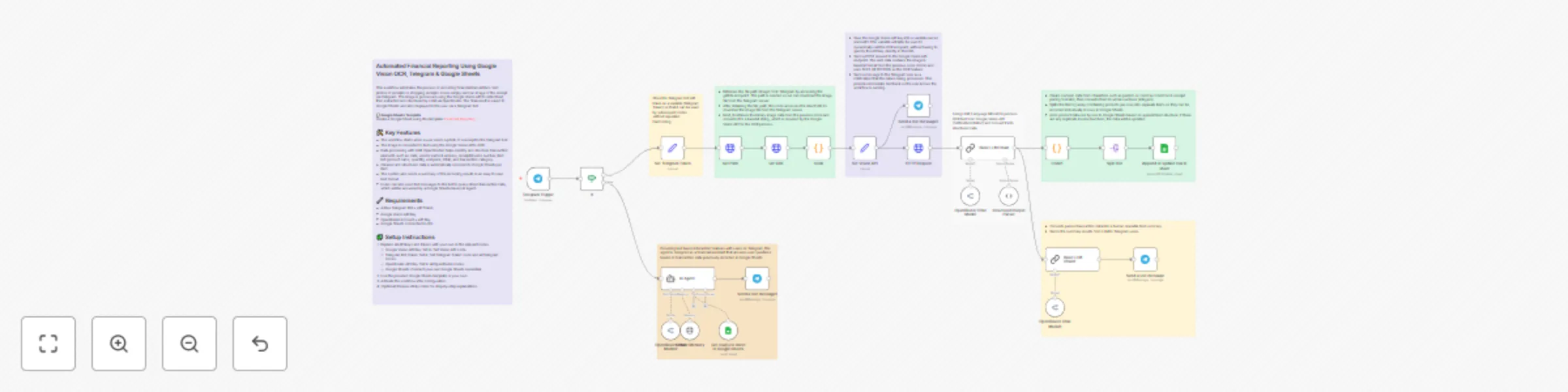
## Automated Financial Reporting Using Google Vision OCR, Telegram & Google Sheets This workflow automates the process of recording financial transactions from photos of receipts or shopping receipts. Users simply send an image of the receipt via Telegram. The image is processed using the Google Vision API to detect text, then extracted and structured by LLM via OpenRouter. The final result is saved to Google Sheets and also displayed to the user via a Telegram bot. **🧾 Google Sheets Template** Create a Google Sheet using this template: [Financial Reporting](https://docs.google.com/spreadsheets/d/11oT95lKoGNFlZtV129ampaBNOxnnKAJnUn1fAlqYZvY/edit?usp=sharing) ## 🛠️ Key Features - The workflow starts when a user sends a photo of a receipt to the Telegram bot. - The image is converted to text using the Google Vision API's OCR. - Data processing with LLM (OpenRouter) helps identify and structure transaction elements such as: date, vendor name & address, receipt/invoice number, item list (product name, quantity, unit price, total), and transaction category. - Cleaned and structured data is automatically recorded to Google Sheets per item. - The system also sends a summary of the recording results in an easy to read text format. - Users can also send text messages to the bot to query stored transaction data, which will be answered by a Google Sheets-based AI Agent. ## 🔧 Requirements - Active Telegram Bot + API Token - Google Vision API Key - OpenRouter Account + API Key - Google Sheets connected to n8n ## 🧩 Setup Instructions 1. Replace all API keys and tokens with your own in the relevant nodes. - Google Vision API Key: Set in 'Set Vision API' node. - Telegram Bot Token: Set in 'Set Telegram Token' node and all Telegram nodes. - OpenRouter API Key: Set in all OpenRouter nodes. - Google Sheets: Connect your own Google Sheets credential. 2. Use the provided Google Sheets template or your own. 3. Activate the workflow after configuration. 4. (Optional) Review sticky notes for step-by-step explanations.
Automated stock news alerts with Google RSS, Gemini & Telegram notifications
*This workflow contains community nodes that are only compatible with the self-hosted version of n8n.* ## 🎯 Purpose This workflow helps you automatically monitor stock related news, extract the main content, summarize it using a LLM (via OpenRouter), and send real time alerts to Telegram and store them in Google Sheets. ## ⚙️ How It Works ### Trigger - A Cron node triggers the workflow every 15 minutes (adjustable). - RSS Feed node checks latest articles from Google Alerts RSS. - The workflow filters duplicates using Google Sheets as a log. - The article URL is sent to Jina AI Readability API to extract the main body text. - The content is summarized using a model from OpenRouter (e.g., Gemini, Claude, GPT-4). - You can customize the prompt to suit your tone and analysis needs. - The result is appended to a Google Sheets file. - Sends the title, summary, and reccomendation to Telegram chat. **🧾 Google Sheets Template** Create a Google Sheet using this template: [Stock Alert](https://docs.google.com/spreadsheets/d/109kj97ABR37XviIpxARCFviZwq8opOoe--rayOeFDSo/edit?usp=sharing) ## 🧰 Requirements - Telegram Bot + your Chat ID - OpenRouter account and API key - Jina AI account for content extraction - Google Account with access to Google Sheets - Google Alerts RSS feed ## 🛠 Setup Instructions - Install required credentials: - Add OpenRouter API key to n8n credentials. - Add Telegram Bot Token and Chat ID. - Add Google Sheets credentials. - Add Jina AI credentials. - Create or copy the Google Sheet using the link above. - Go to Google Alerts, create alerts, and copy the RSS feed URL. - Replace placeholder API keys and URLs. - Adjust Telegram Chat ID. ## 🔐 Security Note All sensitive credentials (e.g., API keys, personal chat IDs) have been removed from this template. Please replace them using the n8n credentials manager before activating the workflow.