Automate video translation from multiple sources with Rask AI
## 🎬 Rask AI Video Translation Workflow
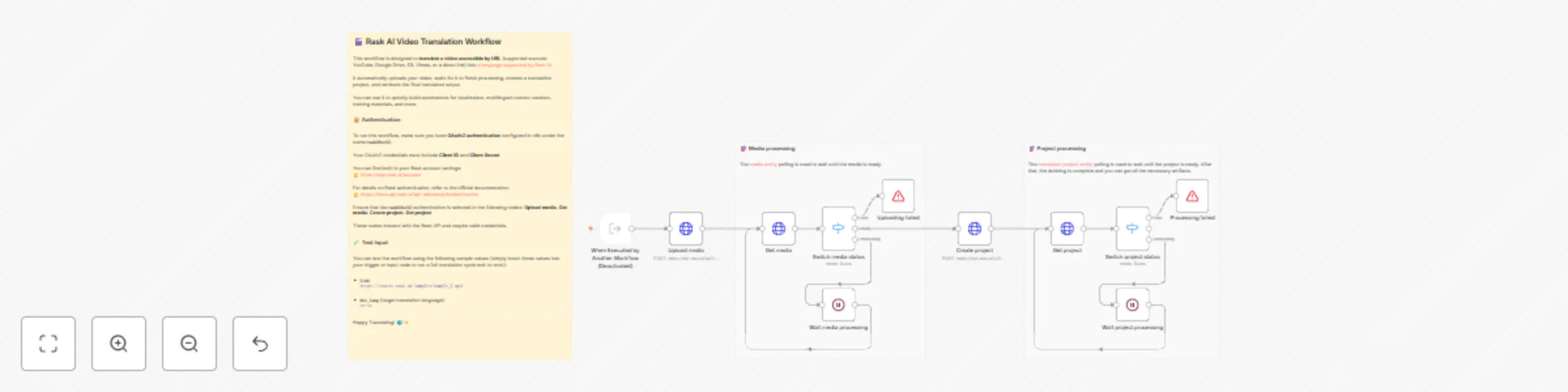
This workflow is designed to **translate a video accessible by URL** (supported sources: YouTube, Google Drive, S3, Vimeo, or a direct link) into [a language supported by Rask AI](https://docs.api.rask.ai/languages/destination).
It automatically uploads your video, waits for it to finish processing, creates a translation project, and retrieves the final translated output.
You can use it to quickly build automations for localization, multilingual content creation, training materials, and more.
### 🔐 Authentication
To run this workflow, make sure you have **OAuth2 authentication** configured in n8n under the name **`raskOAuth2`**.
Your OAuth2 credentials must include **Client ID** and **Client Secret**
You can find both in your Rask account settings:
👉 https://app.rask.ai/account
For details on Rask authentication, refer to the official documentation:
👉 https://docs.api.rask.ai/api-reference/authentication
Ensure that the **`raskOAuth2`** authentication is selected in the following nodes: **Upload media**, **Get media**, **Create project**, **Get project**
These nodes interact with the Rask API and require valid credentials.
### 🧪 Test Input
You can test the workflow using the following sample values (simply insert these values into your trigger or input node to run a full translation cycle end-to-end.):
- **`link`**:
`https://static.rask.ai/samples/sample_1.mp4`
- **`dst_lang`** (target translation language):
`en-us`
---
Happy Translating! 🌍✨