Anonymize faces and license plates in media with BlurIt

### This n8n template demonstrates how to use [Blurit](https://blurit.io) to anonymize faces and/or license plates in images or videos directly within your workflow.
Use cases include: automatically anonymizing dashcam videos, securing photos before sharing them publicly, or ensuring compliance with privacy regulations like GDPR.
### How it works
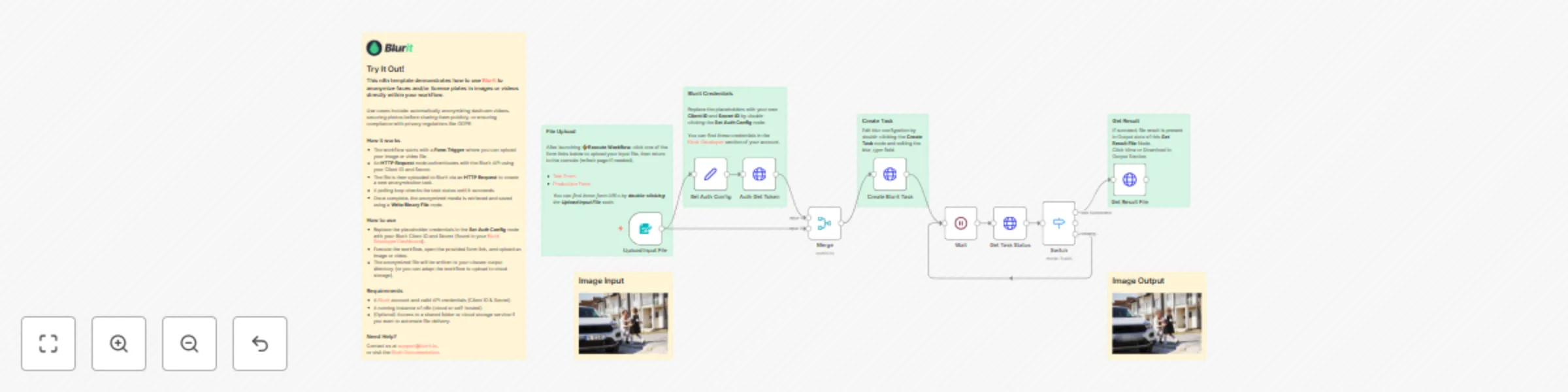
* The workflow starts with a **Form Trigger** where you can upload your image or video file.
* An **HTTP Request** node authenticates with the BlurIt API using your Client ID and Secret.
* The file is then uploaded to BlurIt via an **HTTP Request** to create a new anonymization task.
* A polling loop checks the task status until it succeeds.
* Once complete, the anonymized media is retrieved and saved using a **Write Binary File** node.
### How to use
* Replace the placeholder credentials in the **Set Auth Config** node with your BlurIt Client ID and Secret (found in your [BlurIt Developer Dashboard](https://app.blurit.io/account/developer)).
* Execute the workflow, open the provided form link, and upload an image or video.
* The anonymized file will be written to your chosen output directory (or you can adapt the workflow to upload to cloud storage).
### Requirements
* A [BlurIt](https://blurit.io) account and valid API credentials (Client ID & Secret).
* A running instance of n8n (cloud or self-hosted).
* (Optional) Access to a shared folder or cloud storage service if you want to automate file delivery.
### Need Help?
Contact us at [email protected],
or visit the [BlurIt Documentation](https://doc-api.blurit.io/n8n-integration).
Happy Coding!