Ayoub
Workflows by Ayoub
AI voice chat using webhook, Memory Manager, OpenAI, Google Gemini & ElevenLabs
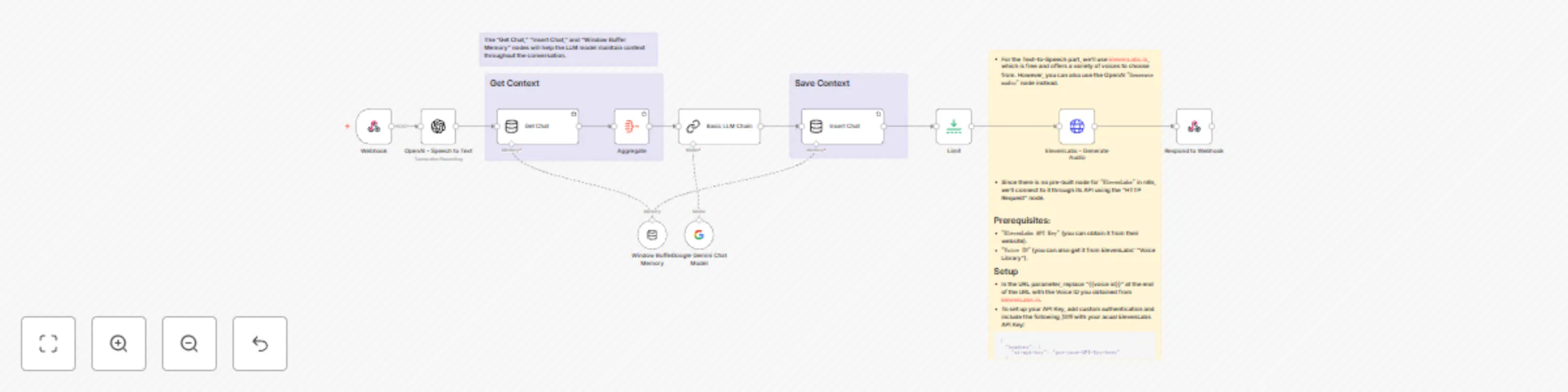
## Who is this for? This workflow is designed for businesses or developers looking to integrate voice-based chat applications with dynamic responses and conversational memory. ## What problem does this solve? It automates AI-powered voice conversations, maintaining context between sessions and converting speech-to-text and text-to-speech. ## What this workflow does: The workflow receives audio input, transcribes it using OpenAI, and processes the conversation using Google Gemini Chat Model (you can use OpenAI Chat Model). Responses are converted back to speech using ElevenLabs. ## Prerequisites: You'll need API keys for: * OpenAI (you can obtain it from OpenAI website) * ElevenLabs (you can obtain it from their website) * Google Gemini (You can obtain it from `Google AI Studio`) ## Setup: * Configure you API keys * Ensure that the value `(voice_message)` in the `"Path"` parameter in the Webhook node is used as the name of the parameter that will contain the voice message you are sending via the HTTP Post request.
Generate audio from text using OpenAI and Webhook | Text to speech workflow
**Who is this for?** This workflow is ideal for developers, content creators, or customer support teams looking to automate text-to-speech conversion using OpenAI. **What problem does this solve?** It automates the process of converting text inputs into speech, reducing manual effort and enhancing productivity. **What this workflow does:** This workflow triggers when a text input is received via a webhook, converts it into audio using the OpenAI API, and sends the generated speech back through a webhook response. **Setup:** 1. Ensure you have an OpenAI API key (you can get it from OpenAI website). 2. Set up the webhook URL and parameters. 3. Configure the OpenAI node with your API key (Create New Credentials). 4. set up the `responde to webhook` node.