A

Aditya Gaur

4
Workflows

Workflows by Aditya Gaur
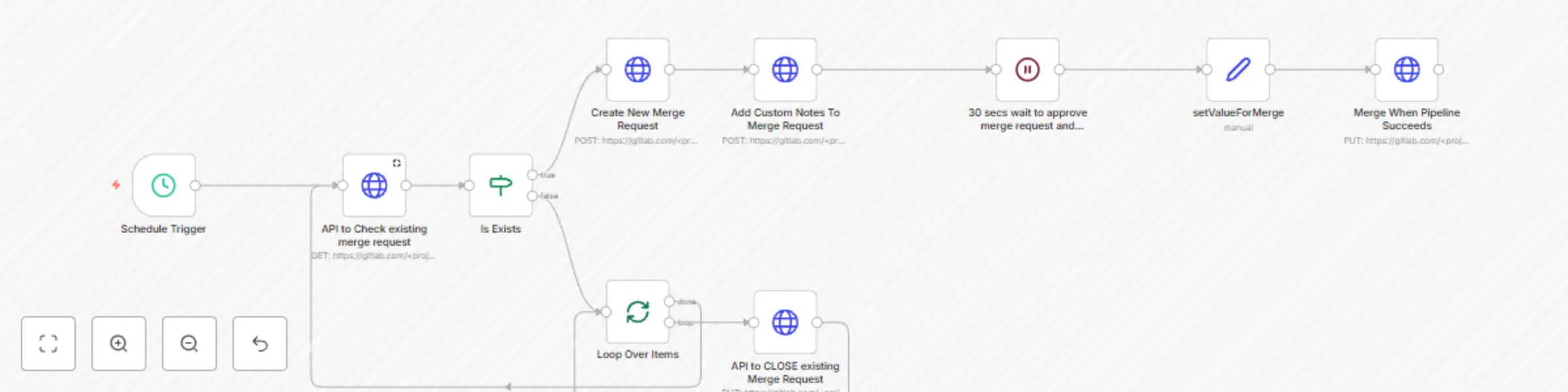
Workflow preview: Automate GitLab merge requests using APIs with n8n
Free intermediate

Automate GitLab merge requests using APIs with n8n

# **Who is this template for?** This template is designed for developers, DevOps engineers, and automation enthusiasts who want to streamline their GitLab merge request process using n8n, a low-code workflow automation tool. It eliminates manual intervention by automating the merging of GitLab branches through API calls. # **How it works ?** - Trigger the workflow: The workflow can be triggered by a webhook, a scheduled event, or a GitLab event (e.g., a new merge request is created or approved). - Fetch Merge Request Details: n8n makes an API call to GitLab to retrieve merge request details. - Check Merge Conditions: The workflow validates whether the merge request meets predefined conditions (e.g., approvals met, CI/CD pipelines passed). - Perform the Merge: If all conditions are met, n8n sends a request to the GitLab API to merge the branch automatically. # **Setup Steps** **1. Prerequisites** An n8n instance (Self-hosted or Cloud) A GitLab personal access token with API access A GitLab repository with merge requests enabled **2. Create the n8n Workflow** Set up a trigger: Choose a trigger node (Webhook, Cron, or GitLab Trigger). Fetch merge request details: Add an HTTP Request node to call GET /merge_requests/:id from GitLab API. Validate conditions: Check if the merge request has necessary approvals. Ensure CI/CD pipelines have passed. Merge the request: Use an HTTP Request node to call PUT /merge_requests/:id/merge API. **3. Test the Workflow** Create a test merge request. Check if the workflow triggers and merges automatically. Debug using n8n logs if needed. **4. Deploy and Monitor** Deploy the workflow in production. Use n8n’s monitoring features to track execution. This template enables seamless GitLab merge automation, improving efficiency and reducing manual work! #### Note: Never hard code API token or secret in your https request.

A
Aditya Gaur
DevOps
7 Feb 2025
5015
0
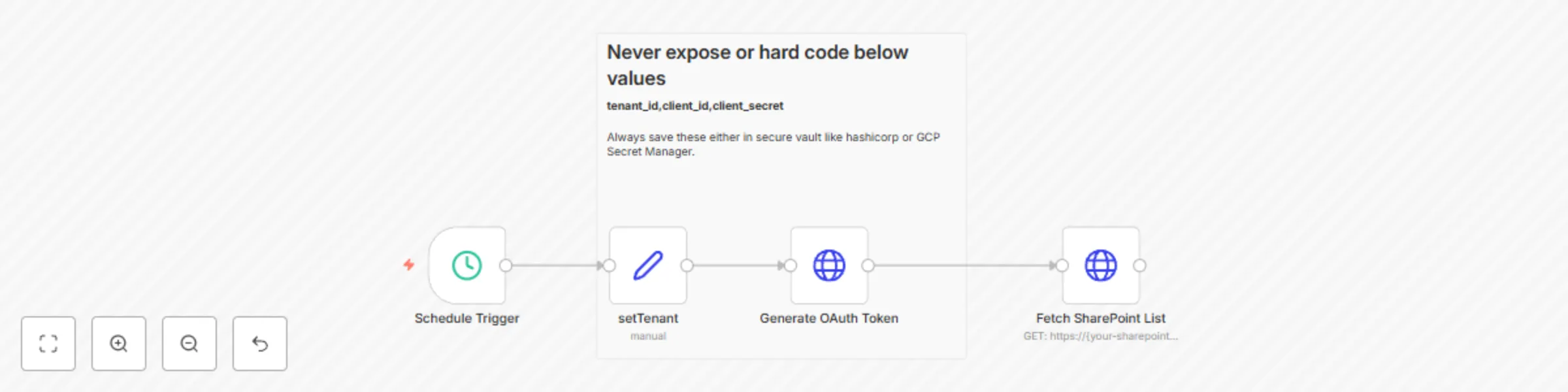
Workflow preview: SharePoint list fetch with OAuth token
Free intermediate

SharePoint list fetch with OAuth token

## Who is this template for? This template is designed for teams who need to automate data retrieval from SharePoint lists using n8n. It is ideal for users who want to authenticate via OAuth and then use the token to access SharePoint API endpoints, pulling in list data directly into n8n. ## How it works The template first generates an OAuth token using the Microsoft OAuth API. This token is then used to authenticate requests to the SharePoint List API, allowing the workflow to fetch data from a specified SharePoint list. By following the n8n workflow, the user can configure the necessary credentials and endpoints to automate SharePoint data access securely. ## Setup steps **Step 1:** Replace {tenant_id}, {client_id}, and {client_secret} with your Azure AD details for OAuth authentication. **Step 2:** Specify the SharePoint list API endpoint in the template (under "SharePoint List Fetch" node). **Step 3:** Configure the SharePoint list URL and make adjustments for specific data fields if necessary.

A
Aditya Gaur
Document Extraction
5 Nov 2024
4293
0

Workflow preview: Elastic alert notification via Microsoft Graph API
Free intermediate

Elastic alert notification via Microsoft Graph API

## **Who is this template for?** This template is for teams and administrators who use n8n to monitor Elastic alerts and want to receive automated email notifications when an alert is triggered. It leverages Microsoft Graph API to send emails and provides an efficient way to notify users about alerts directly in their inbox. ## **How it works?** The template connects to the Elastic API to retrieve alert data. When a new alert is detected, the workflow processes the alert content and sends an email notification via Microsoft Graph API. The email includes alert details such as the alert name, timestamp, severity, and a summary of the message, allowing for quick action or review. ## **Setup steps** Step 1: Set up OAuth2 Credentials in n8n for Microsoft Graph API with Mail.Send permission. Step 2: Configure your Elastic API endpoint in the HTTP Request node to retrieve alerts. Step 3: Modify the email recipients in the template to specify who will receive the alert notifications. Step 4: Customize the email format, if necessary, to include additional alert details or adjust the message.

A
Aditya Gaur
DevOps
4 Nov 2024
1251
0
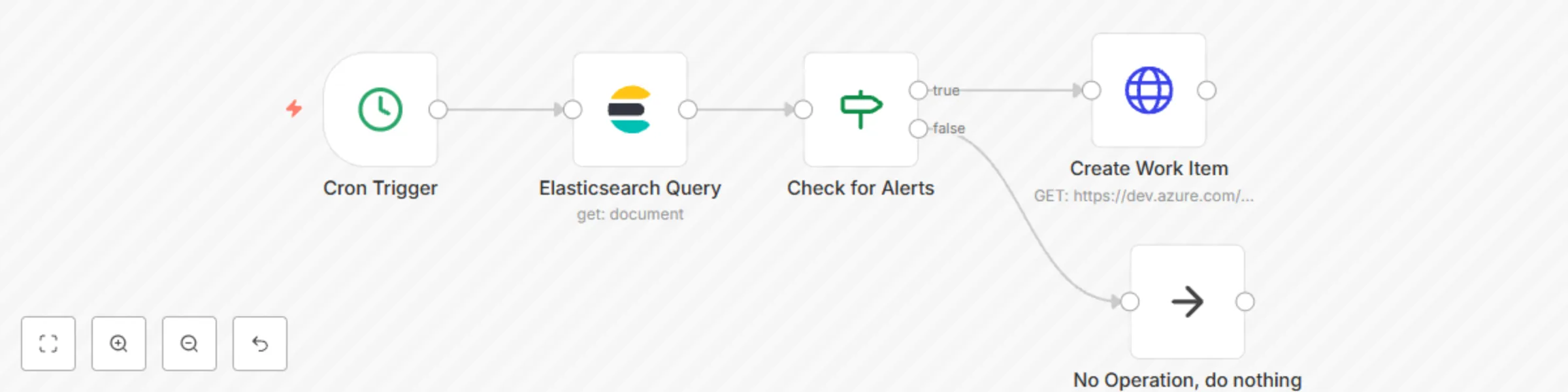
Workflow preview: Create an automated workitem(incident/bug/userstory) in azure devops
Free intermediate

Create an automated workitem(incident/bug/userstory) in azure devops

## Who is this template for? This template can be used by any automator who wants to **create a workitem(incident/user story/bugs)** in **azure devops** whenever an alert raised by systems. ## How it works - Each time an alert raised in system( for ex: Elastic raises an alert for missing host or domain). - Workflow reads an alert and creates a workitem in **azure devops** - Workflow can be customized to send any required information as possible in **azure devops** ## Setup Instructions - **Azure DevOps Organization and Project:** Make sure you have access to an Azure DevOps organization and a project where the work item will be created. - **Personal Access Token (PAT):** You need a Personal Access Token with permissions to create work items. You can generate a PAT from the Azure DevOps user settings.

A
Aditya Gaur
DevOps
26 Oct 2024
0
0