B

Brian Money

2
Workflows

Workflows by Brian Money
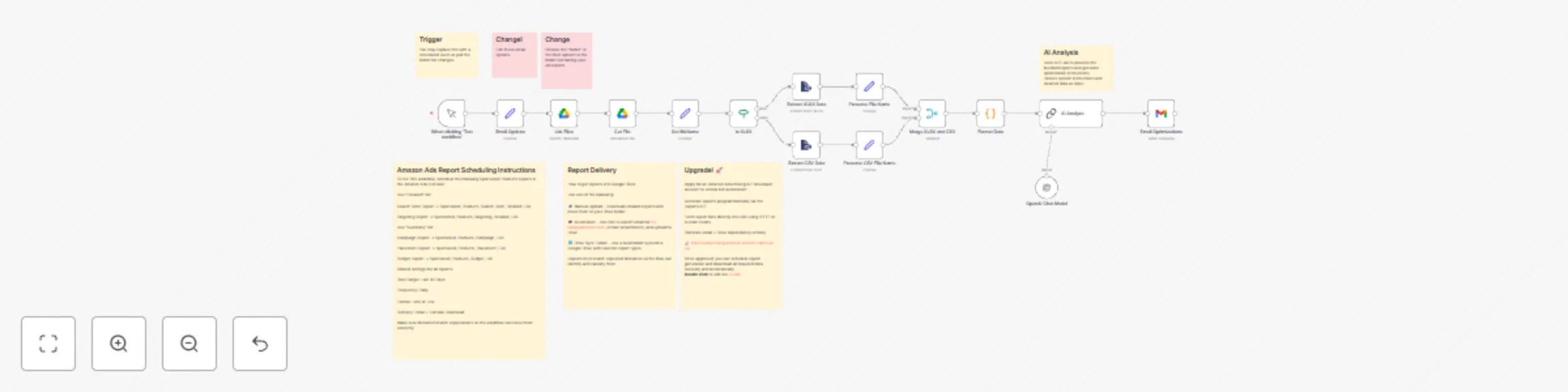
Workflow preview: Optimize Amazon ads with GPT-4o for bid, budget & keyword recommendations
Free advanced

Optimize Amazon ads with GPT-4o for bid, budget & keyword recommendations

### Overview This template is designed for Amazon sellers and advertisers who want to automate their campaign performance analysis and bidding strategy. It solves the common challenge of manually reviewing Sponsored Products reports and guessing how to adjust keywords, placements, and budgets. By combining Amazon Advertising reports with OpenAI's GPT-4o, this workflow delivers real-time, personalized optimization instructions — automatically. ### Features 📥 Automatically downloads Sponsored Products reports from Google Drive 🧠 Uses AI to analyze campaign, keyword, placement, targeting, and budget performance 📊 Supports both .csv and .xlsx report formats 🔁 Handles multiple ASINs and scales easily across ad accounts 📧 Sends structured optimization recommendations to your inbox via Gmail 🗂 Built-in logic to normalize filenames and correctly map reports 🧹 Includes error handling and formatting cleanup for AI-ready input ### Requirements To use this workflow, you’ll need: An Amazon Ads account with access to Sponsored Products reports A Google Drive folder where Amazon Ads reports are delivered (manually or via Gmail automation) A Gmail account (for sending summaries) An OpenAI API key with access to GPT-4o Optional: a developer account for the Amazon Ads API to fully automate report generation in the future ### Setup Instructions 📂 Connect your Amazon Ads reports folder in the Google Drive node 🔐 Add your credentials to the OpenAI and Gmail nodes 📝 Schedule five reports in the Amazon Ads Console: Search Term Report → Detailed Targeting Report → Detailed Campaign Report → Summary Placement Report → Summary Budget Report → Summary Use “Last 30 Days”, “Daily”, and .xlsx or .csv format 🔁 (Optional) Automate report ingestion using Gmail + Drive workflows 🧪 Test with one account, then replicate across additional ad accounts as needed ⏱️ Setup time: 15–30 minutes 📌 All field-specific guidance is included in workflow notes`

B
Brian Money
Market Research
30 Apr 2025
3544
0

Workflow preview: Gmail MCP server – your all‑in‑one AI email toolkit
Free advanced

Gmail MCP server – your all‑in‑one AI email toolkit

**Gmail MCP Server** Expose Gmail’s full API as a single SSE “tool server” endpoint for your AI agents. **What it does** Spins up an MCP Trigger that streams Server‑Sent Events to LangChain/N8N AI Agent nodes. ​ Maps 20+ common Gmail operations (search, send, reply, draft, label & thread management, mark read/unread, delete, etc.) to ai_tool connections, so agents can invoke them with a simple JSON payload. **Why you’ll love it** Agent‑ready: Plug the SSE URL into any N8N Agent or any other AI tool that uses MCP and start reasoning over email immediately. Extensible: Add more GmailTool operations or swap credentials without touching your agent logic. **How to use** Import the workflow (n8n ≥ v1.88). Set up a gmailOAuth2 credential and select it on the GmailTool nodes. Open the Gmail MCP Server node, copy the SSE URL, and paste it into your AI agent’s “Tool Server” field.

B
Brian Money
Ticket Management
19 Apr 2025
11756
0