M

Muhammad Ashar

1
Workflow

Workflows by Muhammad Ashar

Workflow preview: Create marketing content with voice commands using GPT-4 & AI tools in Telegram
Free advanced

Create marketing content with voice commands using GPT-4 & AI tools in Telegram

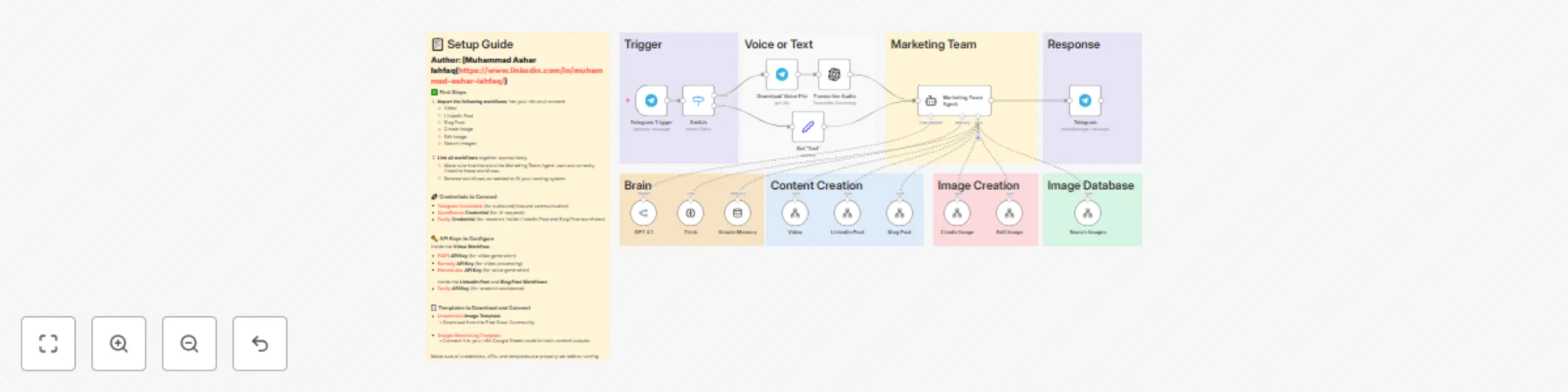
How It Works – Your AI Marketing Team in Action This automation acts as your AI-powered content and image marketing assistant inside Telegram. With just a voice note or text message, it can: 🧠 Understand your request – Whether you send a message or speak into Telegram, it transcribes and processes your input using GPT-4. 🎨 Create and edit content – Based on what you say, it can generate: ✍️ Blog posts 💼 LinkedIn posts 🎬 Faceless videos 🖼️ AI-generated images 🪄 Edits to existing images 🔎 Searches through your image database 💬 Replies directly in Telegram – It sends you back the result—whether that’s a post, image, or video link—without leaving the app. 🧩 Built using LangChain agent logic – It intelligently chooses the right tool from a suite of sub-workflows like "Create Image", "Blog Post", or "Video" using agent reasoning. 🛠️ Setup Steps – Get Started in Minutes! ⌛ Time Estimate: ~15–30 minutes (faster if you're familiar with n8n) 🔗 1. Import the Template Pack 📥 Download and install these workflows into your n8n: Create Image, Edit Image, Search Images Blog Post, LinkedIn Post, Video 🔐 2. Add Required Credentials Telegram Bot 🤖 OpenRouter AI 🧠 Tavily API (for smart research) 📚 ElevenLabs 🎙️ (for voice in videos) PiAPI & Runway 🎞️ (for faceless videos) 🧩 3. Link the Tools to the Agent Node – Make sure the "Marketing Team Agent" is connected to each of the content creation tools as shown in the workflow. 📎 4. Download Templates & Logs 🧾 Google Sheets Log Template (to track output) 🖼️ Creatomate Template (optional for enhanced image control – shared in Skool group) 📌 Pro Tip: All detailed step-by-step setup instructions are included as sticky notes inside the n8n canvas. Just follow along!

M
Muhammad Ashar
Content Creation
24 Jul 2025
1342
0