M

Muhammad Asadullah

7
Workflows

Workflows by Muhammad Asadullah

Workflow preview: WordPress blog generation with AI Research, Image Creation & Auto Publishing
Free advanced

WordPress blog generation with AI Research, Image Creation & Auto Publishing

## How This N8n Workflow Works This is an **automated blog post generation system** that: 1. **Researches topics** using AI agents and web search tools 2. **Writes complete blog posts** with proper SEO structure 3. **Generates custom images** for each post 4. **Publishes directly to WordPress** with images embedded ## Setup Steps ### 1. API Keys & Credentials - **Set in "API Keys" node:** - `tavily`: Get from [tavily.com](https://tavily.com) (free tier available) - `wavespeed`: Get from [wavespeed.ai](https://wavespeed.ai) for image generation - `wordpress-website-url`: Your WordPress site URL ### 2. WordPress Authentication - Create **WordPress Application Password**: - Go to Users → Your Profile → Application Passwords - Create new password and save it - Set up **WordPress API credential** in n8n with: - Username: Your WordPress username - Password: The application password you created ### 3. Data Table Setup - Create an **n8n Data Table** with these columns: - title, topic, content, slug, excerpt, featured_image, audience, category, author, status ### 4. AI Model Configuration - Configure AI models in these nodes: - **Researcher Agent** (uses OpenAI or Google Gemini) - **Writer Agent** (uses OpenAI or Google Gemini) - **Image Prompts Writer** (uses OpenAI) ### 5. Image Generation - Update image upload URL in **"Upload image" node**: - Change to: `https://yourdomain.com/wp-json/wp/v2/media` - Configure your preferred image generation service ## How to Trigger 1. **Fill the form** with: - Topic - Target audience - Industry 2. **Submit** to start the automation ## Workflow Process 1. **Research Phase**: AI researches topic and analyzes existing content 2. **Writing Phase**: AI writes complete blog post with HTML structure 3. **Image Creation**: Generates featured image + content images 4. **WordPress Integration**: - Uploads images to media library - Creates blog post with embedded images - Sets featured image and metadata ## Key Features - **SEO-optimized** content structure - **Automatic image generation** and embedding - **WordPress native integration** - **Quality checks** and retry logic - **Human-like writing** with anti-AI detection The system handles everything from research to published post with images in one automated workflow.

M
Muhammad Asadullah
Content Creation
30 Nov 2025
133
0
Workflow preview: Import products from Google Sheets to Shopify with multi-variant support
Free advanced

Import products from Google Sheets to Shopify with multi-variant support

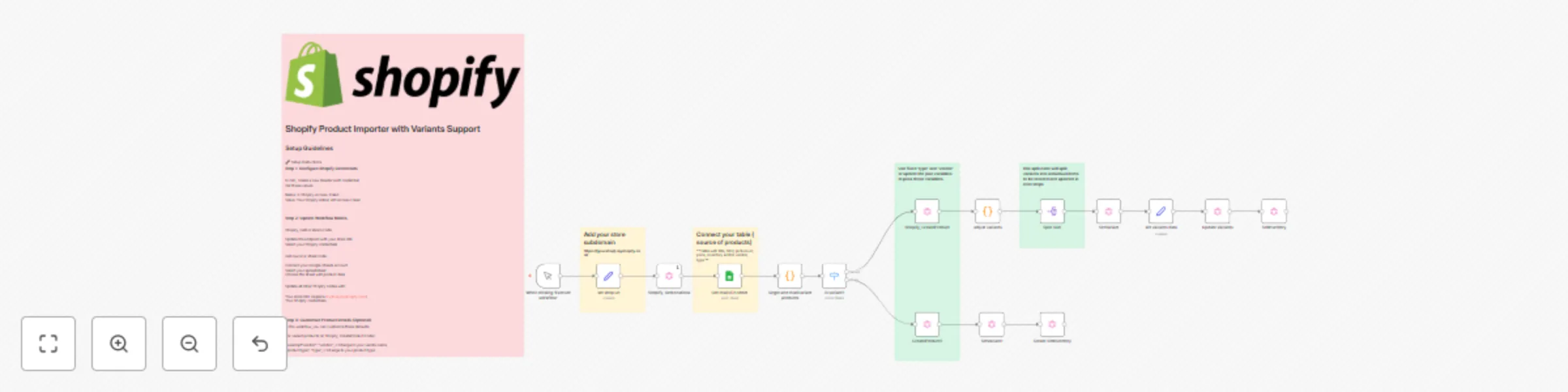
## Short Description (for listing) Import products from Google Sheets to Shopify with automatic handling of single products and multi-variant products (sizes, colors, etc.). Includes SKU management, inventory tracking, and image uploads via GraphQL API. ## Category - E-commerce - Productivity - Data Import/Export ## Full Description ### Overview This workflow automates the process of importing products from a Google Sheet into your Shopify store. It intelligently detects and handles both simple products and products with multiple variants (like different sizes or colors), creating them with proper SKU management, pricing, inventory levels, and images. ### Key Features - ✅ **Dual Product Support**: Handles single products and multi-variant products automatically - ✅ **Smart SKU Parsing**: Automatically groups variants by parsing SKU format (e.g., `12345-SM`, `12345-MD`) - ✅ **Inventory Management**: Sets stock levels for each variant at your default location - ✅ **Image Upload**: Attaches product images from URLs - ✅ **GraphQL API**: Uses Shopify's modern GraphQL API for reliable product creation - ✅ **Batch Processing**: Process multiple products in one workflow run ### Use Cases - Initial store setup with bulk product import - Regular inventory updates from spreadsheet - Migrating products from another platform - Managing seasonal product catalogs - Synchronizing products with external systems ### Requirements 1. Shopify store with Admin API access 2. Google Sheets API credentials 3. n8n version 1.0+ 4. Basic understanding of GraphQL (helpful but not required) ### What You'll Need to Configure - Shopify Admin API token - Your Shopify store URL (in 'set store url' node) - Google Sheets connection - (Optional) Vendor name and product type defaults ### Input Format Your Google Sheet should contain columns: - Product Name - SKU (format: `BASESKU-VARIANT` for variants) - Size (or other variant option) - Price - On hand Inventory - Product Image (URL) Products with the same name are automatically grouped as variants. ### How It Works 1. **Reads** product data from your Google Sheet 2. **Groups** products by name and detects if they have variants 3. **Switches** to appropriate creation path (single or variant) 4. **Creates** product in Shopify with options and variants 5. **Updates** each variant with SKU and pricing 6. **Sets** inventory levels at your location 7. **Uploads** product images ### Technical Details - Uses Shopify GraphQL Admin API (2025-04) - Handles up to 100 variants per product - Processes variants individually for accurate data mapping - Includes error handling for missing data - Supports one inventory location per run ### Common Modifications - Change vendor name and product type - Add more variant options (color, material, etc.) - Customize product status (draft vs active) - Modify inventory location selection - Add product descriptions ### Perfect For - Shopify store owners managing large catalogs - E-commerce managers doing bulk imports - Agencies setting up client stores - Developers building automated product workflows --- **Difficulty**: Intermediate **Estimated Setup Time**: 15-30 minutes **Nodes Used**: 16 **External Services**: Shopify, Google Sheets

M
Muhammad Asadullah
Lead Generation
17 Oct 2025
277
0
Workflow preview: YouTube channel monitor with Gemini AI transcription & summarization
Free advanced

YouTube channel monitor with Gemini AI transcription & summarization

# This n8n workflow monitors YouTube channels 24/7, transcribes new videos with AI, and scores them by relevance—all automatically saved to Google Sheets. ## About This n8n workflow automatically monitors YouTube channels, transcribes new videos, and generates AI-powered summaries with relevance scoring. It pulls channel URLs from a Google Sheet, fetches recent videos (last 14 days), transcribes them using Google Gemini, and saves detailed summaries back to your spreadsheet with relevance scores based on custom criteria. ## How It Works 1. **Schedule Trigger**: Runs weekly (every 7 days at 7:05 AM) 2. **Fetch Channels**: Reads channel URLs and filter criteria from Google Sheets 3. **Process Channels**: Loops through each channel and fetches recent videos via YouTube RSS feeds 4. **Filter Videos**: Only processes videos from the last 14 days that don't already exist in the database 5. **Transcribe**: Uses Google Gemini API to transcribe video content 6. **Summarize & Score**: AI agent analyzes transcripts against your criteria and generates: - Full 500-word summary in markdown - Short bullet-point summary - Topic classification - Relevance score (1-10) - Relevance reasoning 7. **Save Results**: Appends or updates video data in Google Sheets ## Setup Instructions ### Prerequisites - n8n instance (cloud or self-hosted) - Google account with Sheets API access - Google Gemini API key ### Step 1: Google Sheets Setup Create a new Google Spreadsheet with two sheets: **Google Sheet Template**: [Click here to access](https://docs.google.com/spreadsheets/d/1CvRiadHGvfLOduLUZZThc-_g339q9BQXb_P8ZUCchIo/edit?usp=sharing) - Make a copy to your Google Drive - Configure the two sheets as described below **Sheet 1: "channels"** - Column A: `category` (e.g., "AI Tools", "Marketing") - Column B: `channels` (comma-separated YouTube channel URLs) - Column C: `video filter criteria` (describe what makes videos relevant) **Sheet 2: "videos"** - Columns: `id`, `title`, `video url`, `date`, `channel`, `category`, `topic`, `summary`, `short sumary`, `transcript`, `relevance score`, `relevance reason` ### Step 2: Configure n8n Workflow 1. Import the workflow JSON into n8n 2. **Google Sheets Authentication**: - Connect your Google account in both "Get row(s) in sheet" nodes - Update the document ID to match your spreadsheet 3. **Gemini API Key**: - In the "set channel" node, replace the placeholder API key with your own Gemini API key - Get your key from: https://makersuite.google.com/app/apikey ### Step 3: Adjust Settings (Optional) - **Video lookback period**: Edit line 6 in "Videos Posted in Last X days" node (default: 14 days) - **Videos per channel**: Modify the "Limit" node (default: 4 videos) - **Schedule**: Change the "Schedule Trigger5" node timing as needed - **Wait times**: Adjust wait nodes to respect API rate limits ### Step 4: Test & Activate 1. Add a test channel URL to your "channels" sheet 2. Run the workflow manually to verify it works 3. Activate the workflow to run on schedule ## Notes - The workflow includes rate limiting (wait nodes) to avoid API throttling - Videos are checked for duplicates before processing - Failed transcriptions continue to the next video without stopping the workflow - Results are automatically saved to Google Sheets after each video processes

M
Muhammad Asadullah
Market Research
5 Oct 2025
174
0
Workflow preview: Extract & filter Reddit posts & comments with keyword search & markdown formatting
Free advanced

Extract & filter Reddit posts & comments with keyword search & markdown formatting

# Reddit Posts & Comments Scraper A powerful workflow to scrape Reddit posts and comments by keywords and/or subreddit, with intelligent filtering and formatting. ## How it works 1. **Search Reddit** - Accepts keywords and/or subreddit parameters via webhook to search for relevant posts 2. **Filter & Sort** - Filters posts by date (last 60 days), minimum upvotes (20+), removes duplicates, and sorts by popularity 3. **Extract Comments** - For each post, retrieves and extracts the top 20 most upvoted comments with their reply threads 4. **Format Results** - Structures all posts and comments into a clean, readable markdown report 5. **Return Data** - Sends the formatted report back as a webhook response, ready for use in AI tools or other applications ## Set up steps **Time to set up: ~10 minutes** ### 1. Create Reddit App (5 minutes) - Go to [https://www.reddit.com/prefs/apps](https://www.reddit.com/prefs/apps) and create a new app - Add your n8n URL and callback URL in the "redirect uri" field (you'll find this in the Reddit OAuth2 credentials setup in n8n) - Copy your app's Client ID and Client Secret ### 2. Configure Reddit Credentials in n8n (2 minutes) - In n8n, create new Reddit OAuth2 API credentials - Paste your Client ID and Client Secret from step 1 - Complete the OAuth2 authentication flow ### 3. Update Webhook URLs (2 minutes) - Update the webhook URLs in the example HTTP request nodes to match your n8n instance URL - The workflow has two webhooks: - `/webhook/reddit-search-keyword` - for searching by keywords only - `/webhook/reddit-search-subreddit` - for searching within a specific subreddit ### 4. Customize Filters (1 minute - optional) - **Date filter**: Line 6 in "Posted in Last x days" node (default: 60 days) - **Upvote filter**: "Upvotes Requirement Filtering" node (default: 20+ upvotes) - **Post limit**: "Limit" node (default: 10 posts) ### 5. Test the Workflow - Use the example HTTP request nodes to test both search methods: - **Keywords only**: `?keywords=your,keywords,here` - **Subreddit search**: `?keywords=your,keywords&subreddit=SubredditName` ## Usage Examples **Search by keywords:** ``` GET https://your-n8n.com/webhook/reddit-search-keyword?keywords=AI,machine learning ``` **Search within subreddit:** ``` GET https://your-n8n.com/webhook/reddit-search-subreddit?keywords=ChatGPT,GPT-4&subreddit=OpenAI ``` The workflow returns a formatted text report with all posts, their metadata, and top comments ready for analysis or AI processing.

M
Muhammad Asadullah
Market Research
3 Oct 2025
186
0
Workflow preview: End-to-end Ai blog research and writer with Gemini AI, Supabase and Nano-Banana
Free advanced

End-to-end Ai blog research and writer with Gemini AI, Supabase and Nano-Banana

# Blog Research and Writer n8n Workflow - Ai Blog Writer **Fully automated blog creation system using n8n + AI Agents + Image Generation** [Example Blog](https://livesume.com/blog/building-personal-brand-social-media-guide) ## Overview This workflow automates the entire blog creation pipeline—from topic research to final publication. Three specialized AI agents collaborate to produce publication-ready blog posts with custom images, all saved directly to your Supabase database. ## How It Works ### 1. **Research Agent** (Topic Discovery) - **Triggers**: Runs on schedule (default: daily at 4 AM) - **Process**: - Fetches existing blog titles from Supabase to avoid duplicates - Uses Google Search + RSS feeds to identify trending topics in your niche - Scrapes competitor content to find content gaps - Generates detailed topic briefs with SEO keywords, search intent, and differentiation angles - **Output**: Comprehensive research document with SERP analysis and content strategy ### 2. **Writer Agent** (Content Creation) - **Triggers**: Receives research from Agent 1 - **Process**: - Writes full blog article based on research brief - Follows strict SEO and readability guidelines (no AI fluff, natural tone, actionable content) - Structures content with proper HTML markup - Includes key sections: hook, takeaways, frameworks, FAQs, CTAs - Places image placeholders with mock URLs (`https://db.com/image_1`, etc.) - **Output**: Complete JSON object with title, slug, excerpt, tags, category, and full HTML content ### 3. **Image Prompt Writer** (Visual Generation) - **Triggers**: Receives blog content from Agent 2 - **Process**: - Analyzes blog content to determine number and type of images needed - Generates detailed 150-word prompts for each image (feature image + content images) - Creates prompts optimized for Nano-Banana image model - Names each image descriptively for SEO - **Output**: Structured prompts for 3-6 images per blog post ### 4. **Image Generation Pipeline** - **Process**: - Loops through each image prompt - Generates images via Nano-Banana API (Wavespeed.ai) - Downloads and converts images to PNG - Uploads to Supabase storage bucket - Generates permanent signed URLs - Replaces mock URLs in HTML with real image URLs - **Output**: Blog HTML with all images embedded ### 5. **Publication** - Final blog post saved to Supabase `blogs` table as draft - Ready for immediate publishing or review ## Key Features ✅ **Duplicate Prevention**: Checks existing blogs before researching new topics ✅ **SEO Optimized**: Natural language, proper heading structure, keyword integration ✅ **Human-Like Writing**: No robotic phrases, varied sentence structure, actionable advice ✅ **Custom Images**: Generated specifically for each blog's content ✅ **Fully Structured**: JSON output with all metadata (tags, category, excerpt, etc.) ✅ **Error Handling**: Automatic retries with wait periods between agent calls ✅ **Tool Integration**: Google Search, URL scraping, RSS feeds for research ## Setup Requirements ### 1. **API Keys Needed** - **Google Gemini API**: For Gemini 2.5 Pro/Flash models (content generation/writing) - **Groq API (optional)**: For Kimi-K2-Instruct model (research/writing) - **Serper.dev API**: For Google Search (2,500 free searches/month) - **Wavespeed.ai API**: For Nano-Banana image generation - **Supabase Account**: For database and image storage ### 2. **Supabase Setup** - Create `blogs` table with fields: - `title`, `slug`, `excerpt`, `category`, `tags`, `featured_image`, `status`, `featured`, `content` - Create storage bucket for blog images - Configure bucket as public or use signed URLs ### 3. **Workflow Configuration** **Update these placeholders:** - **RSS Feed URLs**: Replace `[your website's rss.xml]` with your site's RSS feed - **Storage URLs**: Update Supabase storage paths in "Upload object" and "Generate presigned URL" nodes - **API Keys**: Add your credentials to all HTTP Request nodes - **Niche/Brand**: Customize Research Agent system prompt with your industry keywords - **Writing Style**: Adjust Writer Agent prompt for your brand voice ## Customization Options ### Change Image Provider Replace the "nano banana" node with: - Gemini Imagen 3/4 - DALL-E 3 - Midjourney API - Any Wavespeed.ai model ### Adjust Schedule Modify "Schedule Trigger" to run: - Multiple times daily - Specific days of week - On-demand via webhook ### Alternative Research Tools Replace Serper.dev with: - Perplexity API (included as alternative node) - Custom web scraping - Different search providers ## Output Format ```json { "title": "Your SEO-Optimized Title", "slug": "your-seo-optimized-title", "excerpt": "Compelling 2-3 sentence summary with key benefits.", "category": "Your Category", "tags": ["tag1", "tag2", "tag3", "tag4"], "author_name": "Your Team Name", "featured": false, "status": "draft", "content": "<article>...complete HTML with embedded images...</article>" } ``` ## Performance Notes - **Average runtime**: 15-25 minutes per blog post - **Cost per post**: ~$0.10-0.30 (depending on API usage) - **Image generation**: 10-15 seconds per image with Nano-Banana - **Retry logic**: Automatically handles API timeouts with 5-15 minute wait periods ## Best Practices 1. **Review Before Publishing**: Workflow saves as "draft" status for human review 2. **Monitor API Limits**: Track Serper.dev searches and image generation quotas 3. **Test Custom Prompts**: Adjust Research/Writer prompts to match your brand 4. **Image Quality**: Review generated images; regenerate if needed 5. **SEO Validation**: Check slugs and meta descriptions before going live ## Workflow Architecture **3 Main Phases:** 1. Research → Writer → Image Prompts (Sequential AI Agent chain) 2. Image Generation → Upload → URL Replacement (Loop-based processing) 3. Final Assembly → Database Insert (Single save operation) **Error Handling:** - Wait nodes between agents prevent rate limiting - Retry logic on agent failures (max 2 retries) - Conditional checks ensure content quality before proceeding --- **Result**: Hands-free blog publishing that maintains quality while saving 3-5 hours per post.

M
Muhammad Asadullah
Content Creation
30 Sep 2025
1171
0
Workflow preview: LinkedIn post agent
Free intermediate

LinkedIn post agent

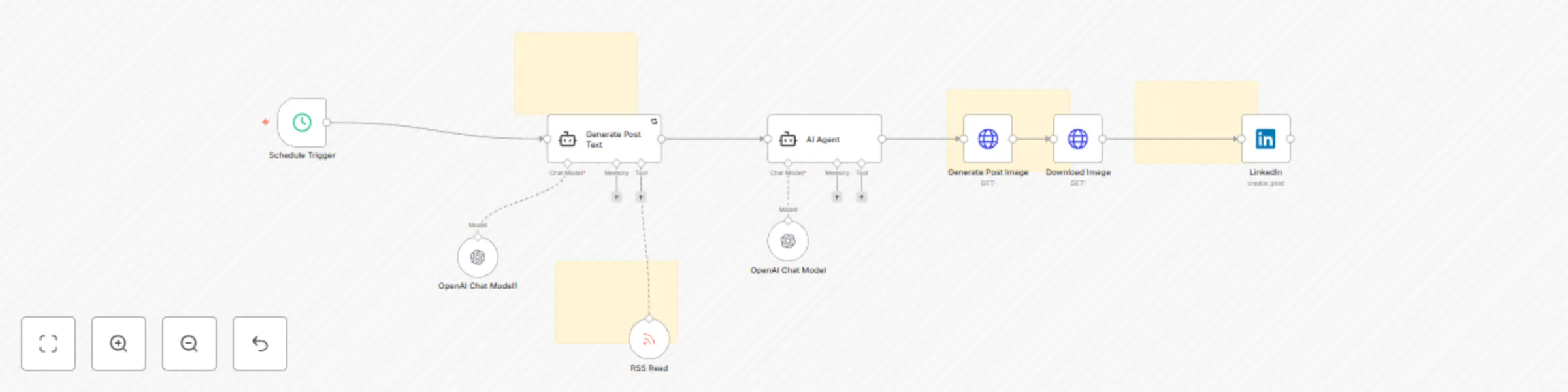
# LinkedIn Post Generator - Automated Marketing Content Workflow This workflow creates and publishes professional LinkedIn posts automatically on a schedule, complete with AI-generated images. Here's how it works: ## How It Works 1. Generates professional marketing posts focused on Generative AI and enterprise solutions (update prompt for your desired content) 2. Creates matching images that represent the post's themes visually 3. Publishes directly to LinkedIn on a scheduled basis 4. Incorporates RSS feeds for up-to-date content inspiration ## Setup Steps (Estimated time: 15-20 minutes) 1. **API Credentials**: Connect your OpenAI API key for text and image generation 2. **LinkedIn Authentication**: Add your LinkedIn credentials to enable posting 3. **RSS Configuration**: Add relevant industry RSS feed URLs for content inspiration 4. **Schedule**: Set your preferred posting frequency in the Schedule Trigger node The workflow uses GPT-4o and GPT-4o Mini to create professionally-toned content that positions you as a thought leader in marketing and AI implementation. The generated content follows specific formatting guidelines to maximize engagement on LinkedIn. Each post is carefully crafted to be 100-150 words with strategic paragraph breaks, ending with relevant hashtags. The matching images are designed to be clean, minimalistic, and aligned with the post's theme without any distracting text elements.

M
Muhammad Asadullah
AI
20 Mar 2025
224
0
Workflow preview: Google Drive to Pinecone vector storage workflow
Free advanced

Google Drive to Pinecone vector storage workflow

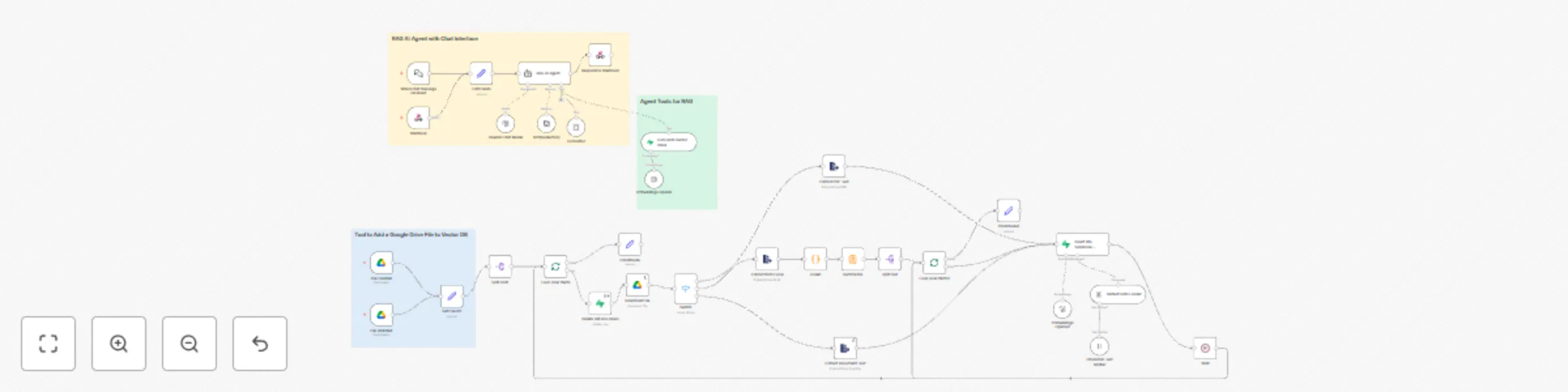
# Document Chat Bot with Automated RAG System This workflow creates a conversational assistant that can answer questions based on your Google Drive documents. It automatically processes various file types and uses Retrieval-Augmented Generation (RAG) to provide accurate answers based on your document content. ## How It Works 1. **Monitors Google Drive for New Documents**: Automatically detects when files are created or updated in designated folders 2. **Processes Multiple File Types**: Handles PDFs, Excel spreadsheets, and Google Docs 3. **Builds a Knowledge Base**: Converts documents into searchable vector embeddings stored in Supabase 4. **Provides Chat Interface**: Users can ask questions about their documents through a web interface 5. **Retrieves Relevant Information**: Uses advanced RAG techniques to find and present the most relevant information ## Setup Steps (Estimated time: 25-30 minutes) 1. **API Credentials**: Connect your OpenAI API key for text processing and embeddings 2. **Google Drive Integration**: Set up Google Drive triggers to monitor specific folders 3. **Supabase Configuration**: Configure Supabase vector database for document storage 4. **Chat Interface Setup**: Deploy the web-based chat interface using the provided webhook The workflow automatically chunks documents into manageable segments, generates embeddings, and stores them in a vector database for efficient retrieval. When users ask questions, the system finds the most relevant document sections and uses them to generate accurate, contextual responses.

M
Muhammad Asadullah
AI
17 Mar 2025
281
0